

Why Fitness Studios Use Multi-Zone Screens

Multi-zone screens are defined as display systems that show different content simultaneously across multiple screens in a single space. Fitness studios deploy them to deliver workout timers, movement demonstrations, heart rate zones, and class schedules to every corner of a training room at once. The result is a class environment where members always know what to do next, and coaches spend their energy on technique and motivation instead of repeating instructions. Understanding why fitness studios use multi-zone screens starts with recognizing that these systems are not a luxury. They are operational infrastructure.
What is a multi-zone screen system and how does it work?
A multi-zone screen system assigns each display a specific content role within a shared network. One screen shows the workout timer. Another runs movement demonstrations. A third displays heart rate zones or a leaderboard. Every screen operates independently but stays synchronized through a cloud-based content management system (CMS).
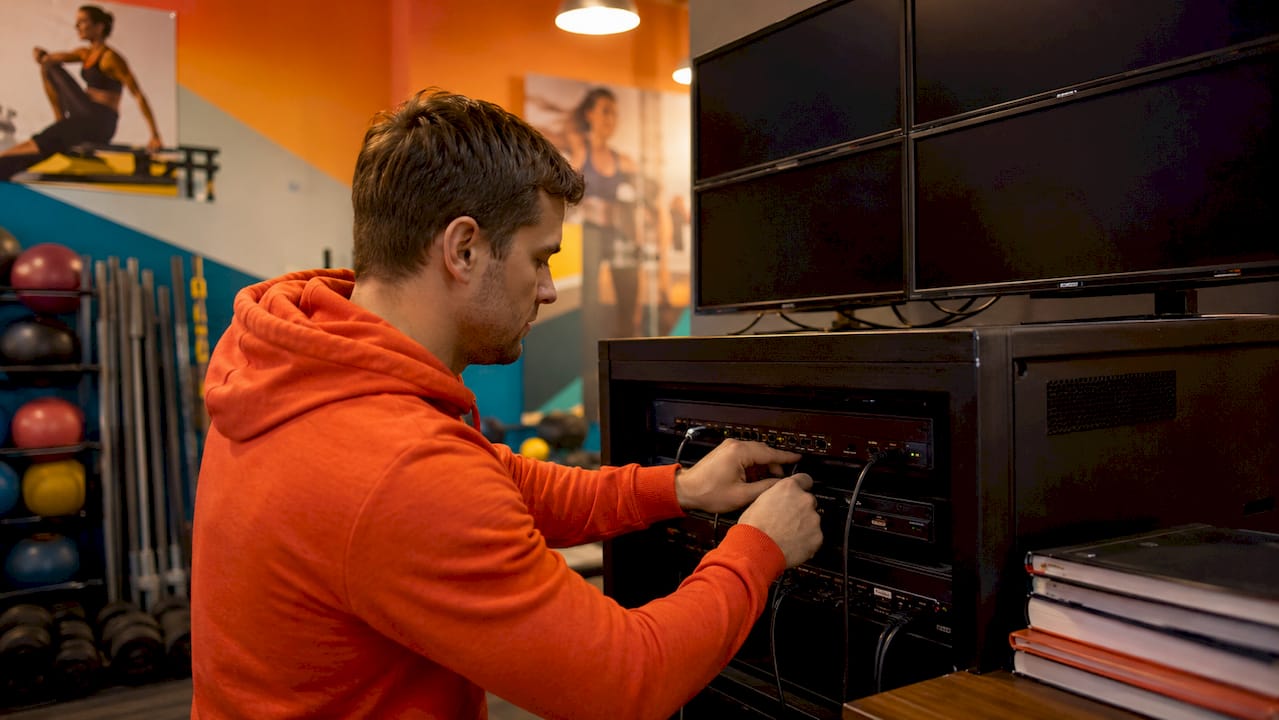
The hardware behind the setup matters as much as the software. Each screen requires a dedicated playback device. Platforms like Vxchnge and Fit Viz recommend dedicated devices per screen such as NVIDIA Shield or Apple TV for reliable, high-performance playback. Phone casting and screen mirroring introduce lag and dropouts that disrupt class flow.
Network stability is the other critical factor. Hardwired Ethernet connections are the standard for commercial installations. For smaller displays mounted away from power outlets, Power over Ethernet (PoE) reduces installation cost and complexity by delivering both data and power through a single cable.
Choose your screen roles. Decide which display handles timers, which runs demos, and which shows schedules before you buy hardware.
Select dedicated playback devices. One device per screen prevents shared-resource bottlenecks.
Run hardwired Ethernet where possible. Wi-Fi introduces instability that compounds across multiple simultaneous streams.
Connect to a cloud CMS. This lets you update content across all screens instantly from any device.
Test under load. Run all screens simultaneously during setup to catch network or power issues before opening day.
Pro Tip: Label each screen’s playback device with its assigned role during installation. When you troubleshoot six months later, you will thank yourself.
How do multi-zone screens compare to single-screen setups?
A single screen works in a small studio with one class format. It fails the moment your room has more than 15 members, multiple stations, or mixed modalities like strength and cardio running at the same time.
Multi-screen setups are built for classes with stations, wide rooms, or mixed modalities. They keep workout blocks, timers, and demos readable from every position in the room without crowding all information onto one display. Members at a kettlebell station see their specific movement demo. Members on the rower see their interval timer. No one has to squint across the room or wait for the screen to cycle.
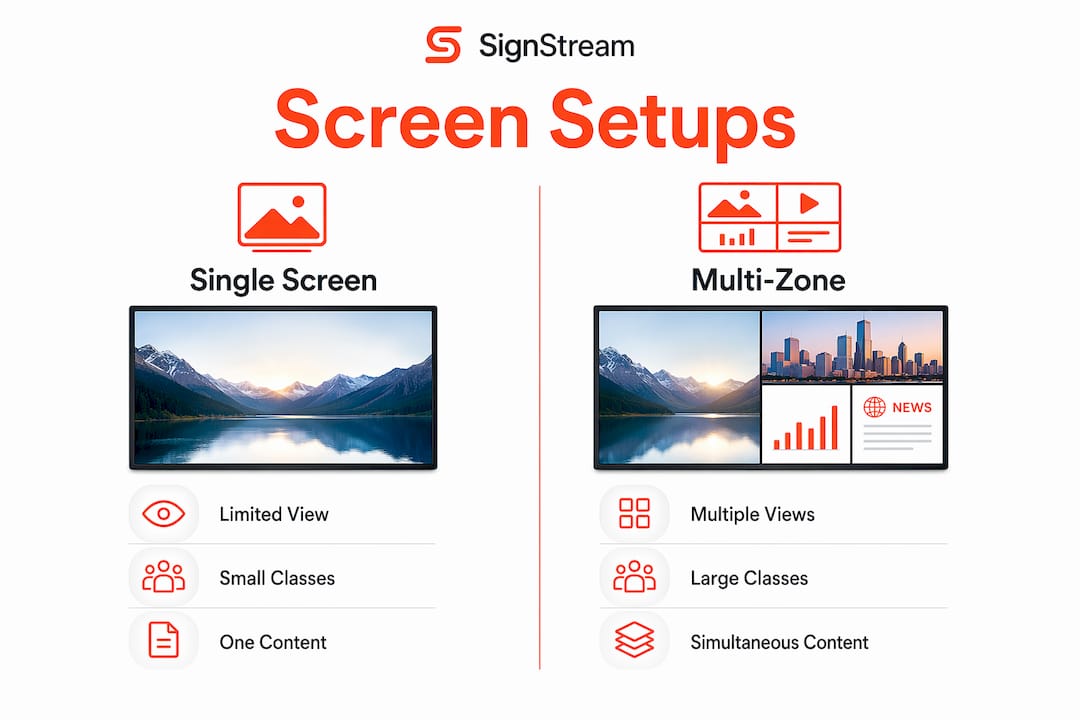
The coach efficiency gain is significant. Multi-zone setups eliminate the need for coaches to stop workouts for explanations, allowing them to focus entirely on technique and motivation. That shift improves group session energy in a measurable way.
Feature | Single screen | Multi-zone system |
Visibility in large rooms | Poor beyond 20 feet | Strong across all zones |
Mixed modality support | No | Yes |
Coach verbal load | High | Low |
Member engagement | Passive | Active and targeted |
Content flexibility | One message at a time | Multiple simultaneous messages |
Members follow the workout without interrupting the coach
Station-based circuits run without confusion between zones
Timers, demos, and schedules display simultaneously without crowding
Large rooms maintain readability from every angle
Best practices for screen placement and content allocation
Screen placement determines whether your investment pays off or collects dust. The most common mistake is mounting screens too high. Eye-level mounting adjusted for a standing sightline keeps information in peripheral vision during exercise and prevents neck strain. A screen mounted at 10 feet forces members to look up mid-rep. That breaks focus and creates a safety risk.
Corner clustering is the placement strategy used in multifunctional training spaces. Placing displays on adjacent walls or in diagonal positions delivers 360-degree visibility. Every station has a clear sightline to at least one screen without members needing to turn around.
Content role consistency matters as much as physical placement. Consistent screen positioning builds member habit. When the timer is always on the north wall and the demo is always on the east wall, members stop thinking about where to look. That cognitive shortcut improves class flow more than any single piece of content.
Primary workout timer: largest screen, most central position
Movement demonstrations: positioned near the relevant station or zone
Heart rate zones and leaderboards: secondary screens visible from cardio areas
Class schedules and promotions: lobby or entrance screens only, never inside the workout zone
Pro Tip: Keep marketing content off your workout screens entirely. Members in a class do not want to see a protein shake ad between reps. Save promotions for lobby and entrance displays.
Common technical pitfalls when deploying gym display systems
The most expensive mistake fitness studio owners make is buying consumer-grade televisions. Commercial-grade screens rated for 24/7 operation and 500–700 nits brightness are required in gyms. Standard consumer TVs are built for 6–8 hours of daily use in low-ambient-light living rooms. A gym floor with overhead lighting and direct sunlight from windows will wash out a consumer TV within weeks.
Avoid consumer TVs. They fail faster, display poorly in bright environments, and void warranties in commercial settings.
Never rely on phone casting. Bluetooth and Wi-Fi mirroring from a coach’s phone introduces lag and drops out when the phone locks or receives a call.
Do not share a single playback device across multiple screens. Split-signal setups degrade quality and create single points of failure.
Skip Wi-Fi for primary workout screens. A dropped connection mid-class is a serious disruption. Hardwired Ethernet is the professional standard.
Beyond hardware, the CMS you choose determines how much time you spend managing the system. A platform that requires technical expertise to update content will sit stale within a month. The best digital signage platforms for fitness studios let you push updates from a phone in under a minute.
How multi-zone screens improve operations and engagement in 2026
The operational benefits of multi-zone displays extend well beyond the workout floor. Small screens at studio entrances used as urgency zones, displaying “Next Class Starts in…” countdowns on 10–22 inch panels, reduce front-desk queries and manage member traffic without staff intervention. That is a direct reduction in administrative load.
Separating content types across dedicated screens, such as keeping class schedules away from workout instructions and marketing away from performance data, reduces cognitive load for members. When everything is on one screen, members tune it out. When each screen has one clear purpose, members read it.
Large fitness studios now run 10–15 displays within a single training room to provide unique, simultaneous instructions across strength, cardio, and recovery zones. That scale is only manageable with a cloud-based CMS that lets one person update all screens instantly.
Real-time schedule updates reduce front-desk calls about class times
Leaderboards and heart rate zone displays increase competitive engagement
Promotional content on lobby screens generates revenue without cluttering workout zones
Integration with booking platforms keeps schedule displays accurate without manual updates
Signstream’s platform supports this exact model. You can deploy content across unlimited screens, update everything from one dashboard, and even monetize your lobby screens through an ad exchange marketplace that connects you with other local businesses.
Key takeaways
Multi-zone screen systems are the most direct way to improve class flow, reduce coach verbal load, and increase member engagement across every zone of a fitness studio.
Point | Details |
System architecture matters | Use dedicated playback devices per screen and hardwired Ethernet for reliable performance. |
Screen placement drives results | Eye-level mounting and corner clustering maximize visibility and reduce member confusion. |
Content role consistency | Assign each screen a fixed role so members build habits and follow the workout without thinking. |
Commercial hardware is non-negotiable | Consumer TVs fail in gym environments; use 500–700 nit commercial displays rated for 24/7 use. |
Operational gains are real | Entrance urgency zones and separated content types reduce front-desk load and improve class clarity. |
Why I think most studios underestimate what screens actually do
Most fitness studio owners I talk to think of screens as a nice-to-have. They budget for equipment first, screens last, and then wonder why their coaches are exhausted by the end of a busy Saturday. The real function of a well-deployed multi-zone screen system is to transfer the cognitive work of class management from the coach to the room itself.
When a coach does not have to say “the timer is on the left screen” or “watch the demo before you start,” they can spend that energy on the one thing members actually pay for: personal attention and motivation. That shift in energy is felt in every class. Members notice it even when they cannot name it.
The studios that get this right share a few traits. They invest in commercial hardware from the start instead of replacing consumer TVs every 18 months. They assign screen roles before installation and stick to them. They use a CMS that does not require an IT background to operate. And they treat the entrance screen as a separate communication channel, not an afterthought.
My honest caution: do not let perfect be the enemy of functional. A two-screen setup done well beats a ten-screen setup done poorly. Start with the roles that matter most for your class format, get the hardware right, and expand from there.
— DKS
Ready to upgrade your studio’s screen setup?
If you are planning a multi-zone screen installation or want to see how a cloud-based platform can manage your displays without technical headaches, Signstream makes it straightforward.

Signstream’s platform lets you control unlimited screens from one dashboard, update content in real time from any device, and separate your workout content from promotional messaging without complex configuration. Studios using Signstream have reported a 25% rise in class attendance after implementation. Book a free consultation to walk through your facility’s specific needs, or schedule an on-site consultation for a hands-on assessment. You can also explore the Signstream platform to see how it fits your current setup before committing to anything.
FAQ
What are multi-zone screens in fitness studios?
Multi-zone screens are networked display systems that show different content simultaneously across multiple screens in a single training space. Each screen is assigned a specific role such as a workout timer, movement demo, or class schedule.
How many screens does a fitness studio need?
Large fitness studios run 10–15 displays per training room to cover distinct zones like strength, cardio, and recovery. Smaller studios can start with two to four screens and expand based on class format and room size.
Why use commercial screens instead of regular TVs?
Consumer TVs are not built for continuous gym use. Commercial-grade displays rated at 500–700 nits handle bright ambient lighting and 24/7 operation without degrading, which makes them the only practical choice for a gym floor.
What content should go on each screen?
Assign each screen one fixed role: timer, movement demo, heart rate zones, or schedule. Consistent screen roles build member habit and reduce confusion during class transitions.
Can a small studio afford a multi-zone screen system?
Yes. Starting with two to three commercial screens, dedicated playback devices, and a cloud CMS keeps initial costs manageable. Signstream’s platform deploys on unlimited screens at no extra charge, which removes the cost barrier for scaling up over time. For budget-focused planning, explore affordable digital signage options built for smaller teams.
Recommended
Comments