

What Is a Multi-Floor Screen Network? A Business Guide

A multi-floor screen network is a unified digital display system connecting screens across different building levels to a single management dashboard. It delivers coordinated, targeted content to every floor, zone, or department from one central platform. The industry term for this technology is a multi-level display system, though digital signage network is the broader category most vendors and IT teams use. If you manage a multi-story office, gym, hospital, or retail building and want consistent, location-relevant messaging without sending another email nobody reads, this technology solves that problem directly.
What is a multi-floor screen network and how does it work?
A multi-floor screen network is defined as a centralized digital signage system that synchronizes or individually targets content across screens on multiple building floors. The core components are commercial-grade displays, dedicated media players, physical network infrastructure, and a content management system (CMS). Screen networks are managed from a single dashboard, giving operators the ability to push unified brand messaging to every screen or send floor-specific content to individual zones.
The CMS is the brain of the operation. It schedules, distributes, and monitors content across every connected display without requiring someone to physically touch each screen. Platforms like Signstream take this further by allowing updates from any device, so a manager on the third floor can push a new promotion or safety alert to all screens in seconds.

Zone-based targeting is what separates a true multi-floor network from a collection of standalone screens. Zone-based targeting improves engagement by matching content to the location and audience at each point in the building. A lobby screen shows wayfinding and visitor information. A break room screen shows HR announcements and employee recognition. A production floor screen shows live KPI dashboards.
How does a screen network operate technically?
The technical architecture of a multi-floor screen network rests on three layers: the display hardware, the network infrastructure, and the software platform.
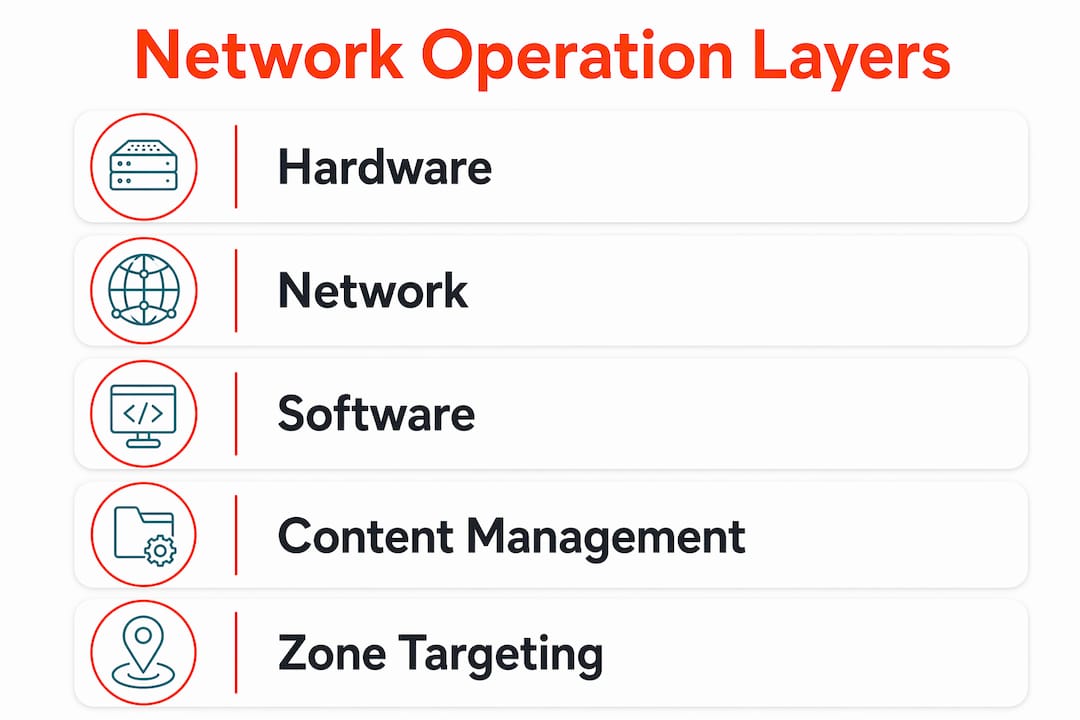
Hardware layer: Commercial-grade displays in the 32–55 inch range are standard. Consumer televisions are not built for continuous operation and fail faster in always-on environments. Each display connects to a dedicated media player, which handles local content playback and communicates with the CMS.
Network layer: Most deployments rely on wired Ethernet for critical zones, using Wi-Fi only in retrofit or less critical locations. Wired connections eliminate synchronization issues common in dense wireless environments. For multi-tenant commercial buildings, managed network services can handle the infrastructure complexity across floors.
Software layer: The CMS connects all hardware to a single control point. Operators assign screens to zones, schedule content, and monitor playback status remotely.
Key technical requirements for a stable deployment include:
Wired Ethernet for all primary communication nodes
Redundant network paths to prevent message disruption if one line fails
Latency pre-testing before go-live to confirm synchronization across floors
Consistent naming conventions for floors and zones in the CMS
Media player firmware kept current to avoid compatibility issues
Network redundancy and pre-testing latency are essential to prevent message disruption across multiple floors. A dual-line configuration adds a failover path so the network keeps running if the primary connection drops.
Deployment timelines for a large multi-floor network typically run 4–8 weeks, depending on building complexity and existing infrastructure. That timeline accounts for hardware procurement, cabling, CMS configuration, and content setup.
Pro Tip: Map every floor plan and assign zone names in your CMS before a single screen goes on the wall. Renaming zones after installation creates content scheduling errors that are time-consuming to fix.
What are the key benefits of multi-floor screens for businesses?
Screen networks increase operational alignment by delivering passive, environment-embedded information at the point of work. Employees do not need to open an app, check their inbox, or attend a meeting to receive the message. The screen delivers it where they already are.
This is the core advantage over email and intranet systems. Email requires the recipient to actively engage. A screen in a hallway, elevator lobby, or break room delivers the message whether the employee is looking for it or not. The result is higher message visibility across the entire organization.
Practical use cases that decision-makers consistently deploy across multi-floor networks include:
Wayfinding: Floor directories, room booking status, and visitor navigation
Emergency alerts: Instant building-wide or floor-specific safety notifications
KPI dashboards: Live production metrics, sales figures, or service targets visible to the relevant team
Employee recognition: Spotlighting achievements on the floor where the team works
HR and operational updates: Policy changes, event reminders, and shift schedules
“The most effective workplace screen networks combine global corporate messaging with floor-specific content. Employees see what matters to the whole company and what matters to their floor, in the same place.” — Workplace Screen Networks for Internal Messaging
Signstream clients, including elite sports clubs and retailers, have reported a 25% rise in class attendance after deploying a managed screen network. That result comes from consistent, visible promotion at the point where members and customers already spend time.
Multi-floor screen networks vs. other communication methods
A multi-floor screen network is not a replacement for every communication channel. It is the right tool for passive, location-specific, always-on messaging. Understanding where it outperforms other methods helps you decide where to invest.
Method | Reach | Requires Active Engagement | Location-Specific | Real-Time Updates | Best For |
Multi-floor screen network | Building-wide | No | Yes | Yes | Operational, ambient, and emergency messaging |
Email / intranet | All staff | Yes | No | Yes | Detailed documents, policies, announcements |
Standalone single-floor screen | One area | No | Partially | Yes | Single-zone promotions or displays |
Printed signage | Physical area | No | Yes | No | Static, infrequent information |
PA system / intercom | Building-wide | No | Partially | Yes | Urgent audio announcements only |
The key distinction between a unified multi-floor system and a collection of isolated screens is central control. Isolated screens require someone to physically update each display or manage separate software instances. A unified system pushes changes to every screen or a specific zone from one login, in seconds.
Wired versus wireless connectivity is the most common trade-off in multi-floor deployments. Wired Ethernet delivers consistent reliability and low latency. Wi-Fi is faster to install in retrofit buildings but introduces synchronization risk in environments with high wireless traffic density. For managed Wi-Fi deployment across multiple floors, working with a network services provider reduces that risk significantly.
Pro Tip: Do not rely on the building’s shared Wi-Fi for your screen network. Request a dedicated VLAN or separate SSID for signage traffic. This prevents bandwidth competition from affecting playback quality.
What should decision-makers know before deploying a multi-floor screen network?
Planning is where most deployments succeed or fail. The technology itself is mature. The problems almost always come from infrastructure gaps discovered after installation begins.
Assess your cabling infrastructure first
Retrofitting cabling post-installation is the most expensive phase of any multi-floor screen network deployment. Running cable through finished walls, across multiple floors, and through fire-rated barriers costs significantly more than installing during a renovation or new build. Walk every floor with your IT team before committing to screen locations.
Follow this deployment sequence
Audit the building. Collect accurate floor plans, identify power outlet locations, and map existing network drops.
Define your zones. Decide which floors, rooms, or areas need separate content targeting. Name them consistently.
Choose your connectivity method. Prioritize wired Ethernet for high-traffic or critical communication nodes. Plan Wi-Fi only for locations where cabling is genuinely impractical.
Select hardware. Match display size to viewing distance. A 32-inch screen works in a small break room. A lobby or large open floor needs 55 inches or larger.
Configure the CMS. Set up zones, assign screens, and build your content schedule before installation day.
Test latency and synchronization. Run the full network under load before go-live. Identify and fix any lag or dropout issues.
Train your content managers. The best hardware setup fails if nobody updates the content. Assign clear ownership for each zone.
Plan for maintenance. Schedule firmware updates, screen cleaning, and periodic content audits. Stale content is as damaging to engagement as no content.
Balance global and floor-specific content
Effective screen networks combine global corporate messaging with floor-specific or zone-based content. A single content loop that shows only company-wide announcements loses relevance for employees on specialized floors. A loop that shows only local content misses the opportunity to reinforce company culture and shared goals. The right balance is typically 60–70% shared content and 30–40% zone-specific messaging, adjusted based on your organization’s communication priorities.
Key Takeaways
A multi-floor screen network delivers the highest communication value when it combines centralized control, wired infrastructure, and zone-specific content targeting from the start of deployment.
Point | Details |
Core definition | A multi-floor screen network connects displays across building levels to one central management dashboard. |
Infrastructure first | Audit cabling before installation. Retrofitting wired connections post-build is the costliest deployment phase. |
Zone targeting drives engagement | Combining global messaging with floor-specific content increases relevance and message visibility. |
Wired beats wireless for critical nodes | Wired Ethernet prevents synchronization failures common in dense wireless environments. |
Plan for content ownership | Assign zone managers before go-live. Stale or unmanaged content reduces network effectiveness quickly. |
Why most screen networks underperform their potential
Organizations consistently treat multi-floor screen networks as broadcast channels, pushing the same content to every screen and calling it done. That approach wastes the most powerful feature of the technology: location-specific relevance. A lobby screen and a warehouse floor screen serve completely different audiences with completely different information needs. Treating them identically is the same mistake as sending one mass email to every department and expecting it to feel relevant to anyone.
The second mistake I see regularly is underestimating infrastructure costs during the planning phase. Decision-makers budget for screens and software, then discover mid-project that cabling through a multi-story building costs more than the hardware. That surprise either kills the project or forces compromises on connectivity that hurt long-term reliability.
The third issue is content ownership. A screen network with no assigned content manager goes stale within weeks. Stale screens get ignored. Ignored screens become expensive wall decorations. Before you approve the budget, confirm who owns each zone’s content and how often it will be updated. The technology is the easy part. The organizational commitment to keeping it current is what determines whether the investment pays off.
— DKS
Signstream can help you build your multi-floor screen network
Building a multi-floor screen network is a significant investment. Getting the planning, hardware, and content strategy right from the start saves time and budget.

Signstream provides a managed digital signage platform built for businesses that need to manage multiple screens efficiently, without requiring technical expertise. You can update every screen in your building instantly from any device, target content by floor or zone, and track performance through built-in analytics. Signstream deploys on unlimited screens at no extra charge, making it a practical choice for multi-story offices, gyms, clubs, and retail environments. Book a free consultation to discuss your building layout, or schedule an on-site evaluation for a tailored deployment plan.
FAQ
What is a multi-floor screen network in simple terms?
A multi-floor screen network is a digital signage system that connects displays across multiple building floors to one central dashboard, allowing coordinated or zone-specific content delivery from a single platform.
How long does it take to deploy a multi-floor screen network?
Deployment typically takes 4–8 weeks for a large multi-floor installation, depending on building complexity and existing cable infrastructure.
What is the biggest cost in a multi-floor screen network deployment?
Retrofitting cabling through finished walls and across multiple floors is universally the most expensive phase. Planning cable runs before installation begins reduces this cost significantly.
Do multi-floor screen networks require wired connections?
Wired Ethernet is strongly preferred for critical communication nodes because it eliminates the synchronization issues and latency common with wireless-only systems in dense building environments.
How is a multi-floor screen network different from standalone digital signs?
Standalone signs operate independently with no central control. A multi-floor network connects all displays to one management platform, enabling instant updates, zone targeting, and synchronized playback across the entire building.
Recommended
Comments