

Kitchen-to-Screen Menu System: A Restaurant Manager's Guide
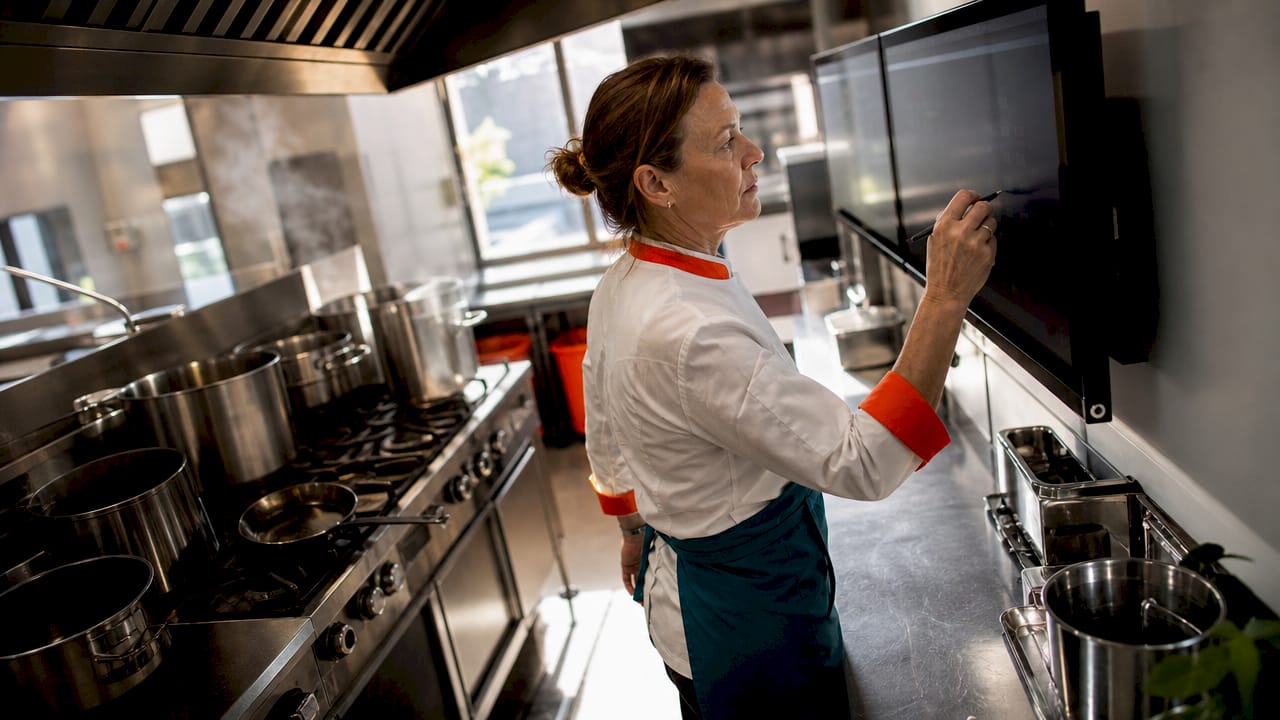
A kitchen-to-screen menu system is a digital platform that sends food orders directly from a restaurant’s point-of-sale system to specialized kitchen screens, replacing paper tickets and eliminating the communication gaps that slow down service. Also known as a Kitchen Display System, or KDS, this technology is now the backbone of modern back-of-house operations. Orders appear on station-specific screens within seconds, complete with modifiers, timers, and color-coded urgency indicators. For restaurant managers looking to cut errors, speed up service, and gain real visibility into kitchen performance, understanding how a KDS works is the first step toward a measurably better operation.
What is a kitchen-to-screen menu system and how does it differ from paper tickets?
A kitchen-to-screen menu system, the industry term for which is a Kitchen Display System (KDS), replaces paper tickets by routing orders instantly from a POS to designated kitchen station screens with real-time timing, color-coded urgency, and full modifier visibility. Paper tickets get lost, smudged, and misread. A KDS eliminates all three problems at once.
The core difference is not just format. Paper tickets are passive. A KDS is active. It tracks every order from the moment it is placed, displays its status to every relevant station, and alerts staff when timing is falling behind. That shift from passive to active order management is what makes digital menu management genuinely transformative for kitchen operations.
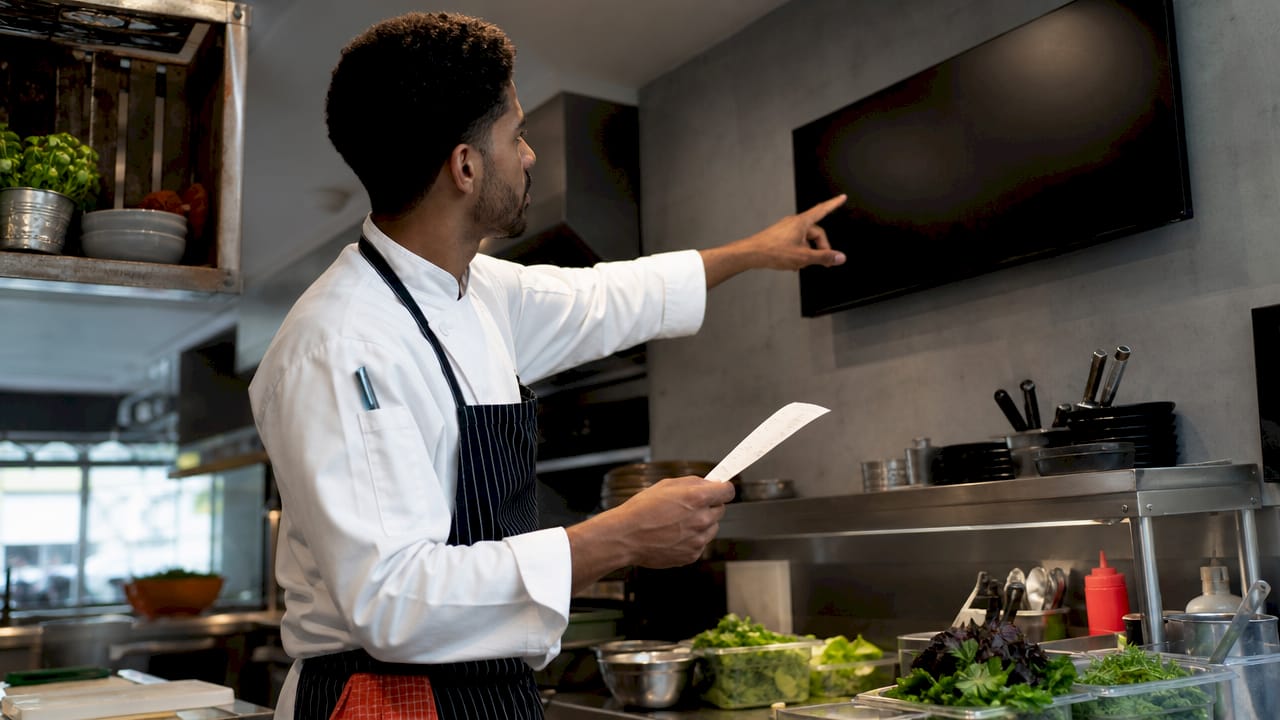
A KDS also connects to every ordering channel in your restaurant. Dine-in orders from a server’s handheld, kiosk orders from the lobby, and delivery orders from third-party apps all flow into the same system. Every station sees only what it needs to prepare, in the right sequence, at the right time.
How does a kitchen-to-screen menu system work in restaurant kitchens?
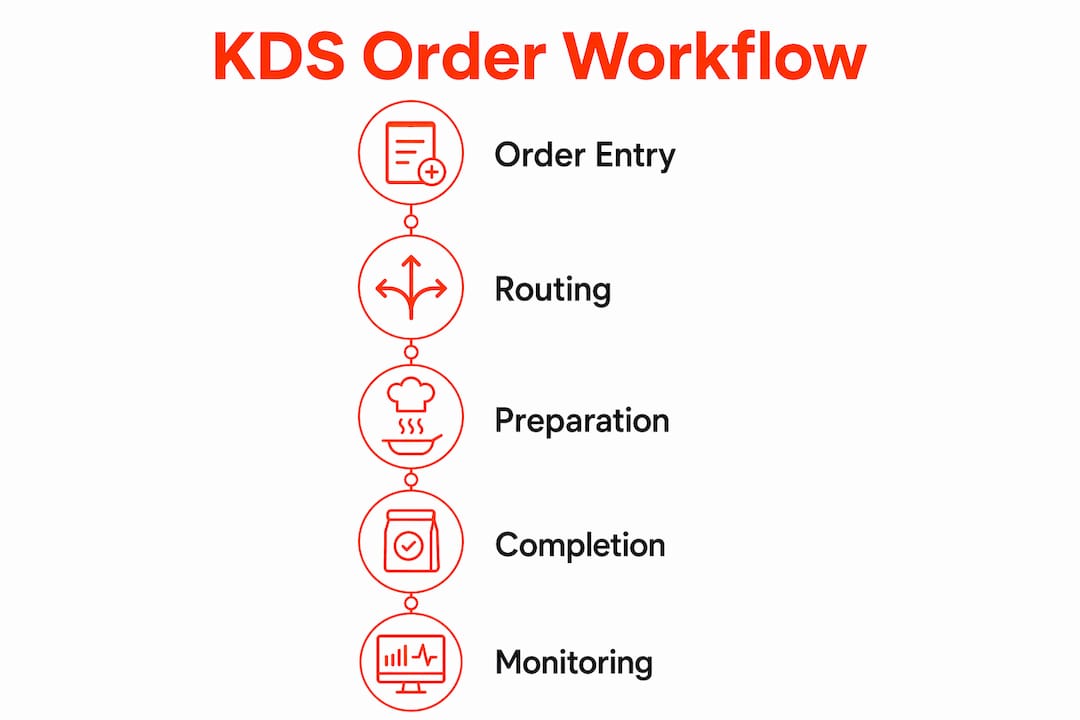
The technical flow of a KDS is straightforward, but the operational impact is significant. Here is how an order moves from placement to fulfillment:
Order placement. A server enters an order into the POS, or a customer places one through a kiosk or online platform. The order transmits to the KDS instantly.
Automatic station routing. The KDS sends each item to the correct prep station. Grill items go to the grill screen. Cold apps go to the prep screen. The expo station sees the full ticket.
Modifier and instruction display. Special requests, substitutions, and allergy notes appear directly on the screen. No handwriting to decipher, no verbal relay required.
Color-coded timers. Orders change color as time passes. Green means on track. Yellow means approaching the target time. Red means the ticket is overdue. Staff respond to color, not to shouting.
Order bumping. When a station completes its items, a cook bumps the ticket. The KDS updates the status across all connected screens so the expo and front-of-house know the order is progressing.
Recall and error handling. If a ticket is bumped by mistake, staff can recall it immediately. No lost orders, no reprinting, no confusion.
KDS integrates with multiple ordering channels including in-house POS, kiosks, and online delivery platforms, all displayed on durable, kitchen-grade touchscreens built for harsh environments. That multi-channel integration is what makes a KDS essential for restaurants running more than one order source.
Pro Tip: Set your color-change thresholds to match your actual ticket time targets, not the software defaults. A fine-dining kitchen with 20-minute tickets needs different timer settings than a fast-casual operation targeting 8 minutes.
What are the operational benefits of implementing a kitchen display system?
The benefits of kitchen screens go well beyond replacing paper. Here is what restaurant managers consistently report after implementation:
Fewer errors. Modifiers and special instructions are always visible, always legible, and always attached to the correct item. Verbal miscommunication drops sharply.
Better workflow coordination. Each station works from its own screen without interrupting other stations. The kitchen runs in parallel, not in sequence.
Real-time visibility. Managers and expo staff see every ticket’s status at a glance. Managers no longer ask “how long on that table?” because the KDS shows ongoing status and bottlenecks for immediate response.
Data-driven staffing decisions. Ticket time data shows exactly when and where your kitchen slows down. You can adjust staffing, prep schedules, and station assignments based on real numbers.
Course pacing automation. A KDS can hold appetizer tickets until the right moment, then release them to the kitchen automatically. Tables receive courses at the right pace without a manager manually coordinating timing.
Throughput improvements. Faster, more accurate order processing means more covers per shift without adding staff.
“A KDS acts as the primary operating system for the back-of-house, enforcing standardized workflows and eliminating ambiguity across kitchen staff. It replaces reactive verbal communication with proactive, shared order management visible to the entire team.” — Rezku Blog
The data angle is one that many operators underestimate. KDS data enables managers to refine menu pacing, adjust staffing, and improve profitability in ways that paper systems simply cannot support. That granular timing data is an asset that compounds over time.
How to choose and configure a kitchen-to-screen system for your kitchen layout
Choosing the right KDS setup starts with your kitchen, not the software catalog. Matching KDS routing to the kitchen’s physical layout is the single biggest factor in successful implementation. Forcing your kitchen to adapt to off-the-shelf software logic is the most common and most costly mistake operators make.
Hardware considerations
Feature | What to look for |
Screen durability | Industrial-grade, heat-resistant, and spill-proof displays rated for commercial kitchens |
Screen size | Large enough to read at a glance from 3–5 feet away during a busy service |
Mounting position | Eye level at each station to reduce neck strain and maintain visibility |
Input method | Touchscreen, bump bar, or both, depending on station workflow |
Connectivity | Wired ethernet preferred over Wi-Fi for reliability in metal-heavy kitchen environments |
Using industrial-grade, heat-resistant hardware is critical. Consumer-grade tablets fail quickly in hot, greasy kitchen environments. Proper hardware placement at eye level also reduces neck strain and keeps staff focused during peak service.
Software configuration steps
Start by auditing every station in your kitchen and mapping the order flow from entry to plate. Identify which items go to which stations and how courses are sequenced. Then configure your KDS routing to mirror that exact flow. Choose your view types: order view for stations, item view for high-volume prep, and expediter view for the expo position. Set priority rules for rush tickets and allergy alerts.
Pro Tip: Avoid replicating your paper ticket workflow on screen. Redesigning kitchen communication around station-based automated routing and timing controls is what delivers the real efficiency gains. If your digital setup looks exactly like your paper setup, you have not yet captured the full value of the system.
Train your staff to trust the screen, not verbal confirmation. The transition from calling out orders to reading screens takes one to two weeks for most teams. Invest in that training period and the system pays for itself quickly.
What advanced features and future trends are shaping kitchen display systems?
Modern KDS platforms have moved well beyond basic order display. The features below represent where restaurant ordering technology is heading in 2026 and beyond.
Advanced feature | How it works | Operational benefit |
Production item count aggregation | Groups identical items across multiple tickets into a single count | Enables batch prep, reducing redundant steps during peak hours |
Multi-channel order integration | Pulls orders from POS, kiosks, apps, and delivery platforms into one view | Eliminates the need for separate screens per channel |
Ruggedized touchscreens and bump bars | Purpose-built hardware for commercial kitchen conditions | Reduces hardware failures and downtime |
AI-driven analytics | Analyzes ticket time patterns and menu item performance | Refines staffing schedules and menu pacing automatically |
Hybrid printer integration | Runs screens alongside legacy ticket printers during transition | Allows phased adoption without full workflow disruption |
Production item count aggregation is one of the most underused features in KDS platforms. By summarizing ingredient requirements across multiple orders, it supports faster throughput compared to processing individual tickets. A station preparing 14 burgers during a lunch rush works far more efficiently when it sees “14 burger patties” rather than 14 separate tickets.
The AI analytics trend is worth watching closely. KDS data captures granular timing and bottleneck information that unlocks operational insights for continuous improvement. As platforms mature, that data will feed directly into scheduling tools, menu engineering decisions, and supplier ordering. The KDS is becoming the central intelligence layer for the entire back-of-house operation.
For restaurants managing digital menu updates alongside kitchen operations, the connection between front-of-house digital signage and back-of-house KDS data is an emerging area of real practical value. When an item sells out, both the kitchen screen and the customer-facing menu can update simultaneously.
Key Takeaways
A Kitchen Display System is not just a screen. It is the operating system for your back-of-house, and its value grows every week you collect operational data.
Point | Details |
Core function | A KDS routes orders from POS to station screens instantly, replacing paper tickets with real-time digital management. |
Hardware matters | Use industrial-grade, heat-resistant displays mounted at eye level. Consumer tablets fail in commercial kitchens. |
Layout-first configuration | Audit your kitchen stations before configuring software. Match routing logic to your physical workflow, not the reverse. |
Data is the long-term asset | Ticket time and bottleneck data from a KDS drives staffing, menu pacing, and profitability decisions over time. |
Advanced features add real value | Production item count aggregation and multi-channel integration deliver measurable throughput gains during peak service. |
The mistake most operators make when going digital
Most restaurant managers I have worked with install a KDS and immediately try to recreate their paper ticket system on a screen. The layout looks the same. The workflow feels the same. And the results are disappointing. That is because the real power of a kitchen display system is not in displaying orders. It is in restructuring how your kitchen communicates.
The operators who get the most out of their KDS are the ones who treat installation as a workflow redesign project, not a hardware swap. They audit every station, rethink how courses are paced, and configure routing rules that reflect how their kitchen actually moves during a Saturday night rush. That process takes time. It requires honest conversations with line cooks and expo staff. But the payoff is a kitchen that runs with less noise, fewer mistakes, and measurably faster ticket times.
The data piece is what surprises managers most. After 60 days of operation, a well-configured KDS gives you a precise picture of where your kitchen slows down, which menu items create bottlenecks, and which stations are consistently understaffed. That information is worth more than the hardware. Use it to make staffing and menu decisions, not just to watch orders move across a screen.
One more thing: invest in the right hardware from day one. I have seen operators buy consumer tablets to save money, only to replace them within six months because heat and grease destroyed them. Industrial-grade displays cost more upfront. They cost far less over three years.
— DKS
How Signstream supports restaurant screen management
Signstream is a digital signage platform built for businesses that need to manage multiple screens efficiently, without requiring technical expertise. For restaurant operators, that means updating customer-facing menus, promotions, and announcements from any device, instantly, across every screen in the building.

Signstream connects the front-of-house digital experience to the same real-time operational mindset that drives a great KDS. You can update menu boards the moment an item sells out, run time-sensitive promotions during slow periods, and even generate revenue through Signstream’s ad exchange marketplace by cross-promoting with other local businesses. Restaurants using Signstream have reported measurable gains in customer engagement and operational efficiency. Check out Signstream’s pricing plans to find the right fit for your operation, or see how the platform works in practice.
FAQ
What is a kitchen display system (KDS)?
A kitchen display system is a digital screen placed at kitchen stations that receives orders directly from a POS, replacing paper tickets with real-time order routing, timers, and modifier visibility.
How does a KDS reduce order errors?
A KDS displays every modifier, substitution, and allergy note directly on the station screen, eliminating handwriting errors and verbal miscommunication between front-of-house and kitchen staff.
What hardware does a kitchen-to-screen system require?
A KDS requires industrial-grade, heat-resistant, and spill-proof displays mounted at eye level at each kitchen station, along with a reliable wired network connection to the POS system.
Can a KDS integrate with online ordering and delivery apps?
Yes. Modern KDS platforms integrate with in-house POS systems, self-order kiosks, and third-party delivery platforms, routing all orders to the correct kitchen stations through a single interface.
How long does it take staff to adapt to a KDS?
Most kitchen teams adapt to reading screens instead of paper tickets within one to two weeks, provided managers invest in structured training and configure the system to match the kitchen’s actual workflow.
Recommended
Comments