

Ways Digital Screens Reduce Front Desk Queries

Digital screens are the most effective tool for reducing front desk queries by delivering instant, clear, and interactive information directly to customers and visitors. In the industry, this practice falls under the broader category of digital signage, which covers everything from lobby displays and wayfinding maps to self-service kiosks for inquiries. Businesses using digital signage report up to 30–35% fewer repetitive front desk interruptions, freeing staff to focus on higher-value interactions. The ways digital screens reduce front desk queries are practical, measurable, and accessible to operators in virtually every sector.
1. How digital screens automate wayfinding to cut directional questions
Directional questions are the single most common type of front desk interruption. “Where is the restroom?” “Which floor is the conference room?” “How do I get to the parking garage?” These questions repeat dozens of times a day and consume staff time that could go toward real service.
Dynamic digital wayfinding displays answer these questions before visitors ever reach the desk. Interactive maps mounted in lobbies, elevator banks, and hallways give visitors turn-by-turn directions on demand. Real-time updates mean the screen reflects room changes, event relocations, or temporary closures the moment they happen. Hotels, corporate campuses, and hospitals all use this approach to reduce front desk interruptions and keep visitor flow moving.
The key advantage over printed maps is immediacy. A static poster cannot tell a visitor that the boardroom moved from level 3 to level 5 this morning. A digital display can.
Mount wayfinding screens at every decision point: building entrance, elevator lobby, and corridor junctions
Use large, high-contrast typography so visitors can read directions from a distance
Include floor plan thumbnails alongside written directions for faster comprehension
Update content from a central dashboard so all screens reflect changes simultaneously
Pro Tip: Place a wayfinding screen within 10 feet of your main entrance. Visitors who find directions immediately are far less likely to approach the front desk at all.
2. Self-service kiosks for inquiries and check-in
Self-service kiosks handle the repetitive tasks that consume the most front desk time: visitor registration, appointment check-in, service requests, and basic account lookups. One four-star hotel reported a 40% reduction in labor costs after introducing self-service terminals. That figure reflects a real shift in how front desk staff spend their day.
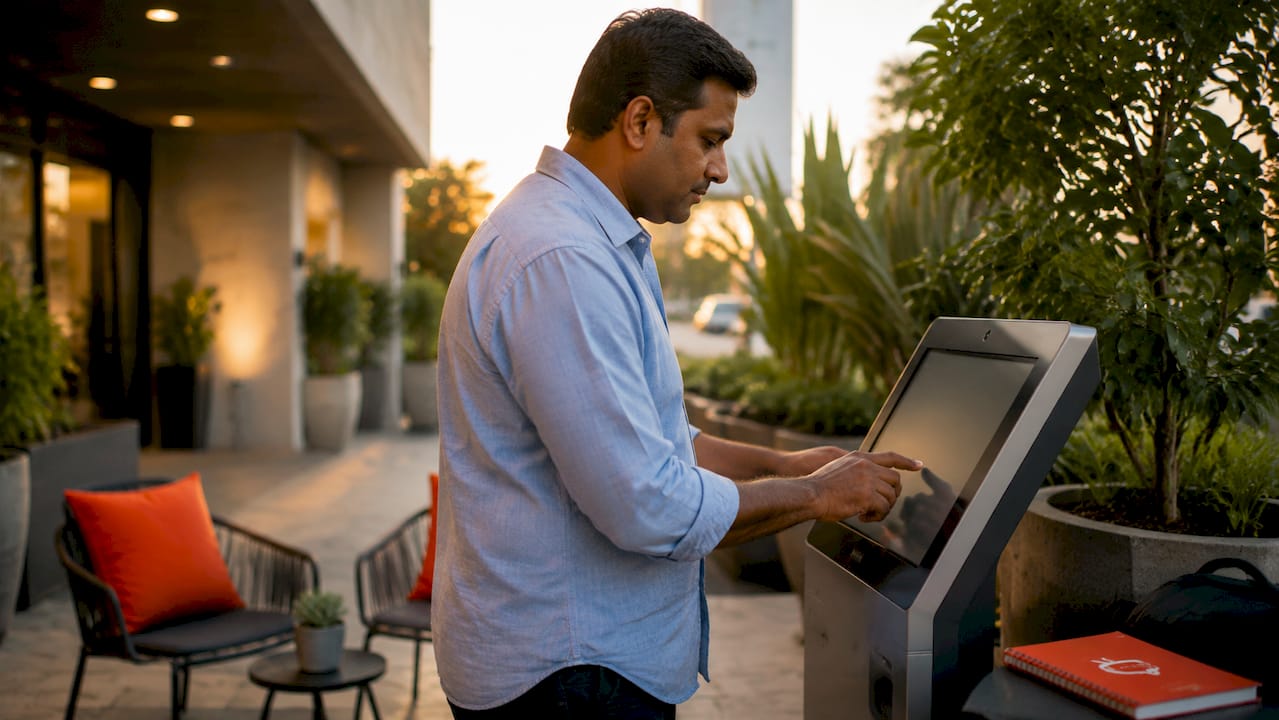
Kiosks work because they meet customers where they already are mentally. Most people today expect to check in for a flight, order food, or register for an event without speaking to anyone. Extending that expectation to your lobby is not a downgrade in service. It is an upgrade in speed.
Here is how to deploy kiosks effectively:
Identify the top five tasks your front desk handles each day and confirm which ones require no human judgment to complete.
Integrate with your scheduling software so kiosk check-ins sync automatically with staff calendars and reduce double-handling.
Place kiosks prominently near the entrance, not tucked in a corner. Visibility drives adoption.
Add a short instruction prompt on screen so first-time users do not stall and default to the desk anyway.
Keep a staff member nearby during the first two weeks to guide visitors and build confidence in the system.
Smart kiosk technology also supports proactive service automation, where the system anticipates common needs and surfaces relevant options before the visitor even types a query.
Pro Tip: Connect your kiosk to a live queue management system. When visitors see their estimated wait time on screen, they stop asking the front desk “How long will this take?”
3. Real-time information displays that keep visitors informed
Screens showing live schedules, event updates, and safety notices eliminate an entire category of front desk questions. Digital signage in medical offices, for example, reduces front desk questions about wait times and check-in procedures by 30–40%. The same principle applies in gyms, law firms, hotels, and retail environments.
The reason this works is simple. People ask questions when they feel uncertain. A screen that shows the current wait time, the next class starting in 12 minutes, or the fact that the elevator is temporarily out of service removes that uncertainty before it becomes a question.
Real-time digital displays deliver several specific benefits:
Live schedule boards in waiting areas show appointment queues, class times, and event programs without requiring staff to announce updates
Delay and closure notices appear instantly across all screens when something changes, so visitors do not arrive at a closed door and then seek out staff
Multi-language support serves diverse visitor populations without requiring bilingual staff at every touchpoint
Accessibility features such as large text, high contrast, and audio output extend the reach of self-service information to more visitors
Digital signage captures up to 400% more views than static posters, with a content recall rate of 83% compared to 45% for printed materials. That gap matters. Information that visitors actually absorb is information they do not need to ask about.
4. Interactive FAQs and digital concierge screens
AI-powered digital concierge screens go beyond displaying information. They respond to it. Visitors type or speak a question, and the screen returns a specific answer drawn from a structured knowledge base. This approach handles complex queries that a standard display cannot anticipate.
The most effective systems use a categorized knowledge base that lets visitors find answers in three clicks or fewer. That structure mirrors how a skilled front desk agent thinks: broad category first, then specific topic, then the answer. When the digital system replicates that logic, visitors trust it and use it.
These screens work around the clock. A visitor arriving at 7:00 AM before staff are on site can still get directions, check their appointment details, or learn about parking options. That 24/7 availability is a genuine operational advantage, not just a marketing point.
Touch-screen FAQ panels handle questions about pricing, policies, hours, and services without staff involvement
Voice-activated concierge screens serve visitors who prefer not to type or who have accessibility needs
Screens can escalate to a live chat or video call option when a query genuinely requires human judgment
Regular content reviews keep the knowledge base accurate and prevent outdated answers from eroding visitor trust
Pro Tip: Audit your front desk query log every quarter. The top 10 questions your staff answer most often are exactly what your digital concierge screen should handle first.
5. Branded content and promotional messaging that pre-empt questions
Screens that communicate your services, amenities, and current offers do more than market. They answer questions visitors did not know they had yet. A gym member who sees a screen showing class schedules, personal training packages, and membership upgrade options does not need to ask the front desk what is available. The screen already told them.
This dual function is one of the most underused digital signage benefits in practice. Operators often treat lobby screens as advertising space and miss the customer service value entirely.
“Well-designed, on-brand digital kiosks enhance customer service perception by providing a professional and efficient experience. The right screen does not replace warmth. It creates the conditions for warmer interactions by handling the routine so staff can focus on the personal.” Source: LCDSLD
Branded screens also build trust before a visitor reaches the desk. A professionally designed display signals that your business is organized and attentive. That perception reduces anxiety, which in turn reduces the volume of reassurance-seeking questions staff receive.
Screens that show current promotions, service menus, and upcoming events also support upselling without requiring staff to pitch. A restaurant screen showing tonight’s specials, a hotel screen listing spa packages, or a gym screen promoting a new class series all generate revenue while reducing the questions those topics would otherwise create.
Key takeaways
Digital screens reduce front desk queries most effectively when content is current, placement is strategic, and self-service functions are integrated with existing business systems.
Point | Details |
Wayfinding screens cut directional questions | Place interactive maps at every decision point to answer location questions before visitors reach the desk. |
Self-service kiosks reduce labor costs | Kiosks handling check-in and registration can cut front desk labor costs by up to 40%. |
Real-time displays remove uncertainty | Live schedules and delay notices eliminate the questions visitors ask when they feel uninformed. |
Digital concierges handle complex queries | AI-powered screens with structured knowledge bases resolve FAQs around the clock without staff involvement. |
Branded content pre-empts service questions | Screens showing services, offers, and amenities answer questions before visitors think to ask them. |
The content gap nobody talks about
Most operators who invest in digital screens focus entirely on the hardware decision. Screen size, resolution, mounting options. That is the wrong starting point. The hardware is almost irrelevant if the content strategy is weak.
I have seen businesses install impressive lobby displays and then watch visitors walk straight past them to the front desk. Every time, the reason is the same: the content was stale, generic, or poorly organized. A screen showing last month’s promotion or a static welcome message gives visitors no reason to stop and read. They default to the human at the desk because the screen offered nothing useful.
The research backs this up. Without a reliable content update strategy, digital signage quickly shows outdated information, and visitors bypass screens entirely. That is not a technology failure. It is a content management failure.
The businesses that get the most from their screens treat content as an ongoing responsibility, not a one-time setup task. They update schedules weekly, refresh promotions monthly, and review their FAQ content quarterly. They also choose platforms that make those updates fast and easy, because if updating a screen requires a specialist or a support ticket, it will not get done often enough.
The other thing I would push back on is the fear that screens depersonalize service. In practice, the opposite happens. When screens handle the routine questions, staff have more time and mental bandwidth for the interactions that actually require a human touch. The front desk becomes a place for genuine help, not a queue for directions to the bathroom.
— DKS
Signstream makes reducing front desk queries straightforward
Cutting front desk query volume does not require a complex technology overhaul. Signstream’s digital signage platform lets you update every screen in your business instantly from any device, with no technical expertise required.

Signstream clients, including elite sports clubs, restaurants, and retailers, have reported measurable results after deployment. The platform supports unlimited screens at no extra charge, making it affordable for small teams and large operations alike. An ad exchange marketplace also lets you earn revenue from your own screens by cross-promoting with local businesses. To see exactly how Signstream fits your space and workflow, book a free consultation or request an on-site consultation with the Signstream team.
FAQ
How much can digital screens reduce front desk queries?
Businesses using digital signage and self-service kiosks report 30–35% fewer repetitive front desk interruptions. Medical offices specifically see a 30–40% drop in questions about wait times and check-in procedures.
What types of questions do digital screens handle best?
Screens handle directional questions, schedule inquiries, check-in tasks, service information requests, and FAQ-style queries most effectively. These are the highest-volume, lowest-complexity questions that consume the most front desk time.
Are self-service kiosks expensive to implement?
Basic digital signage setups cost approximately $500–$550 in the first year, with hardware costs typically recovered within six months through labor and printing savings.
Do digital screens replace front desk staff?
Digital screens do not replace staff. They remove routine queries so staff can focus on complex, high-value interactions that genuinely require human judgment and personal service.
How do I keep screen content from becoming outdated?
Choose a platform with a simple content management system that lets you update all screens instantly from one dashboard. Outdated content is the primary reason visitors bypass screens and return to the front desk.
Recommended
Comments