

The Role of Screens in Club Communication

Most club managers install a screen in the lobby, load it with the week’s schedule, and consider the job done. That’s the notice board trap, and it’s costing clubs real member engagement every single day. The role of screens in club communication goes far beyond static announcements. When deployed with intention, digital displays become active channels that inform, recognize, promote, and connect members to the culture you’ve worked hard to build. This article breaks down exactly how to make that happen, with evidence from real club deployments and practical frameworks you can apply right now.
Table of Contents
Key takeaways
Point | Details |
Screens are active communication tools | Digital displays drive member engagement when paired with dynamic content, not just schedules and notices. |
Placement and design matter | Screens placed at decision points with clear, focused content reduce confusion and improve navigation. |
Content ownership is non-negotiable | Clubs that assign a dedicated content manager see sustained interaction and better communication outcomes. |
Balance screens with human interaction | Screens excel at sharing information but cannot replace face-to-face trust-building and mentoring. |
Analytics guide better content decisions | Tracking what members interact with helps you refine content and focus on what actually drives engagement. |
The role of screens in club communication
Before getting into tactics, it helps to understand what you’re actually working with. Digital screens in clubs fall into a few distinct categories, and each one serves a different communication function.
Interactive touchscreens are the highest-engagement option. Members can browse tournament brackets, look up fellow members, explore event histories, and interact with recognition content. They work especially well in lobbies and social lounges where members naturally pause and gather.
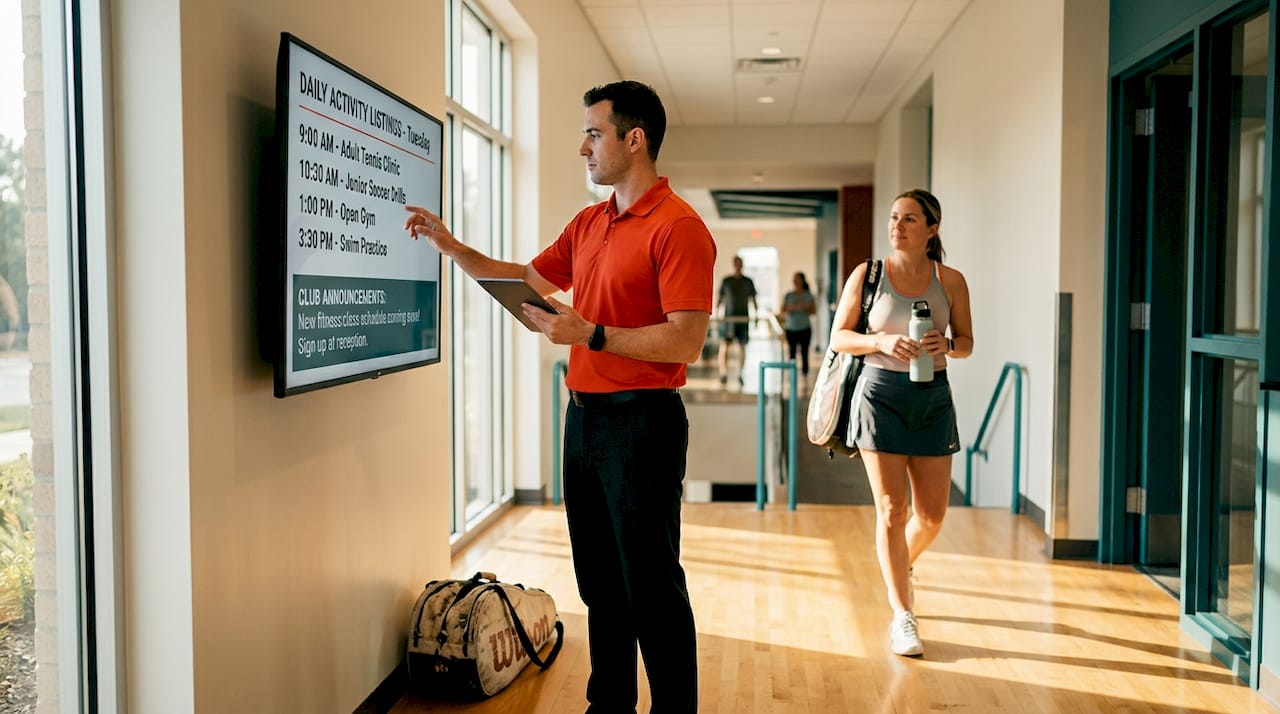
Informational display screens cover the bulk of day-to-day communication. Think class schedules, court availability, upcoming events, and safety notices. These are best placed in high-traffic corridors, near check-in desks, and outside activity rooms where members are making decisions about what to do next.
TVs and large-format displays serve a dual purpose: live sports and entertainment on one hand, branded content and promotions on the other. Placed in bars, dining areas, and locker rooms, they capture attention during downtime and can be programmed to carry club messaging between live content.
Strategic placement makes all the difference. Here’s where each screen type performs best:
Lobby and entrance: Touchscreens for recognition and interactive content; welcome displays for new members and guests
Corridors and junctions: Informational screens with wayfinding, schedules, and directional content
Locker rooms and rest areas: TVs with a mix of entertainment and club promotions
Courts, pools, and activity spaces: Screens showing live schedules, lane availability, and upcoming class reminders
Dining and social areas: Large displays combining live sports, member spotlights, and event promotions
Each placement serves a specific communication goal. A screen outside the squash courts showing live court availability solves a practical problem. A recognition touchscreen in the lobby reinforces community culture. The two are very different jobs, and treating them the same is where most clubs go wrong.
Evidence that screens actually move the needle
The skepticism around digital signage in clubs is understandable. Screens cost money, require management, and it’s hard to know if anyone is actually paying attention. The data tells a different story.
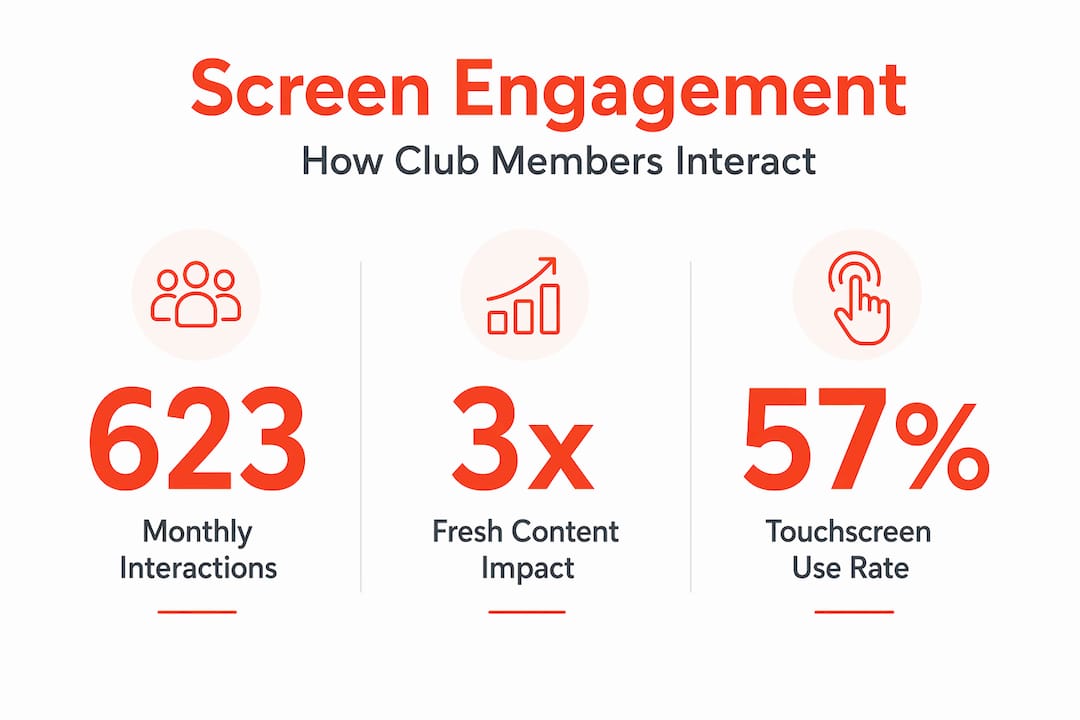
A case study across 23 private clubs found that interactive touchscreens averaged 623 unique monthly interactions per location, with members returning at a rate of 38% over 12 months. That’s not passive glancing. That’s active, sustained engagement with club content. Notably, 18 to 25% of those interactions came from guests, which means your screens are also working as a first impression tool for prospects and visitors.
Recognition content is particularly powerful. When clubs integrated digital recognition displays with their existing communication platforms, member surveys showed a 23% improvement in communication ratings and a 17% increase in sense of community. Those are meaningful numbers, especially for clubs where retention is tied directly to how valued members feel.
What types of content drive the most interaction? Based on the same research, the top performers are:
Tournament results and brackets
Member recognition and milestone celebrations
Upcoming events and registration prompts
Club history and heritage content
Staff spotlights and new member introductions
One finding that surprises most managers: content freshness matters more than content quality. A screen showing the same polished graphic for three weeks will be ignored. A screen with a slightly rough-around-the-edges update from yesterday will be read. Sustained member interaction depends on regular updates, not perfection.
Best practices for managing screen content
Getting screens installed is the easy part. Keeping them working as communication tools over months and years is where most clubs stumble. Here’s a practical framework for managing your screens effectively.
Assign a content owner. This is the single most important step. Every high-performing club screen program has one person responsible for content updates, accuracy, and strategy. It doesn’t need to be a full-time role, but it needs to be someone’s job, not everyone’s vague responsibility.
Set a content update schedule. Weekly updates are the minimum for most clubs. Event-heavy periods may require daily changes. Build this into your communications calendar the same way you would email newsletters or social media posts.
Integrate with your membership platform. The most efficient clubs sync their screen content with their membership management systems. This means member recognition, event registrations, and schedule changes flow automatically to screens without manual entry. Syncing data automatically reduces errors and keeps content current.
Use a centralized CMS for multi-location clubs. If you manage more than one facility, a centralized content management system with location-specific overlays lets you maintain brand consistency while allowing local teams to customize content relevant to their members.
Track what works. Use your platform’s analytics to monitor which content types generate the most interaction. Double down on what works and retire what doesn’t.
Pro Tip: Create a simple monthly content template with fixed slots for schedules, recognition, promotions, and events. This gives your content owner a clear framework and prevents the blank-screen panic that happens when no one knows what to post next.
Avoiding the notice board trap means treating your screens as part of your communication workflow, not as a separate project. When screen updates are tied to the same triggers as your email and social updates, the content stays fresh without adding significant workload.
Design and placement principles that improve usability
Even well-managed screens fail when the content is poorly designed or placed in the wrong location. Two principles from evidence-based wayfinding research are directly applicable to club environments.
Decision-point placement
Signs placed at decision points have three times the impact of signs placed mid-corridor. In a club context, this means placing screens at junctions where members choose between going to the gym floor, the pool, or the café. That’s where directional and schedule content is most useful. A screen showing class times is irrelevant in the middle of a hallway. The same screen outside the studio entrance is read by everyone making a decision to enter.
Progressive disclosure
Information overload is real. Progressive disclosure reduces cognitive load by showing only the information relevant to the current moment and location. Your lobby screen doesn’t need to show every event for the next three months. It needs to show today’s highlights and a clear prompt to find more. Your court-side screen doesn’t need club news. It needs court availability and the next session time.
Here’s a quick comparison of what works and what doesn’t:
Screen location | Effective content | Ineffective content |
Lobby touchscreen | Member recognition, today’s events, welcome messages | Full monthly calendar, policy documents |
Corridor display | Directional info, class times, court availability | Promotions, long-form announcements |
Dining area TV | Live sports, member spotlights, upcoming events | Wayfinding, detailed schedules |
Locker room screen | Quick reminders, motivational content, promotions | Complex event information |
Pro Tip: Use consistent visual landmarks across all your screens, such as your club’s color palette and logo placement, so members recognize club content instantly even when glancing quickly.
Challenges and limits of screen-based communication
Screens are not a complete communication solution. Understanding where they fall short helps you deploy them more effectively rather than over-relying on them.
Research from Steelcase’s global workplace study highlights a tension that applies directly to clubs: screens excel at sharing information but consistently underperform when it comes to trust-building, mentoring, and relationship development. In a club setting, this means a screen can tell a new member about your tennis program, but it cannot replace the conversation with a pro who makes them feel genuinely welcomed.
Screen fatigue is also a real consideration. Members who are already managing screen overload in their professional lives may actively tune out displays if the content feels corporate or impersonal. The antidote is content that feels human: member stories, staff faces, community achievements.
“Balancing screen communication with opportunities for informal face-to-face interaction promotes trust and a stronger club culture.” — Steelcase
The most effective clubs treat screens as one layer of a broader communication strategy. Screens handle the informational load, freeing up staff to focus on personal interaction. That’s the right balance. When screens try to replace human connection rather than support it, engagement drops and the technology gets blamed for a strategy problem.
My take on making screens work long-term
I’ve seen clubs spend significant money on beautiful screen installations that become digital wallpaper within six months. The technology isn’t the problem. The strategy is.
What I’ve found consistently is that clubs treating their screens as a one-time installation rather than an ongoing communication channel are the ones that see screens go dark or stale. The clubs that get real results are the ones that build screen management into their communication workflows from day one. They assign ownership, set update schedules, and connect their screens to the same content calendar driving their email and social channels.
The other thing I’ve noticed is that staff engagement with screens matters more than most managers realize. When staff reference screen content in conversations with members, “Did you see the results on the board?” it signals that the screen is part of the club’s culture, not just furniture. That kind of informal reinforcement drives member interaction more than any design choice.
My honest advice: start with one screen, one clear purpose, and one person responsible for it. Get that right before scaling. The clubs that rush to fill every wall with displays before they have a content strategy end up with expensive notice boards.
— DKS
How Signstream helps clubs get this right
If you’re ready to move beyond static displays and build a real digital communication network for your club, Signstream is built for exactly this.

Signstream’s cloud-based signage platform lets you manage unlimited screens from any device, update content instantly, and deploy location-specific programming across multiple facilities without technical expertise. Clubs using Signstream have reported a 25% rise in class attendance after implementation. The platform includes interactive ad capabilities that let you promote events, recognize members, and even generate revenue through an ad exchange marketplace. You get analytics to track what’s working, a content management system that doesn’t require an IT team, and the ability to scale your screen network as your club grows. It’s the kind of tool that turns your screens into genuine communication assets.
FAQ
What is the role of screens in club communication?
Screens in clubs serve as active communication tools for sharing schedules, recognizing members, promoting events, and supporting wayfinding. When managed with fresh content and strategic placement, they directly improve member engagement and community culture.
How often should club screens be updated?
Weekly updates are the minimum for most clubs, with daily changes during event-heavy periods. Research shows that content freshness drives sustained member interaction more than content quality alone.
What content performs best on club digital screens?
Tournament results, member recognition, upcoming event promotions, and staff spotlights consistently generate the highest interaction rates based on case study data across private clubs.
Can screens replace face-to-face communication in clubs?
No. Screens are effective for sharing information and coordinating logistics, but research shows they underperform for trust-building and relationship development. The best clubs use screens to handle informational load while freeing staff for personal member interaction.
How do I avoid screens becoming ignored notice boards?
Assign a dedicated content owner, integrate screen updates into your existing communication calendar, and use analytics to track what members actually engage with. Clubs that treat screens as a workflow rather than a one-off installation see sustained long-term engagement.
Recommended
Comments