

Start a Signage Network: A Practical Guide for Owners
Start a signage network by buying proven platform rails, signing an initial cluster of venue partners, and running a short founding-advertiser pilot to manufacture proof of inventory. That sequence, in that order, is what separates operators who get screens live in weeks from those still debating custom software a year later.
Here’s the compact version of what the next 30 to 90 days should look like:
Choose a cloud-based platform with remote updates, scheduling, and analytics built in (no custom development).
Lock in 3 to 8 venue partners in a single category or region for your first cluster.
Set a pilot budget: expect $150 to $600 per screen for hardware plus a monthly software fee per channel.
Run a pilot over a defined period with one clear use case and one measurable KPI.
Sign a handful of founding advertisers at discounted introductory rates to generate real revenue proof.
Check local permit and advertising rules before installing any public-facing screen.
Track uptime, fill rate, and engagement lift or ad revenue per screen from day one.
Document what worked so onboarding later venues is faster than the first one.
SignStream is built for exactly this launch sequence, with unlimited screens per plan, remote content control, and a built-in ad exchange marketplace. You can book a free consult to map your first cluster before you spend a dollar on hardware.
Key Takeaways
Launching a signage network successfully depends on buying a proven platform first, then manufacturing demand proof through a founding-advertiser pilot before scaling.
Point | Details |
Buy, don’t build | A proven CMS platform gets screens live in days; custom software delays revenue by months. |
Pilot before scaling | Run a pilot over a defined period with one clear use case and one measurable KPI. |
Manufacture proof fast | Sign founding advertisers at a discount early to generate real reporting data for future sales. |
Security is a launch task | Segment devices on their own VLAN and harden passwords before go-live, not after an incident. |
SignStream fits the launch model | Unlimited screens per plan, remote control, and a built-in ad exchange support the turnkey approach this guide recommends. |
Table of Contents
What Is a Digital Signage Network, Exactly?
A digital signage network is a media business that pushes content to a distributed group of screens through media players, controlled by a central content management system, connected over reliable internet, and monetized or measured against a business goal. Miss any one of those five pieces, and you don’t have a network. You have a collection of expensive TVs.
Most people conflate the screen with the network. The screen is the least important part. What actually determines whether your project succeeds is the layer underneath it: how content gets scheduled, pushed, monitored, and eventually sold.
It helps to separate the stack into two distinct layers, because they get built and staffed differently.
The technical layer covers the player operating system running on or attached to each screen, the CMS that pushes and schedules content remotely, the monitoring tools that alert you when a screen goes dark, and, if you’re monetizing, the programmatic or ad-exchange connections that pull in outside advertisers.
The business layer covers the venues you’ve signed, the ad inventory you’re selling or the internal communications value you’re delivering, and the measurement system that proves either one is working.
Every credible plan should name these six components explicitly:
Displays (the physical screens)
Media players or smart TV apps running the CMS
A content management system for scheduling and remote updates
Remote monitoring and alerting
Network connectivity (wired, Wi-Fi, or cellular failover)
Audience measurement and analytics
The AOPEN essential guide to digital signage networks breaks this stack down well if you want a deeper technical walkthrough. The Digital Signage Federation also treats signage explicitly as a media operations discipline, not just an IT purchase, which is the mindset that actually determines whether a network turns a profit.
What Goals and Use Cases Should Drive Your Network?
Your hardware, your content team, and your pricing model all flow from one decision: what is this network actually for? Pick that answer before you pick a screen size.
The most common use cases, and what each one demands you measure:
In-store promotions and retail advertising — track conversion lift, dwell time, and campaign fill rate.
Waiting-area or lobby entertainment — track dwell-time uplift and customer satisfaction signals.
Employee communications — track message reach and, where measurable, retention or engagement scores (the CRI overview of workplace signage is a useful reference here).
Franchise-wide communications — track consistency of rollout and local compliance with brand messaging.
Ad-supported public networks (DOOH) — track CPM, fill rate, and advertiser renewal rate.
Once you know your use case, pick a business model. Owned-media networks (internal comms, customer experience) generate value through efficiency and engagement, not direct revenue. Ad-supported networks generate direct revenue by selling screen time to advertisers. Hybrid networks do both, using owned content to fill unsold ad inventory. Out-of-home advertising revenue hit a record $9.46 billion recently, which tells you advertiser appetite for screen inventory is real if you choose the ad-supported or hybrid path.
Pro Tip: Pick exactly one use case for your pilot, even if your long-term plan involves three. A gym network that tries to run class promotions, retail ads, and employee shift schedules on the same screens in week one will struggle to prove any single metric moved. Narrow the pilot, then expand.
Which Hardware and Connectivity Do You Actually Need?
Screen and player choices should follow your use case, not the other way around. Buying the most impressive display first is how budgets get wasted.
Screens. Indoor environments (gyms, offices, retail floors) generally call for commercial-grade LCD panels rated for continuous use, not consumer TVs, which aren’t built to run 12 to 18 hours a day. Outdoor or window-facing installations need LED or high-brightness LCD panels rated above 2,500 nits to stay readable in daylight. Match screen size to viewing distance: a rough rule is one inch of screen for every ten feet of typical viewing distance.
Media players. You have two real options: a dedicated media player box, or a smart TV running a signage app directly. Smart TV apps cut hardware cost and installation time significantly, since there’s no separate box to mount, wire, or replace. Whichever you choose, confirm the platform supports offline caching, so screens keep playing your last scheduled content if the network drops, and confirm it supports remote updates so you’re never physically visiting a screen to change a playlist.
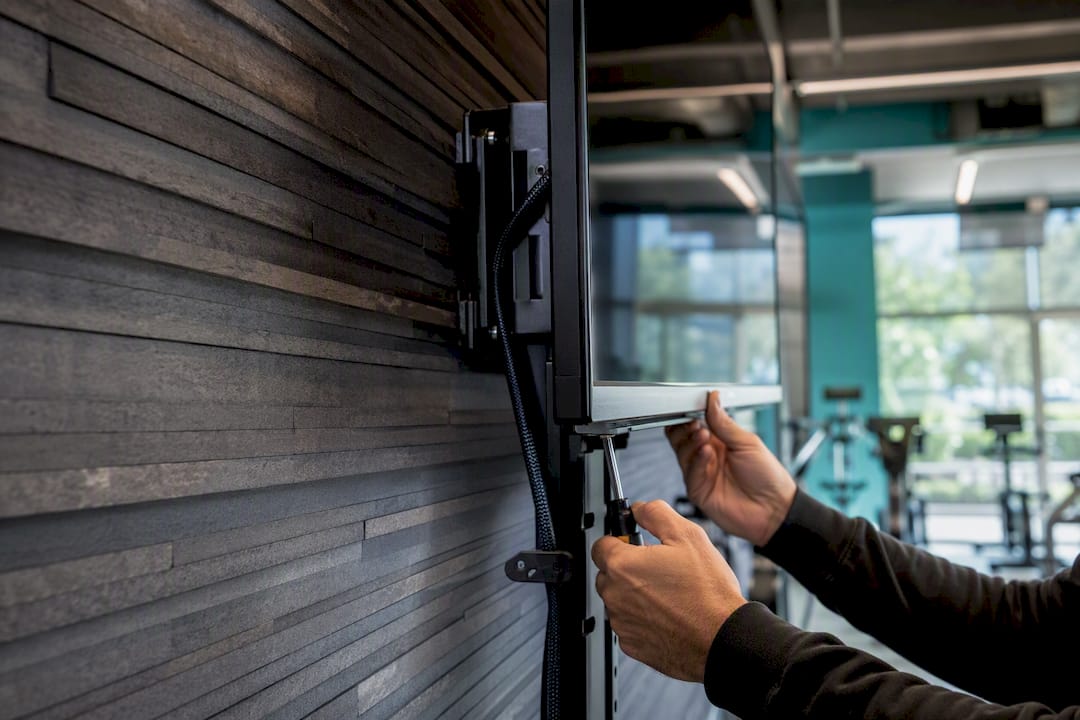
Mounts and physical considerations. Use commercial VESA mounts rated for the screen’s weight, secure cabling to prevent tampering in public spaces, and check ambient heat in enclosed cabinets or outdoor housings, since screens generate their own heat on top of environmental exposure.
Connectivity. Signage content is bandwidth-light compared to live video streaming, but you still need consistent, low-latency connections. The FCC’s broadband speed guide is a useful baseline for understanding what tier of connection reliably supports scheduled media delivery versus what’s marginal. Put signage devices on a separate VLAN from your primary business network, restrict firewall rules to only the ports your CMS needs, and set up remote monitoring so a dropped connection triggers an alert rather than going unnoticed for days.
Component | Minimum recommended spec |
Screen brightness (indoor) | above 2,500 nits |
Screen brightness (window-facing or outdoor) | 2,500+ nits |
Media player | Quad-core CPU, 2GB+ RAM, offline caching support |
Network connection | Dedicated VLAN, business-grade broadband, remote monitoring enabled |
Pro Tip: Before you call an install “done,” physically test three things at each site: that the screen survives a power cycle and reconnects automatically, that remote content pushes actually land within a few minutes, and that someone off-site can see the screen’s status without visiting it. Skipping this step is the single most common cause of “the screen just went dark” support calls in month one.
AVIXA publishes AV standards and installation guidance that’s worth reviewing if you’re specifying hardware at scale across multiple sites, particularly around mounting, cabling, and signal standards.
How Do You Choose the Right CMS and Software?
The single biggest mistake first-time operators make is trying to build their own content management system. Don’t. The platform layer is solved technology, and building it yourself means spending months on plumbing instead of signing venues and selling ad inventory. Operator guidance from BDOOH’s network-building framework makes this point directly: your competitive edge is venue relationships and sold inventory, not custom code.
A CMS worth paying for should include:
Cloud-based scheduling with dayparting (different content at different hours)
Proof-of-play reporting, so you can show advertisers their content actually ran
Remote monitoring with automatic alerts for offline screens
Template and creative tools that don’t require a design team for every update
Analytics covering plays, impressions, and estimated dwell time
User roles and permission controls, so venue staff can’t accidentally wipe a schedule
Ad exchange or programmatic integration, if monetization is part of your model
What to avoid is just as important. Watch for proprietary player hardware that locks you into one vendor with no open API, pricing that scales punitively per screen once you pass a small threshold, and platforms with no clear support SLA. A rundown of common platform-selection mistakes covers several of these traps in more depth.
Pro Tip: Ask any vendor exactly how many screens you can add before the price jumps to a new tier, and what happens to your existing content library if you switch platforms later. Vague answers to either question are a red flag.
Run every vendor through this checklist before signing:
What’s the uptime SLA, in writing?
Is there a cap on the number of screens per plan, or is it unlimited?
Can content be updated from a phone or browser, not just a desktop app?
Is there a built-in marketplace for cross-promotion or ad sales?
Is pricing per-channel, per-screen, or a flat platform fee?
SignStream is worth evaluating directly against this list: it runs on a per-channel subscription with unlimited screens at no extra charge, controls from any browser or mobile device, and includes a built-in ad exchange marketplace for cross-promoting with other local businesses. The how-it-works page walks through the remote control workflow in more detail, and a beginner’s platform guide is useful if you’re comparing feature sets for the first time.
How Should You Structure a Signage Network Pilot?
Treat your first cluster of screens as a controlled experiment, not a full launch. A well-run pilot answers one question definitively: does this network deliver the result you promised, whether that’s ad revenue, customer attendance, or internal communication reach?
A realistic pilot runs over several weeks, broken into sequential phases:
Planning and site selection (weeks 1 to 2) — finalize venue list, confirm power and network access at each site, order hardware.
Install and smoke-test (weeks 2 to 3) — mount screens, connect players, verify remote push and offline caching work at every location.
Founding-advertiser program (weeks 3 to 4) — sign two to four advertisers at discounted rates in exchange for being early and providing feedback.
Measure and prove (weeks 4 to 10) — run content, collect uptime and engagement data, send advertisers a simple reporting package.
Iterate and decide (weeks 10 to 12) — review results against your KPI, fix weak points, and decide whether to scale the cluster or adjust the model first.
Phase | Primary owner | Acceptance criteria |
Planning and site selection | Founder or ops lead | Venues signed, sites confirmed for power and network |
Install and smoke-test | Installer or ops lead | All screens report online, offline caching confirmed |
Founding-advertiser program | Sales lead | Two or more advertiser contracts signed |
Measure and prove | Ops or analytics lead | Uptime above 95%, KPI report delivered to advertisers |
Iterate and decide | Founder | Go/no-go decision documented with next-cluster plan |
Track these metrics through the whole pilot: high uptime, ad fill rate, sponsorship revenue collected, total impressions delivered, and any local conversion signal you can capture, such as QR code scans or redeemed promos. Advertiser satisfaction matters too. A founding advertiser who feels ignored won’t renew, no matter how good your impression numbers look.
The fastest way to manufacture proof of inventory is to sell before you’re fully live. Offer founding advertisers a steep introductory discount in exchange for being case-study-ready, and send them a simple weekly or monthly report showing exactly what ran and how often. That report becomes your sales collateral for advertiser number five. A pragmatic sequence for this whole process—choose platform rails, sign an initial venue cluster, then run founding-advertiser deals to create proof—is echoed in PARTTEAM & OEMKIOSKS’ network-building framework, and it maps closely to what actually works in practice.
Pro Tip: Don’t wait for a perfect pilot to start selling. Sign your first advertiser during the install phase, at a discount, with the explicit understanding that reporting starts once screens go live. That advertiser becomes your proof point for every sales conversation that follows.
How Do You Plan Content and Daily Operations?
Content operations are where most new networks either build trust with venues and advertisers, or lose it fast. A screen that shows the same static promo for three weeks straight tells everyone watching that nobody’s paying attention.
Build three content templates before you launch: a promotional slide format, an informational or educational slide format, and an ad-slot format sized for your advertiser partners. Rotate content on a schedule that fits the venue, meaning a gym lobby might refresh every 15 to 20 seconds, while an office lobby might hold each slide for a full minute. Use dayparting to show different content at different hours: morning promos in a gym, lunch specials in a restaurant, after-hours security messaging in an office.
Monetization runs through a few channels: direct-sold ads to local businesses, sponsorship packages tied to specific content segments, and cross-promotion through a marketplace where nearby businesses trade screen time with each other. SignStream’s cross-promotion ecosystem explained covers how this kind of local ad exchange actually works in practice.
Staffing at this stage is lean. You need someone selling ad inventory, someone designing and scheduling creative (often part-time at this scale), and someone monitoring uptime remotely. Put a simple service-level agreement in writing with each venue, covering response time for outages and how often reporting gets delivered, so expectations are clear from day one.
Pro Tip: Use a templated content publishing workflow rather than designing every slide from scratch. Platforms built for multi-channel content distribution show how much faster operations move once creative production is standardized instead of custom-built for every screen.
What Security and Reliability Steps Actually Matter?
A signage network is a fleet of connected devices, and every connected device is a potential entry point if it’s not configured carefully. Treat security as part of the install checklist, not an afterthought.
Start with network segregation: signage devices belong on their own VLAN, isolated from point-of-sale systems, employee Wi-Fi, and any sensitive business data. Restrict firewall rules to the specific ports your CMS requires, nothing broader. Change default device passwords immediately, since leaving factory credentials in place on public-facing hardware is one of the most common ways networks get compromised. Keep player firmware and CMS software on a regular patch schedule rather than updating reactively after something breaks.
Build in offline resilience. Your player should cache the most recent content locally so screens keep running during a network outage instead of going dark or freezing on an error screen. Pair that with remote uptime monitoring so you find out about an outage from a dashboard alert, not from a venue manager calling to complain.
Why this matters: the Cybersecurity and Infrastructure Security Agency specifically flags network segmentation and device hardening as baseline practices for any organization running connected or IoT devices, and a distributed signage fleet fits squarely in that category.
Compliance is a smaller but real consideration. Outdoor and public-facing installations sometimes require local permits, and advertising content may be subject to local rules on placement, brightness, or content type near roadways. Check with your local permitting office before installing any public-facing outdoor screen, since rules vary significantly by jurisdiction.
Quick checklist to run before go-live:
Signage devices on a segregated VLAN
Default passwords changed on every device
Offline caching confirmed working
Remote monitoring and alerting active
Local permit requirements checked for public-facing installs
What Does It Cost to Start, and How Do You Measure ROI?
Budget expectations vary a lot depending on screen count and ambition, but three realistic tiers cover most first-time operators.
Pricing models generally fall into four types: a flat subscription per channel, a per-screen fee, a revenue share on ad sales instead of (or alongside) a subscription, and franchise or territory models where a local operator pays a setup fee and runs their own cluster under a shared brand. Low-cost franchise models exist specifically for this last case, and Franchise Heroes’ overview of media network franchising shows that a small screen cluster with a handful of advertisers can become sustainable revenue fairly quickly if the sales system behind it is solid.
For ROI, keep the math simple at first. Estimate monthly revenue per screen (ad sales plus sponsorship, divided by screen count), subtract your monthly software and connectivity cost per screen, and compare the result against your upfront hardware cost to estimate payback in months. Track fill rate (percentage of ad slots actually sold) and CPM (cost per thousand impressions, if you’re selling programmatically) as your two core revenue health metrics. The digital signage market is projected to keep growing, which supports a favorable environment for new entrants, but growth in the category doesn’t guarantee revenue on any single screen. That comes from advertiser sales.
Pro Tip: Structure your first advertiser packages with a guaranteed number of plays per day and a simple monthly report, rather than a vague “exposure” pitch. Advertisers renew when they can see a number, not when they’re told to trust the process.
How Do You Scale Without Losing Reliability?
Moving from a pilot cluster to a real network changes what breaks. At five screens, you can personally check on things. At fifty, you need systems that catch problems before a venue notices.
Centralize monitoring into one dashboard covering every screen across every site, and set alert thresholds so anything offline for more than a few minutes triggers a notification automatically. As you add regions, consider designating a local technician or a managed service partner for on-site issues rather than sending your original installer on every service call. Automate advertiser reporting as early as possible, since manually pulling proof-of-play data for twenty screens across ten advertisers becomes a full-time job fast if it’s not automated.
Put a maintenance schedule in writing and follow it consistently:
Weekly: check uptime dashboard, confirm no screens have been offline unexpectedly.
Monthly: audit content libraries for outdated promos or expired ad creative.
Quarterly: check for firmware and CMS software updates across the fleet.
Document a simple runbook covering how to handle the most common issues: a screen offline, a scheduling error, an advertiser dispute over reported impressions. New team members should be able to follow it without calling you.
Know when to add staff versus lean on your platform’s support. If you’re spending more than a few hours a week manually fixing screen issues or chasing reports, that’s the signal to either hire a dedicated ops person or lean harder on your CMS vendor’s support and monitoring tools instead of doing it by hand.
Pro Tip: Resist adding a full-time ops hire until you’re past roughly 20 to 30 screens across multiple sites. Below that, a good platform with strong remote monitoring plus a part-time contractor usually covers it.
What Results Have Operators Actually Seen?
Client-reported results from SignStream’s own network give a concrete sense of what’s achievable when the fundamentals above are executed well.
An elite sports club implemented SignStream across its class-schedule and promotional screens to address a common problem: members weren’t discovering new class offerings fast enough through static flyers and word of mouth. The club replaced static signage with dynamic, remotely updated screens showing live class schedules, instructor spotlights, and time-sensitive promotions.
Reported result: the club saw a 25% rise in class attendance after implementation, based on client-reported figures.
The lesson worth reusing: the club didn’t need custom software or a large marketing team. It needed screens that updated instantly when a schedule changed, paired with content that gave members a reason to look. That’s the same formula that applies whether you’re running a gym, a restaurant, or an office lobby: reduce the lag between “something changed” and “the screen shows it,” and engagement follows.
Use remotely updatable content, not static printed signage, for anything time-sensitive.
Measure a single, specific metric (attendance, in this case) before and after rollout.
Treat the first success story as your sales pitch for the next venue.
What Training and Staffing Does Running a Network Take?
You don’t need a large team to run a signage network well, but you do need clear ownership of three functions: content, technical monitoring, and sales.
For content, one person, often part-time in the early stages, should own the creative calendar, template updates, and dayparting schedule. This role doesn’t require design expertise if your CMS includes ready-made templates, but it does require consistency. A schedule that goes stale for weeks is the fastest way to lose venue trust.
For technical monitoring, someone needs to check the uptime dashboard regularly and know the basic troubleshooting steps for a screen going offline: power cycle, network check, escalate to platform support. This can be the same person handling content in a small operation, or a dedicated technician once you pass a few dozen screens.
For sales, whoever is signing advertisers needs enough fluency in the metrics (fill rate, impressions, reporting cadence) to set realistic expectations and renew contracts. This is often the founder in the first year and a dedicated hire once the network passes ten or more advertisers.
Training doesn’t need to be extensive. Most modern platforms, including SignStream, are built with non-technical users in mind, so a new hire can typically learn scheduling and remote updates within a day or two of hands-on use. What takes longer to train is judgment: knowing when a venue needs a check-in call versus when a metric dip is just seasonal. Build that knowledge through documented runbooks rather than relying on institutional memory.
How Do You Design Signage Content People Can Actually Use?
Good signage content gets read in seconds, not studied like a webpage. Design for that reality from the first template you build.
Keep text minimal: a headline, a supporting line, and a clear call to action, if there is one. Anyone glancing at a screen while walking past should be able to grasp the message in three to five seconds. Use high color contrast between text and background, since screens are often viewed at odd angles or under variable lighting, and low-contrast pairings (light gray text on white, for instance) disappear in bright rooms.
Font size matters more than most first-time content designers expect. A good rule of thumb is that text should be readable from roughly ten times its height in viewing distance, meaning a two-inch headline should be legible from about twenty feet away. Avoid dense paragraphs entirely. If a message needs more explanation than a sentence or two, it belongs somewhere else, not on a rotating slide.
Accessibility deserves real attention, not an afterthought. Avoid relying on color alone to convey meaning (red and green are indistinguishable to some viewers with color vision deficiency), and consider caption or icon support for any audio content, since many public environments are loud or the sound is muted entirely. Consistent slide timing also matters. Content that rotates too fast frustrates readers with slower processing speed or limited English fluency, while content that lingers too long feels stale to regular viewers.
Test every new template on the actual screen and viewing distance it will run at, not just on a laptop preview. What looks clean at your desk can look cluttered or illegible mounted eight feet up in a gym lobby.
What Goes Wrong During Deployment, and How Do You Fix It?
Most signage problems fall into a short list of repeat offenders, and knowing them in advance saves hours of guesswork during install week.
Screen shows nothing or a blank blue screen. Usually a source input mismatch or a player that lost connection to the display. Check the HDMI or input source setting first; it’s the most common culprit and the easiest fix.
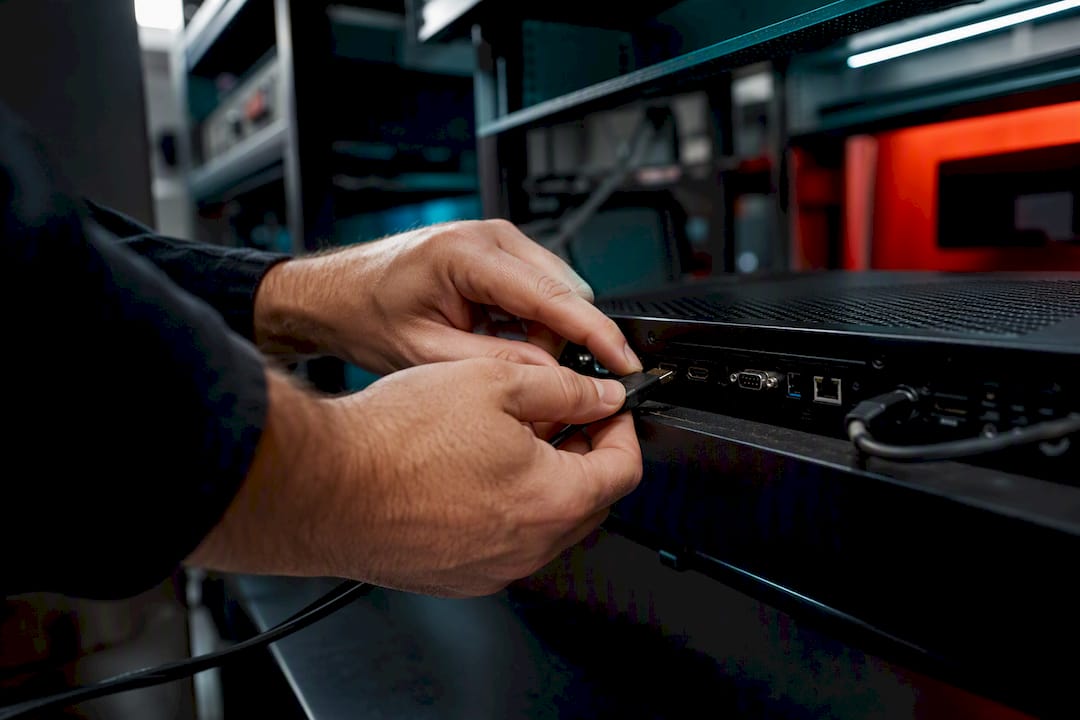
Content isn’t updating remotely. Almost always a network issue, not a software bug. Confirm the player has an active internet connection, then check that it’s on the correct VLAN and not blocked by an overly aggressive firewall rule.
Screen goes offline intermittently. Often a power-saving setting on the display itself, conflicting with the player’s expectation that the screen stays on continuously. Disable any energy-saving auto-off feature on commercial displays used for signage.
Playback stutters or content freezes. Usually underpowered player hardware trying to run high-resolution video or too many simultaneous media assets. Check player specs against your content’s resolution and bitrate before assuming it’s a network problem.
Advertiser disputes impression counts. This is a reporting transparency issue, not usually a technical one. Make sure proof-of-play reporting is turned on from day one, so you have data to back up every invoice.
Build a simple first-response checklist for your team: check power, check network, check input source, then escalate to platform support if none of those resolve it. Most issues clear in that order.
What Should You Watch Out for as You Launch?
The biggest mistake operators make is building a custom CMS before they’ve signed a single venue. It feels productive, and it’s almost always the wrong use of the first six months. The plumbing is solved. What isn’t solved, for you specifically, is which venues will say yes and which advertisers will pay to be seen there.
The second mistake is underpricing inventory to win the first few advertisers. A steep founding-advertiser discount is smart. Giving away ad slots for free indefinitely is not, because it trains advertisers to expect free forever and makes the eventual price increase feel like a betrayal instead of a normal transition.
The third mistake is ignoring the venue’s experience of hosting your screens. A gym owner who feels like your network is a hassle, glitchy updates, confusing invoices, no responsiveness, will pull the plug regardless of how good your advertiser numbers look. Venue satisfaction is a retention metric just as real as advertiser renewal.
On the flip side, three moves consistently pay off early: discounted founding-advertiser deals that create case-study proof fast, a template-first content strategy that keeps creative production cheap and consistent, and clustering your first venues regionally so sales calls and installs don’t eat your whole week in travel time.
Pro Tip: A turnkey platform cuts your time-to-first-screen from months to days. That speed compounds, because every week not spent building infrastructure is a week spent signing the next venue instead.
How SignStream Gets You Live Faster
If you’ve made it this far, you already know the fastest path to a working network is buying proven rails, not building your own. SignStream gives you exactly that: a cloud CMS with unlimited screens at no extra charge, remote content control from any browser or phone, and a built-in ad exchange marketplace so you can cross-promote with other local businesses and generate revenue from your own screens from day one.

That kind of outcome comes from the platform doing the heavy lifting, scheduling, remote updates, analytics, so you can focus on signing venues and advertisers instead of managing software.
If you want a hands-on look at feasibility before committing, book a free consult to map out your first cluster. If you already know you need help with installation and pilot planning, an on-site consultation can get your first screens live correctly the first time. And if you’re still comparing how the remote control side actually works day to day, the platform walkthrough covers that in detail.
Sources
A handful of organizations are worth bookmarking as you build:
Recommended
Comments