

Screens in Visitor Wayfinding Networks: 2026 Guide
- sbgerus
- 2 days ago
- 8 min read

Digital screens in visitor wayfinding networks are defined as dynamic display systems that deliver real-time, interactive navigation guidance at critical decision points throughout a facility. The industry term for this practice is “digital wayfinding,” and it covers everything from large touchscreen kiosks at building entrances to smaller directional displays outside elevator lobbies. Unlike static printed signs, digital screens update instantly, respond to user input, and connect with facility management systems to reflect live conditions. For business operators managing complex venues, gyms, retail centers, or office buildings, understanding how to deploy these screens effectively is the difference between a visitor who finds their destination quickly and one who walks out frustrated.
What is the role of screens in visitor wayfinding networks?
Digital screens serve as the active, responsive layer of a wayfinding network. Physical signs provide a fixed backbone, but screens handle everything that changes: room bookings, corridor closures, event schedules, and multilingual directions. That combination is what makes a modern visitor navigation system work.
The most direct benefit is interactivity. A touchscreen kiosk lets a visitor type a name, select a floor, and receive a printed or QR-coded route in seconds. Interactive digital wayfinding kiosks offer multilingual interfaces, brand-aligned design, and searchable directories, turning functional signage into a full visitor engagement tool. That matters in venues where staff speak one language and visitors speak several.
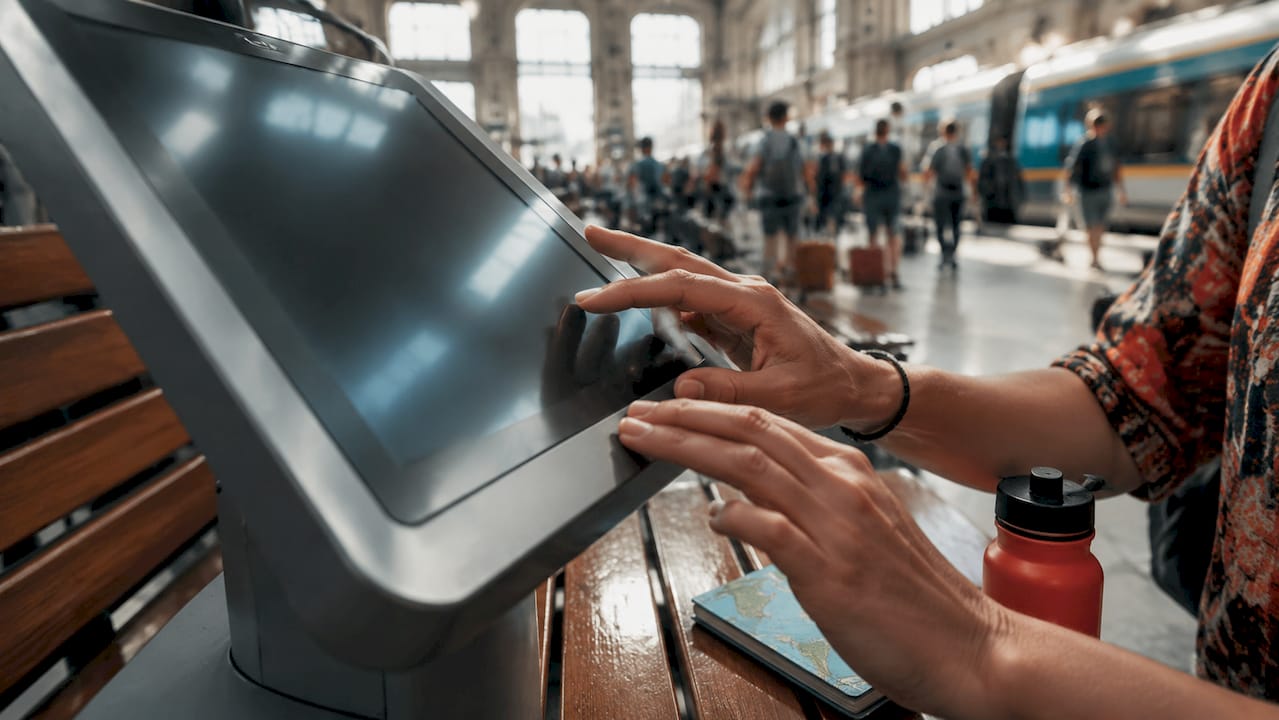
QR code handoff is now a standard feature in well-designed systems. Multi-modal navigation integrating kiosks and QR handoff to mobile devices lets a visitor start their route at a kiosk and continue with turn-by-turn directions on their phone. This is especially useful in large campuses or multi-building complexes where a single screen cannot follow the visitor through the journey.
Accessibility is another area where screens outperform static signs. Digital displays can switch font sizes, contrast levels, and audio output based on user preference. That flexibility is difficult and expensive to replicate with printed signage.
Pro Tip: Set your kiosk interface to default to the most common visitor language, but make the language selector visible within two seconds of screen activation. Visitors who cannot find the language option within that window will walk away and ask staff instead.
What are the best practices for strategic screen placement?
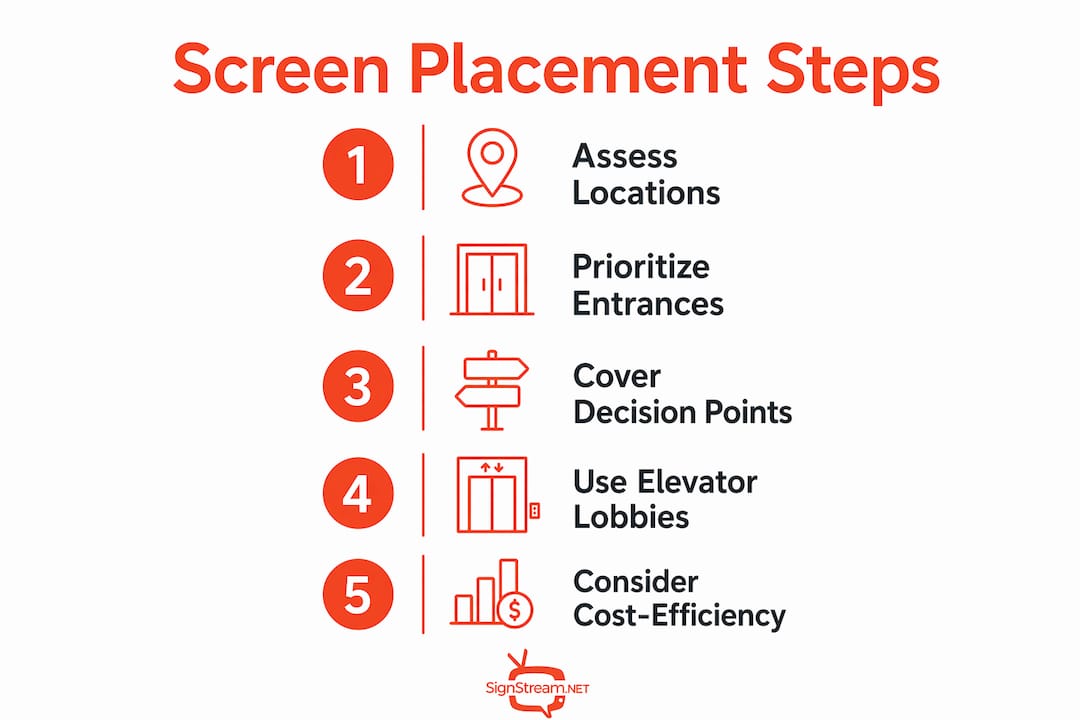
Screen placement determines whether your investment pays off. Success depends more on strategic placement at points where user behavior demands guidance than on blanket coverage across the entire facility. Covering every corridor with screens does not improve navigation. Placing the right screen at the right moment does.
The highest-impact locations follow a clear pattern:
Main entrances and reception areas. This is where visitors orient themselves first. A large interactive kiosk here handles the majority of navigation queries before they become staff interruptions.
Major decision points. Any junction where a visitor must choose between two or more paths needs a directional screen. These are the moments where confusion happens.
Elevator lobbies and stairwells. Visitors recalibrate their position every time they change floors. A screen confirming their location and the nearest destination reduces backtracking.
Long corridors. A single mid-corridor display reassures visitors they are still on the correct route. Without it, people stop and second-guess themselves.
High-traffic waiting areas. Screens here serve double duty: navigation confirmation and content delivery while visitors wait.
Cost does not have to be a barrier at every location. Smaller, non-interactive directional screens cost $300–$500 each when paired with standard hardware like a Fire TV Stick. Reserve your full interactive kiosk budget for entrances and major decision points, then use these affordable supporting displays for corridors and lobbies.
Pro Tip: Walk your facility as a first-time visitor before finalizing screen locations. Note every moment you feel uncertain about direction. Those moments are your screen placement map.
How do digital screens integrate with physical signage and facility systems?
Physical signage and digital screens work best as partners, not replacements. Digital wayfinding should complement, not replace, physical signage, which provides a consistent and brand-aligned navigation backbone. Physical signs do not go offline, do not require power, and reassure visitors even when screens are updating or restarting.
The table below shows how each layer handles different wayfinding needs:
Wayfinding need | Physical signage | Digital screens |
Permanent room labels | Best choice | Unnecessary |
Real-time room availability | Not possible | Ideal |
Corridor closure alerts | Slow to update | Instant update |
Multilingual directions | Costly to print | Easy to switch |
Brand-consistent design | Reliable | Requires management |
Emergency route changes | Fixed | Updatable in seconds |
The real power comes from system integration. Digital wayfinding screens integrate with facility systems to provide real-time updates on corridor closures and room availability, keeping route information accurate at all times. A cloud-based content management system lets you push those updates from any device, across multiple sites, without sending a technician to each screen.
Effective wayfinding integrates with facility management and scheduling systems to keep navigation information current. When a meeting room changes hands at 2:00 PM, the screen outside that room should reflect the new booking automatically. That level of accuracy builds visitor trust and reduces the “is this the right room?” moment that costs everyone time.
Visual consistency across physical and digital elements also matters. Your screens should use the same color palette, typography, and iconography as your printed signs. Visitors should not feel they have switched systems when they move from a printed floor plan to a digital kiosk.
What additional benefits do interactive digital wayfinding screens offer?
Navigation is the primary job, but well-deployed screens deliver several secondary benefits that directly affect your bottom line.
Reduced front desk burden. Digital wayfinding reduces staff assistance needs by guiding visitors directly to their destinations. Fewer direction requests mean your reception team spends time on higher-value tasks. You can read more about this effect in detail on reducing front desk queries.
Marketing and promotion. Screens at decision points capture attention. You can display upcoming events, tenant promotions, or membership offers while a visitor waits for directions to load. Interactive kiosks enhance first impressions and can double as marketing assets when integrated with branded and multilingual content.
Improved first impressions. A well-designed digital kiosk signals that your facility is professionally managed. Visitors form opinions about a venue within the first 90 seconds of arrival. A clear, responsive screen at the entrance sets a positive tone for everything that follows.
Dwell time and engagement. Screens in waiting areas keep visitors informed and engaged rather than restless. That dwell time is an opportunity to communicate your brand, services, or community news.
Data and analytics. Digital systems track which routes visitors search most often. That data tells you where physical signage is failing and where you need to improve the built environment.
What are the key pitfalls when implementing wayfinding screens?
Deployment mistakes are common and expensive. Knowing them in advance saves you time, money, and visitor frustration.
Screens cannot fix bad architecture. Digital signage cannot compensate for poor architectural design. If your building layout is genuinely confusing, screens will reduce the problem but not eliminate it. Address the physical environment first.
A broken screen is worse than no screen. A blank or broken screen at a key decision point is worse than no screen at all. Visitors who rely on a screen and find it offline lose confidence in the entire system. Build fallback plans, including static printed backups at every digital location.
Over-deployment creates clutter. Too many screens compete for attention and dilute the impact of each one. Screen deployment should be limited to crucial decision points based on observed visitor behavior.
Connectivity is not always reliable. Basements, parking structures, and older buildings often have unstable Wi-Fi. Interactive wayfinding systems can operate offline by storing map and routing data locally, so plan for this from the start.
Content management requires ongoing attention. A screen showing an outdated floor plan or a closed department that has since reopened actively misleads visitors. Assign clear ownership of content updates before you go live.
Key Takeaways
Screens work best in visitor wayfinding networks when they are placed at genuine decision points, integrated with live facility data, and supported by a physical signage backbone.
Point | Details |
Strategic placement wins | Focus screens on entrances, decision points, and elevator lobbies for the highest impact. |
Physical and digital work together | Use physical signs for permanence and digital screens for real-time, changing information. |
Offline capability matters | Store map data locally so screens stay functional in low-connectivity areas like basements. |
Broken screens damage trust | Always have a static fallback plan at every digital display location. |
Secondary benefits are real | Screens reduce staff queries, support marketing, and improve first impressions beyond navigation. |
The part of wayfinding strategy most operators get wrong
I have watched business operators spend significant budgets on large, impressive kiosks at their main entrance, then leave every corridor and floor transition completely unaddressed. The entrance kiosk gets used once. The confusion happens on the third floor, outside the elevator, when a visitor cannot tell whether to turn left or right. That is where the investment should go.
The other pattern I see regularly is treating digital wayfinding as a technology project rather than a design project. The technology is the easy part. The hard part is understanding how your specific visitors move through your specific space. Walk the building. Time how long it takes a stranger to find a room without help. That exercise will tell you more about screen placement than any vendor recommendation.
My view for 2026 is that the operators who will get the most from their wayfinding screens are the ones who treat them as part of a shared display network rather than isolated units. When screens share a content management system, you update once and every screen reflects the change. That is where the operational efficiency actually lives.
The future of visitor navigation is not more screens. It is smarter placement, better integration with live data, and a clear human-centered design strategy behind every deployment decision.
— DKS
How Signstream fits into your wayfinding screen network
Signstream’s remote content management platform is built for exactly the kind of multi-screen, multi-location wayfinding network this article describes. You can update every screen in your facility instantly from any device, without technical expertise or on-site visits.

Signstream deploys on unlimited screens at no extra charge per screen, which makes it practical for operators who need coverage at multiple decision points without the cost spiraling. The platform also includes an ad exchange marketplace, so your wayfinding screens can generate revenue from local business promotions while they guide visitors. Check the pricing plans to see which tier fits your facility size and content management needs.
FAQ
What is digital wayfinding?
Digital wayfinding is the use of screens, kiosks, and connected displays to guide visitors through a facility in real time. It replaces or supplements static printed signs with dynamic, updatable navigation content.
Where should wayfinding screens be placed for best results?
Screens deliver the most value at building entrances, major corridor junctions, elevator lobbies, and waiting areas. These are the points where visitors most need directional confirmation.
Can wayfinding screens work without a constant internet connection?
Yes. Many interactive wayfinding systems store map and routing data locally, so they remain functional in areas with unstable or no connectivity, such as basements or older buildings.
How do digital screens reduce staff workload?
Digital wayfinding guides visitors directly to their destinations, cutting the number of direction requests that reach reception or front desk staff. That frees your team for higher-value tasks.
How much do supporting wayfinding screens cost?
Smaller, non-interactive directional screens cost $300–$500 each when paired with standard hardware like a Fire TV Stick, making them a practical option for corridor and lobby placements.
Recommended
Comments