

How Screens Drive Franchise Sales Growth Across Locations

Screens are a measurable sales accelerator for franchise networks because they deliver targeted, point-of-purchase messaging, centralized brand control, and data-driven optimization across every location simultaneously. When integrated with your POS, loyalty program, and a centralized content management system, digital displays move customers from awareness to purchase faster than static alternatives, and they give your development team a credibility signal that franchise candidates notice.
TL;DR — what screens do for your franchise:
Raise in-store awareness and foot-traffic conversion with exterior and lobby displays
Increase average order value through POS-triggered upsell prompts at the point of decision
Build loyalty by surfacing personalized offers and reward updates on screen
Give franchise candidates a visible signal of operational sophistication
Let corporate push brand-consistent content to every location instantly
Table of Contents
How screens drive franchise sales growth: the strategic case
Digital signage is now table stakes for modern franchise operations, not a nice-to-have upgrade. Franchise candidates evaluate your brand’s operational readiness before they ever sign a disclosure document, and the technology they see in your locations shapes that judgment. A lobby running dynamic, on-brand content communicates a system that is managed, current, and worth investing in.
Franchise development teams that adopt centralized digital workflows see real gains in candidate conversion. Applicants who received financial prequalification were 67% more likely to become franchisees, and time from disclosure to approval was notably reduced when teams used centralized, secure digital processes. Screens are part of that same modernization story.
The business risk of falling behind is concrete. Franchisors still running printed menus and static posters look operationally dated to both customers and prospects. Analysts observe that candidate-facing digital assets act as credibility signals that shorten the sales cycle and improve lead quality.
How screens influence every stage of the franchise sales funnel
The role of screens in franchise sales growth operates across three distinct stages, each with its own content logic and measurable outcome.
Awareness. Exterior displays and window-facing screens capture foot traffic before a customer walks in. High-brightness panels running localized promotions or brand content pull attention from the street and increase walk-in rates. For local visibility, this is the first conversion point in the funnel.
Conversion and upsell. Inside the location, menu boards, kiosks, and POS-integrated screens present high-margin items at the exact moment a customer is deciding. Strategic digital placements that emphasize high-margin items in prime screen positions increase add-on sales and trials compared to printed menus. Multi-screen configurations and kiosks also help customers choose faster and accept add-ons more frequently.
Retention and loyalty. Post-purchase screens can display thank-you messages, loyalty point balances, and personalized offers triggered by the transaction just completed. That real-time feedback loop increases repeat visit frequency and loyalty program enrollment.
Candidate conversion. Short-form video under 90 seconds on in-location screens and development sites helps franchise prospects picture themselves in the system and builds trust before a sales call. Franchisors use short-form video as an emotional anchor that accelerates relationship-building.
What technical integrations make screens actually work?
Four pillars determine whether your screens generate revenue or just display pretty graphics: POS integration, loyalty/CRM linkage, centralized CMS with device management, and analytics with attribution.
POS integration is the highest-leverage connection. Map these data fields between your POS and your signage platform:
Sold item and category (to trigger complementary upsell prompts)
Transaction value (to qualify loyalty tier messaging)
Promo code redeemed (for attribution tracking)
Location ID and timestamp (for geo- and time-based content rules)
Loyalty and CRM linkage lets you surface personalized messages the moment a customer identifies themselves, whether by app, card, or phone number. Loyalty ID triggers are what separate a generic “try our new item” prompt from a “welcome back, your next reward is two visits away” message.
Centralized CMS and device management give corporate the ability to push updates to every screen in the network without touching individual devices. Centralized templates and remote updates ensure brand identity across all points of sale while still permitting local promotions where appropriate.

Hardware and security. Emerging signage hardware uses embedded neural processing for faster analytics, lower latency, and better security for real-time personalization. For multi-site governance, require role-based access controls and encrypted content channels so local operators can update approved content without touching corporate templates.
Content approaches that actually convert in franchise settings
Structure every screen zone around a single, measurable call to action. A screen trying to do three things at once does none of them well.
Proven template types and placements:
Hero promo: full-screen, time-limited offer (flash sale, limited-time item) placed at eye level near the register or kiosk
Loyalty card reminder: lower-third banner triggered after a non-loyalty transaction, prompting enrollment with a specific incentive
Localized offer: regional or seasonal promotion approved by corporate and activated by the local operator within a template
Video snippet: 30–60 second brand or testimonial clip for lobby or waiting-area screens, useful for both customer retention and candidate impression
For in-store promotions, POS-triggered personalization is the fastest path to measurable lift. Set frequency rules so the same customer does not see the same upsell prompt on consecutive visits, which reduces message fatigue.
Pro Tip: Run an A/B test across two comparable locations: one with a direct price-led CTA (“Add a large for $1”) and one with a benefit-led CTA (“Upgrade for the best value”). Measure attach rate over four weeks. The winning frame becomes your network default.
How do you govern screens across dozens of locations?
Central control with defined local flexibility is the governance model that protects brand consistency while giving franchisees the autonomy they need to run local promotions.
Permission model:
Corporate editors create and lock master templates, brand assets, and mandatory content slots
Regional approvers activate or pause promotions for their territory
Store-level admins schedule approved local content within designated zones
Hardware procurement checklist:
Screen brightness: minimum 700 nits for window-facing displays, 400 nits for interior
Media player: dedicated device with remote reboot capability and a minimum 3-year warranty
Professional-grade display (not consumer TV) for continuous commercial use; a professional LED display rated for 16–18 hours of daily operation is the right specification
Rollout governance checklist:
Define content ownership and approval workflows before hardware ships
Complete staff training at pilot locations before go-live
Establish a content calendar with mandatory refresh intervals (at minimum, weekly)
Set escalation paths for content errors or device failures
Review analytics monthly and gate rollout to the next location tier on performance thresholds
For detailed operational guidance, the multi-location management playbook covers device governance and content workflows in depth.
What KPIs tell you screens are working?
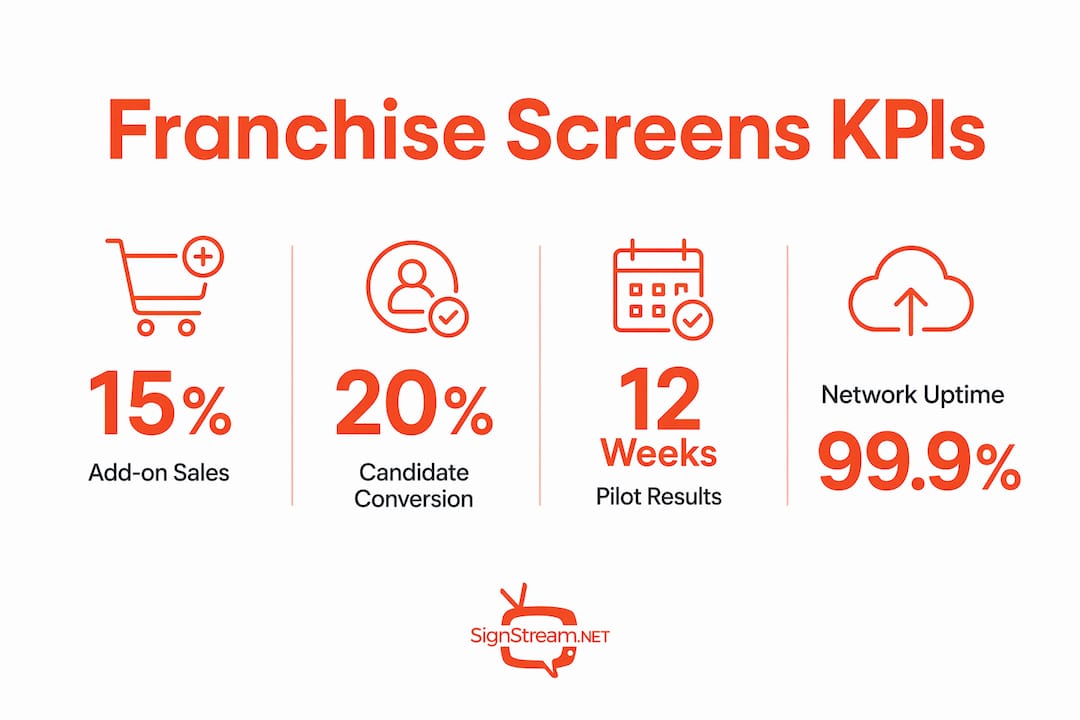
Measure both direct transaction lift and behavior change. Expect pilot results within 6–12 weeks of go-live.
KPI | Measurement method | Pilot target (weeks 1–8) | Steady-state target (months 3–6) |
Add-on attach rate | POS promo code redemption | +5% vs. control stores | +12–18% vs. baseline |
Average order value (AOV) | POS transaction data, screen-on vs. screen-off periods | Detectable lift in pilot stores | Sustained lift across network |
Loyalty enrollment delta | Loyalty platform new sign-ups by location | +25% vs. pre-launch month | Maintained with seasonal peaks |
Repeat visit frequency | Loyalty ID visit cadence | Measurable within 8 weeks | Tracked monthly |
Dwell and content engagement | CMS analytics, time-on-content metrics | Baseline established | Optimized by content type |
Use POS-tagged promo codes for clean attribution. Time-window attribution (comparing the same day-part before and after screen activation) works for locations without promo code infrastructure. For statistically reliable uplift detection, run pilots across a minimum of five comparable locations with matched control stores before drawing conclusions.
Step-by-step pilot and rollout timeline
Follow a 6–16 week staged plan. Rushing to full rollout before pilot data is in is the most common and most costly mistake.
Weeks 1–2: Pilot design. Define objectives, select 3–5 pilot locations and matched controls, finalize POS integration, and set success criteria (minimum AOV lift, attach rate threshold).
Weeks 3–6: Pilot execution. Install hardware, activate content, train staff, and collect baseline data. For restaurant franchise pilots, prioritize menu board and kiosk zones first.
Weeks 7–8: Analysis. Compare pilot vs. control on all KPIs. Gate the rollout decision on hitting at least two primary KPI thresholds.
Weeks 9–12: Phased rollout. Expand to the next location tier. Require training completion sign-off before each location goes live.
Weeks 13–16: Optimization. Run A/B content tests, refine content calendar, and establish monthly analytics review cadence.
What Signstream client results show in practice
Signstream clients across sports clubs, restaurants, and retail locations report measurable outcomes after deployment. One client recorded a 25% rise in class attendance after implementing Signstream’s platform, a result driven by targeted schedule and promotion displays that replaced static posters and manual staff announcements.
The operational lessons from these deployments are consistent: the largest gains come from combining real-time content updates with POS-triggered messaging, not from screens alone. Locations that updated content at least weekly and tied promotions to specific transaction triggers outperformed those running static playlists. Signstream’s analytics and club revenue data show that engagement metrics improve significantly when content is refreshed on a defined schedule rather than left to run indefinitely.
Signstream’s centralized CMS, unlimited-screen media networks, and ad exchange marketplace give franchise operators the full technical stack described in this guide, without requiring a dedicated IT team to manage it.
Key Takeaways
Screens generate measurable franchise sales growth when POS integration, centralized governance, and a structured content strategy work together from day one.
Point | Details |
POS integration is the priority | Connect transaction data to screen content first; it drives the highest-leverage upsell and attribution results. |
Pilot before you scale | Run 3–5 locations against matched controls for 6–8 weeks before committing to a full network rollout. |
Measure AOV and attach rate | These two KPIs give the clearest early signal that screens are influencing purchase behavior. |
Governance protects brand consistency | Define corporate, regional, and store-level permissions before hardware ships to any location. |
Signstream covers the full stack | Signstream’s centralized CMS, analytics, and ad exchange support the complete pilot-to-scale playbook described here. |
The real trade-off most franchisors get wrong
Most franchise operators spend too much time debating hardware specs and not enough time on content governance. A professional display running stale content updated once a quarter will underperform a modest screen refreshed weekly with POS-triggered offers. The technology is the easy part.
The harder decision is how much local flexibility to grant. Franchisees want to run their own promotions. Corporate wants brand consistency. The answer is not to pick one side but to build a permission model that gives local operators a defined lane, with approved templates and a content calendar, while keeping brand-critical assets locked at the corporate level. That structure is what turns screens from a decoration into a cross-selling and upselling tool that compounds over time.
Signstream gives you the platform to execute this playbook
Franchise operators who want to move from static displays to a fully managed, revenue-generating screen network have a direct path with Signstream. The platform covers every step in this guide: centralized CMS for instant updates across unlimited screens, POS-connected content triggers, built-in analytics to track performance, and an ad exchange marketplace that lets you monetize your screens by cross-promoting with local businesses.

Getting started takes less time than you might expect. Signstream’s interface requires no technical expertise, and the platform scales from a single pilot location to a full franchise network without additional per-screen charges. See how the platform works and check current pricing to find the plan that fits your network size.
Useful sources and further reading
“Digital signage is now ‘table stakes’ for modern franchises — the shift to dynamic content supports faster service, personalization, and data-driven decisions.” — QSR Magazine
How Intelligent Digital Signage Can Be an Operational Tool for QSR Franchises — QSR Magazine: covers POS integration, embedded AI hardware, and add-on sales evidence
Streamlined and Scalable: Why Franchise Development Teams Are Turning to Tech — International Franchise Association: candidate conversion data and centralized workflow impact
Guide to Selling Franchises in 2026: Video vs. Long-Form on Dev Sites — 1851 Franchise: short-form video and digital credibility signals for franchise candidates
Digital Signage for Franchising: Benefits and Applications — FIDA: centralized templates and local customization for multi-location consistency
How Leading QSR Franchises Upsell, Engage Their Customers, and Speed Up Their Sales Process — QSR Media Australia: kiosk and multi-screen upsell evidence
Signstream: How It Works — platform overview for remote management, integrations, and analytics
Signstream: Digital Signage and Club Revenue — revenue-focused tactics and analytics examples from Signstream deployments
Storefront Walkthrough Video Editing: A Small Business Guide — Kudoflix: practical guide to producing short-form storefront video for development and in-store screens
Recommended
Comments