

Retail Endcap Digital Display: What Retailers Need to Know
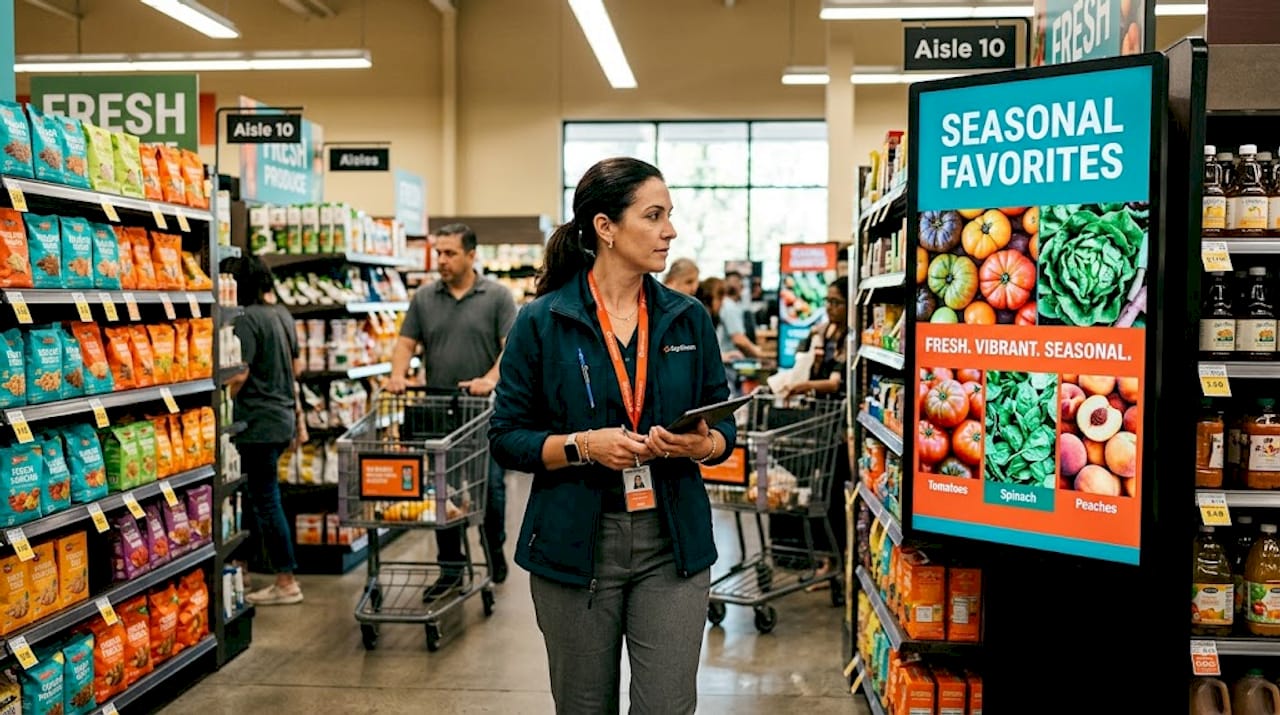
Most retail professionals already know what an endcap is. What far fewer understand is how dramatically the category has shifted now that screens have replaced static signs. A retail endcap digital display is a commercial-grade screen mounted at the end of a store aisle to promote products, run time-sensitive campaigns, and capture shoppers at the exact moment they decide what to buy. These are not upgraded posters. They are live, remotely managed marketing assets, and endcaps deliver a 20–40% sales lift on featured products compared to standard shelf placement.
Table of Contents
Key takeaways
Point | Details |
Endcap displays drive sales | Digital endcaps produce a 20–40% sales lift over standard aisle product placement. |
Content strategy matters most | Dynamic, contrast-rich content outperforms hardware upgrades alone for shopper engagement. |
Screen size must match aisle depth | Matching screen size to viewing distance prevents both underwhelming and overwhelming experiences. |
Remote CMS control is non-negotiable | Cloud-based content management lets you update messaging across all locations instantly. |
Digital endcaps can generate revenue | Retailers can sell ad space on their screens to suppliers and local brands as an added income stream. |
What is a retail endcap digital display?
The endcap display meaning goes back decades. Retailers have long known that the end of an aisle is premium real estate. Shoppers slow down there, turn, and scan. That natural pause is why brands have always fought for endcap placement. The digital version takes that same prime real estate and amplifies its power with motion, sound, and real-time content control.
A retail endcap digital display typically uses a commercial-grade LCD or LED screen built to operate through long retail hours, often 16 to 24 hours per day, in bright ambient lighting conditions. Unlike a consumer television, these screens are rated for sustained operation and feature higher brightness levels, typically 500 to 2,500 nits, to stay visible under retail fluorescent or LED ceiling lights.
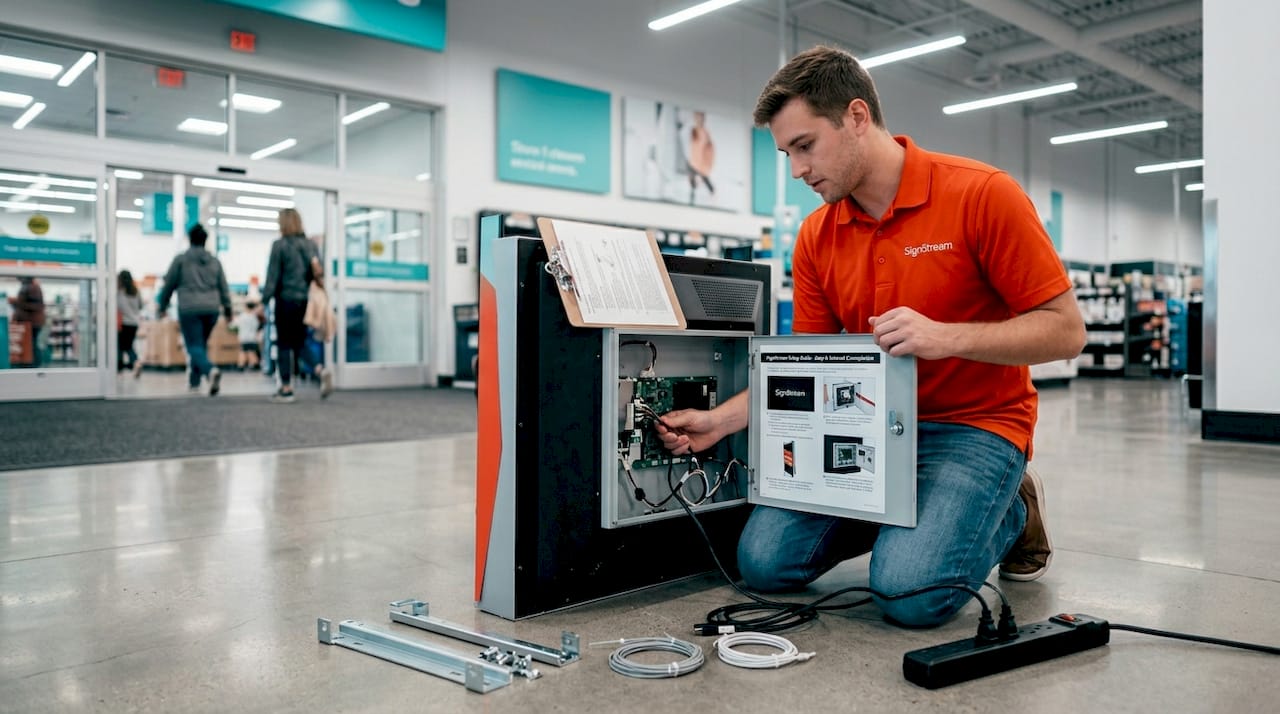
The core technology stack usually includes the screen itself, a media player (built-in or external), and a cloud-based content management system (CMS). That CMS is what separates a digital endcap from a glorified TV. It lets you update content across every location from a single dashboard, schedule campaigns by time of day or day of week, and react to promotions or inventory changes without printing a single sign.
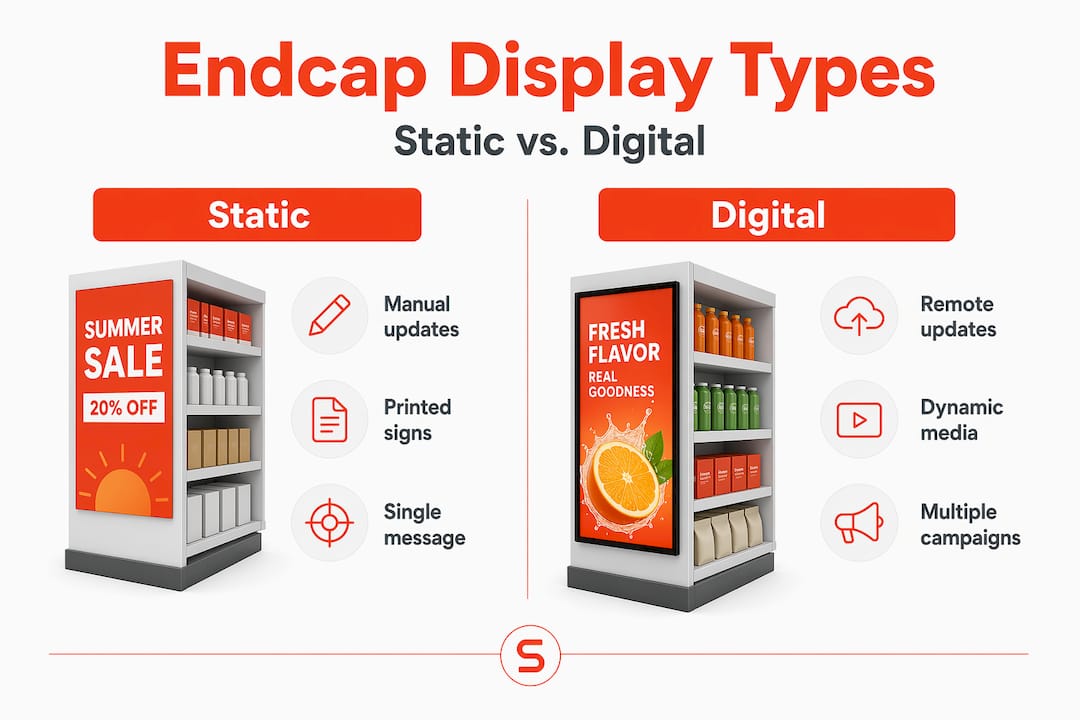
Here is how a digital endcap compares to a traditional static endcap at a glance:
Feature | Static endcap | Digital endcap display |
Content updates | Manual, requires reprinting | Remote, instant via CMS |
Scheduling | Fixed until changed | Automated by time or trigger |
Motion and animation | None | Full video and animation support |
Revenue potential | None | Supplier ads, affiliate programs |
Shopper engagement | Passive | Active, eye-catching, dynamic |
Pro Tip: Brightness matters more than resolution at standard retail viewing distances. For most store environments, prioritize a screen rated at 700 nits or higher before worrying about 4K resolution.
Strategic benefits for retail marketing
This is where the conversation gets interesting for retail professionals. The benefits of digital displays go well beyond aesthetics.
The most direct benefit is the sales impact already noted above. But the mechanics of why it works are worth understanding. Shoppers do not browse aisle endcaps the same way they browse shelves. Endcaps interrupt routine movement through the store. A high-traffic endcap zone captures impulse decisions that would never happen from within an aisle. Dynamic video content on that screen makes the interruption more powerful, holding attention for one to three extra seconds, which research consistently shows is enough to shift a purchase decision.
Beyond direct product sales, digital endcap displays open up a second revenue stream most retailers ignore. Suppliers and consumer brands will pay for screen time. If you have a network of endcap screens across multiple store locations, you are sitting on in-store digital advertising inventory that CPG brands actively want to buy. That turns your display infrastructure from a cost center into a revenue-generating asset.
There is also a brand storytelling dimension that static signs simply cannot match. You can run a different campaign at 8 AM for early shoppers than you run at 5 PM for the after-work crowd, all from the same screen with no manual intervention.
“Treating digital endcaps as dynamic, contrast-rich experience hubs, rather than static signs, turns passive browsing into active shopper engagement.” — Visual Merchandising Fixtures Guide
Design and content best practices
Knowing how to use retail endcaps effectively is where most retailers fall short. The hardware is the easy part. Content is where campaigns win or lose. Here is a practical framework:
Lead with visual contrast. Your endcap screen competes with the colors, packaging, and signage of every product on the surrounding shelves. If your digital content blends into that background, you have lost the battle before it starts. Use bold backgrounds, high-contrast typography, and motion that draws the eye away from the shelf clutter.
Make price call-outs large and immediate. Shoppers moving through a store process information in fractions of a second. Larger price call-outs and taller thematic headers consistently outperform detailed product descriptions on endcap displays. Give the brain something to latch onto instantly.
Schedule content around shopper behavior. Use your CMS to align content with traffic peaks. Morning commuters respond differently than weekend browsers. Cloud CMS platforms allow you to automate those switches without any manual effort on the floor.
Integrate physical branding with digital screens. A screen floating in a plain fixture underperforms every time. High-performance endcaps combine physical headers, themed colors, and structural branding with the digital display to create a cohesive visual identity. The screen should feel like part of the display, not an afterthought bolted on top.
Keep content loops short. Aim for 10 to 15 second content loops. Shoppers rarely stand in front of an endcap for longer than that. Long loops waste creative assets on audiences that have already moved on.
Pro Tip: Run A/B tests by scheduling different creative versions across morning and afternoon time slots for two weeks. Your sales data will tell you which content format actually drives purchase behavior at each daypart.
Choosing the right display solution
Selecting your digital retail display hardware requires honest answers to a few practical questions before you commit to a purchase.
Screen size to aisle depth matching is the most commonly mishandled decision. Research shows 32 to 43 inch screens suit short aisle lengths of 4 to 8 feet, while 50 to 55 inch screens perform better for aisles of 15 feet or more. Oversized screens at close viewing range overwhelm rather than inform. Undersized screens at distance fail to register. Neither extreme serves your customer.
Here is a practical comparison to guide your selection:
Store condition | Recommended screen size | Key priority |
Compact urban store, short aisles | 32–43 inches | Brightness, compact form factor |
Mid-size grocery or pharmacy | 43–50 inches | Durability, scheduling flexibility |
Large format retail or big-box | 50–55 inches | Resolution, remote CMS management |
Beyond screen size, consider these factors before finalizing your choice:
Brightness rating: Retail environments with strong overhead lighting require screens rated at 700 nits minimum. Pharmacy and grocery environments typically need 1,000 nits or higher.
Operation hours: Standard commercial screens are rated for 16/7 operation. High-traffic 24-hour locations need 24/7-rated hardware to avoid premature failure.
CMS compatibility: The cloud-based management capabilities of your chosen platform matter as much as the screen itself. Prioritize platforms that allow instant remote updates, user-level permissions, and scheduling across multiple locations.
Serviceability: Ask vendors about on-site warranty support. A failed endcap screen in a high-traffic store costs you both sales and credibility.
Emerging trends in retail display technology
The retail display technology space is evolving faster than most store-level teams realize. The commercial display market is projected to grow at 5.9% CAGR between 2026 and 2033, driven significantly by digital signage demand in retail environments.
The biggest shift is the move toward AI-driven content management. Rather than scheduling content manually, AI-powered systems trigger content based on real-time conditions: traffic sensor data, time of day, weather, and even inventory levels. If a product is running low, the system can automatically swap to a different promotional message. This is not a distant future capability. It is available now and increasingly affordable.
The other major direction is the expansion of online-to-offline (O2O) integration. Digital endcaps as O2O touchpoints connect the in-store experience to digital loyalty programs, QR-code-triggered mobile content, and even social media campaigns. A shopper scans a QR code on your endcap screen, unlocks a coupon, and shares it online. That single interaction touches four different marketing channels simultaneously. You can explore digital transformation trends shaping these display solutions in more detail as the market continues to mature.
The practical takeaway: retailers who invest in scalable, cloud-connected endcap infrastructure now will be positioned to adopt AI triggers and O2O features without replacing their hardware.
My take on what actually drives ROI
I have watched retailers spend significant budgets on beautiful screens and then run the same promotional image on a loop for six months. That is the single biggest waste in retail digital signage, and it happens constantly.
In my experience, the retailers getting the best return from their digital endcap investments share one habit: they treat content as an ongoing operation, not a one-time setup. They schedule content reviews weekly, they test different creative approaches, and they let their sales data drive decisions. The hardware matters, but it is the content workflow that determines whether a digital endcap earns its floor space.
The other thing I have seen consistently underestimated is the physical integration piece. A screen mounted on a plain metal bracket with no surrounding branding context looks sterile and performs accordingly. The retailers who build themed headers, use brand colors in their fixture design, and think about the endcap as a three-dimensional brand moment, not just a screen, see measurably higher engagement. It is the difference between a billboard in the desert and a billboard in Times Square. Context amplifies the message.
My honest advice: before you finalize a hardware budget, spend equal time designing your content calendar and your physical fixture. That balance is where real ROI lives.
— DKS
How Signstream powers your endcap strategy
If you are ready to move from static signs to a fully managed digital endcap network, Signstream makes that transition straightforward and affordable. The platform lets you update content across unlimited screens from any device, with no technical expertise required.

Signstream’s cloud-based CMS gives you scheduling controls, real-time updates, and built-in analytics so you can track which campaigns are driving results. For retailers looking to go further, the ad exchange marketplace lets you sell screen time to suppliers and local brands, turning your endcap network into a revenue-generating media asset. You can also explore interactive ad formats that connect your in-store displays to digital loyalty and campaign experiences. Retailers have reported measurable lifts in sales and engagement after deploying Signstream, with the setup process taking hours, not weeks.
FAQ
What is an endcap display?
An endcap display is a retail fixture positioned at the end of a store aisle, designed to promote featured products in a high-traffic location. Digital versions use commercial screens managed remotely to show dynamic, scheduled content.
How much of a sales lift do digital endcaps produce?
Research shows digital endcap displays can deliver a 20 to 40% sales lift on featured products compared to standard in-aisle shelf placement.
What screen size should I use for a retail endcap?
Match screen size to aisle depth. Use 32 to 43 inch screens for short aisles of 4 to 8 feet, and 50 to 55 inch screens for longer aisles exceeding 15 feet. Oversizing at close range reduces effectiveness.
Can retailers make money from digital endcap displays?
Yes. Retailers can sell advertising space on their endcap screens to CPG suppliers and local brands, creating a secondary revenue stream from existing store infrastructure through digital signage networks.
What is the most important factor in digital endcap performance?
Content strategy consistently outweighs hardware quality. Dynamic, visually distinct content scheduled around peak traffic periods drives significantly better shopper engagement than static or generic promotional loops.
Recommended
Comments