

Best FirmChannel.com Alternatives for Business in 2026
- sbgerus
- 1 day ago
- 14 min read

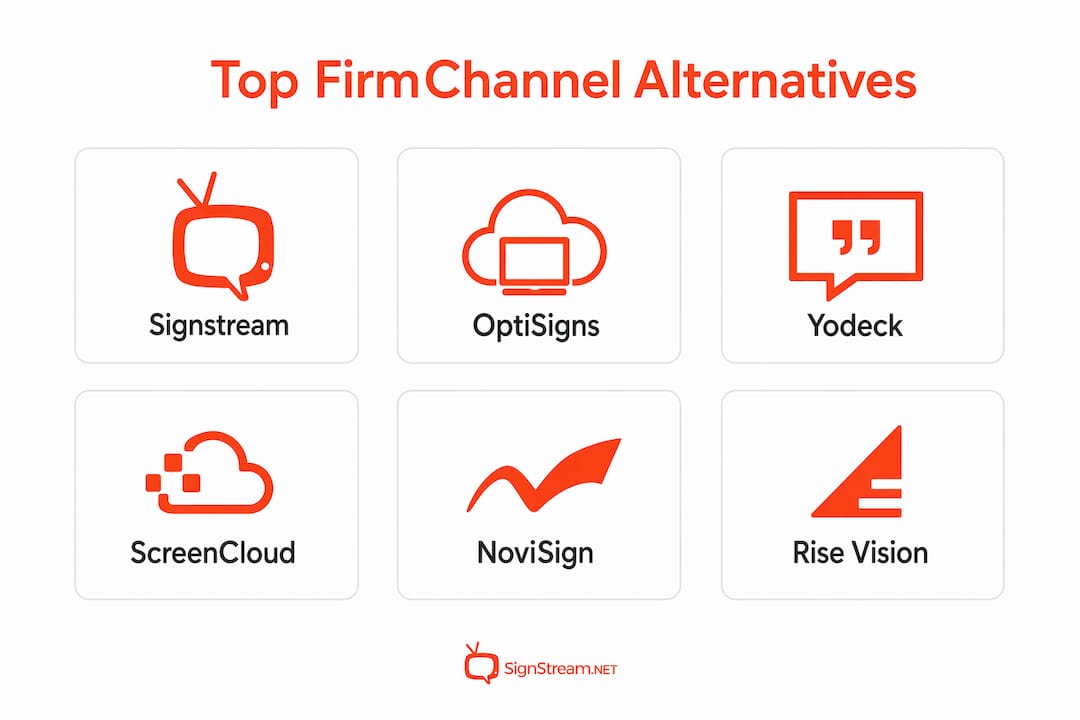
For most business buyers evaluating firmchannel.com alternatives, the strongest shortlist is Signstream, OptiSigns, ScreenCloud, and Yodeck — with Signstream standing out as the recommended choice for businesses that need unlimited screen deployment, real-time remote updates, and an ad-exchange marketplace without complex hardware lock-in. If ad monetization and fast rollout are priorities, Signstream is the clear front-runner. If deep enterprise integrations matter most, ScreenCloud earns a serious look. For budget-conscious pilots, Yodeck’s low-cost player options are hard to beat.
Industry review aggregators consistently surface the same feature priorities buyers care about: scheduling, templates, analytics, remote updates, player and OS support, and ad monetization. Most business-grade platforms operate on subscription models, typically charging per screen or per channel, with analytics and monetization features unlocked at higher tiers. Before you shortlist anyone, map your expected screen count and monetization goals to each vendor’s pricing shape.
Dimension | What to compare |
Best for / use case | SMB retail, enterprise, education, fitness, franchise |
Pricing model | Per-screen, per-channel, or flat tier |
Free trial / free tier | Available, limited, or none |
Scalability | Unlimited screens vs. capped plans |
Key features | Scheduling, templates, analytics, API, ad monetization |
Cloud-native vs. on-prem | Browser-first management vs. hardware-dependent |
Supported players / OS | Android, webOS, Tizen, Windows, Raspberry Pi |
Ad monetization | Marketplace, cross-promotion, revenue sharing |
Integrations | POS, social, calendar, CRM, data feeds |
Support & onboarding | SLA, white-glove, self-serve |
Fastest setup: Signstream and OptiSigns both offer browser-based management with no dedicated hardware required — you can have screens live within hours.
Best for ad monetization: Signstream’s built-in ad-exchange marketplace lets you cross-promote with local businesses and generate revenue directly from your screens.
Best budget option: Yodeck’s Raspberry Pi support keeps hardware costs low, making it the go-to for organizations running tight pilots.
Table of Contents
What are the best firmCHANNEL alternatives right now?
Each platform below targets a distinct buyer profile. Here’s what you need to know before requesting a demo.
Signstream
Best for: Businesses needing unlimited screens, ad monetization, and fast remote deployment across gyms, restaurants, retail, and franchise networks.
Cloud-native, browser and mobile control, no dedicated hardware required
Unlimited screen deployment at no extra charge per screen, plus a built-in ad-exchange marketplace for cross-promotion and revenue generation
Smart TV apps, dynamic QR codes, scheduling, templates, and analytics included
Trust signal: Clients including elite sports clubs and retailers report measurable results post-deployment, with one fitness operator reporting increased class attendance after deployment.
OptiSigns
Best for: SMBs and retailers wanting cloud-managed displays with templated content and wide player support.
Per-screen subscription model; free trial available
Supports Android, Fire TV, Raspberry Pi, Windows, Chrome OS, and more
Strong template library and content scheduling; review aggregators consistently list it among the top-rated alternatives
Yodeck
Best for: Small to medium deployments where low hardware cost is a priority.
Historically offered a free tier for single-screen deployments; per-screen pricing scales up from there
Raspberry Pi player support keeps upfront hardware costs minimal
Good community resources and straightforward cloud management
ScreenCloud
Best for: Organizations that need deep integrations with business systems — POS, calendar, social feeds, and custom data sources.
Per-screen or channel-based pricing; free trial available
App marketplace with dozens of pre-built integrations; strong API
Enterprise-minded architecture with SSO and security controls
NoviSign
Best for: Use cases requiring interactive screens, kiosks, or complex multi-zone layouts.
Per-screen subscription; free trial available
Supports interactive touchscreen content, wayfinding, and multi-zone display layouts
Works across Android, Windows, and Chrome OS players
Rise Vision
Best for: Schools, universities, and organizations focused on internal communications and templated content workflows.
Per-screen pricing with a free tier for qualifying educational institutions
Large library of education-specific templates; centralized management for multi-site deployments
Strong community and onboarding resources for non-technical teams
Industry takeaway: Directories and review platforms regularly list 10–15 alternatives to firmCHANNEL, but the platforms that consistently surface at the top share a common trait: cloud-native management that works from any browser, on any screen, without proprietary hardware dependencies.
Deeper look at each vendor’s features and deployment realities
Understanding what each platform actually delivers — beyond the marketing copy — is where procurement decisions get made.
Feature matrix
Feature | Signstream | OptiSigns | Yodeck | ScreenCloud | NoviSign | Rise Vision |
Scheduling | ✓ | ✓ | ✓ | ✓ | ✓ | ✓ |
Templates | ✓ | ✓ | ✓ | ✓ | ✓ | ✓ |
Analytics | ✓ | ✓ | ✓ | ✓ | ✓ | ✓ |
API availability | ✓ | ✓ | ✓ | ✓ | ✓ | ✓ |
Ad monetization | ✓ | — | — | — | — | — |
Unlimited screens | ✓ | — | — | — | — | — |
Interactive / kiosk | — | — | — | — | ✓ | — |
Education templates | — | — | — | — | — | ✓ |
“—” indicates the feature is not a published core capability for that platform.
Signstream
Signstream’s core value is speed and scale without technical debt. You manage every screen from a browser or mobile device, push content updates in real time, and deploy on virtually any smart TV or media player without buying proprietary hardware. The platform architecture is built for businesses that operate across multiple locations — gyms, franchise restaurants, retail chains, corporate offices — where keeping content current across dozens of screens manually is simply not practical.

The ad-exchange marketplace is the feature that sets Signstream apart from every other platform on this list. You can cross-promote with other local businesses, sell ad slots on your own screens, and offset your software costs with revenue from the network. No other platform in this shortlist offers that as a built-in, ready-to-use feature.
Pros: Unlimited screens, ad monetization, hardware agnostic, fast deployment, mobile control, dynamic QR codes. Cons: Newer brand with a smaller public review base than OptiSigns or ScreenCloud.
Use case: A fitness franchise with 15 locations deploys Signstream across every lobby TV, schedules class promotions in real time, and generates supplemental revenue by displaying partner ads from local health brands.
Typical deployment: Days to a week for most business environments, depending on network setup.
OptiSigns
OptiSigns is a reliable, well-documented platform that works well for SMBs and retailers who want a fast, low-friction setup. Its player support is genuinely broad — Android sticks, Fire TV, Raspberry Pi, Windows, Chrome OS, and more — which means you can often repurpose existing hardware. The template library covers most standard retail and corporate use cases. Pricing is per screen, so costs scale predictably as you add displays.

Pros: Wide player support, strong template library, good documentation, active user community. Cons: No built-in ad monetization; advanced analytics require higher-tier plans.
Use case: A regional retailer with 20 stores deploys OptiSigns on existing Android sticks to run promotional content and seasonal campaigns centrally.
Typical deployment: Same day to a few days for straightforward setups.
Yodeck
Yodeck built its reputation on low-cost deployments using Raspberry Pi players. For organizations running tight budgets — schools, nonprofits, small hospitality businesses — that hardware flexibility is a genuine differentiator. Cloud management is straightforward, and the free tier (historically available for single-screen deployments) makes it easy to pilot before committing.
Pros: Low hardware cost, Raspberry Pi support, free single-screen tier, easy cloud management. Cons: Scales less gracefully for large enterprise deployments; limited monetization options.
Use case: A community center runs a single lobby display on a Raspberry Pi at minimal cost, managed entirely from a browser.
Typical deployment: Hours to a day for single or small-screen setups.
ScreenCloud
ScreenCloud is built for organizations that need their signage to talk to other business systems. Its app marketplace includes pre-built connectors for Google Workspace, Slack, Salesforce, and dozens of POS and social platforms. If your content strategy depends on pulling live data — sales dashboards, social feeds, calendar events — ScreenCloud’s integration depth is hard to match. Enterprise security features including SSO and role-based access make it a credible choice for IT-governed environments.
Pros: Deep integrations, strong API, enterprise security, app marketplace. Cons: Higher cost at scale; setup complexity increases with integration requirements.
Use case: A corporate headquarters displays live sales dashboards, meeting room schedules, and social media feeds across lobby and breakroom screens, all pulling from existing business tools.
Typical deployment: One to two weeks for enterprise environments with integration configuration.
NoviSign
NoviSign’s strength is interactivity. If you need touchscreen kiosks, wayfinding displays, or multi-zone layouts where different content plays simultaneously in different screen regions, NoviSign handles it cleanly. It supports Android, Windows, and Chrome OS players. For standard non-interactive signage, it works fine, but the platform’s real value shows up in more complex display environments.
Pros: Interactive and kiosk support, multi-zone layouts, solid player compatibility. Cons: Overkill for simple content playback use cases; pricing can climb with interactive features.
Use case: A hospital deploys NoviSign for patient wayfinding kiosks and multi-zone waiting room displays that show both entertainment and health information simultaneously.
Typical deployment: One to two weeks, depending on interactive content complexity.
Rise Vision
Rise Vision targets education and internal communications teams who need a large template library and centralized management without requiring technical expertise. The free tier for qualifying educational institutions makes it accessible for schools with limited budgets. For corporate internal comms teams, the workflow tools and template variety cover most standard use cases.
Pros: Education-specific templates, free tier for schools, easy onboarding, centralized multi-site management. Cons: Less suited to commercial or monetization-focused deployments; limited ad capabilities.
Use case: A university communications team manages digital signage across 30 campus buildings from a single dashboard, using pre-built templates for event announcements and emergency alerts.
Typical deployment: A few days to a week for standard educational deployments.
Pro Tip: Before committing to any platform, run a content publishing workflow test during your trial — push a live update, schedule a future campaign, and pull an analytics report. Those three actions reveal more about a platform’s real usability than any demo.
How do you pick the right firmCHANNEL alternative for your business?
A structured selection process saves you from a costly switch six months in. Work through these priorities in order.
Define your screen count and growth trajectory. If you expect to scale beyond 20–30 screens, per-screen pricing adds up fast. Platforms that charge per channel or offer unlimited screen deployment (like Signstream) become significantly more cost-effective at scale. Map your 12-month screen count before you compare pricing pages.
Identify your player and OS environment. Do you have existing hardware — Android sticks, smart TVs, Windows PCs — or are you starting fresh? Cloud-native, hardware-agnostic platforms avoid the technical debt of proprietary players. Confirm that your shortlisted vendor supports the OS you already have in the field.
Clarify your content workflow. How often will content change? Who approves it? If you need real-time updates pushed from a mobile device, that’s a different requirement than a weekly scheduled playlist. Check whether the platform’s scheduling and approval workflow matches how your team actually operates.
Decide whether ad monetization matters. If you want to offset software costs or generate revenue from your screens, only Signstream in this shortlist offers a built-in ad-exchange network. That capability introduces contract, content policy, and reporting considerations — get the terms in writing before you commit.
Evaluate integration requirements. If your content needs to pull from a POS system, CRM, social feed, or calendar, confirm the integration exists and works in production — not just in a demo. ScreenCloud leads here; most others offer API access but require custom development for non-standard integrations.
Assess security and compliance needs. Enterprise buyers should ask for SOC 2 documentation, SSO support, and role-based access controls. Regulated industries (healthcare, finance) need to confirm data handling practices in writing.
Questions to ask in every demo:
What is the maximum number of screens on each pricing tier?
Does the API support two-way data exchange, or read-only?
What is the published uptime SLA, and what remedies apply if it’s missed?
How are content backups handled if the cloud connection drops?
What does the ad-exchange contract look like, and who controls content approval?
Is white-labeling available, and at what tier?
Red flags to watch for: locked proprietary hardware with no alternative player support; pricing that isn’t published and requires a sales call to access; no case studies from your vertical; no API documentation available pre-sale; vague or absent uptime SLA.
Trust signals to request: third-party review scores on G2 or Capterra, enterprise reference customers in your industry, written uptime SLA, and security certification documentation.
Why Signstream is the recommended alternative for most business buyers
Signstream is the strongest choice for businesses that need unlimited screens, real-time content control, and a built-in revenue channel from their display network. Those three capabilities together are rare in a single platform at this price point.
The platform runs entirely in the cloud. You manage every screen from a browser or mobile device, with no proprietary hardware requirement. Smart TV apps mean you can deploy on screens you already own. Dynamic QR codes, scheduling, templates, and analytics are all included without needing to upgrade to an enterprise tier.
The ad-exchange marketplace is Signstream’s defining differentiator. Most digital signage platforms treat your screens as a cost center. Signstream lets you turn them into a revenue channel — cross-promoting with local businesses and selling ad slots through a managed marketplace. For gyms, restaurants, retail locations, and franchise networks, that changes the ROI calculation entirely.
The client results back this up. One fitness operator reported a 25% rise in class attendance after deploying Signstream across their facility screens, driven by real-time class promotion and dynamic scheduling content. Elite sports clubs and retailers have reported similar operational gains.
For agencies and resellers, Signstream also offers white-label options and an affiliate program — details are on the white-label page and affiliate page. That makes it a viable platform for partners building managed signage networks for clients.
Feature summary for buyers:
Cloud-native management from any browser or mobile device
Unlimited screen deployment, no per-screen charge
Ad-exchange marketplace for cross-promotion and screen monetization
Scheduling, templates, dynamic QR codes, and analytics
Smart TV apps and hardware-agnostic player support
White-label and affiliate options for channel partners
How much can you customize and brand each platform?
Branding flexibility varies significantly across this shortlist, and it matters more than most buyers realize during evaluation.
Signstream offers white-label options for agencies and partners, meaning you can deploy a fully branded signage network under your own identity. For individual business operators, the platform supports custom channel management and branded content layouts. The white-label capability is a genuine differentiator for resellers building client networks.
OptiSigns provides a solid template editor with brand color, font, and logo controls. It’s well-suited for businesses that want consistent branded content across multiple locations without a design team. Custom templates can be saved and reused across screens.
ScreenCloud supports branded app configurations and custom CSS for advanced users. Its app marketplace means you can pull branded data feeds — social walls, sales dashboards — that reinforce your visual identity. Enterprise plans include additional white-label and custom domain options.
NoviSign gives designers fine-grained control over multi-zone layouts, which is useful when you need branded zones (a logo lockup in one corner, promotional content in another) running simultaneously. Template customization is strong.
Yodeck covers standard branding needs — logo placement, color themes, custom playlists — without the depth of ScreenCloud or Signstream’s white-label tier. Adequate for most SMB deployments.
Rise Vision leans on its template library for branding, which works well for education and internal comms but is less flexible for commercial brand expression. Custom templates are available but require more effort to build from scratch.
The practical takeaway: if white-labeling or reseller branding is a requirement, Signstream and ScreenCloud are the only platforms in this list with documented options. For standard single-brand deployments, all six platforms cover the basics.
How long does deployment actually take with each vendor?
Deployment timelines are one of the most underestimated factors in digital signage procurement. A platform that takes six weeks to configure properly is a real operational cost.
Signstream is built for fast deployment. Most business environments — a gym, a restaurant group, a retail chain — can have screens live within a day to a week. The browser-based setup requires no specialist IT involvement, and the smart TV app means you’re not waiting on hardware shipments. For franchise networks rolling out across multiple locations simultaneously, the unlimited screen model removes the per-screen provisioning bottleneck entirely.
OptiSigns is similarly fast for straightforward deployments. A single-location retail setup can be live the same day. Multi-location rollouts with existing Android or Fire TV hardware typically take a few days to configure and test.
Yodeck is the fastest for single-screen pilots, particularly with Raspberry Pi. You can have a display running in under an hour if the hardware is on hand. Scaling to dozens of screens adds configuration time but remains manageable.
ScreenCloud takes longer when integrations are involved. A basic deployment is fast — a day or two. But if you’re connecting to a POS system, Salesforce, or a custom data feed, expect one to two weeks of configuration and testing. That’s not a criticism; it’s the nature of deep integration work.
NoviSign deployments for standard content playback are quick. Interactive kiosk setups or complex multi-zone configurations add time — typically one to two weeks for anything beyond basic content scheduling.
Rise Vision is straightforward for educational environments. A school district rolling out across multiple buildings can typically complete deployment in a few days to a week, especially using the pre-built template library to avoid custom content creation.
One practical note: subscription pricing models mean your costs start the moment you activate screens. Factor deployment time into your trial window — a 14-day trial spent mostly on setup leaves little time to validate content workflows and analytics.
Key Takeaways
Signstream is the recommended firmCHANNEL alternative for businesses that need unlimited screen deployment, real-time updates, and a built-in ad-exchange marketplace without per-screen pricing or hardware lock-in.
Point | Details |
Ad monetization is rare | Only Signstream offers a built-in ad-exchange marketplace among this shortlist — validate terms before committing. |
Pricing shape drives total cost | Per-screen models become expensive at scale; map your screen count to each vendor’s pricing before shortlisting. |
Deployment speed varies | Signstream and OptiSigns deploy in days; ScreenCloud and NoviSign take longer when integrations are involved. |
Cloud-native reduces technical debt | Hardware-agnostic, browser-first platforms avoid the long-term cost of proprietary player ecosystems. |
Signstream’s unlimited screen deployment and ad-exchange make it the strongest fit for franchise, fitness, and retail networks. |
The digital signage market is moving faster than most buyers expect
The shift toward cloud-native, hardware-agnostic platforms is no longer a trend — it’s the baseline expectation for any platform worth evaluating in 2026. Buyers who locked into proprietary hardware ecosystems three years ago are now paying the price in upgrade costs and inflexibility. The platforms that win procurement decisions today are the ones that run on screens you already own, managed from a browser, updated in real time.
What most buyers underestimate is the monetization angle. The conventional wisdom treats digital signage as a pure cost — hardware, software, content production. That framing misses what platforms like Signstream have demonstrated: screens in high-traffic locations are advertising inventory. A gym lobby, a restaurant waiting area, a retail checkout zone — those are valuable media placements. The businesses that recognize this early and build ad-exchange capability into their signage strategy are turning a line-item expense into a revenue channel. That’s not a future capability. It’s available now, and the buyers who act on it have a structural advantage over competitors still treating their screens as bulletin boards.
Watch for three emerging capabilities that will separate the leading platforms over the next 12–18 months: AI-assisted scheduling that optimizes content timing based on foot traffic and engagement data, dynamic content feeds that pull live inventory and pricing from POS systems automatically, and ad marketplace maturity that brings programmatic buying to local screen networks. Signstream is already positioned in the ad-marketplace space; the others are catching up.
See Signstream in action with a free trial
Signstream gives you fast remote updates, unlimited screen deployment, and a live ad-exchange marketplace — all from a browser, on screens you already own. If you’re evaluating firmCHANNEL alternatives and want to see what a modern, revenue-capable signage platform looks like in practice, a trial is the fastest way to find out.

To get the most from a 7–14 day pilot, prepare three things: identify two or three screens you want to activate, gather sample content (a promotional image, a schedule, a brand video), and confirm your network allows outbound browser traffic. During the trial, test a real-time content update from your phone, schedule a future campaign, and pull an analytics report. Those three actions will tell you everything you need to know about whether the platform fits your workflow.
For agencies and resellers building client networks, the affiliate and partner program is worth reviewing alongside the trial. White-label options are documented separately.
Ready to see how it works? Explore the platform and start your trial today — no specialist IT required, no hardware to order first.
Useful sources for further research
Use these resources to validate claims, compare pricing pages, and read independent reviews before making a procurement decision.
firmCHANNEL alternatives — Capterra: Independent user reviews, star ratings, and a side-by-side feature comparison. Check the pricing tab and filter reviews by company size to find relevant comparisons.
firmCHANNEL competitors and alternatives — G2: G2’s competitor grid surfaces verified user ratings and category rankings. Useful for validating trust signals and reading recent reviews from business buyers.
firmCHANNEL alternatives — SaaSHub: A broad directory listing with summary descriptions of 10+ alternatives. Good for building an initial longlist before narrowing to a shortlist.
Top firmCHANNEL alternatives — eBool: Aggregated feature summaries and alternative rankings; useful for a quick feature checklist comparison.
How Signstream works — Signstream: Signstream’s product architecture page covering remote management, unlimited screens, and deployment process.
Signstream ad display network — Signstream: Full details on the ad-exchange marketplace, monetization terms, and how the cross-promotion network operates.
Signstream white-label options — Signstream: Documentation on white-label and partner program capabilities for agencies and resellers.
For deeper vendor comparisons, the Signstream blog also covers Yodeck alternatives and NoviSign alternatives in dedicated posts — useful if you want to go deeper on any single platform from this shortlist.
Recommended
Comments