

Multi-Venue Screen Network Best Practices in 2026

Running a multi-venue screen network without a clear strategy is like managing a fleet of vehicles with no maintenance schedule. Things look fine until they don’t. Multi-venue screen network best practices exist precisely because the gap between a well-run network and a chaotic one comes down to governance, technical discipline, and operational consistency. Whether you manage screens across five gym locations or fifty retail stores, the risks of ad hoc approaches include brand drift, security gaps, and wasted ad spend. This article gives you a practical, prioritized framework to fix that.
Table of Contents
Key takeaways
Point | Details |
Governance model matters | Match your governance structure to network size; hybrid models work best for 300 to 2,000 screens. |
Segment your network | Use VLANs or separate SSIDs to isolate signage players from guest Wi-Fi and POS systems. |
Physical setup beats digital fixes | Correct alignment during installation preserves image quality better than digital corrections ever will. |
Centralize scheduling, localize content | Cloud platforms let you control the schedule while giving local teams room to customize within brand limits. |
Pilot before you scale | Test across representative venue types first to catch technical and operational issues early. |
1. Build a governance framework that matches your scale
The single biggest mistake operators make is applying the same governance model to a 10-screen network that they would use for a 500-screen one. Governance is not one-size-fits-all. You need to classify your screens by exposure level, operational impact, and compliance requirements before you decide who controls what.
There are three primary governance models worth knowing:
Centralized: One team controls all content and scheduling. Works well for networks under 100 screens where brand consistency is the top priority.
Hybrid: Central teams set brand standards and approve high-priority content, while local managers handle day-to-day updates within defined templates. Hybrid governance models are optimal for networks of 300 to 2,000 screens.
Decentralized: Local teams operate independently. This only works at small scale with strong training and clear brand guidelines, and it carries the highest risk of brand drift.
For most multi-location operators, hybrid is the right call. The key is enforcing it through your content management system (CMS), not just through policy documents. Governance enforced by CMS tenant boundaries prevents local overrides that cause inconsistency across venues.
Approval workflows also need service-level agreements (SLAs) to prevent bottlenecks. Tiered approval SLAs typically run 24 to 48 hours for high-priority content and 48 to 120 hours for secondary tracks. Without these, urgent promotions get stuck waiting for sign-off.
Pro Tip: Set up role-based access controls (RBAC) tied to your company directory. This way, when staff change roles or leave, their screen permissions update automatically without manual intervention.
2. Segment your network for security and reliability
Digital signage infrastructure shares physical networks with payment systems, staff devices, and guest Wi-Fi in most venues. That is a serious risk if you have not deliberately separated those systems. Network segmentation using VLANs or separate SSIDs isolates your signage players from public-facing traffic and reduces the attack surface significantly.
Here is what a properly segmented venue network looks like in practice:
POS systems on a dedicated, firewalled VLAN
Digital signage players on their own SSID or VLAN, separate from both staff and guest networks
Guest Wi-Fi completely isolated with client isolation enabled
Captive portals on public networks to control access
Beyond segmentation, securing endpoint devices is non-negotiable. That means enabling kiosk mode on media players, changing all default credentials, firewalling your CMS endpoints, and using network access control (NAC) protocols to prevent unauthorized devices from joining the signage network.
Interactive public-facing screens carry extra risk. Content hijacking on a customer-facing display is not just an IT problem. It is a brand and legal problem. Lock down those endpoints physically and logically.
Pro Tip: Most commercial-grade switches already support native VLAN configuration. You do not need expensive hardware to segment properly. You need the discipline to actually configure it.
3. Standardize installation and testing across all venues
Inconsistent image quality across locations is one of the most visible signs of a poorly managed screen network. Customers notice. The fix starts at installation, not after the fact.
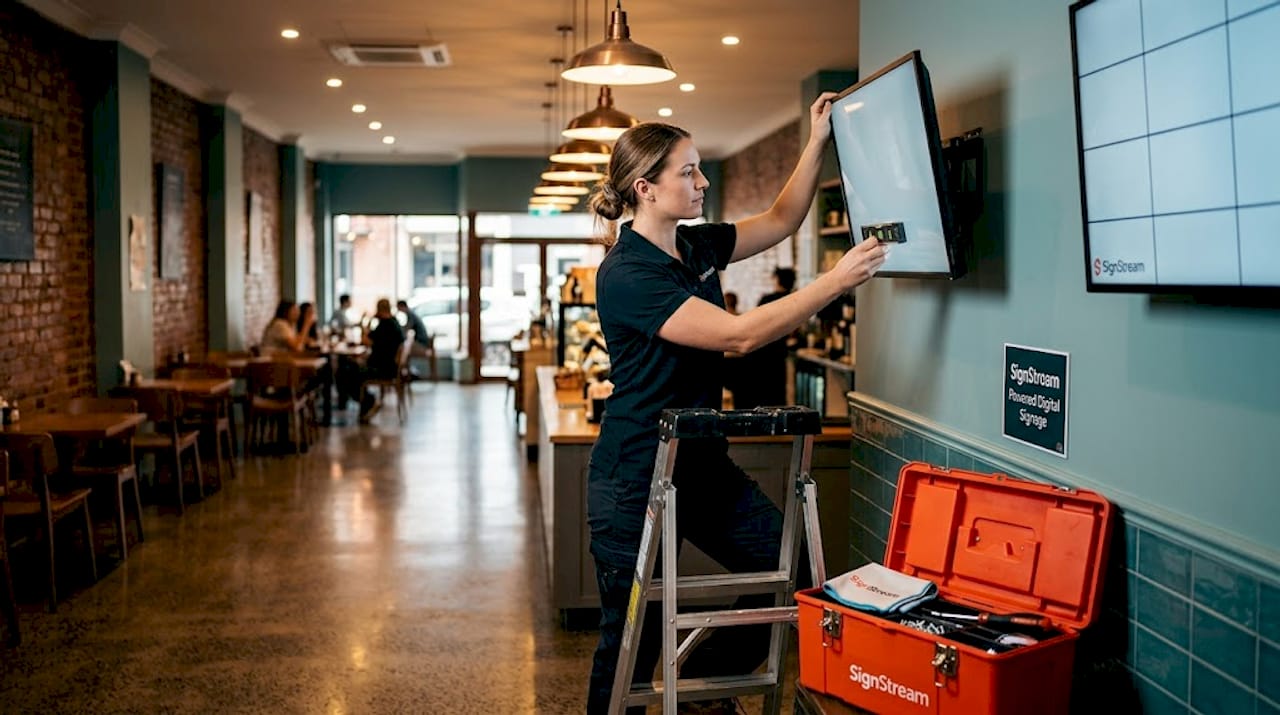
Get the physical setup right the first time
Physical alignment during installation is always preferable to digital keystone correction. Digital corrections degrade resolution and introduce focus asymmetry that cannot be fixed in post. If a screen is mounted at the wrong angle, fix the mount. Do not rely on software to compensate for a physical problem.
Use standardized testing assets
Standardized LED screen testing grids and diagnostics give you a consistent quality baseline across every venue. Use uniform test assets and combine visual inspection with system-level diagnostics. Run signal tests directly from the processor output, not from a laptop, to avoid inconsistent readings.
Build a maintenance checklist every venue follows
Your multi-location teams need a shared, documented maintenance routine. That checklist should cover:
Screen brightness calibration (check against brand-specified nit levels)
Physical inspection of mounts, bezels, and cable management
Firmware and software version verification
Content playback audit (confirm scheduled content is actually running)
Network connectivity check for each player
Pair this with a centralized log so your operations team can spot patterns across locations, like a specific screen model that consistently fails, or a venue with recurring connectivity issues.
4. Build scalable content workflows with analytics built in
Content management at scale requires more than a shared folder and a group chat. You need a CMS-driven workflow with tiered approval, conditional routing, and performance tracking baked in from the start.
Template-based design systems are the most practical way to maintain brand consistency while giving local teams flexibility. Lock your core brand elements (logo placement, color palette, typography) at the template level. Let local managers swap in location-specific offers, staff photos, or event details within those locked zones. This approach scales because it removes the need for central approval on every minor content change.
A/B testing is underused in multi-venue screen networks. If you are running a promotion across 20 locations, test two creative versions across 10 locations each for two weeks before committing to one. The data will tell you which version drives more engagement, and you will stop guessing.
70% of large multi-location digital signage networks schedule content centrally with local adaptations. If you are not doing this yet, you are likely duplicating effort across venues and missing opportunities for coordinated campaigns.
5. Balance central control with local relevance
One of the most common tensions in multi-location digital signage is the push and pull between brand control and local relevance. Headquarters wants consistency. Local managers want to speak to their specific customers. Both are right.
Cloud-based platform management resolves this tension better than any other approach. A cloud platform lets your central team push brand-wide campaigns instantly while local managers schedule location-specific content within approved parameters. No one is waiting for an IT ticket. No one is going rogue with off-brand graphics.
“The best multi-venue content strategies treat the screen network as a media channel, not a bulletin board. Central teams program the strategy. Local teams add the texture.”
Phased rollouts are the most reliable way to get this balance right before you go wide. Pilot sites should represent different venue types to validate both technical and operational assumptions early. A gym location and a retail location will surface completely different content management challenges. Discover those in a pilot, not after a full rollout.
Environmental and regulatory factors also matter here. Outdoor screens in direct sunlight need different brightness settings than indoor lobby displays. Some industries face content compliance requirements around pricing disclosures or health claims. Build those rules into your CMS templates so compliance is automatic, not an afterthought.
6. Match your practices to your network size and sector
Not every best practice applies equally to every operator. Here is a practical comparison to help you prioritize based on where you are right now.
Network size | Governance model | Security priority | Content approach |
Under 50 screens | Centralized | Basic VLAN segmentation | Manual scheduling with templates |
50 to 300 screens | Centralized or light hybrid | Full VLAN + endpoint lockdown | CMS-driven with local editing |
300 to 2,000 screens | Hybrid with RBAC | Full segmentation + NAC | Tiered approval + A/B testing |
2,000+ screens | Hybrid or federated | Enterprise security stack | Automated workflows + analytics |
A few sector-specific notes worth keeping in mind:
Gyms and fitness clubs benefit most from real-time class schedule updates and promotional content tied to membership campaigns. Attendance-driving content is measurable and should be tracked.
Restaurants and food service need rapid content updates for pricing, menu changes, and time-sensitive promotions. Approval SLAs must be short, or the system becomes a bottleneck.
Retail requires tight brand consistency across locations combined with the ability to localize for regional promotions and inventory differences.
The most common pitfall across all sectors is treating governance as a one-time setup task. Networks evolve. Staff change. New venues open. Your governance model needs a quarterly review, not a set-and-forget approach. For operators just getting started, the digital signage basics are worth revisiting before layering on complexity.
My honest take on what most operators get wrong
I have worked with enough multi-venue operators to know that the technology is rarely the actual problem. The problem is almost always governance enforcement and training.
I have seen operators invest in excellent CMS platforms and then watch local managers publish off-brand content anyway, not out of malice, but because no one trained them properly or built guardrails into the system. The documentation and training gap is consistently underestimated. A 30-page governance policy that no one reads is not governance. It is paperwork.
The other thing I keep seeing is reactive governance. Operators wait until something goes wrong, a brand violation, a security incident, a content error on a customer-facing screen, before they tighten controls. By then, the damage is done. Getting governance right from the start, even imperfectly, beats waiting for the perfect system.
My advice: pilot fast, document everything, and build your CMS rules to enforce what your policy says. Do not rely on goodwill or memory. The operators who get the best returns from their screen networks are not the ones with the most screens. They are the ones who treat the network as a managed asset, not a set of TVs on a wall.
— DKS
How Signstream makes multi-venue management practical
If the governance, security, and content workflow practices in this article sound like a lot to manage manually, that is because they are. Signstream was built specifically to take that operational weight off your team.

With Signstream, you get cloud-based remote management that lets you update every screen across every location from any device, instantly. The platform supports role-based access, template-driven content workflows, and centralized scheduling with local customization built in. No technical expertise required. Signstream’s ad exchange marketplace also lets you monetize your screens by cross-promoting with local businesses, turning your network into a revenue source, not just a cost center. See exactly how the platform works and find out why businesses across gyms, restaurants, and retail are scaling their screen networks with Signstream.
FAQ
What is the best governance model for a multi-venue screen network?
A hybrid governance model works best for networks of 300 to 2,000 screens, balancing central brand control with local content flexibility. Smaller networks can use a centralized model effectively.
How do I protect my digital signage network from cyber threats?
Use VLANs or separate SSIDs to isolate signage players from guest Wi-Fi and POS systems, enable kiosk mode on media players, and change all default device credentials.
Should I use digital keystone correction to fix screen alignment?
No. Physical alignment during installation is always the better option. Digital corrections degrade resolution and introduce focus issues that cannot be corrected afterward.
How do I maintain brand consistency across multiple locations?
Use a template-based CMS that locks core brand elements while allowing local teams to customize within approved zones. Enforce these rules through system permissions, not just policy documents.
How many screens should I pilot before a full network rollout?
Choose pilot sites that represent your different venue types rather than a fixed number. This approach surfaces both technical and operational issues before they affect your entire network.
Recommended
Comments