

How Real-Time Tourism Alerts Appear on Screens
- sbgerus
- 11 hours ago
- 8 min read
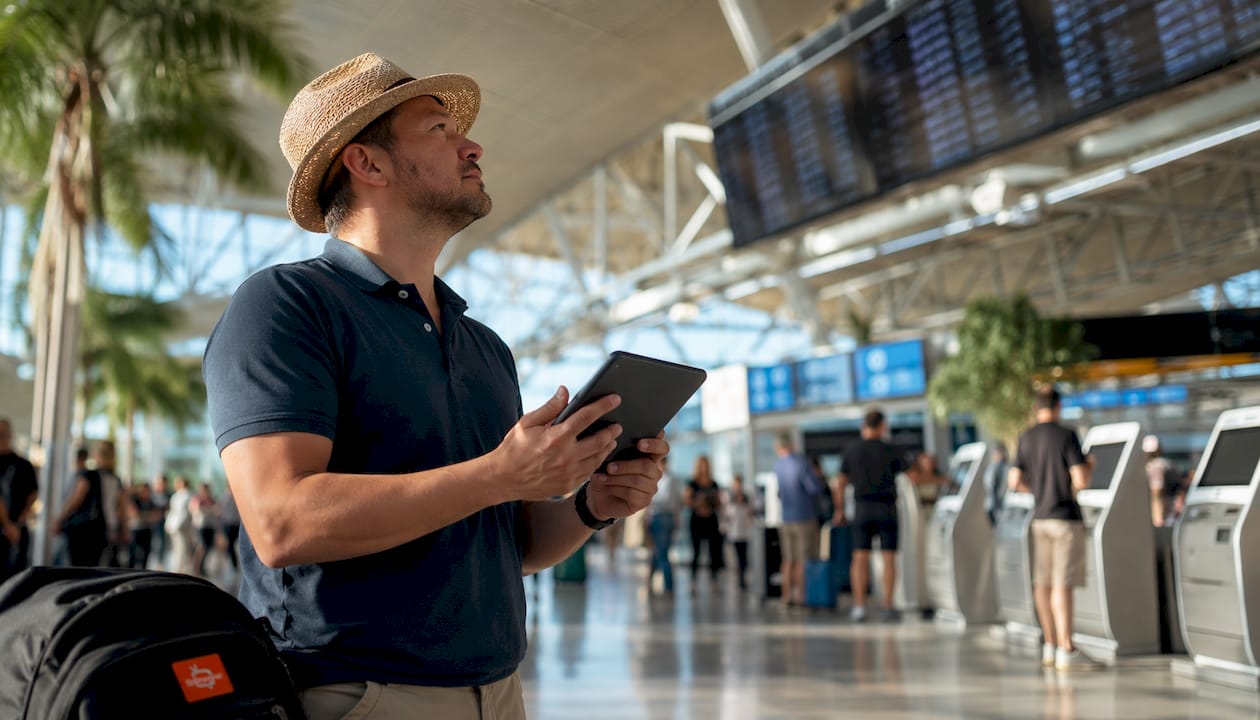
Real-time tourism alerts are automated digital notifications that deliver immediate, actionable travel information to travelers through mobile devices, public screens, and web platforms. Understanding how these alerts reach you matters whether you are planning a trip abroad or navigating a busy airport. The U.S. State Department’s Smart Traveler Enrollment Program (STEP), API-driven data pipelines, and AI-assisted platforms all play distinct roles in how travel updates show on the screens you rely on. This article breaks down the technology, the screen types, and the practical steps you can take to stay informed and safe.
How real-time tourism alerts appear on screens: the technology behind them
Real-time travel notifications reach your screen through a layered system of data sources, APIs, and broadcast models. No single authority controls all alerts. Multi-layered data pipelines pull from government agencies, airport operations centers, health ministries, and weather services simultaneously. Each source feeds into a central platform that packages the data and pushes it to your device or a public display.
API integrations are the connective tissue of this system. A travel app or digital signage platform calls a government API, receives structured data, and renders it as a readable alert. Effective systems balance two update methods: pull-based scheduled polling, where the app checks for new data at set intervals, and webhook push notifications, where the data source sends an update the moment something changes. The combination keeps alerts timely without overloading servers.

The word “real-time” deserves a reality check. Data refresh intervals often range from 30 minutes to a few hours rather than true instant streaming. Knowing this prevents unnecessary alarm when an alert appears slightly after an event. Taiwan’s AI travel platform, for example, refreshes disaster and health alerts every 30 minutes alongside live camera feeds, giving travelers safety context without overwhelming them.
AI and machine learning add another layer by filtering which alerts are relevant to your location and itinerary. Rather than broadcasting every advisory to every traveler, AI models rank alerts by urgency and geographic proximity. This reduces noise and keeps the most critical information visible.
Key data sources that feed tourism alert systems include:
Government agencies: U.S. State Department, Canada’s Global Affairs, and equivalent bodies publish security and health advisories through public APIs.
Airport operations systems: Gate changes, delays, and cancellations flow from airline and airport databases.
Health ministries: Disease outbreak data and vaccination requirements update through official health portals.
Weather services: Severe weather warnings integrate directly into travel platforms via meteorological APIs.
AI-curated feeds: Platforms like Taiwan’s Mr. Cam aggregate and filter multiple sources into a single traveler-facing interface.
Pro Tip: Before you travel, check whether your destination’s tourism board publishes a public API or live feed. Many do, and third-party travel apps tap into these feeds to give you faster, more localized updates than generic news sources.
What screen types display live alerts for travelers?
Travelers encounter tourism notifications on screens in several distinct formats, each designed for a different context and level of attention.
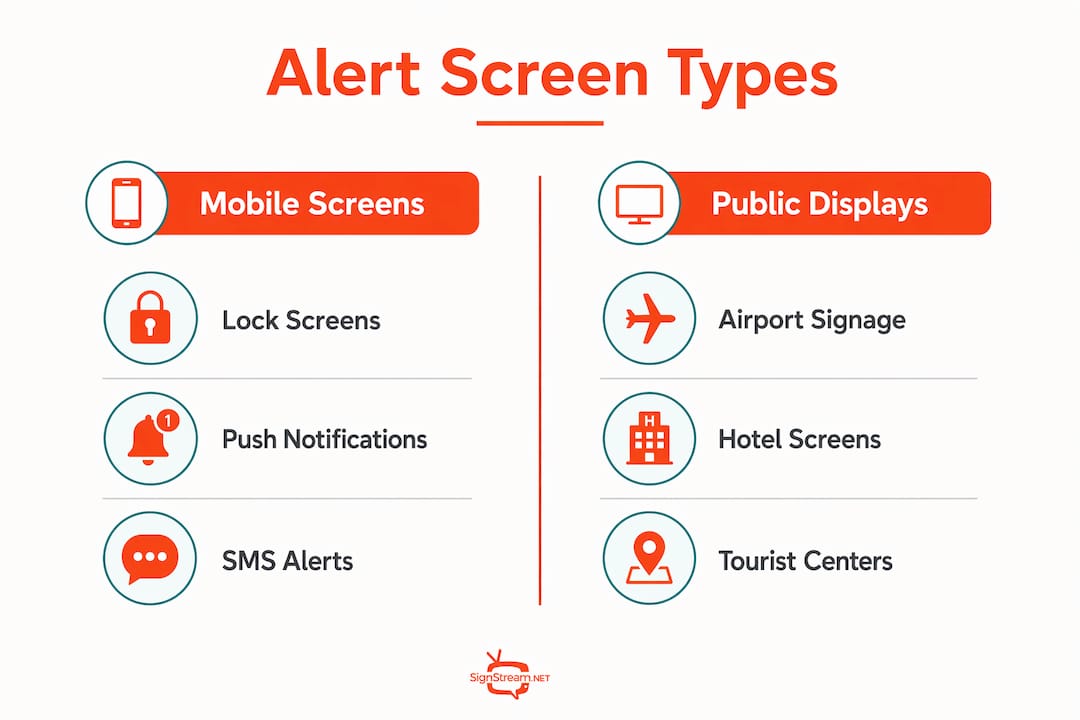
Mobile OS lock screens and live activities
Android 16’s Live Activities display flight progress bars, gate change alerts, and arrival tracking directly on your lock screen and always-on display. You see the update without unlocking your phone. iOS offers similar functionality through its own Live Activities framework. Both systems use a publish-subscribe broadcast model, where a platform like Adobe Journey Optimizer pushes instant updates to thousands of subscribed devices simultaneously. The result is consistent, terminal-wide information delivered persistently without requiring you to open an app.
Digital signage in airports, hotels, and tourist centers
Large-format screens in transportation hubs display flight boards, weather advisories, and emergency notices. These screens connect to the same API infrastructure as mobile apps but render information at a scale suited for crowds. Connected screen networks in tourism environments go further by incorporating interactive maps, multilingual text, and color-coded risk zones. Hotels use lobby screens to show local weather, transport disruptions, and event cancellations. Tourist information centers display regional advisories alongside attraction hours and transit updates.
Push notifications, SMS, and web dashboards
Mobile apps deliver push notifications as the first line of alert delivery, offering interactive maps and detailed updates. SMS fills the gap when internet connectivity is limited, making it the most reliable channel for urgent alerts in remote areas or during network outages. Web dashboards aggregate all active alerts into a single view, useful for travel planners managing multiple itineraries.
The table below compares the main screen formats travelers use to receive displaying tourism alerts:
Screen type | Best use case | Connectivity needed | Key strength |
Mobile lock screen (Live Activities) | Flight tracking, gate changes | Mobile data or Wi-Fi | No app-open required |
Airport digital signage | Mass crowd updates | Venue network | High visibility, multilingual |
Push notification | Urgent safety or logistics alerts | Mobile data or Wi-Fi | Instant delivery |
SMS | Remote areas, low connectivity | Cellular signal only | Works without internet |
Web dashboard | Trip planning, multi-destination | Wi-Fi or broadband | Aggregated, detailed view |
Pro Tip: Enable both push notifications and SMS alerts for any trip outside your home country. If your data plan fails, SMS from programs like STEP still reaches you through the cellular network.
How do travelers receive and interact with real-time alerts?
Receiving live alerts for travelers starts before you board. The setup you do in advance determines how much useful information reaches you during the trip.
Enroll in STEP. The U.S. State Department’s STEP program sends free email and SMS alerts about health outbreaks and security incidents to registered travelers. Enrollment takes about 20 minutes and covers you for the entire duration of your international trip.
Download your airline’s app and enable Live Activities. Once you check in, the app links your booking to real-time flight data. Gate changes and delay notifications appear on your lock screen automatically.
Set location-based alert preferences. Most travel safety apps let you define your destination and alert categories. Choose security, health, and weather at minimum. Deselect categories irrelevant to your trip to reduce notification volume.
Save the local emergency number and embassy contact. Digital alerts can fail. Having offline backup contacts stored in your phone covers the scenario where connectivity drops entirely.
Check your web dashboard before each travel day. A quick review of aggregated advisories each morning catches overnight developments that push notifications may have missed while your phone was on silent.
The practical flow matters as much as the technology. A traveler checking gate changes at an airport uses the airline app’s lock screen update. A traveler in a rural area with no data relies on an SMS from STEP. A travel planner coordinating a group tour uses a web dashboard to monitor multiple destinations at once. Each channel serves a different need, and the best approach uses all of them in combination.
Global Entry appointment alerts follow a similar SMS-first model, notifying travelers the moment a slot opens. That pattern, instant SMS delivery for time-sensitive travel logistics, applies directly to how tourism alert systems handle urgent notifications.
Alert fatigue is a real risk. Receiving too many low-priority notifications trains you to ignore them, including the critical ones. Manage this by auditing your alert subscriptions every trip and removing categories that consistently deliver irrelevant information.
What are the benefits and limits of current alert systems?
Real-time alert systems deliver clear benefits, but they also carry limitations that every traveler should understand before relying on them entirely.
Benefits:
Immediate situational awareness. Alerts reach your screen within minutes of a verified event, giving you time to adjust plans before a situation escalates.
Multilingual delivery. Major platforms support multiple languages, making alerts accessible to international travelers who do not read the local language.
Layered redundancy. The combination of push notifications, SMS, and digital signage means a failure in one channel does not leave you uninformed.
Personalization. Programs like STEP and location-aware apps filter alerts to your specific destination, reducing irrelevant noise.
Limitations:
Refresh delays. As noted, “real-time” often means updates arrive 30 minutes or more after an event. Treating every alert as instantaneous creates false confidence.
Generalized advisories. Official text advisories remain the authoritative source for accuracy, but they cover broad regions rather than street-level conditions. A country-wide advisory may not reflect the safety of a specific neighborhood.
Alert fatigue. Systems use progressive disclosure to combat this, showing subtle badges first and revealing detail only on user action. Even so, high-volume alert environments like major airports can overwhelm travelers who have not configured their preferences.
No substitute for local knowledge. Aggregated alert maps and digital displays cannot replace on-the-ground awareness. Local news sources and conversations with residents fill gaps that no API can cover.
The most effective approach combines automated alerts for logistics with official government platforms for evolving security or health issues. Neither alone gives you the full picture.
Key Takeaways
Real-time tourism alerts reach travelers through a layered system of APIs, broadcast models, and screen types, and their reliability depends on understanding both their strengths and their refresh-rate limitations.
Point | Details |
Alerts come from multiple sources | No single authority controls all alerts; APIs pull from governments, airports, and health agencies simultaneously. |
“Real-time” has a lag | Data refresh intervals range from 30 minutes to a few hours; plan accordingly and do not expect instant updates. |
Screen type matches context | Lock screens suit flight tracking; digital signage suits crowds; SMS suits low-connectivity areas. |
STEP enrollment is free and fast | The U.S. State Department’s STEP program takes about 20 minutes to set up and covers your entire international trip. |
Official text advisories take precedence | Color-coded maps and visual tools are helpful, but government text advisories are the definitive source for critical decisions. |
The part most travelers get wrong about alert systems
I have watched travelers treat their phone’s push notifications as a complete safety net, and I understand the appeal. The technology is genuinely impressive. Android 16 Live Activities, broadcast push models, AI-filtered feeds — these tools have made travel safer in measurable ways. But the assumption that a screen will always tell you what you need to know, exactly when you need to know it, is where things go wrong.
The most useful mental model is to treat digital alerts as a first signal, not a final answer. When an alert appears, it tells you something changed. What you do next should involve a second source: the airline desk, the hotel concierge, a local news site, or a call to your embassy. The travelers I have seen navigate disruptions well are the ones who use alerts to prompt action, not to replace judgment.
The future of these systems is genuinely exciting. AI filtering is getting sharper. Broadcast Live Activities are reaching more devices faster. Platforms are adding accessibility features and multilingual support that make alerts useful for a wider range of travelers. But the fundamental principle will not change: technology surfaces information, and humans decide what to do with it. The travelers who understand that distinction get the most value from every alert that appears on their screen.
— DKS
Signstream and real-time tourism alert displays
Tourism locations, airports, and travel hubs need screens that update instantly and manage content from anywhere. Signstream’s digital signage platform connects directly to live data sources, letting you push updated alerts, advisories, and travel information to unlimited screens without technical expertise.

Whether you manage a hotel lobby, a tourist information center, or a transit hub, Signstream gives you the tools to display live alerts clearly and professionally. The platform integrates with travel alert APIs and supports multilingual content, so every traveler in your space sees the right information at the right time. A free consultation with the Signstream team takes less than 30 minutes and shows you exactly how live alert delivery works for your specific location and screen setup.
FAQ
What is a real-time tourism alert?
A real-time tourism alert is an automated digital notification that delivers immediate travel information, such as security advisories, gate changes, or health warnings, to travelers through mobile devices, public screens, or SMS.
How does STEP send alerts to travelers?
The U.S. State Department’s Smart Traveler Enrollment Program sends free email and SMS alerts about health outbreaks and security incidents. Enrollment takes about 20 minutes and covers travelers for their entire international trip.
Why do real-time alerts sometimes appear delayed?
Most alert systems refresh data at intervals of 30 minutes to a few hours rather than streaming instantly. This lag reflects the time needed to verify information from government and airport sources before publishing it.
What screen type is most reliable for travel alerts?
SMS is the most reliable channel for urgent alerts because it works on a cellular signal alone, without requiring internet access. Push notifications and lock screen Live Activities are faster when connectivity is available.
Are color-coded risk maps as accurate as official advisories?
Color-coded maps are useful for quick visual decisions, but official government text advisories are the definitive source for accuracy. Visual tools are supplementary and should not replace official guidance in critical situations.
Recommended