

How Internal Office Screens Work: A 2026 Guide

Internal office screens are defined as physical or digital installations that control sightlines, manage acoustic environments, and deliver targeted communication within a workspace. Understanding how internal office screens work gives business professionals and IT managers a clear path to better privacy, fewer distractions, and more efficient information flow. These screens fall into two distinct categories: physical partitions that divide space, and digital display screens that replace traditional push notifications with passive, environment-embedded messaging. Both types serve the same core goal. They shape how people experience and communicate within an office.
How do internal office screens work physically?
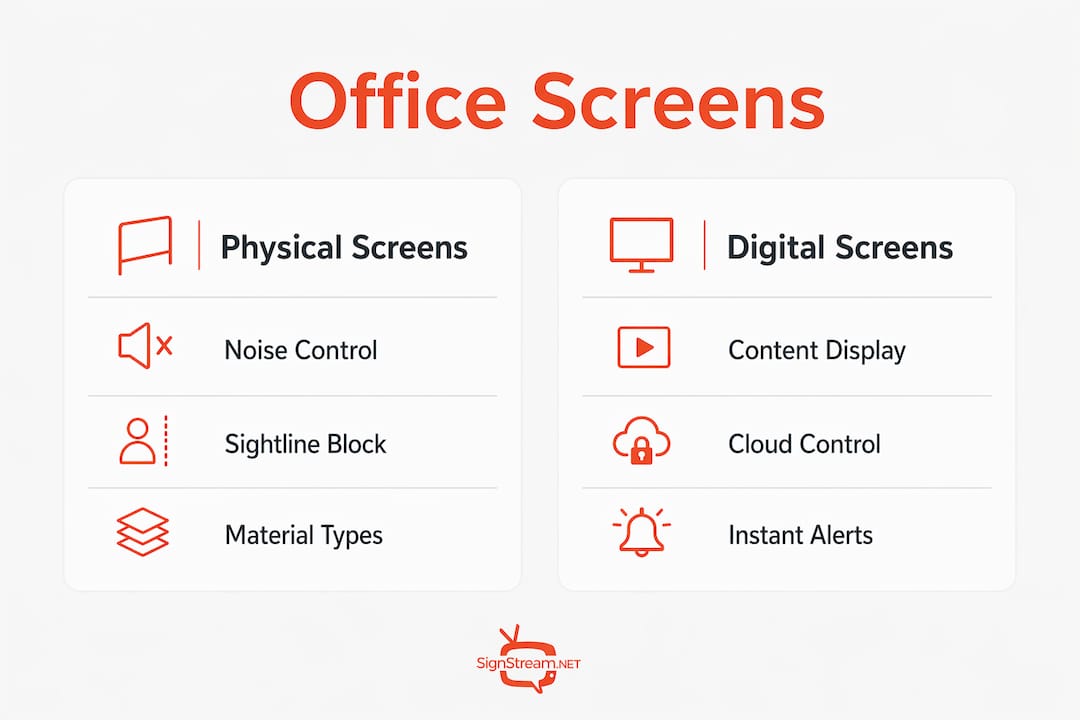
Physical office screens work by placing a material barrier between people or zones to control sound, light, and sightlines. The material you choose determines what the screen actually does. Fabric panels absorb sound waves. Glass partitions block sightlines while preserving light. Solid panels made from plasterboard or composite materials offer the strongest acoustic performance.
Construction methods and acoustic ratings
The construction method matters as much as the material. Traditional plasterboard partitions take 3–5 days from framing to finished paint. Modular systems, by contrast, can be assembled and reconfigured in hours. That speed difference is significant when your office layout needs to change with headcount.
Acoustic performance is measured using the Sound Transmission Class (STC) rating in the US, or the equivalent Rw rating in international standards. Modern partition systems can achieve sound-blocking ratings up to Rw 54 dB. That level of performance is required for confidential meeting rooms, HR offices, or legal consultation spaces.
Glass partitions deliver a different trade-off. They preserve visual openness while providing moderate acoustic separation. However, glass partition installation requires precision because glass cannot compensate for uneven floors or ceilings. Specialized hardware and careful floor preparation are non-negotiable. Skipping that prep step leads to gaps, rattling, and failed acoustic seals.
Cable management and integrated raceways
One underappreciated feature of modern partition systems is the integrated raceway. Raceways built into partition frames allow flexible and safe routing of power and data cables through the office layout. This is critical for IT managers who need to run network cables, monitor power, and USB connections without creating a hazard on the floor. A clean cable path inside the partition frame also makes future reconfigurations far easier.
Pro Tip: Before specifying any partition system, confirm with your IT team which data and power connections need to pass through the wall. Choosing a partition with the right raceway capacity upfront saves a costly retrofit later.
It is also worth separating two concepts that get confused regularly. Visual dividers and acoustic partitions serve different purposes. A glass screen provides visual privacy but limited sound blocking. A fabric panel absorbs mid-range frequencies but may not stop low-frequency noise from a nearby server room. Misaligned expectations between what a screen looks like and what it actually does acoustically cause real dissatisfaction after installation.
How does digital office screen technology work?
Digital office screens function as environment-embedded communication platforms connected to a central content management system. They display information passively, meaning employees receive updates without being interrupted by a notification sound or a direct message. This shift is described as Workplace Communications 2.0, a move from active push notifications to passive, screen-delivered messaging.

What digital screens typically display
The content on internal digital screens covers a wide range of operational needs:
Safety alerts and emergency procedures
Meeting room availability and booking status
Company announcements and policy updates
Performance metrics and KPIs for team visibility
Shift schedules and operational reminders
Wayfinding information for large office buildings
Each content type serves a specific communication gap that email and messaging apps fail to fill reliably. An employee walking past a screen in a corridor absorbs a safety update without opening an inbox. That passive delivery model reduces cognitive load and keeps people focused on their work.
Cloud-based management and remote control
The technology behind digital office screens relies on cloud-based signage platforms. Content is created and scheduled remotely, then pushed to screens across one or multiple locations simultaneously. IT managers can update every screen in a building from a single dashboard without visiting each display physically. Signstream operates exactly this way, allowing businesses to manage unlimited screens from any device without requiring technical expertise on-site.
For offices using digital signage for safety alerts, the ability to push a message to every screen in seconds is not a convenience. It is a compliance requirement. A platform that cannot update screens in real time creates a liability gap.
What are the key benefits of office screens?
The benefits of office screens divide cleanly into acoustic, visual, and communication categories. Each addresses a different source of workplace friction.
Acoustic and visual focus
Acoustic partitions reduce ambient noise, which directly improves concentration. Open-plan offices are productive for collaboration but destructive for deep work. A fabric panel or high-STC partition between a call center team and a finance team removes the single biggest source of mutual distraction: overheard conversations.
Visual barriers reduce eye movement distraction. When a person can see colleagues moving around, their brain registers that movement involuntarily. A screen at desk height eliminates that stimulus without making the office feel closed off.
Productivity gains from screen setups
The data on digital screens and productivity is specific. Dual-monitor setups reduce window switching by 15% and increase task efficiency by up to 44%. That efficiency gain comes from reducing the time spent toggling between applications. The same logic applies to internal communication screens. When information is visible on a dedicated display, employees stop switching between work tasks and communication apps to find updates.
“The most effective office environments treat screens, both physical and digital, as infrastructure rather than furniture. When you plan screens the way you plan power outlets and network ports, the office starts working for you instead of against you.”
Managing office screens without IT overhead is now realistic for most businesses. Cloud platforms have removed the need for on-site servers or dedicated AV technicians to keep digital screens running.
Best practices for implementing office screens
Effective screen implementation starts with identifying the operational problem, not browsing a product catalog. Specification should begin with operational problems like noise, glare, or poor circulation flow. That problem-first approach prevents the common mistake of buying visually appealing screens that do not solve the actual issue.
Follow these steps when planning your office screen setup:
Audit the problem first. Walk the office and identify where noise, glare, or communication gaps are causing friction.
Match screen type to room function. Align partition specs and acoustic strategy by room type. A boardroom needs a different solution than a hot-desk zone.
Plan cable routes before installation. Confirm raceway requirements with IT before any partition goes up.
Choose modular where possible. Modular systems allow reconfiguration as your team grows or changes.
Test acoustic performance after installation. Use a decibel meter to verify that the partition delivers the STC rating promised by the manufacturer.
For digital screens, maintenance is simpler but still requires a schedule. Clean display surfaces monthly. Check mounting hardware quarterly. Review content playlists weekly to remove outdated information. Outdated content on a digital screen erodes trust faster than no screen at all.
Pro Tip: For conference rooms where audio quality matters, pairing your partition strategy with a dedicated conference mic system ensures that acoustic partitions and audio capture work together rather than against each other.
The physical and digital divide is closing faster than most offices realize
Working with office environments over the years, I have watched the conversation about screens shift in a way that most IT managers and facilities teams have not fully caught up with yet. Five years ago, the question was always about physical partitions: height, material, STC rating. Today, the question is about integration. Businesses want screens that do both jobs at once.
The offices that perform best are the ones where physical and digital screens are planned together from the start. A partition with a mounted digital display serves as a space divider and a communication channel simultaneously. That combination reduces the total number of interventions needed to manage a productive workspace.
The mistake I see most often is treating digital screens as an afterthought. A business installs beautiful glass partitions, then tries to bolt a display onto the glass six months later. The result is a cable running down the wall, a mount that does not fit the glass system, and a screen that nobody trusts because the content is three weeks out of date.
The offices winning at productivity through screens plan their digital and physical screen strategy in the same conversation. They ask: where do people walk, where do they pause, and what do they need to know at each of those points? That question produces a screen layout that actually works.
— DKS
Signstream and your internal office screen strategy
Signstream gives businesses a digital signage platform built for internal office communication. You can update every screen in your office instantly from any device, without needing an IT team on-site to manage it.

Signstream deploys across unlimited screens at no extra charge, making it practical for offices of any size. The platform is designed so that any team member can manage content without technical training. If you want to see how a custom digital channel could work across your office screens, or you want expert advice on combining physical and digital screen strategies, book a free consultation with the Signstream team today.
Key takeaways
Internal office screens work best when physical and digital screen strategies are planned together from the start, not added separately as afterthoughts.
Point | Details |
Two screen types, one goal | Physical partitions control noise and sightlines; digital screens deliver passive communication. |
Acoustic ratings matter | Partitions rated up to Rw 54 dB are required for confidential spaces like boardrooms and HR offices. |
Start with the problem | Identify noise, glare, or communication gaps before selecting any screen product. |
Raceways enable IT integration | Built-in cable raceways let IT managers route power and data cleanly through partition frames. |
Digital screens boost efficiency | Dual-screen setups increase task efficiency by up to 44% by reducing application switching. |
FAQ
What is the difference between visual and acoustic office screens?
Visual screens block sightlines but provide limited sound reduction. Acoustic partitions are engineered with materials and construction methods that achieve specific STC or Rw ratings, making them the right choice for noise-sensitive areas.
How long does it take to install office partitions?
Traditional plasterboard partitions take 3–5 days from framing to finished paint. Modular partition systems install significantly faster and can be reconfigured without major construction work.
How do digital office screens connect to a content management system?
Digital office screens connect to a cloud-based platform via Wi-Fi or a wired network connection. Content is created and scheduled remotely, then pushed to all screens simultaneously without requiring on-site access.
What STC rating do I need for a private office or meeting room?
Confidential spaces like boardrooms and HR offices benefit from partitions rated at Rw 54 dB or higher. Standard open-plan dividers typically perform at lower ratings and are not suitable for sensitive conversations.
Can office screens reduce employee distractions without closing off the space?
Yes. Desk-height fabric panels reduce visual movement distraction while keeping the office feeling open. Digital screens replace disruptive push notifications with passive updates that employees absorb without breaking their focus.
Recommended
Comments