

How Digital Menu Updates Work for Restaurants
If you’ve ever crossed out a price on a printed menu with a marker, you already know the problem. Static menus cost time, money, and credibility every time something changes. Understanding how digital menu updates work is the first step toward fixing that. Modern systems let you change pricing, pull a sold-out item, or launch a promotion in seconds, from any device, without touching a single printed card. This article breaks down the mechanics, the methods, and the real operational gains you can expect.
Table of Contents
Key takeaways
Point | Details |
POS integration drives real-time updates | Connecting your POS to digital displays triggers automatic screen changes the moment inventory or pricing shifts. |
Dynamic QR codes are fixed infrastructure | The printed code never changes; only the destination URL updates, saving reprinting costs every time your menu evolves. |
Centralized dashboards control multiple locations | One backend login lets you push consistent changes across every screen in every venue simultaneously. |
Update method should match your operation type | QSRs, casual dining spots, and food trucks each benefit from different digital menu update approaches. |
Real-time accuracy reduces costly errors | Synchronized menus cut pricing mistakes, refunds, and order confusion during your busiest service periods. |
How digital menu updates work technically
At the core of every modern digital menu system is a connection between your point-of-sale software and your customer-facing displays. When a POS triggers screen updates, pricing changes, item availability, and active promotions all reflect on your boards instantly, with no manual intervention required. That connection eliminates the lag that plagues operations running static signs.
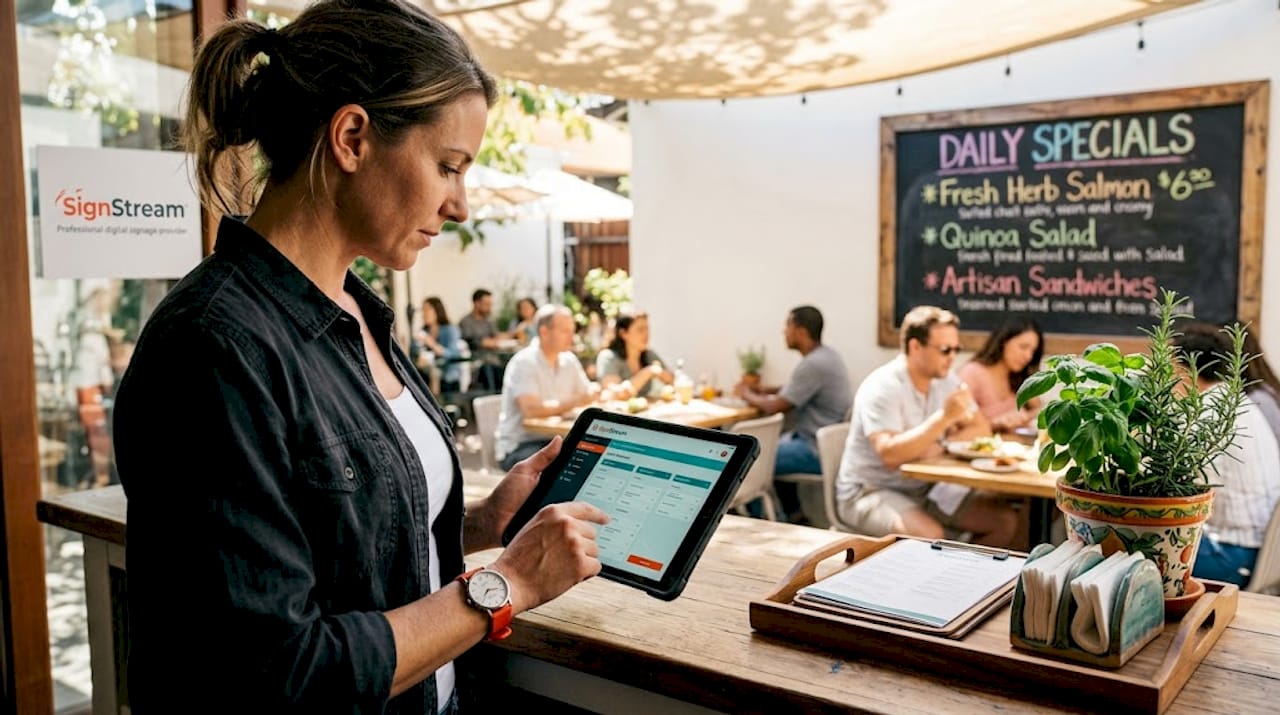
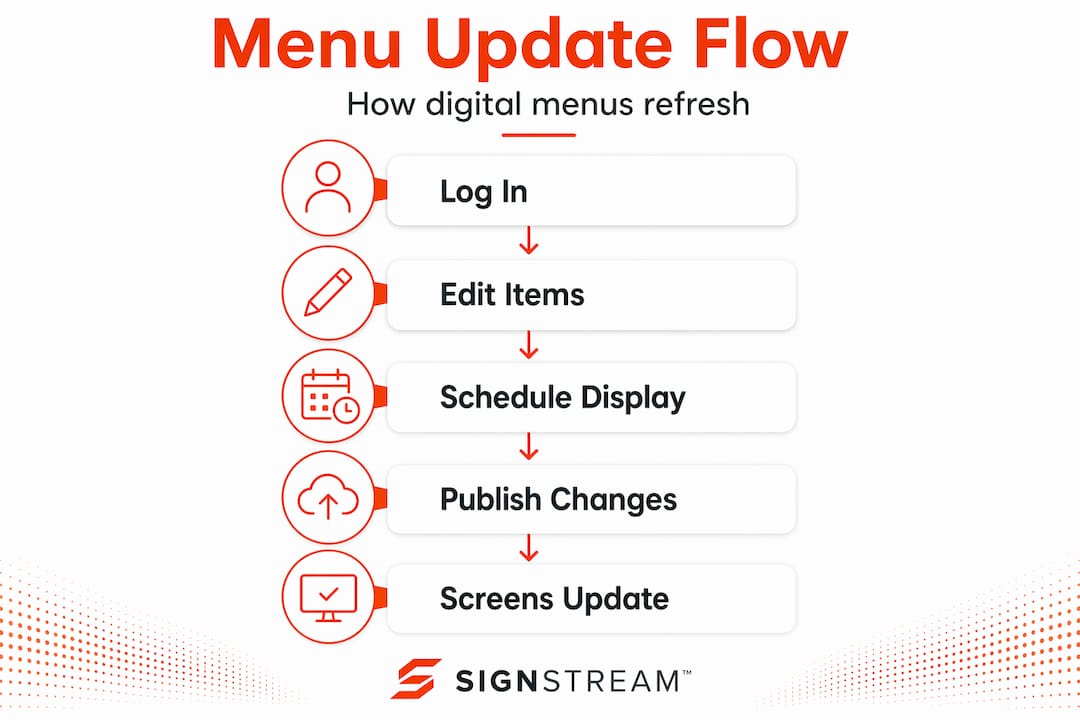
The backend of these systems is a cloud-based dashboard. You log in, make your edits, and the software pushes those changes to every connected screen. Think of it like a content management system for your walls. You are not sending files to individual screens or calling staff to swap out printed inserts. The update travels over your internet connection and appears on every display within seconds.
The difference between a static menu and a connected dynamic menu is significant in practice. A static sign requires a designer, a printer, and someone to physically swap the display. A connected dynamic menu lets your floor manager handle the same change from a tablet during a shift. That shift in who can make updates, and how fast, changes your entire operational rhythm.
Pro Tip: Set up user permission levels in your dashboard so floor managers can update availability and specials, while only senior staff can change pricing. This keeps your updates fast without risking unauthorized changes.
Digital signage software also handles scheduling. You can program your breakfast menu to display until 11 a.m. and your lunch menu to take over automatically. Promotions can be set to activate on specific dates and expire without anyone remembering to pull them. That kind of automation is where the real time savings compound.
Dynamic QR codes and instant menu updates
QR code menus became common during the pandemic, but most operators are still using them the wrong way. If you generated a static QR code that points directly to a fixed PDF or webpage, you have the same problem as a printed menu. The moment your menu changes, that code is outdated.
Dynamic QR codes work differently. Here is how the process actually runs:
You generate a dynamic QR code through a management platform. The code itself points to a redirect URL controlled by that platform, not directly to your menu.
When you update your menu on the backend, the redirect destination changes. Every printed QR code in your restaurant now leads to the updated version automatically.
Customers scan QR codes using their phone’s built-in camera, no app required, and they see your current menu immediately.
You can update daily specials, remove sold-out items, or swap seasonal offerings from your dashboard in under a minute.
The printed table cards, stickers, or signs never need to be replaced, because the code itself never changes.
This approach treats the QR code as fixed infrastructure while managing the menu destination as a dynamic backend element. It prevents the costly and disruptive reprints that come with every menu revision.
The practical benefits extend beyond convenience. Digital QR menus reduce printing costs and eliminate the need to sanitize physical menus between guests, which matters in high-volume environments. Seasonal menus, limited-time offers, and happy hour pricing can all go live and expire without any physical work.
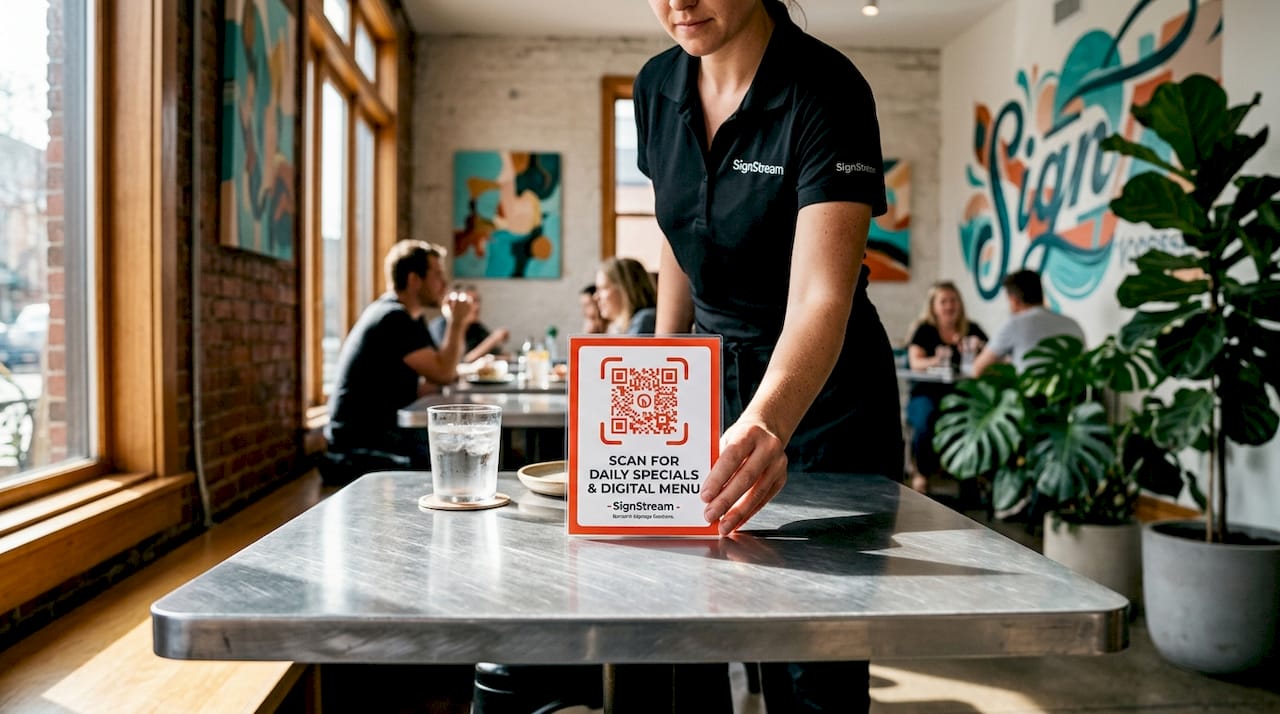
Pro Tip: Place your dynamic QR codes on table tents, receipts, and window decals at the same time. Since the destination is managed centrally, all of them stay current with zero extra effort.
You can also use QR codes on signage to connect your physical displays with your digital menu, giving customers a way to browse the full menu while your screens highlight featured items or promotions.
Comparing digital menu update methods
Not every restaurant needs the same approach. The right update method depends on your service model, your infrastructure, and how frequently your menu changes. Here is a direct comparison of the three most common systems:
Method | Best for | Update speed | Cost complexity | Key limitation |
POS-integrated digital boards | QSRs, fast casual chains | Instant, automatic | Higher upfront | Requires compatible POS system |
Dynamic QR code menus | Casual dining, food trucks, pop-ups | Under 1 minute | Low | Relies on customer having a smartphone |
Standalone digital signage platforms | Any size, multi-location | Near-instant via dashboard | Moderate, scalable | Requires screen hardware investment |
Digital menu update methods vary in complexity and suitability depending on your operation type. POS-integrated systems favor larger chains with the infrastructure to support deep software integration. QR code menus suit smaller or mobile setups where simplicity and low cost matter most.
There are a few common pitfalls worth knowing before you commit to a method:
Delayed syncing: Some platforms buffer updates rather than pushing them instantly. Always confirm whether your platform offers true real-time syncing or scheduled batch updates.
Inconsistent multi-location updates: If you manage more than one venue, a system without centralized control will create pricing inconsistencies across locations. Centralized dashboards for multi-location restaurants solve this by pushing simultaneous changes to every screen in every venue.
Staff not trained on the dashboard: The fastest system in the world does nothing if your team does not know how to use it. Build a 15-minute training session into your onboarding process for any new hire who will touch the menu system.
No fallback plan: If your internet goes down, cloud-based systems may not display updates. Make sure your platform caches the last known menu state on-screen rather than going blank.
For food trucks and pop-up operations, dynamic QR codes paired with a mobile-friendly dashboard are the most practical combination. You can update your menu from your phone while you are parked at a new location, and every customer who scans your table card sees the correct offerings immediately.
Operational and customer experience benefits
The most direct benefit of real-time digital menu management is accuracy. Real-time POS synchronization reduces manual errors and speeds up service during peak demand, cutting stalled transactions, refunds, and mismatched pricing that happen constantly with static signs.
Beyond accuracy, there are compounding benefits that affect your bottom line:
Faster throughput: When your displays reflect what is actually available, customers make decisions faster and your staff spends less time managing exceptions or explaining sold-out items.
Better promotion timing: Digital platforms activate promotions instantly based on inventory or performance, so a high-margin item can get featured placement the moment you want to push it, without waiting for a reprint cycle.
Brand consistency: Every screen in every location shows the same approved content. There are no rogue handwritten signs or outdated boards undermining your brand presentation.
Reduced labor on menu management: Staff time spent updating, printing, laminating, and distributing physical menus adds up. Digital updates free that time for customer-facing work.
Digital menu boards experience fewer pricing errors, reduced refunds, and faster service during busy periods because front-of-house displays stay synchronized with back-of-house operations. That alignment is where the customer experience gains are most visible. A guest who orders something that is actually available, at the price displayed, with no confusion, leaves with a better impression every time.
The sales impact of dynamic menu merchandising is also worth taking seriously. When you can feature a high-margin special on your digital boards for a two-hour window during a slow period, and pull it automatically when it sells out, you are using your screens as an active revenue tool rather than a passive information display. That shift in thinking is what separates operators who get real results from digital menus and those who treat them as a tech upgrade that looks good but does not move the needle.
My take on the future of digital menu management
I’ve spent years working with digital signage across hospitality and retail, and the pattern I keep seeing is this: operators underestimate how much operational lag costs them. Not in a dramatic way. In the quiet, daily way where a sold-out item stays on the board for two hours, a promotion runs three days past its end date, or a price increase goes live on the POS but not on the display. Each of those moments erodes trust with the customer standing in front of you.
What I’ve found is that the technology is rarely the hard part. Most platforms today are genuinely easy to use. The harder part is building the habit of treating your menu as a live document rather than a fixed asset. The restaurants that get the most from digital menu management are the ones where updating the menu is as routine as updating the specials board used to be, except now it takes 30 seconds instead of 30 minutes.
I’m also watching AI-driven menu personalization closely. The idea of a display that adjusts featured items based on time of day, weather, or inventory levels is already technically possible. The operators who build those update workflows into their systems now will have a significant head start when that capability becomes standard.
— DKS
Update your menus in real time with Signstream
If you are ready to move beyond static displays and manual updates, Signstream gives you a cloud-based platform built for exactly this kind of work.

With Signstream, you can push real-time menu changes to unlimited screens from any device, with no technical expertise required. The platform supports POS integration, dynamic content scheduling, and centralized control across multiple locations. Whether you run a single café or a multi-venue group, you can manage every screen from one dashboard and keep every customer-facing display accurate and on-brand. Explore the Signstream digital signage platform to see how it fits your operation, or check out affordable pricing plans built to scale with your business.
FAQ
How do digital menu updates work in real time?
When your digital menu system is connected to your POS, changes to pricing, availability, or promotions trigger automatic updates on all connected screens. Cloud-based platforms push those changes instantly without any manual steps.
What is the difference between static and dynamic QR codes for menus?
A static QR code points directly to a fixed URL that cannot change without reprinting the code. A dynamic QR code uses a redirect, so you can update the linked menu content from your dashboard without ever replacing the printed code.
Can I update digital menus across multiple locations at once?
Yes. Platforms with centralized multi-location control let you push simultaneous updates to every screen in every venue from a single dashboard, keeping pricing and promotions consistent across all locations.
What types of restaurants benefit most from digital menu updates?
Every service model benefits, but the approach differs. QSRs and fast casual chains gain the most from POS-integrated boards, while casual dining and food trucks often find dynamic QR code menus more practical and cost-effective.
Do customers need an app to use QR code digital menus?
No. Modern smartphones scan QR codes natively through the built-in camera app, so customers access your up-to-date digital menu instantly without downloading anything.
Recommended
Comments