

Double Sponsorship Revenue with Geo Targeted Signage for Marketers
- sbgerus
- 4 days ago
- 7 min read

Geo-targeted signage delivers different content to different screens based on where each display sits, using geofences, GPS or beacon triggers, Wi-Fi and IP inference, or pixel-layer overlays to swap creative in real time. The payoff is straightforward: a screen showing a neighborhood-specific offer or a region-locked sponsorship converts better than one showing generic content, and it opens a new revenue line through ad exchange placements. For marketing and signage teams, the technology turns a static network into a responsive, sellable asset.
TL;DR:
Geofencing provides sufficient accuracy for retail storefronts, while GPS is essential for moving assets like fleets and transit vehicles.
Latency of around 15 seconds is the benchmark for switching content accurately when GPS signals change.
Using pixel-layer virtual signage can significantly increase sponsorship revenue without additional screens by tailoring creative to broadcast regions.
Choosing the correct method depends on asset movement, not budget constraints, with indoor beacons suited for proximity and GPS for outdoor mobility.
Tracking engagement metrics such as dwell time, QR scans, and conversions in geo-split tests proves the effectiveness of targeted signage strategies.
Table of Contents
How Does Geo-Targeted Signage Actually Work?
The technical chain is simpler than most managers expect. A location signal, whether it’s GPS reported by the player, a transponder feed, a beacon ping, or a network-based IP inference, gets sent to the content management system. The CMS matches that signal against a rule set: is this screen inside Geofence A? Has it crossed into a new delivery zone? Based on the answer, it swaps the playlist or inserts a conditional ad slot.
The player itself does the heavy lifting on the ground. It checks its position against the current ruleset, applies the matching content, and falls back to default programming if the location signal drops or a rule doesn’t resolve. Latency matters here: a screen that’s slow to react to a location change shows the wrong ad in the wrong place.
Broadsign’s documentation walks through exactly this workflow, describing a taxi fleet setup where a vehicle’s screen switches to neighborhood-specific ads within about 15 seconds of entering a new geofenced zone. That’s the benchmark for how tight a moving-asset deployment needs to run.
A basic architecture looks like this:
Location source: GPS, transponder, beacon, or IP-based inference feeds coordinates or zone IDs
Rules engine: the CMS maps geofences or zones to specific playlists or ad slots
Player logic: evaluates location against rules and applies content, with a fallback for signal loss
Content delivery: the matched creative renders on-screen, often within seconds of the trigger
Common Geo-Targeting Methods and When to Pick Each
Not every use case needs the same technical approach, and picking the wrong one wastes budget on precision you don’t need.
Geofencing: Works well for fixed zones or slow-moving assets like retail storefronts and shelters. Accuracy depends on how tightly you draw the zone, and it’s the most widely supported method across CMS platforms.
GPS with transponders: The right call for moving fleets, transit, and delivery vehicles where you need continuous outdoor precision rather than a single zone check.
Bluetooth beacons: Good for indoor proximity targeting, aisle-level retail triggers, or venue wayfinding, but range is short and dense environments can cause overlap.
Wi-Fi/IP inference: A lower-cost option for broad-area targeting when pinpoint accuracy isn’t critical, though it carries more privacy tradeoffs since it can infer location from network behavior rather than an explicit signal.
Pixel-layer virtual signage: Used in stadiums and broadcast, this overlays different sponsorship creative on the same physical board depending on which region is watching, multiplying sellable inventory without adding a single screen.
Pro Tip: Match the method to the asset’s movement pattern first, not the budget. A fixed retail screen almost never needs GPS precision, and a delivery van almost never gets useful results from a static geofence alone.
Where Geo-Targeted Signage Pays Off Commercially
The use cases cluster around a simple pattern: relevance at the moment of decision.
Retail: Time-of-day and location-based offers prompt cross-sell right where the customer is standing, rather than a generic promotion that could apply to any store in the chain.
Transit and fleet: Vehicles and shelters rotate creative by neighborhood, letting one campaign serve dozens of micro-markets without dozens of separate ad buys.
Stadiums and broadcast: Virtual signage lets a single physical board carry different sponsor creative per broadcast region, a model 4D Sight documents as doubling sponsor revenue on the same inventory.
Restaurants and hospitality: Menus and queue-based offers shift by location and even by time spent in line, matching the restaurant signage playbook many operators already use for daypart pricing.
The commercial upside typically shows up as engagement lift, stronger conversion proxies (scans, redemptions), and, for venues with sponsor inventory, direct sponsorship yield.
Implementation Checklist for Geo-Targeted Signage
Rolling out location-based content works best as a sequence, not a single deployment.
Define goals and KPIs first. Decide whether you’re optimizing for engagement, conversion proxies, or sponsorship revenue, and set an acceptable accuracy threshold for your location method.
Select your method and confirm hardware. Match geofencing, GPS, beacons, or IP inference to your asset type, then verify your players support the location signal you need.
Design geofences and fallback content. Map zones or conditions to specific playlists, and build a default creative path for when location data drops out.
Integrate your feeds. Connect the location source, your CMS, any ad exchange or marketplace, and your analytics stack so events flow into one reporting layer. A cloud-based CMS makes this integration far easier across multiple sites.
Pilot, then scale. Provision a small set of devices, run the campaign, review the data, adjust rules, and only then roll out network-wide.
Budget and timeline vary by method complexity, but a geofenced retail pilot can often launch in a matter of weeks, while a multi-region broadcast pixel-layer deployment takes considerably longer to coordinate with sponsors and rights holders.
Pro Tip: Run your pilot in the messiest location on your network, not the cleanest one. If your rules hold up in a spot with weak signal and heavy foot traffic, they’ll hold up everywhere else.
What Metrics Actually Prove Geo-Targeted Signage Works?
The right KPIs depend on the use case, but a few show up across nearly every deployment: impressions by geozone, dwell time, engagement events, QR scans or short-URL hits, and conversion proxies where full attribution isn’t available.
Structure tests as geo-splits: run one creative in Zone A and a control in Zone B, then compare engagement and redemption rates over a matched period. Platforms like DISPL build behavior triggers such as dwell time directly into their measurement layer, which helps confirm a screen is actually being noticed before you credit it with a lift.
Where point-of-sale integration isn’t ready, redemption codes and QR scans serve as practical stand-ins for real attribution, a workaround industry writeups consistently recommend for proving incremental value without full cross-channel data. Linking CMS event logs to your analytics platform closes the loop between what played and what happened next, a workflow covered in more depth in SignStream’s guide to signage analytics.

Privacy and Compliance Guardrails for Location-Based Content
Geo-targeted signage on public displays should lean on aggregated zone triggers rather than tracking any individual’s persistent location. A screen reacting to “this display entered Zone 4” is a very different privacy posture than one logging a specific device’s movement history.
Reserve opt-in consent for any mobile-coupled interaction, such as a beacon-triggered app notification or a loyalty tie-in.
Set clear retention limits on location logs, and write data-sharing clauses into vendor contracts before integrating third-party location feeds.
Post practical signage-level notices where beacons or Wi-Fi sensing are in use, and always build in fallback content for when location data can’t be confirmed.
DISPL’s own platform documentation echoes this balance, noting that behavior and demographic triggers need privacy-aware handling even when the goal is simply better relevance, not individual tracking.
SignStream’s Approach to Location-Based Signage
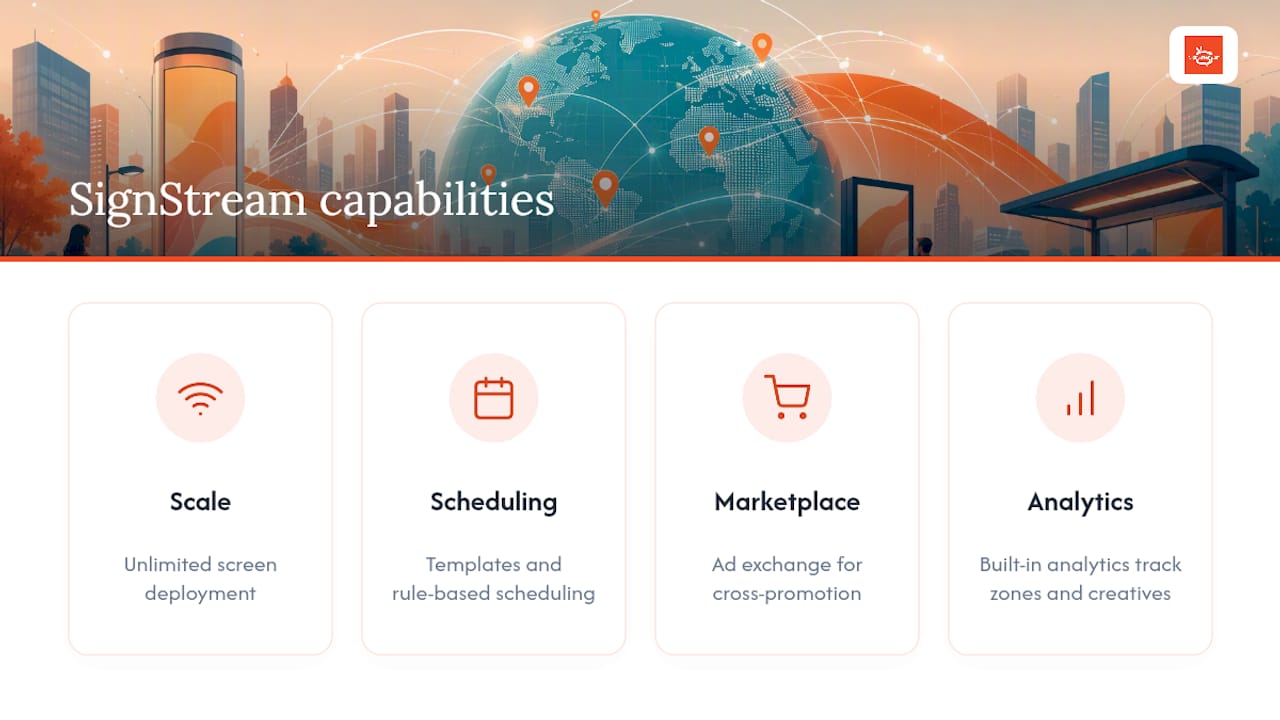
SignStream’s cloud CMS handles the core requirements of a geo-targeting rollout: unlimited screen deployment, mobile and browser control, dynamic scheduling, and an ad exchange marketplace for cross-promotion across locations.
Templates and rule-based scheduling map directly onto the implementation checklist above, letting a single admin manage geofenced content across dozens of sites without touching each screen manually. Built-in analytics track which zones and creative combinations perform, closing the measurement loop covered earlier. For teams evaluating platforms, audience targeting on retail screens shows how this plays out in a live retail setting.
Where Geo-Targeted Signage Is Headed Next
Privacy-first personalization is winning out over blunt tracking, and pixel-layer monetization is turning broadcast boards into per-region sponsorship inventory rather than one-size-fits-all placements. Measurement is also maturing fast, with proxy attribution becoming standard practice.
Marketing should own campaign strategy, operations should own zone and rule design, and IT should own the data integrations. Scope your first pilot narrowly, pick two or three KPIs, and resist the urge to launch network-wide before the rules prove out.
— DKS
Start Monetizing Your Screens with Location-Based Content
SignStream gives you the pieces this article just walked through: a cloud CMS for building geofenced rules, unlimited screen deployment at no added cost, and an ad exchange marketplace where you can sell region-specific inventory to other local businesses instead of leaving it unsold. Where a traditional signage vendor charges more as you add screens, SignStream keeps deployment unlimited so a multi-site geo-targeting rollout doesn’t get more expensive as it scales.

If you’re ready to see how the rules engine, analytics, and marketplace work together, explore how the platform runs remotely or go straight to the ad display network page to see what monetizing your own screens could look like. Start a trial, run your first geofenced pilot, and scale from there once the data backs it up.
Sources
For deeper technical detail, review Broadsign’s geotargeting documentation for zone-based rule setup, EasySignage’s geolocation feature guide for multi-location playlist automation, and Babylovegrowth’s audience targeting primer for broader targeting strategy context.
Recommended
Comments