

Roll Out a Queue Number Display in 5 Steps for Business Owners

A digital queue number display keeps customers informed, cuts front-desk interruptions, and gives your staff room to focus on service instead of crowd control. You’ll want one that shows the current number, the counter it’s headed to, and a fair wait estimate, all updated in real time. A platform like SignStream fits that job well because it runs on hardware you probably already own. Here’s how to evaluate, buy, and roll one out without disrupting your floor.
TL;DR:
Using existing smart TVs with a browser-based display can reduce costs but may compromise reliability in high-traffic locations.
Multi-counter support and real-time synchronization are essential for scaling and preventing customer confusion during busy hours.
Proper placement, visible font size, and backup plans for Wi-Fi drops are critical to ensure readability and continuous operation.
Incorporating mobile notifications, QR check-ins, and analytics can enhance customer experience and provide valuable operational insights.
SignStream offers an all-in-one solution with unlimited screens, real-time updates, and integrated advertising to turn queue displays into revenue-generating assets.
Table of Contents
What Does a Queue Number Display Actually Do?
At its core, a queue number display, sometimes called a now-serving screen, shows three things: the number currently being served, the counter or service window handling it, and what’s coming next. Most setups also surface an estimated wait time, so customers aren’t left guessing whether they have five minutes or forty-five.
Better systems go further. A queue TV display can show missed-number lists so a customer who stepped away doesn’t lose their place, plus recall alerts when their number is called again. These displays don’t operate alone. They typically connect to a kiosk or ticket dispenser at the entrance, and increasingly to mobile or SMS queuing, so someone can grab a spot in line without standing near the counter at all.
The payoff shows up in daily operations:
Fewer “how much longer?” questions at the desk
Reduced crowding near entry points since people can track progress from anywhere in the room
Staff freed up to serve rather than explain wait status
A visible, professional impression that reduces perceived wait frustration
That last point matters more than it sounds. A visible number and moving counter, even without a shorter wait, changes how people experience the delay.
Should You Convert a TV or Buy Dedicated Hardware?
Most businesses face this decision early, and it’s less complicated than it looks. If you already have a flat-screen TV mounted in your lobby or waiting area, a browser-based wait-time display can turn it into a live now-serving board that mirrors your operator console instantly. No proprietary box, no special mounting. You just point the browser at a URL or cast from a low-cost streaming stick.
Dedicated media players or signage boxes cost more upfront but offer sturdier uptime, since they’re built to run continuously without the quirks of a consumer smart TV’s operating system. For high-traffic locations like busy clinics or government offices, that reliability can be worth the extra spend.
Ticket dispensers and kiosks solve a different problem: they’re how customers get a number in the first place. A physical dispenser works well for walk-in traffic, though it adds a hardware line item and occasional paper restocking. Some businesses skip the dispenser entirely and let customers grab a virtual number by phone.
A few placement rules matter more than people expect:
Mount screens at a height visible from seating, not just standing eye level
Landscape orientation reads better for multi-counter layouts; portrait works for single-line queues
Keep viewing distance under 20 feet for standard font sizes
Have a backup plan (cached last-known state) for brief Wi-Fi drops
Pro Tip: Test your display’s readability by standing at the farthest seat in your waiting area. If you can’t read the number size from there, the font is too small, not the seat too far.
What Features Actually Matter When Comparing Systems?
Not every queue platform is built the same way, and the differences show up fastest during your busiest hour. Start with real-time sync. If your operator console and the public display lag by more than a second or two, customers notice and start asking questions again, which defeats the entire point of the screen.
Multi-counter support matters just as much. A system limited to one queue won’t scale past a single-service business. Look for software that lets you assign multiple counters, set recall and skip rules for no-shows, and give different staff roles different console permissions.
Voice announcements and multilingual support round out the accessibility side. Some platforms include text-to-speech or pre-recorded voice calling to reach customers who aren’t watching the screen, which helps in busy waiting rooms or for visually impaired customers.
Beyond the queue itself, evaluate:
Mobile and SMS notifications so customers can wait outside instead of in a chair
QR check-in options that skip the physical kiosk line entirely
API access if you need to connect the display to an existing CRM or scheduling tool
The ability to run promotions or ads on the same screen without burying the queue info
Analytics dashboards that track average wait time, peak hours, and throughput by counter
Modern queue management systems typically bundle token generation, multi-counter calling, and reporting into one package, rather than forcing you to stitch together separate tools. That bundling is worth paying attention to. A system that separately handles ticketing, display, and analytics usually costs more in integration time than the sticker price suggests.
How Do You Roll Out a Queue Display Without Disrupting Operations?
A clean rollout comes down to sequencing, not luck. Rush the testing phase and you’ll spend your first week fielding staff confusion instead of serving customers faster.
Run a site survey. Check sightlines from every seating area, confirm power outlets near your mounting spot, and test Wi-Fi signal strength where the screen will hang.
Pick your hardware and assign services. Decide on browser-based TV, dedicated player, or kiosk, then map out counters and service types in the software.
Configure the display. Set layout, voice prompt language, recall rules, and any mobile/SMS flows your customers will use.
Test the full flow. Walk a handful of real customers through it before opening to everyone, and note where staff hesitate on the call workflow.
Soft launch and monitor. Watch analytics for 30 to 90 days, then adjust staffing or display content based on what the numbers show.
Pro Tip: Weak Wi-Fi at the display location and staff confusion on the recall process cause the majority of early hiccups. A short preflight check and a soft launch, rather than a hard opening day switch, resolves most of them before customers notice.
What Should You Budget for a Queue Display System?
Hardware costs swing widely depending on what you already own. Businesses that convert an existing smart TV using a browser-based display spend little beyond a streaming stick, while wireless queue calling kits with a dispenser and receiver run in the low hundreds of dollars per counter on major retail sites.
Software follows a subscription model, usually priced per channel, per site, or in tiers based on screen count. This is where scaling costs can quietly balloon. If your platform charges per screen, adding a second location or a third waiting room multiplies your bill. SignStream’s unlimited-screen pricing sidesteps that entirely, since expansion doesn’t trigger a new line item.
Installation is typically a one-time cost, and ROI comes from three places: fewer staff interruptions, faster throughput per counter, and revenue from monetized idle screen time between queue updates.
What Are the Best Practices for Display Content and Accessibility?
Readability starts with contrast and size. Use large, high-contrast numbers, and map each counter clearly so customers aren’t squinting to figure out which line is theirs.
Promotions have a place on the screen, but never at the expense of queue visibility. Keep the now-serving number and wait estimate persistent, and rotate ads in a separate zone or between updates rather than replacing the queue data entirely. Our guide to displaying wait times effectively breaks down cadence in more detail.
For accessibility, pair voice announcements with visual cues, and offer multilingual text where your customer base calls for it. Missed numbers should trigger a clear recall, not a silent drop from the queue.
Large fonts, high contrast, consistent counter labeling
Promotions rotate separately from live queue data
Voice plus visual cues for hearing or vision accessibility
Analytics reviewed monthly to catch staffing gaps early
Pro Tip: Review your missed-number rate monthly. A high rate usually means your wait estimate is inaccurate, not that customers are inattentive.
What Do Real Queue Display Deployments Teach You?
Across the businesses we’ve watched adopt digital queue displays, one pattern shows up again and again: the setups that struggle almost always skip the site survey. Weak Wi-Fi at the mounting location or a screen hung where half the waiting room can’t see it causes more early complaints than any software limitation. Fix the physical layer first.

Fitness clubs and service-based businesses that paired their display rollout with visible promotions on the same network saw measurable upside elsewhere too, with some reporting a 25% jump in class attendance after adding screen-based promotion to their front desk. That’s not a queue benefit directly, but it shows what’s possible when a screen you already installed for one job starts doing double duty.
The advice that holds up best: treat your display as media real estate, not just a ticket counter. A queue screen that also runs promotions or joins an ad exchange can offset its own subscription cost over time.
— DKS
Why SignStream Fits the Queue Display Checklist
Everything covered above, real-time sync, multi-counter support, voice and mobile integration, analytics, and promotional flexibility, maps directly onto what SignStream was built to do. It updates instantly from any device, runs on unlimited screens without extra per-screen fees, and works on the smart TV or browser setup you likely already have in your lobby.

What sets SignStream apart from a standalone queue box is the ad exchange marketplace built into the platform. Instead of a screen that only shows numbers, you get a channel that can cross-promote with other local businesses and generate revenue during slow queue periods, turning a cost center into a small income stream.
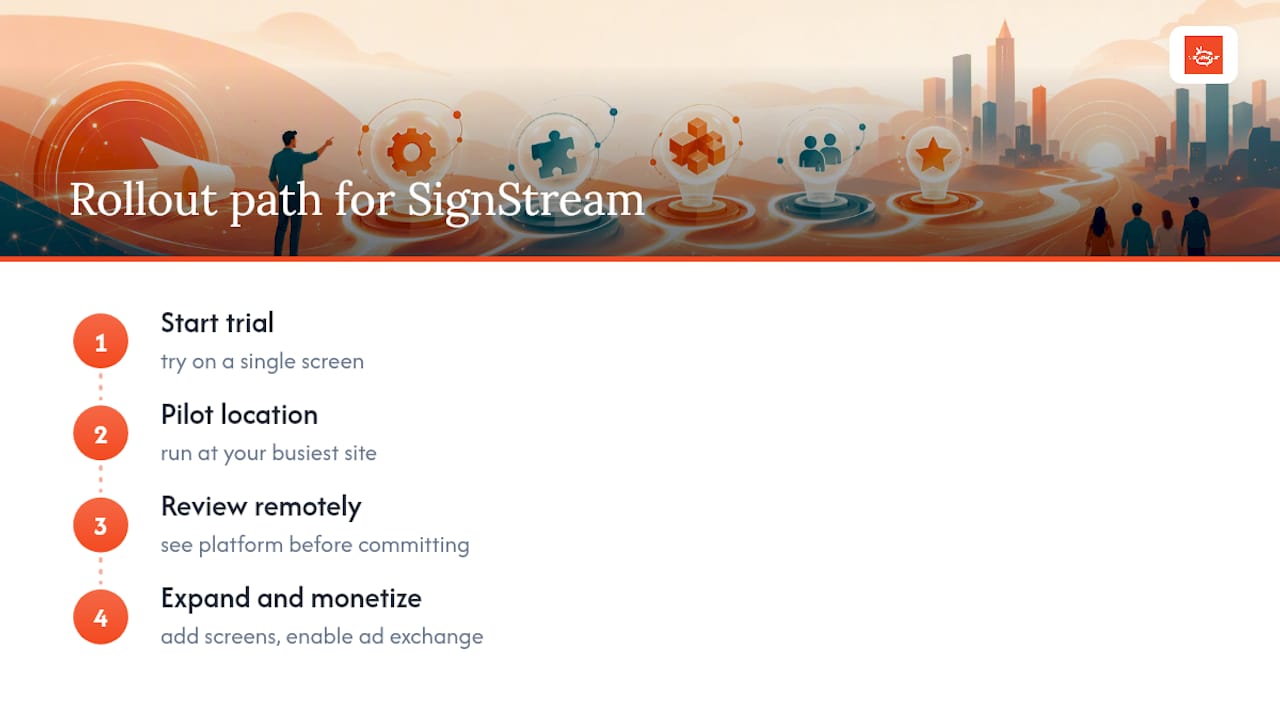
Getting started doesn’t require a big commitment. Start with a trial on a single screen, pilot it at your busiest location, then expand once you see how it handles real traffic. You can see how the platform works remotely before committing, or head straight to the main product page to request a demo and get your first screen configured this week.
Sources
For more on hardware options, see LineMarshal’s wait-time display breakdown or OnestQ’s public screen features. If you’re evaluating queue software patterns more broadly, FlowLab’s QueueFlow product shows a comparable integration approach. For SignStream specifics, explore how digital screens reduce front-desk queries.
Recommended
Comments