

Showcase Club Amenities on Screens That Actually Work
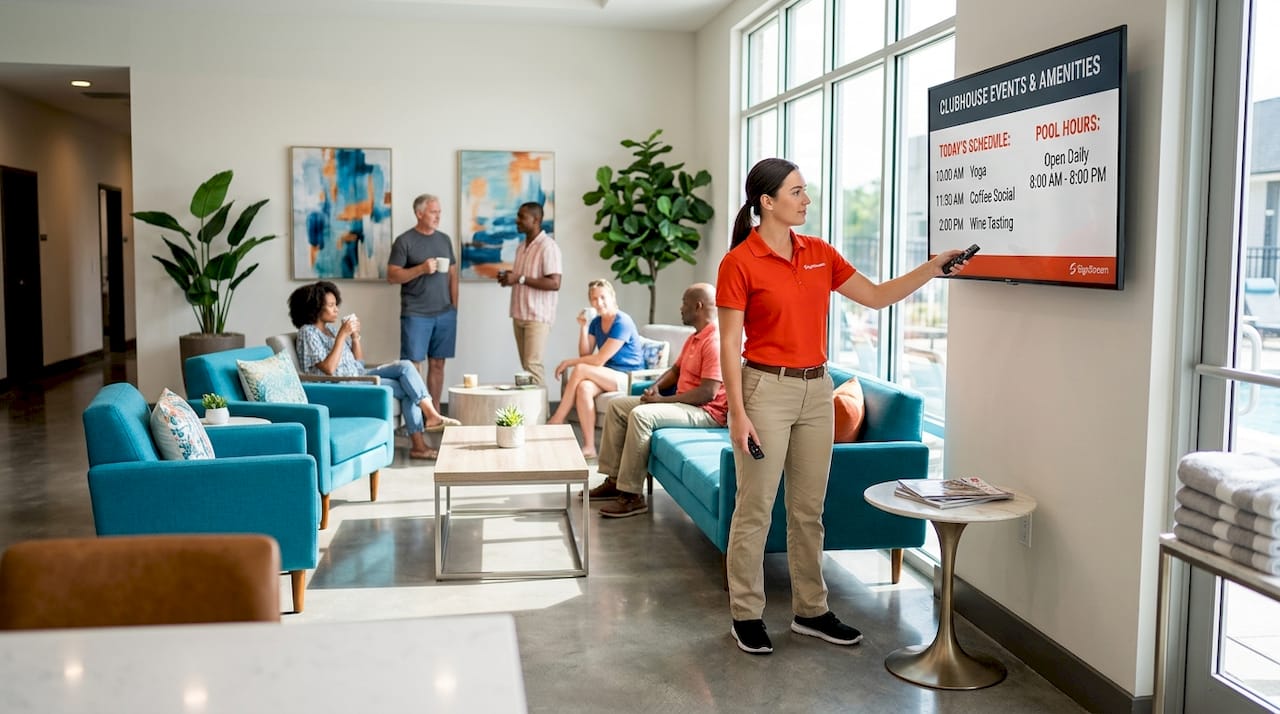
Static signage is quietly costing your club members. When a new member walks past an unlit notice board or misses a weekend event because the flyer was two weeks old, that’s a real engagement failure. The good news: learning how to showcase club amenities on screens is no longer a project reserved for clubs with big AV budgets and IT departments. Digital signage, the industry term for networked display systems that push scheduled content to one or more screens, has become genuinely accessible. This guide covers everything from hardware selection and screen placement to content strategy and ROI tracking, so you can get your displays working as hard as your staff.
Table of Contents
Key Takeaways
Point | Details |
Start with placement | Position screens at natural gathering points like entrances and bars to maximize member exposure. |
Choose the right CMS | A user-friendly content management system lets any staff member update promotions without technical training. |
Use analytics to improve | Track engagement data from interactive screens to refine content and placement over time. |
Mix content types | Rotate menus, event schedules, member recognition, and promotions to keep displays fresh and relevant. |
Plan for emergencies | Select a platform with centralized override capability so urgent messages reach every screen instantly. |
What you need to showcase club amenities on screens
Before you mount a single display, two decisions will shape everything else: the hardware you choose and the platform you use to manage content. Get these right and the rest becomes straightforward.
Choosing commercial-grade displays
Consumer televisions are not built for the all-day, high-ambient-light conditions typical of a busy clubhouse. Commercial displays from brands like Samsung offer higher brightness ratings, longer duty cycles, and panel warranties suited to hospitality environments. For bars and social zones, 55" and 75" Samsung 4K displays deliver the visual impact needed to cut through background noise. Size screens to the viewing distance: a 43-inch panel works well behind a café counter, while a lobby screen serving a large atrium needs at least 65 inches.
Selecting a digital signage platform
Your content management system (CMS) is where the real work happens. Look for a platform that lets any staff member update content from a browser or mobile device, without needing to call a tech vendor. Avoid common pitfalls by reading up on platform selection mistakes before you commit. You want scheduling, zone-based layout control, and analytics built in from day one.
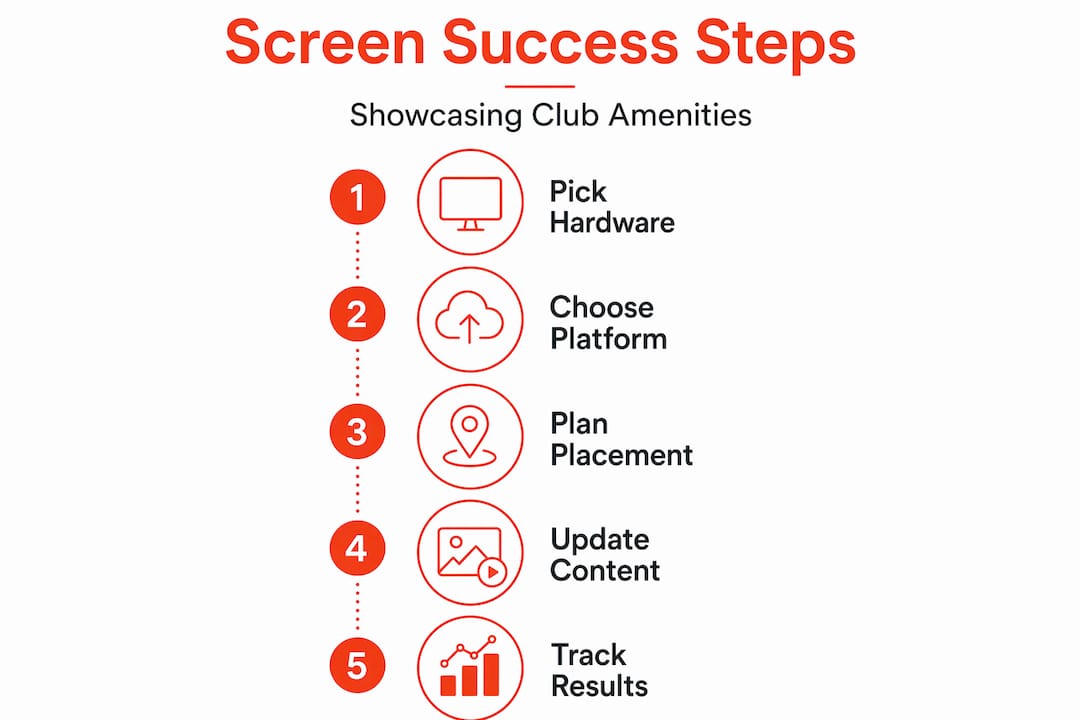
Planning screen placement
The best screens are wasted in the wrong locations. Placing kiosks near dining entrances and locker rooms dramatically increases the time members spend engaging with content because those spots are where people naturally pause. Map your club footprint and identify the three to five locations where members organically slow down: the main entrance, the bar, the corridor to the gym floor, and near reception.
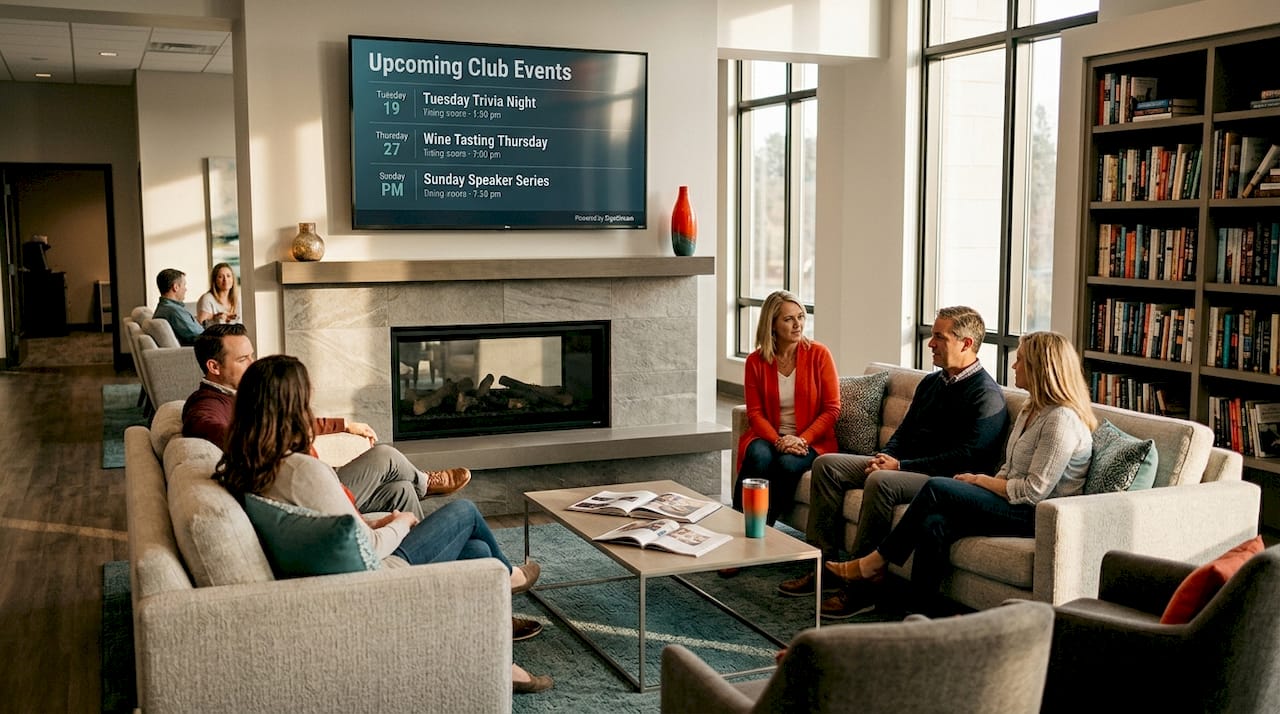
Here is a quick reference for display selection based on location:
Location | Recommended size | Primary content |
Main entrance lobby | 65" or larger | Event schedule, welcome messages |
Bar or café | 43" to 55" | Menu, live sports, promotions |
Gym corridor | 43" | Class timetable, member recognition |
Reception desk | 32" to 43" | Membership info, news, wayfinding |
Social lounge | 55" to 75" | Branded content, event highlights |
Considering interactive touchscreens
Not every screen needs to be passive. A 55" commercial touchscreen kiosk near your entrance can serve as a member recognition directory, a wayfinding tool, and a promotional display all at once. Interactive screens tend to generate higher dwell times and give you usage data you simply cannot get from a static display.
Pro Tip: If your budget is tight, start with one interactive screen at the main entrance and fill other areas with standard commercial displays. You get the data benefit where foot traffic is highest without overcommitting upfront.
Deploying your digital display system step by step
With hardware selected and a platform chosen, here is how to move from plan to live screens efficiently.
Conduct a site survey. Walk every proposed screen location with a tape measure and a lux meter. Note ceiling heights, power outlet positions, natural light sources, and Wi-Fi signal strength. Ambient light is the most common reason screens look washed out after installation.
Install hardware with aesthetics in mind. Cable management and mount selection matter more than most managers expect. Exposed cables undermine the polished look that premium club members expect. Use in-wall conduit or surface raceways painted to match the wall.
Configure a unified management system. A centralized platform with device monitoring lets you schedule content, push updates across every screen simultaneously, and confirm that each display is online. Set up content zones within each screen layout so the menu panel, the event ticker, and the promotional banner can be updated independently.
Build your initial content library. Create templates for the content types you will use most: event schedules, menu boards, member spotlights, and class timetables. Templates keep your brand consistent and mean a staff member can update Friday’s promotions in under two minutes.
Set up interactive wayfinding. If you are deploying touchscreens, use vector-based floor plans rather than image files. Raster PNG floor plans look blurry on 4K touchscreens and immediately damage credibility. SVG files scale cleanly and load fast. Layer tappable zones over each room or facility with a “You Are Here” marker on every floor.
Train your staff. Run a 30-minute walkthrough showing team members how to log in, update a menu item, and schedule a promotional message. The right platform should require no technical background. If it takes longer than 30 minutes to train someone, the platform is too complicated.
Go live and monitor for the first two weeks. Check every screen daily for content accuracy, brightness, and connectivity. Small issues caught early prevent bigger problems later.
Pro Tip: Schedule a content audit every Monday morning as a recurring calendar event. Reviewing what is playing across all your screens takes about 10 minutes and prevents the embarrassing situation of a Christmas promotion running in February.
Content creation and ongoing management
Getting screens up is the easy part. Keeping content fresh is where most clubs fall short. Here are the practices that separate clubs with genuinely engaging displays from those with screens that members learn to ignore.
Automate routine updates. Digital signage with CMS scheduling means your lunch menu can replace the breakfast menu at 11:30 AM without anyone touching a keyboard. Set up time-based rules for content that changes on a predictable schedule.
Use high-resolution imagery. Low-quality photos of your facilities actively hurt your brand. Invest in one professional photography session per year and use those images across all your displays. Members notice the difference.
Keep fonts large and legible. Text smaller than 24 points is difficult to read from more than three meters away. Stick to one or two typefaces per layout and make sure there is strong contrast between text and background.
Size touch targets correctly. On interactive screens, touch zones, screen orientation, and location markers directly affect how successfully members interact with the display. Tap targets should be at least 44x44 pixels at the display’s native resolution. Too small and members give up after one failed tap.
Balance digital with static signage. Not every piece of information belongs on a screen. A hybrid approach combining static and digital displays often works best in large venues because it respects members who prefer printed directories while delivering dynamic content where it counts.
Accommodate diverse member needs. Use sufficient color contrast for members with low vision. Offer audio cues or enlarged text modes on interactive kiosks where possible. Accessible design is not a checkbox; it reflects well on your club culture.
Common challenges and how to fix them
Even a well-planned deployment runs into operational friction. Here are the issues club managers encounter most often and how to address them.
Washed-out screens in bright rooms. Increase display brightness to at least 500 nits for areas with natural light, and consider anti-glare screen protectors for south-facing windows.
Stale content. Automate as much as possible. If a staff member has to remember to update a screen, eventually they will forget. Build workflows so content updates happen as a byproduct of your existing operations (for example, when a new event is added to your booking system, it automatically pushes to the event display).
Network dropouts. Run a dedicated Wi-Fi SSID for your display network, or use wired ethernet for mission-critical screens. Consumer-grade Wi-Fi routers in a busy club environment are frequently overwhelmed.
Confusing kiosk interfaces. Run usability tests before going live. Ask five members who have never seen the kiosk to complete a simple task (find the pool opening hours) and watch where they get stuck. Fix those friction points before launch.
“Emergency override capability is not a nice-to-have. It is a critical feature for any club running multiple screens across a large venue. When a safety event occurs, every second counts.” Reference: centralized emergency overwrite capability in unified management platforms.
Configure your emergency override before you go live, not after you need it.
Measuring the ROI of your digital displays
Screens are an investment. Here is how to know whether they are paying off.
Platforms with analytics on search patterns and navigation tell you which content members engage with and where they abandon interactions. Cross-reference that data with operational metrics: Did bar sales increase after you added the cocktail promotion to the lounge screen? Did class registrations rise after adding the timetable to the gym corridor display? Signstream clients have reported a 25% rise in class attendance after implementing digital signage. That is a measurable business outcome tied directly to screen content.
Metric | What it tells you | How to measure |
Screen dwell time | Which locations hold member attention longest | Platform analytics |
Content interaction rate | Which promotions members tap or engage with | Interactive screen data |
Event registration change | Whether event displays drive sign-ups | Booking system comparison |
Bar and café sales lift | Whether menu screens increase spend | POS data before and after |
Member satisfaction score | How members feel about digital communication | Quarterly survey |
Review these metrics monthly for the first quarter, then quarterly once your displays are performing consistently. Use the data to drop underperforming content and double down on what works.
My honest take on digital displays in clubs
I’ve spent years watching clubs invest in AV upgrades and then wonder why member engagement barely moved. The pattern I’ve noticed is almost always the same. The hardware is fine. The platform works. The problem is that nobody owns the content strategy after launch.
In my experience, the clubs that get the most value from their screens are the ones that assign one person, not a committee, to own display content. That person has a 30-minute standing slot each week to review what is playing, what is coming up, and what needs to be retired. Without that single point of accountability, content drifts toward whatever was uploaded six months ago.
What I’ve also learned is that usability and thoughtful placement matter far more than having the latest screen technology. A 65-inch 4K display positioned where nobody walks past it will underperform a basic 43-inch panel placed right at the entrance where members stop to check the day’s events. Location is strategy.
The other thing I’d push back on is the idea that digital signage replaces human interaction at clubs. It does not. The best setups I’ve seen use screens to handle the informational load (menus, schedules, directions, promotions) so staff can focus on conversation and service. Technology clears the noise; people build the culture.
— DKS
See how Signstream can work for your club
If you are ready to move beyond static notice boards and actually promote club facilities in a way that members notice and respond to, Signstream is built for exactly this.

Signstream’s cloud-based digital signage platform lets you manage unlimited screens from any device, schedule content automatically, and track what is working through built-in analytics. There are no extra charges for additional screens, and the interface is simple enough that any staff member can run it. Clubs using Signstream have seen measurable lifts in event participation and member engagement. Whether you want an on-site consultation to plan your deployment or prefer to start with a free strategy call, Signstream makes it easy to take the next step without any pressure.
FAQ
What screens work best for showing club amenities?
Commercial-grade displays rated at 500 nits or higher are best for club environments because they remain visible under ambient light. Size your screens based on viewing distance: 55" to 75" for bars and lounges, 43" for countertops and corridors.
How often should club digital signage content be updated?
Menus and daily promotions should update automatically via your CMS, while event schedules and member recognition content should be reviewed at least once a week to stay accurate and relevant.
Can interactive kiosks replace printed wayfinding maps?
Interactive kiosks work best alongside printed maps rather than replacing them. A hybrid signage approach gives members the dynamic benefit of digital search while accommodating those who prefer physical references.
What is the biggest mistake clubs make with digital signage?
The most common mistake is launching screens without a content ownership plan. Displays quickly fill with outdated information when no single staff member is responsible for keeping content current.
How do I measure whether my club screens are actually working?
Track platform analytics for dwell time and interaction rates, then cross-reference with business metrics like bar sales, event registrations, and member satisfaction scores to connect screen activity to real outcomes.
Recommended
Comments