

How to Group Screens by Location: A Practical Guide

To group screens by location, sort every display into a set that shares the same audience, schedule and message, such as a site, a region or a room type, and then manage each set as one unit instead of screen by screen. Done well, one edit reaches every screen in a group at once, and local differences like hours, prices and time zones stay correct. SignStream is built for this: you control your screens from a browser or phone, deploy on unlimited screens with no per-screen fees, and organize content into channels that match the way your business is laid out.
This guide walks club managers, restaurant owners, fitness operators, office administrators, retail managers, franchise owners and tourism groups through the grouping decisions, one step at a time.
TL;DR
Group screens by what they share: the same audience, the same hours and the same message. Location is usually the first split, and function is the second.
Use three layers: content everyone sees, content for a region or site type, and content for one site.
Give every location group its own time zone so schedules run on local time.
Keep one owner for each group, so updates are fast and nobody overwrites a neighbor’s content.
With SignStream you pay per channel, not per screen, so adding screens to a group does not raise your bill.
Table of Contents
Why grouping by location beats managing screens one by one
A single screen in a lobby can be updated by walking over to it. Ten screens across three buildings cannot. Once a network grows, every change becomes a chore: a new class time, a menu price, a holiday closure, a promotion that must start on Friday at every site. Without groups, each of those is repeated screen by screen, and somewhere a screen is missed.
Grouping fixes that with a simple rule: if two screens should always show the same thing, they belong together. The payoff is concrete.
Speed. One edit reaches the whole group.
Consistency. The same offer or notice appears everywhere it should, with no stale screen in the back hallway.
Local accuracy. The Dallas location can show its own hours while the Boston location shows its own.
Less training. A site manager only needs to know their own group.
If you want the bigger picture on running many sites, our guide on how multi-location businesses can simplify screen management covers the operating model, and how multi-location screen networks work in 2026 explains the technology behind it.
Step 1: Inventory every screen
Before you create a single group, list what you have. A spreadsheet is enough. For each screen, record:
Where it is: site name, city, state, and the room or area (lobby, pro shop, dining room, studio, break room).
Who looks at it: members, diners, shoppers, staff, visitors.
What it runs on: a smart TV app, a tablet or another device. SignStream’s apps are hardware agnostic, so you can usually keep the screens you already own.
Who is responsible for it: the person who should be able to change its content.
The common mistake here is listing only the screens you think about. Break rooms, check-in desks and the second-floor corridor are the ones that get forgotten and later show last quarter’s message.
Step 2: Choose your grouping dimensions
Location is rarely a single idea. Most networks need two or three dimensions, and the order matters. Start with the one that changes content most often.
Grouping dimension | Example groups | Best for |
Site | Downtown club, Lakeside club | Country clubs, gyms, single-brand retailers |
Region or market | Northeast, Texas, Florida Keys | Franchises, regional chains |
Room type | Dining room, pro shop, locker room | Clubs, restaurants, offices |
Audience | Members, guests, staff | Offices, fitness centers |
Partner or district | Harbor businesses, Main Street shops | Tourism groups, shared networks |
A country club, for example, might split first by area (clubhouse, grill room, golf shop) because each has a different audience and a different time of day when it matters. A franchise owner splits first by region because pricing and promotions differ by market, then by room type inside each store. A tourism group splits by town or attraction cluster, since a visitor in one harbor town does not need the events of another.
Keep groups small enough to mean something
A group called “All screens” has its place for emergency notices and brand messages, but it cannot do the daily work. If you find yourself adding exceptions to a group (“everyone except the Tampa store”), that is a sign it should be two groups.
Step 3: Build content in three layers
The most practical way to run grouped screens is to layer content from broad to specific.
Network layer. What every screen shows: your brand, a safety notice, a company-wide announcement.
Group layer. What a region or room type shows: the Northeast spring promotion, the dining room menu, the member-events calendar.
Site layer. What only one location shows: this week’s class changes, tonight’s specials, a local sponsor.
This structure keeps headquarters in control of the message without taking local managers’ hands off the wheel. It also keeps work small: a single manager might update ten lines a week for their own site while the central team updates one network message a month.
SignStream organizes content into channels, and the SIGNSTREAM NETWORK plan is $10 per month per channel. A channel is where the content for a group lives, so thinking in layers maps neatly onto how you set up your plan. If you need a fully tailored feed for a particular audience or space, the Custom Channel lets you communicate across all the TVs in a space from one place, at $105 per month per channel. Because there are no per-screen fees, ten screens in one group cost the same as two.
Step 4: Set time zones and local hours
Time is where grouped networks quietly break. A promotion scheduled for 11:00 a.m. starts at different real moments in New York and Los Angeles unless each group is told which clock to use. The practical rule, echoed in guidance on running signage across time zones, is to assign a time zone to every location group and schedule against local time at that location.
A few habits make this work:
Schedule by daypart. Breakfast, lunch and happy hour menus switch by local clock, not headquarters’ clock.
Mind daylight saving. Arizona and Hawaii do not observe it, while most of the country does. Groups that straddle the difference need their own schedule.
Plan holiday differences. A site closing early on a local holiday needs a site-level override, not a network-wide change.
Use scheduling for everything repeatable. Weekly class timetables, recurring events and seasonal menus should be scheduled once and left alone.
Step 5: Match content to what each group needs
The point of grouping is relevance. Here is how it looks for each kind of operation.
Country clubs
Group by area of the club. The clubhouse lobby shows member news and events, the grill room shows the daily menu, the golf shop shows promotions and tee-time reminders. Dynamic QR codes let a member scan a screen to register for an event, so a screen does more than display.
Restaurants
Group by location and by room: dining room menus, drive-through or counter boards, and a patio group for seasonal items. When a price changes or an item sells out, you change it once and every screen in that group follows. Our restaurant signage getting started guide covers the menu side in detail.
Fitness centers
Group by studio and by site. Each studio screen can show the real-time class schedule for that room, while the front desk group shows promotions and membership offers. Our clients report outcomes like a 25% rise in class attendance after putting live schedules on their screens.
Offices
Group by floor, department or building. Reception screens show visitor welcome messages, break rooms show company news, and meeting-room screens show room-specific information. One administrator can manage all of it from a browser.
Retail and franchises
Group by market and store format. Regional promotions go to the market group, a corporate campaign goes to the network, and a store-specific clearance goes to the single site. For franchises in particular, see how to manage digital signage across franchises.
Tourism groups
Group by town, attraction cluster or business type. A shared network of connected screens across many independent businesses lets each venue show local events and offers, while the ad exchange marketplace allows businesses to cross promote one another’s offerings and earn from their own screens.
Step 6: Assign owners and keep content organized
Groups only stay clean if someone owns them. Decide:
Who can edit what. A site manager edits the site layer, a regional lead edits the group layer, and a central marketer edits the network layer.
How content is named. A consistent pattern such as “Region, site, purpose, month” makes things findable when you have hundreds of items. The same discipline that helps teams with multi-location content automation applies to screens: standard templates and naming keep many locations consistent.
How often content is reviewed. A monthly sweep for expired promotions prevents the stale screen problem.
SignStream’s template support helps here. A template gives every location the same look while each site fills in its own details, and the interface is designed so nobody needs technical expertise to do it.
Step 7: Protect and monitor the network
Once screens sit in many buildings, access matters. Use individual logins rather than a shared password, remove access promptly when someone leaves, and keep screen devices on trusted networks. The same principles that apply to securing networked devices and accounts carry over to any connected display: separate accounts, limited access and careful remote reach.
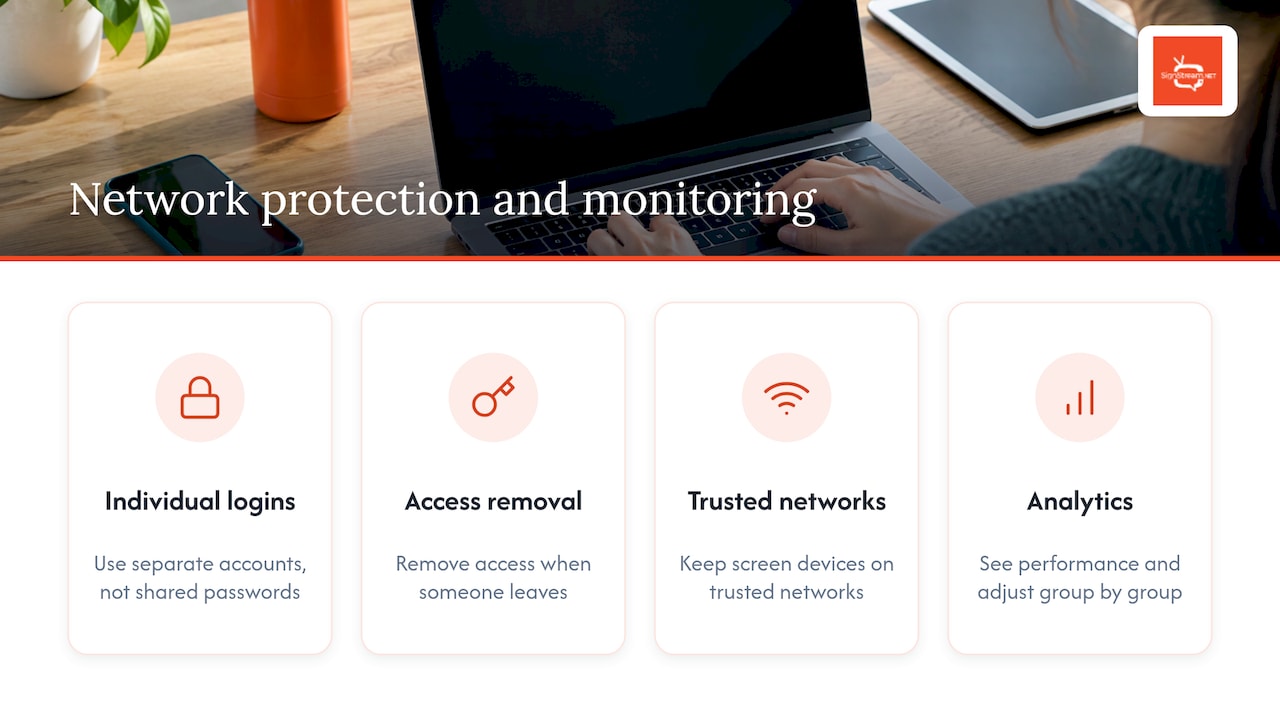
On the cloud side, our cloud digital signage checks for IT managers lay out what to review before rolling out to many sites. SignStream also provides analytics so you can see how content performs and adjust it, group by group.
Common mistakes when grouping screens
Grouping by org chart instead of by audience. Two departments in one lobby see the same people and belong in one group.
Too many groups. If a manager cannot name their groups from memory, simplify.
Ignoring time zones. One clock for the whole network produces promotions that start at the wrong hour.
No network layer. Without a shared top layer, urgent notices must be sent group by group.
Choosing a platform that charges per screen. Per-screen pricing punishes you for good grouping, because you hesitate to add screens. Our piece on mistakes to avoid when choosing a platform goes deeper.
Where SignStream fits
SignStream gives businesses custom media networks that deploy on unlimited screens at no extra charge. You manage from your phone or a browser, update many screens instantly, schedule content, and use dynamic QR codes and analytics to see what works. The SIGNSTREAM NETWORK plan is $10 per month per channel, and Custom Channel is $105 per month per channel, both listed on our pricing page.
If you would rather not do the setup yourself, our hardware and screen installation, content and design, and ongoing management services cover the physical and creative work, and an on-site consultation is available to plan your layout. Tourism groups and local business clusters can also look at our local business ad network, where businesses advertise directly on one another’s screens.
Ready to put your screens into groups that make sense? Start with SignStream and set up your first channel.
Our perspective
Most signage problems we hear about are not hardware problems. They are organization problems. A business buys screens, hangs them, and then discovers that nobody can say which screens show what, or who is allowed to change them. We built SignStream around the idea that structure should be easy and cheap. Because there are no per-screen fees, you can group screens the way your business actually works: by site, by room, by audience, without doing arithmetic on your monthly bill first. Our advice is to start with one channel per real audience, keep a thin layer of network-wide messaging on top, and give every site its own small layer of local content. Then use the ad exchange marketplace to turn the screens you already have into a connection point with neighboring businesses, and into revenue. That is how a single club, a restaurant group or a city-wide tourism network can run on the same simple approach. DKS
FAQ
Can a screen belong to more than one group?
It depends on your setup, but the cleaner approach is to design groups so each screen has one primary home and receives the network layer on top. That keeps ownership clear. If a screen genuinely serves two audiences, such as a lobby shared by two departments, treat it as one group of its own.
How many screens should be in one group?
There is no fixed number. A group should be as large as the set of screens that should always show the same thing, whether that is two screens in one dining room or fifty across a region. With SignStream, group size does not change what you pay, because plans are priced per channel and not per screen.
How do I handle locations in different time zones?
Assign a time zone to each location group and schedule content against that group’s local time. This keeps menus, class times and promotions switching at the right local hour, and it lets you handle regional holidays with a site-level override.
Can I update every location at once and still keep local content?
Yes. Use a network layer for messages that go everywhere, a group layer for regions or room types, and a site layer for local details. Headquarters changes the top layer once, while each site manager keeps control of their own content.
Sources
Recommended
Comments