

Flash Sale Display Screens: 8 Examples That Drive Sales
- sbgerus
- Jun 2
- 9 min read
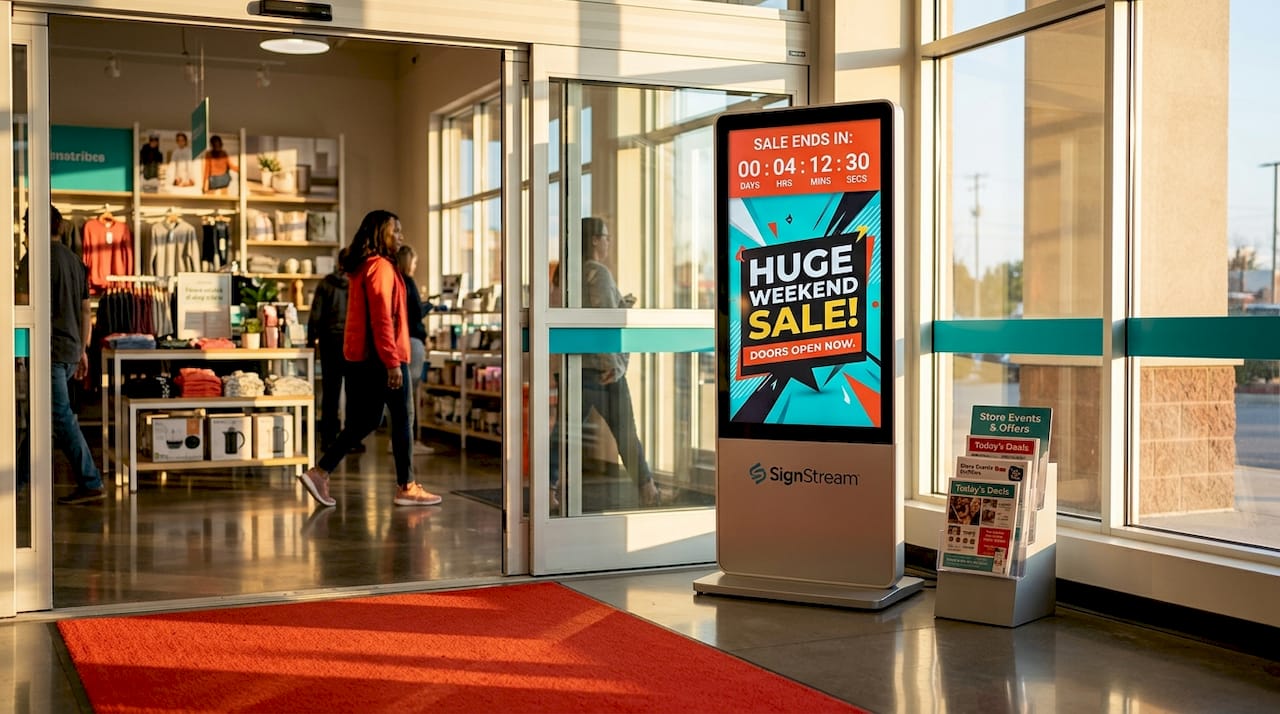
Flash sale display screens are dedicated digital signage units that present time-limited promotional content, countdown timers, and discount messaging directly on the retail floor. The best examples combine compact, attention-grabbing hardware with dynamic content features that create genuine urgency and push customers toward an immediate purchase decision. In 2026, retail managers who deploy well-designed digital signage for flash sales report measurably stronger conversion rates compared to static printed promotions. This article breaks down eight real-world examples of flash sale display screens, covering hardware formats, creative design choices, and the operational decisions that separate effective campaigns from forgettable ones.
1. Examples of flash sale display screens: the hardware formats that matter most
Before you can design a compelling flash sale screen, you need to choose the right physical format. The hardware determines where your message lands, how close shoppers get to it, and how fast you can update content.
The three dominant formats in retail today are:
Compact shelf or counter displays. Samsung’s 32-inch Spatial Signage is the clearest example. It weighs 8.5 kg, measures just 49.4 mm slim, and delivers a portrait FHD 9:16 format with glasses-free 3D visuals. It sits at shelf or counter level, placing the promotion directly in the shopper’s line of sight at the moment of decision.
Freestanding LED slimline digital posters and kiosks. These portrait-orientation totems require no wall fixing or IT infrastructure. A plug-and-play USB Android media player handles content delivery, making them ideal for store entrances, POS areas, and corridors where foot traffic is highest.
Large-format wall-mounted displays. These suit wider promotional announcements across an entire category or store section, though they sacrifice the intimacy of shelf-level placement.
Portrait orientation consistently outperforms landscape in pedestrian retail environments. Slim totems and kiosks attract significantly more attention because their vertical format mirrors the natural human field of vision when standing.
Pro Tip: If your store layout changes seasonally, choose freestanding kiosks over wall-mounted units. You can reposition them to match traffic flow without any installation cost.
2. Samsung Spatial Signage: glasses-free 3D at shelf level
Samsung’s Spatial Signage is one of the most technically advanced flash sale screen designs available to retail managers today. The glasses-free 3D rotation feature allows a product to appear to float and rotate in front of the screen without any special eyewear, which stops shoppers cold at shelf level. For a flash sale, this means you can show a product spinning with a bold discount overlay and a live countdown timer, all on a screen that fits neatly on a standard retail shelf.
The 9:16 portrait format is purpose-built for close-range readability. A shopper standing 18 inches from the shelf sees the full promotional message without needing to scan left or right. This format is the ideal template for compact flash sale creatives that need to communicate price, discount, and urgency in under three seconds.
Samsung’s VXT platform connects to the Spatial Signage hardware, enabling multi-location content management and scheduled updates. A retail chain can push a new flash sale creative to every shelf display across 50 stores simultaneously, with the timer already configured and the expiry time locked in.
3. Freestanding LED kiosk at the store entrance
A freestanding LED slimline kiosk positioned at the store entrance is one of the highest-impact examples of flash sale display screens in practice. Shoppers see the promotion before they have made any purchase decisions, which primes them to look for the discounted product once inside. The plug-and-play USB operation means a store manager can swap content by inserting a new USB drive, with no IT team required.
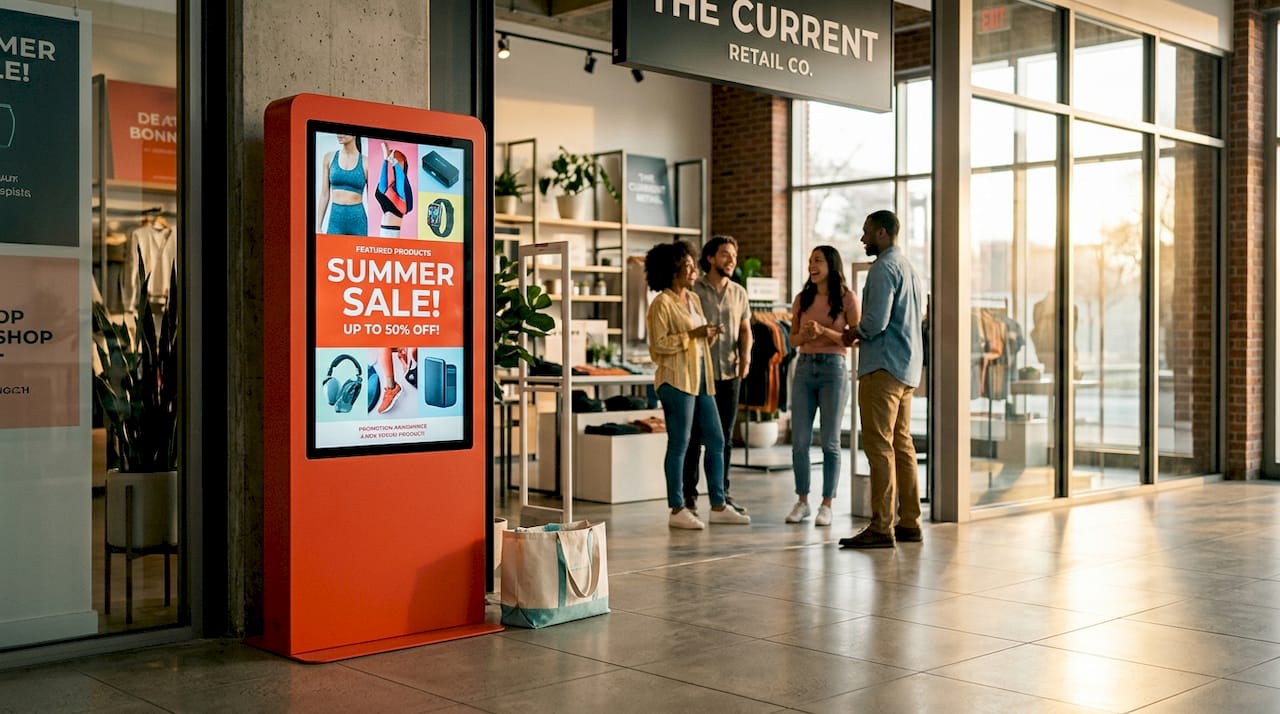
This format works especially well for single-product flash sales where the goal is to drive traffic to a specific aisle or display. A bold full-screen image of the product, a large discount percentage, and a countdown timer in the lower third of the screen give shoppers everything they need to act. The 24/7 commercial-grade operation rating means the screen runs reliably through peak trading hours without overheating or dimming.
The key operational advantage is mobility. When the flash sale ends, you wheel the kiosk to a new location and load a different promotion. No holes in the wall, no electrician, no downtime.
4. Countdown timer overlays: the design element that creates urgency
A countdown timer is the single most powerful creative element on any flash sale screen. The way you place and manage that timer determines whether it builds urgency or destroys trust. Timer placement testing shows that top-left, bottom-right, and full-screen overlay positions each perform differently depending on the surrounding creative, so you should test at least two placements before committing to a campaign.
The critical operational rule is this: expired timers erode trust faster than almost any other retail signage mistake. A screen showing “2:47:00 remaining” on a sale that ended yesterday tells shoppers you are not paying attention. Automate content rotation so the flash sale creative is replaced the moment the timer hits zero.
Effective timer designs share three characteristics:
High-contrast digits that read clearly from at least 10 feet away
A clear label such as “Ends at 6:00 PM” alongside the live countdown
A background color that differs from the main promotional creative so the timer registers as a separate, urgent element
Pro Tip: Schedule a short playlist window in your content management system that automatically swaps the flash sale screen for a “Sale Ended” or standard promotional creative at the exact expiry time. This protects your brand’s credibility without requiring manual intervention.
5. Nykaa-style bold poster designs for high-discount announcements
Nykaa’s flash sale poster approach is a widely studied example of flash sale screen design that retail managers can adapt for digital signage. The formula is straightforward: a single hero product image, a discount percentage in the largest possible font, a contrasting background color that signals urgency (typically red or orange), and a precise end time displayed in a smaller but clearly readable font.
This design works because it eliminates decision fatigue. The shopper does not need to read anything. They see “40% OFF,” they see the product, and they see “Ends at 8 PM.” That is the complete message. For digital signage, this poster format translates directly to a full-screen static or mildly animated creative with a live timer overlay added through your content management platform.
The color science behind this approach is not accidental. High-contrast combinations like white text on red, or black text on yellow, score consistently higher on readability tests at distance. For in-store digital signage displays, this readability at distance is the difference between a shopper who stops and one who walks past.
6. Urban Smokehouse-style personalized flash sale timers
Urban Smokehouse’s personalized 30-minute flash sale popup is one of the most instructive creative sale screen examples for retailers thinking beyond a single global timer. The concept assigns a unique countdown to each individual customer based on a trigger, such as the moment they join a queue, scan a loyalty card, or approach a POS terminal. The result is a promotion that feels personal rather than generic.
Replicating this in physical retail requires engagement triggers like POS scans or queue position data. Without those triggers, a personalized timer is just a standard countdown with a customer’s name on it, which does not produce the same conversion lift. The underlying principle is that urgency feels more real when it is tied to the individual’s specific moment in the store.
For most retail managers, a practical version of this approach is a loyalty-linked flash sale: when a customer scans their loyalty card at a kiosk, the screen displays a personalized offer valid for the next 20 minutes. This is achievable with a connected content management platform and a basic POS integration.
7. Overstockart.com-style sitewide flash sale announcement bars
Overstockart.com’s sitewide flash sale display bars translate well to physical retail as a secondary screen format. The concept is a narrow, high-contrast banner that runs across the top or bottom of an existing display, announcing a store-wide discount without interrupting the primary product content. In a digital signage context, this becomes a ticker or banner overlay on a screen that is already showing product imagery or brand content.
This format is particularly useful for retailers who do not want to dedicate an entire screen to a flash sale but still need to communicate the promotion to every shopper in the store. A banner strip reading “FLASH SALE: 30% OFF ALL FOOTWEAR. ENDS AT 5 PM TODAY” running across the bottom of every screen in the store creates consistent awareness without requiring new hardware.
The operational requirement is a content management platform that supports overlay templates. Retail signage software with scheduling and overlay capabilities lets you activate and deactivate the banner across all screens from a single dashboard, which is the only practical way to manage this at scale.
8. Maje-style countdown displays with precise end times
Maje’s countdown display approach is one of the cleaner best flash sale displays in the fashion retail sector. The design centers on a large, elegant countdown clock showing hours and minutes remaining, paired with a single product image and a discount code. The end time is displayed explicitly as a clock time, not just a countdown, so shoppers know exactly when the offer closes even if they leave the store and come back.
The explicit end time is a detail many retailers overlook. A countdown showing “01:23:45” tells a shopper the sale ends in roughly 90 minutes. A line reading “Ends at 3:30 PM” tells them the same thing in a way that maps to their real-world schedule. Both elements together are more persuasive than either alone.
For digital signage, this design requires a template that combines a live countdown widget with a static end-time text field. Short playlist windows with screen-specific overlay templates are the most practical architecture for this in physical retail. When the sale ends, the playlist swaps automatically to the next scheduled creative, and the expired timer never appears on screen.
Key takeaways
The most effective flash sale display screens combine the right hardware format with automated content management that keeps timers accurate and creatives fresh throughout the campaign.
Point | Details |
Hardware format drives placement | Choose shelf displays for close-range impact, freestanding kiosks for entrances and POS, and banner overlays for store-wide announcements. |
Timer accuracy protects trust | Automate content rotation so expired flash sale creatives never appear on screen after the sale ends. |
Portrait orientation outperforms landscape | Slim, vertical displays attract more attention in pedestrian retail environments and suit flash sale content formats. |
Personalization increases urgency | Engagement triggers like POS scans or loyalty card reads make countdown timers feel individual rather than generic. |
Explicit end times outperform countdowns alone | Displaying both a live countdown and a fixed clock time gives shoppers the clearest possible urgency signal. |
What I’ve learned from watching flash sale screens succeed and fail
The most common mistake I see retail managers make is treating the countdown timer as a decoration rather than a commitment. A timer that runs out and stays on screen is not a neutral event. It actively damages the credibility of every future promotion you run on that screen. Shoppers notice, even if they do not consciously register it. The fix is not complicated. It is a scheduling decision that takes five minutes to set up correctly.
The second pattern I have observed is that retailers invest heavily in hardware and almost nothing in the content update process. A Samsung Spatial Signage unit is a genuinely impressive piece of technology, but if the creative running on it is a static image with a printed-style discount message and no live timer, you are paying for a capability you are not using. The hardware is only as good as the content management discipline behind it.
What actually works, based on watching campaigns across multiple retail formats, is the combination of a clear hardware strategy matched to store layout, a content platform that automates scheduling and expiry, and a creative template that communicates discount, product, and end time in under three seconds. Personalization is the next frontier, and retail automation technology is making POS-triggered individual timers more accessible than they were two years ago. But the fundamentals of bold visuals, accurate countdowns, and clean expiry management are what separate the campaigns that convert from the ones that just run.
— DKS
How Signstream makes flash sale screens easy to manage
Running a flash sale across multiple screens should not require a dedicated IT team or a full day of manual updates. Signstream’s cloud-based digital signage platform lets you schedule flash sale content, set automatic expiry times, and push updates to unlimited screens from any device in real time.

Signstream supports the hardware formats covered in this article, from compact shelf displays to freestanding kiosks, and its overlay template system makes it straightforward to add live countdown timers to any existing creative. You can activate a store-wide flash sale banner across every screen in seconds and have it automatically replaced when the sale ends. For retail managers who want expert guidance on setting up their first flash sale campaign, Signstream offers a free consultation to help you match the right screen formats and content strategy to your store layout and goals.
FAQ
What are flash sale display screens?
Flash sale display screens are digital signage units that show time-limited promotional content, including countdown timers, discount messaging, and product visuals, directly on the retail floor to create urgency and drive immediate purchases.
What hardware works best for flash sale digital signage?
Compact shelf displays like Samsung’s 32-inch Spatial Signage work well for product-focused promotions, while freestanding LED slimline kiosks suit store entrances and POS areas where foot traffic is highest.
How do you prevent expired timers from appearing on screen?
Schedule a short playlist window in your content management platform that automatically replaces the flash sale creative with a standard promotional screen at the exact moment the sale ends, eliminating the need for manual intervention.
How do you design flash sale screens for maximum impact?
Use high-contrast typography, a single hero product image, a large discount percentage, and both a live countdown and an explicit end time such as “Ends at 6 PM” to communicate urgency clearly within three seconds of a shopper viewing the screen.
Can flash sale screens be personalized for individual shoppers?
Yes. Personalized flash sale timers require engagement triggers such as loyalty card scans or POS interactions to assign individual countdown windows, making the offer feel specific to each customer rather than a generic store-wide promotion.
Recommended
Comments