

Operators: Set Content Frequency for Screens Using ARR × 3–7 Exposures
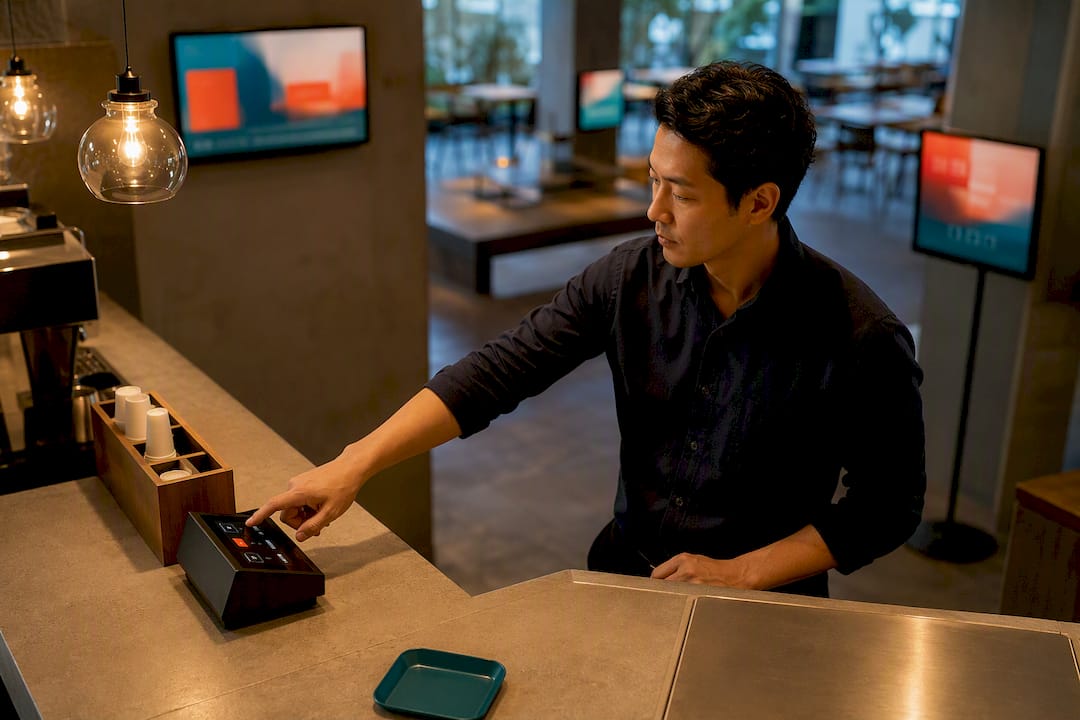
Content frequency for screens should follow one formula: refresh frequency equals audience return rate times effective frequency, where effective frequency usually falls between three and seven exposures. If your regulars pass the screen daily, update several times a day. If they pass weekly, weekly updates cover it. Everything else, from menu boards to lobby displays, is a variation on that math.
TL;DR:
Updating content every 1 to 3 days is optimal for retail environments with fast customer turnover, while menus should refresh daily for specials but maintain core stability for weeks.
Content automation through live feeds and prebuilt templates is essential for maintaining higher refresh frequencies without overwhelming staff or technical resources.
Effective frequency, generally between three and seven exposures, guides the optimal update interval based on audience return rates and dwell time.
Seasonal events justify temporary increases in update cadence, even in typically low-frequency settings like lobbies, due to the short shelf life of promotional content.
Monitoring engagement metrics over two to three months allows for data-driven adjustments, avoiding the pitfalls of making changes based on short-term fluctuations or assumptions.
Table of Contents
What Is the Right Content Frequency for Screens by Setting?
The formula above gives you the math, but the practical ranges below save you the calculation for the settings you manage every day. Each range is built around typical audience return rate and dwell time for that location, not a generic industry average.
Retail floors: Update every 1 to 3 days. Shoppers cycle through fast, dwell time is short, and promotional content needs to feel current without daily rebuilding.
Menu boards: Update daily for specials, but keep the core menu stable for weeks. Regulars notice when prices or items look stale, and rotating specials keeps the board feeling alive.
Lobbies and waiting areas: Update weekly to biweekly. Visitors here often see the screen once and rarely return within days, so effective frequency builds slowly.
Transit and high-traffic corridors: Update multiple times per day. Foot traffic is constant and largely new, so content needs to work in a single short exposure.
Corporate offices: Update 2 to 3 times per week. Employees see the screen daily, but internal announcements and metrics don’t change fast enough to justify hourly swaps.
Events: Update hourly or in real time. Schedules, sponsor shoutouts, and wayfinding all shift throughout the day, and stale event content reads as a mistake, not a style choice.
Seasonal spikes and one-off promotions are the exception to every range above. A holiday sale or a flash event justifies a temporary jump in cadence, even in a low-traffic lobby, because the content itself has a shelf life measured in days, not weeks.
How Do You Calculate the Right Refresh Cadence?
Four variables drive the decision: audience return rate, dwell time, effective frequency, and what your team can actually operate. Nail these down before you commit to a schedule.
Estimate audience return rate (ARR). Use transaction counts for retail, entries per hour for lobbies, or shift cycles for workplaces. A gym with members visiting three times a week has a very different ARR than a coffee shop with daily regulars.
Apply effective frequency. Research on exposure and recall generally points to three to seven exposures before a message actually sticks. Fewer than three and the message barely registers; more than seven and you risk fatigue.
Run the formula. Refresh frequency = ARR × effective frequency. A daily-return audience needing four exposures might warrant a new message every two to three days, while a weekly-return crowd needing the same four exposures could run the same content for a month.
Check it against your budget and staffing. Human capital is usually the biggest cost in keeping screens fresh, and a cadence your team can’t sustain is worse than a slower one you can actually maintain.
What’s the Best Way to Schedule and Automate Updates?
Dayparting and playlists turn a frequency target into a repeatable operation instead of a manual scramble. Dayparting means splitting your day into blocks (morning, lunch, evening) and assigning different playlists to each, so a coffee shop can run breakfast specials until 10 a.m. and switch to lunch content automatically. Playlists group related assets so you swap one block of content instead of rebuilding a screen from scratch.
Grouping screens matters just as much as scheduling within a single screen. A multi-location brand might sync pricing and brand messaging across every screen while letting local managers swap in location-specific promotions, a balance multi-location networks handle through shared templates with local override slots.
Automation is what makes higher frequency sustainable rather than exhausting. Live feeds (weather, pricing, social proof) and data-driven templates update themselves, cutting the manual workload that causes content to stagnate in the first place.
Build a monthly calendar before the month starts, not week by week.
Name assets consistently (date, location, campaign) so nothing gets played out of order.
Set a review checkpoint every two weeks to catch outdated pricing or expired promotions.
Assign one approver per screen group to avoid duplicate or conflicting updates.
Pro Tip: Build one “emergency override” playlist slot per screen group so a closure notice or last-minute promotion can go live in under a minute, without touching your regular rotation.
How Should Different Content Types Rotate?
Not every piece of content deserves the same lifespan. Promotional content (a weekend sale, a limited menu item) should rotate every few days to match its actual expiration. Evergreen content (brand story, core menu, general wayfinding) can run for weeks or months without feeling stale, since its whole job is to be a reliable backdrop rather than news. Live feeds (pricing, weather, social mentions) refresh themselves and need no manual rotation at all.
Promotional: 2 to 7 days, then retire or replace with the next offer.
Evergreen: 4 to 8 weeks, revisited seasonally.
Live/automated: Continuous, no manual rotation needed.
Sequencing matters too. Stacking three calls to action back to back in one loop causes fatigue fast; space promotional slides between evergreen or live content so viewers aren’t hit with a pitch every single frame. If a promo underperforms after a week, shorten its run. If evergreen content keeps drawing engagement past two months, there’s no rule that says you have to touch it.
How Do You Measure and Adjust Your Cadence Over Time?
Cadence decisions should rest on data, not a gut feeling about what “looks fresh.” Track a small set of KPIs and give each cadence change enough time to show a real pattern.
Track impressions and estimated dwell time to confirm content is actually being seen, not just displayed.
Track QR code or short-link clicks as a direct measure of engagement beyond passive viewing.
Track sales uplift or survey recall where possible, tying screen content to a business outcome.
Run an A/B test: hold one screen group at your current cadence and increase frequency on a matched group, then compare results.
Evaluate over two to three months, or two to six full ARR cycles, since shorter windows rarely reveal a real trend.
Statistic Callout: Content Marketing Institute’s guidance on publishing cadence recommends analyzing behavior for two to three months before changing strategy — a window long enough to separate a real trend from a single busy week.
If engagement climbs with more frequent updates, raise cadence again and retest. If it flattens or dips, pull back before you burn out your team chasing a number that isn’t paying off.
What Should a Screen Content Calendar Actually Include?
A working calendar answers five questions before the month starts: what’s your ARR estimate, what’s the content mix, which slots need automation feeds, who approves changes, and how are files named. Skip any one of these and you’ll spend more time firefighting than updating.
ARR estimate for each screen or screen group
Content mix split by promotional, evergreen, and live feed
Time slots mapped to dayparting rules
Automation feeds identified (weather, pricing, social)
Approval workflow with one named owner per group
Consistent asset naming convention
Venue type | Sample weekly cadence |
Café (single screen) | Menu specials updated daily, evergreen brand content held for 4 weeks, live weather feed running continuously |
Multi-screen retail store | Promotions updated every 2 to 3 days, price/inventory feed automated, brand and wayfinding content held for 4 to 8 weeks |
Seasonal campaigns and one-off events override this baseline. Build a holiday or launch template in advance so swapping it in doesn’t require rebuilding your whole calendar on short notice.
Why This Framework Holds Up in Practice
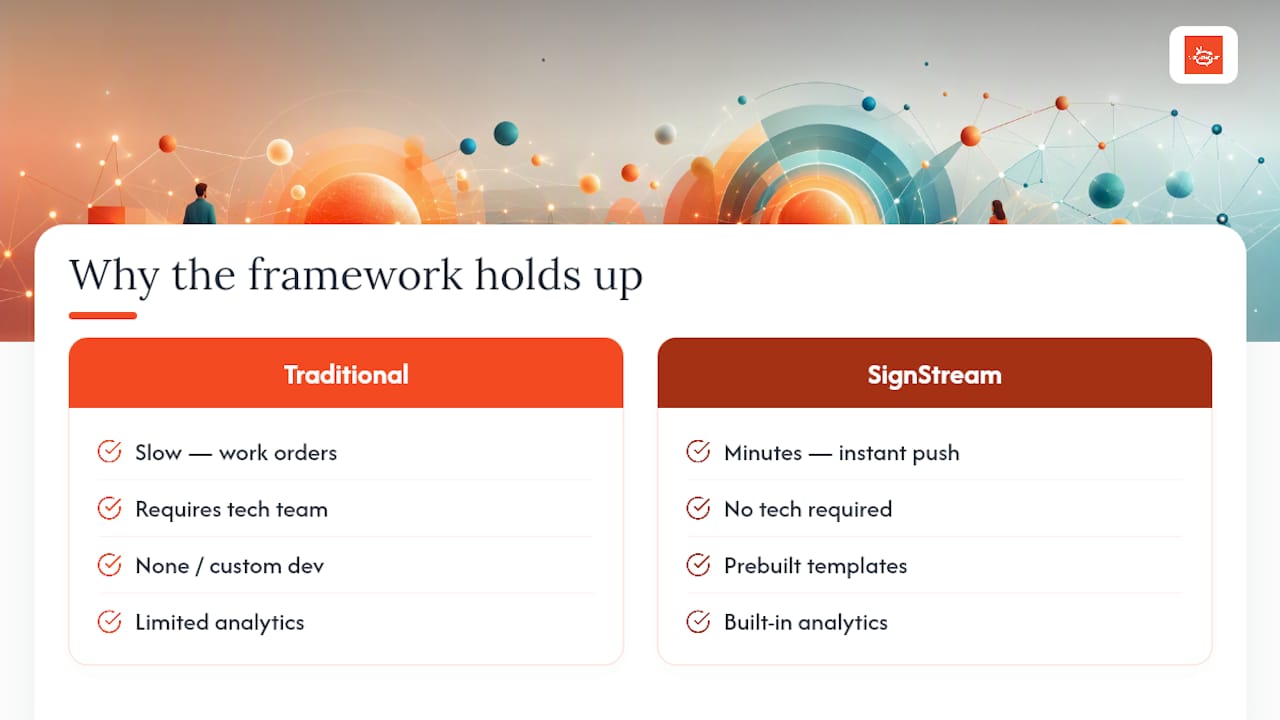
The ARR × effective frequency formula only works if updating content doesn’t require a technical team every time. That’s the operational gap SignStream is built to close: instant updates pushed to unlimited screens from any device, prebuilt templates for fast turnaround, and analytics that show whether a cadence change actually moved the needle.
That kind of lift only happens when updating a screen takes minutes, not a work order. Templates and the ad exchange marketplace cut the human capital cost that normally caps how often teams can realistically refresh content, which is the same constraint the calculation in the decision framework above depends on.
The Trade-Off Nobody Talks About
Chasing the “perfect” cadence number wastes more time than it saves. A slightly slower schedule your team actually sticks to beats an aggressive one that collapses by week three. Measure, adjust, repeat. That beats guessing every time.
— DKS
Keep Screens Fresh Without Adding to Your Workload
SignStream is built for exactly the operational gap this article keeps circling back to: frequent updates without a technical team on standby. You get instant multi-screen updates from any device, ready-made templates, built-in analytics to track whether your new cadence is actually working, and an ad exchange marketplace that turns your screens into a revenue line instead of just a cost.

Plans run through SignStream Network and Custom Channel pricing, starting at $10 per month per channel with unlimited screens included at no extra charge. If you’d rather talk through your specific setup first, whether that’s a single café screen or a multi-location retail network, book a free consult and get a cadence plan built around your actual audience return rate.
Sources
FAQ
Is a Faster Refresh Rate Always Better for Screens?
No. Faster refreshes only help when your audience actually returns often enough to see the new content within the effective frequency window. Update too fast for a low-return audience like a lobby, and you waste effort on messages nobody sees twice.
How Often Should I Update Menu Boards Specifically?
Update daily-changing items like specials each day, but keep the core menu stable for weeks so regulars can rely on it. This matches the dayparting approach many restaurants use to swap breakfast and lunch content automatically.
What Is Effective Frequency and Why Does It Matter?
Effective frequency is the number of times someone typically needs to see a message before it registers, usually three to seven exposures. It matters because it turns a vague “update more often” instinct into a specific number you can plug into a cadence formula.
How Much Does SignStream Cost for Managing Screen Content?
SignStream’s Signstream Network plan runs $10 per month per channel, and the Custom Channel plan runs $105 per month per channel, with unlimited screens supported at no extra charge. Full plan details are on the SignStream pricing page.
How Long Should I Test a New Content Frequency Before Judging It?
Give any cadence change two to three months, or two to six full audience return cycles, before deciding whether it worked. Shorter windows tend to reflect a single unusual week rather than a real trend.
Recommended
Comments