

Ways Screens Enforce Brand Standards Across Franchises
- sbgerus
- 2 days ago
- 8 min read
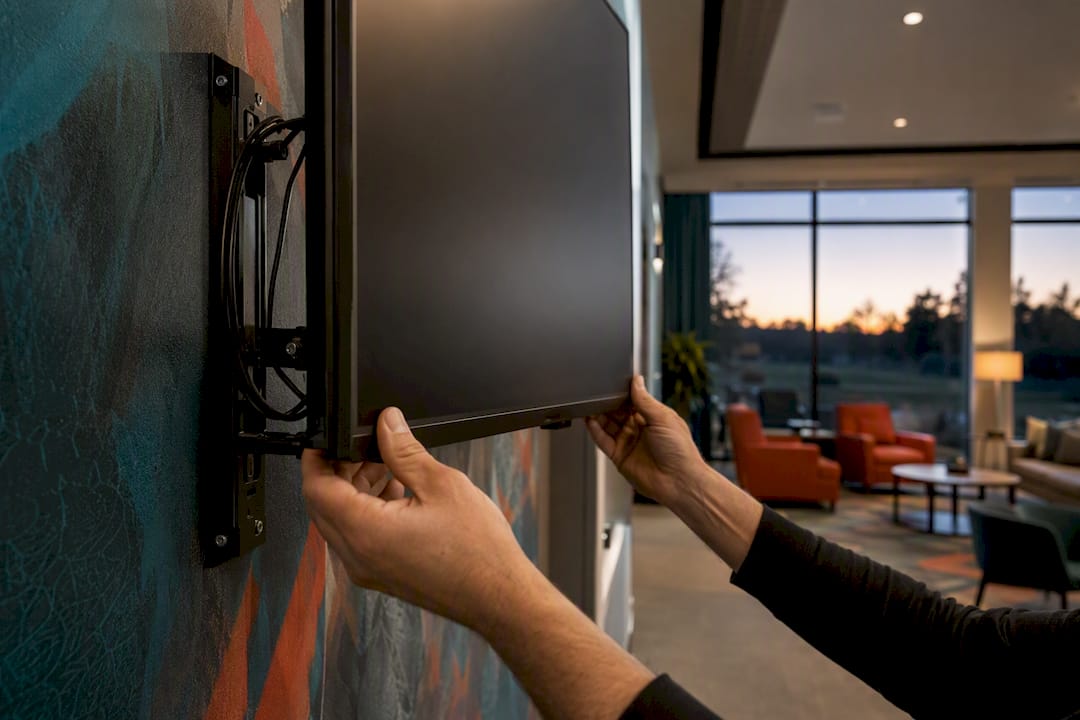
Screens enforce franchise brand standards through five connected controls: locked templates, role-based permissions, centralized scheduling, device health monitoring, and analytics that flag drift before it spreads. Together, these turn every screen in the network into an extension of one approved source, not a hundred separate decisions made by a hundred separate managers.
The mechanics work like this:
Locked templates protect fonts, colors, and logo placement from local editing.
Local content zones let franchisees adjust a daily special or class schedule without touching the master layout.
Role-based approvals route anything new through corporate before it airs.
Scheduled pushes guarantee the right message appears in the right region at the right hour.
Device monitoring and audit logs catch outages and off-brand edits automatically.
SignStream, for one, delivers instant multi-screen updates from any device, which is what makes a centralized CMS actually usable at franchise scale rather than a theoretical ideal.
Key Takeaways
Franchise brand consistency depends on locked templates, role-based approvals, and device monitoring working together, not any single control alone.
Point | Details |
Lock the brand layer | Fonts, colors, and logo placement stay non-editable while local zones handle daily specials or schedules. |
Route approvals by role | Only authorized staff publish new content; routine approvals typically clear within 24 hours. |
Pilot before full rollout | Run 3 to 5 sites for 4 to 8 weeks and track uptime and compliance before scaling in waves. |
Monitor and measure continuously | Daily health dashboards and weekly compliance reports catch drift before it spreads network-wide. |
Choose a platform built for this | SignStream combines template locking, instant multi-screen updates, and analytics in one interface. |
Table of Contents
Who Owns Brand Compliance Across Corporate and Franchise Teams?
How Do You Roll Out Screen Standards Across a Franchise Network?
What Keeps Hardware and Connectivity From Breaking Brand Consistency?
Can Franchise Screens Generate Revenue Without Breaking Brand Rules?
Why SignStream Fits the Franchise Brand Enforcement Playbook
What Technical Controls Actually Keep Screens On-Brand?
Brand consistency on a screen network isn’t a policy problem. It’s a permissions problem, and it gets solved at the template layer before a single piece of content ever gets scheduled.
Locked templates and design tokens are the foundation. Fonts, colors, logo placement, and layout proportions get built as a non-editable brand layer, so a franchisee can’t accidentally swap the wrong red for the wrong orange or stretch a logo out of proportion. A layered approach, brand layer locked, local zone open, closes the gap between what headquarters designs and what actually shows up on a branch screen, according to Khazina’s analysis of franchise signage control.
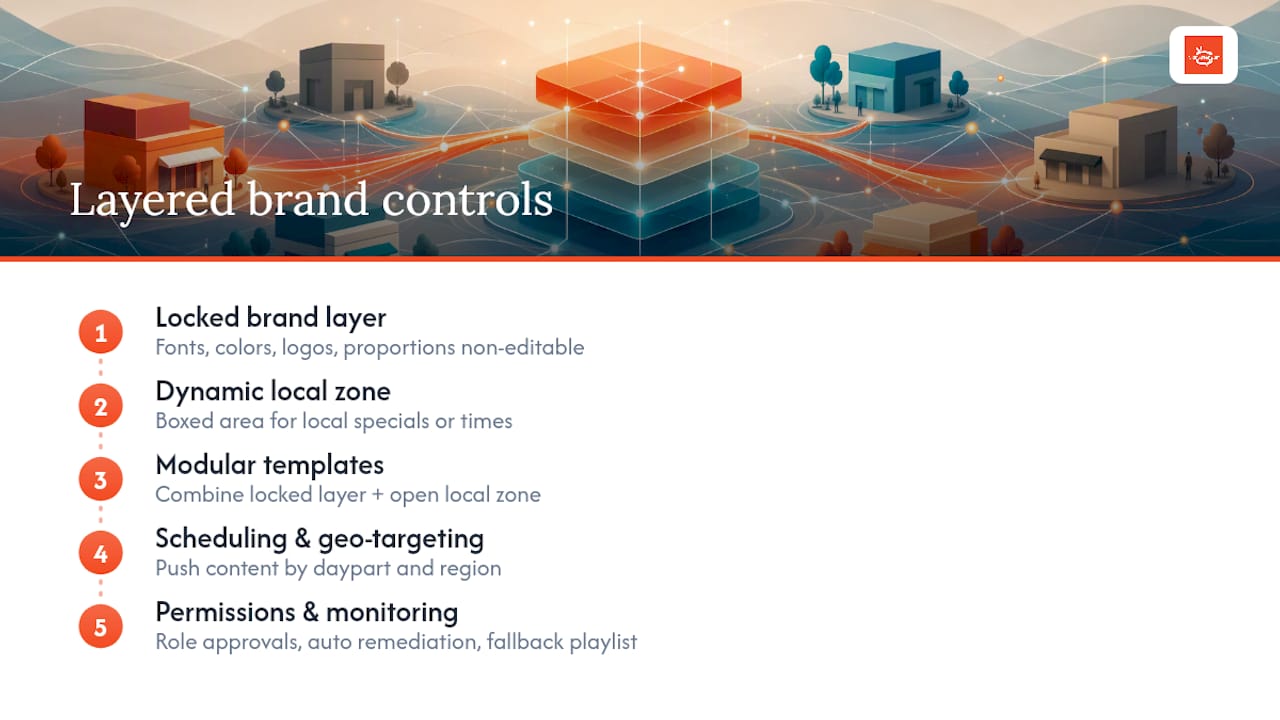
Dynamic local zones solve the opposite problem: total rigidity. A single boxed-off area on the template lets a location post today’s class times or a lunch special without ever touching the master layout. This is how modular templates support both brand and local relevance at the same time.
Scheduling and geo-targeting push different content by daypart and by region. Menu-board platforms that connect to point-of-sale systems, for instance, can update pricing and regulatory content instantly and surface high-margin items exactly when they sell best.
Role-based permissions decide who can publish what. A regional marketer might approve promotions; only a corporate brand admin touches the locked layer.
Device monitoring rounds it out. Automated remediation, forced reboots, fallback playlists when a screen drops offline, keeps a blank or frozen screen from becoming the brand’s worst advertisement.

Pro Tip: Build your fallback playlist before launch, not after your first outage. A screen that quietly reverts to approved evergreen content beats a black screen every time, and it buys your team time to fix the real issue.
Who Owns Brand Compliance Across Corporate and Franchise Teams?
Technology only holds the line if the people using it know their role. A working governance model needs five clear seats: the brand owner sets the master template, a regional manager oversees a cluster of sites, a franchise manager runs day-to-day content, a content approver signs off before anything goes live, and IT or a signage administrator manages devices and access.
A typical approval flow runs:
Franchisee drafts content in the local zone.
Corporate reviewer checks it against brand rules.
Approved content is scheduled for push.
Content goes live with a timestamped audit trail.
Most networks turn this around in under 24 hours for routine updates. Urgent local promotions need a separate fast-track lane, usually a named regional approver who can clear time-sensitive content without waiting on the full review queue.
Every new location needs a short onboarding packet before their screens go live:
Quick-edit guide for the local zone
List of escalation contacts by issue type
Brand template reference sheet
Device troubleshooting steps
How Do You Roll Out Screen Standards Across a Franchise Network?
Skipping the pilot is the single most common rollout mistake. A pilot surfaces template bugs, training gaps, and hardware quirks while the stakes are still low.
Select 3 to 5 pilot sites that represent your typical location profile, not your best-performing one.
Define success metrics upfront, screen uptime, template compliance rate, and approval turnaround time.
Build and lock templates, then train local staff on the local-zone workflow.
Run the pilot for 4 to 8 weeks, collecting uptime and compliance data daily.
Hold a Go/No-Go review before touching the wider network.
Full rollout typically happens in waves of 2 to 4 weeks per region, depending on network size and how standardized your hardware already is. Moving to a centralized CMS paired with hardware standardization is what prevents the messaging drift that shows up once you scale past a handful of sites.
Before calling a wave complete, run these checks:
Template lock holds under real editing attempts
Local-zone edits publish correctly without breaking layout
Scheduled content fires at the right time in the right region
Device health dashboard shows the wave at full uptime
What KPIs Prove Franchise Screens Are Actually Compliant?
You can’t manage what you don’t measure, and screen compliance is no exception. Five numbers matter most: screen uptime, the percentage of screens currently showing approved content, average approval-to-publish time, local-zone usage rate, and content performance, engagement or a measurable sales lift tied to a campaign.
A workable reporting cadence looks like this:
Daily: automated health dashboard for uptime and connectivity
Weekly: compliance report showing which screens ran off-template or off-schedule content
Monthly: full audit trail export for legal or franchise-agreement review
Automated alerts do the enforcement work in real time. An SMS or email fires the moment a screen goes offline or someone attempts an edit outside the approved zone, and that flagged event lands in the audit log automatically. Tying these compliance KPIs directly to franchise performance reviews turns screen standards from an abstract policy into something with real accountability behind it.
What Keeps Hardware and Connectivity From Breaking Brand Consistency?
Standards fail on hardware just as often as they fail on content. Mismatched brightness, wrong aspect ratios, and unapproved mounts create visible inconsistency even when every template is locked correctly.
Standardize brightness, aspect ratio, and mounts across every location.
Set up local caching so a fallback playlist runs during a connectivity drop.
Enable remote reboot so field issues get fixed without a truck roll.
Apply least-privilege access to every CMS account tied to a device.
Schedule firmware updates instead of running them reactively.
Pro Tip: Treat screen hardware like point-of-sale equipment, not decor. A certified mount and a consistent panel spec prevents the slow visual drift that happens when three locations quietly buy three different TVs over five years.
Can Franchise Screens Generate Revenue Without Breaking Brand Rules?
A locked template doesn’t have to mean zero flexibility for revenue. Reserved, brand-safe ad slots inside the template let corporate run a marketplace for cross-promotion while every visual rule stays intact.
Reserve one slot inside the template for approved third-party or cross-promotion creative.
Let franchisees sell limited local inventory inside their locked local zone only.
Set creative sizing and approval windows so nothing skips brand review.
Track ad performance against the same dashboard used for compliance reporting.
A single local ad slot running a few local business promotions a month can meaningfully offset a location’s subscription cost.
Pro Tip: Price local ad inventory low enough that nearby businesses say yes fast. Volume across many screens beats a handful of expensive slots nobody buys.
Why SignStream Fits the Franchise Brand Enforcement Playbook
Every control covered above maps directly onto SignStream’s feature set: locked templates, editable local zones, role-based permissions, instant multi-screen updates from any device, device health monitoring, performance analytics, and an ad-exchange marketplace for local monetization.
One SignStream client recorded a notable rise in class attendance after rolling out the platform, evidence that aligning scheduling and messaging with real operations moves an actual business metric, not just a screen count.
The platform runs on a no-technical-expertise interface, so a franchise manager can push an update without filing an IT ticket, and it supports unlimited screens without added per-screen fees. SignStream’s own guidance on managing signage across franchises walks through pilot design in more depth.
Before signing with any vendor, ask these questions:
Can non-technical staff push updates without support tickets?
Are template locks enforced at the platform level, not just by policy?
Does the analytics suite tie compliance data to performance data?
Is there a monetization path built in, or is that a separate integration?
SignStream answers yes to all four, which is precisely the combination franchise operators tend to struggle to find in one place.
A note on what actually holds up in the field
Locked templates and role-based approvals matter more than any style guide franchise operators typically hand out. Documents get ignored under deadline pressure. A system that physically prevents an off-brand edit doesn’t have that problem, which is the real reason technical controls outperform policy enforcement in this space.
Get Hands-On Help Rolling Out Franchise-Ready Screens
Reading a playbook and running one across 40 locations are two different jobs. SignStream’s on-site consultation closes that gap by putting a real rollout plan, not a generic template, in front of your team before you spend a dollar on hardware.

A first meeting with SignStream typically covers what a pilot needs to succeed and how to scale it once the numbers hold up. During a consult, expect the team to walk through:
Locking your brand template and setting up sample local zones
Configuring device monitoring and fallback playlists
Mapping your approval workflow to roles you already have on staff
Sketching a realistic pilot-to-rollout timeline for your network size
If you would rather start with a lower-commitment conversation first, SignStream’s free consult covers the same ground at no cost and gives you a clear read on what implementation would actually involve before you commit to anything.
Frequently Asked Questions
What are the main ways screens enforce brand standards for franchises?
Screens enforce standards through locked templates, role-based approval workflows, centralized scheduling, device health monitoring, and analytics that flag off-brand or offline screens before they damage the customer experience.
How long does a franchise digital signage rollout usually take?
A pilot runs 4 to 8 weeks across a small set of representative sites. Full network rollout typically happens in regional waves of 2 to 4 weeks each, depending on network size and hardware standardization.
Can franchisees edit their own screen content?
Yes, within a locked local zone. The brand layer, fonts, colors, and logo, stays fixed, while franchisees update approved fields like daily specials or class times.
Do digital screens need to generate revenue to be worth the cost?
Not necessarily, but a reserved local ad slot inside a locked template can offset subscription costs through cross-promotion with nearby businesses, without touching any brand-controlled element.
What should a franchise ask a signage vendor before signing?
Ask whether non-technical staff can push updates without support tickets, whether template locks are enforced at the platform level, and whether analytics tie compliance data to actual performance metrics.
Sources
Recommended
Comments