

What Does Point-of-Sale Screen Content Mean in 2026?
- sbgerus
- 2 hours ago
- 6 min read

What does point-of-sale screen content mean?
Point-of-sale screen content is everything a customer sees on the checkout display during a transaction: scanned items, running totals, taxes, payment prompts, receipt choices, loyalty points, and promotional messages. It sits at the intersection of operational transparency and real-time marketing, making it one of the most valuable pieces of retail real estate you control.
A customer-facing display shows shoppers each item as it is scanned, the subtotal as it adjusts, and the final total before payment, so there are no surprises at the register. That visibility alone reduces pricing disputes and builds the kind of trust that keeps customers coming back.
The core elements typically shown on a POS screen include:
Itemized cart details with quantities, variants, and individual prices
Discounts and coupons applied in real time
Taxes and fees broken out before payment
Payment method prompts (tap, chip, swipe, or touchscreen selection)
Receipt options (paper, SMS, or email)
Loyalty program updates showing points earned and rewards available
Tip prompts for service-oriented retail environments
Upsell and promotional messages during idle or between-step moments
How POS screens differ from point-of-purchase displays
The terms “point of sale” and “point of purchase” get used interchangeably, but they describe different things. Understanding the gap helps you deploy the right content in the right place.
Point of sale (POS) refers to the checkout interaction itself, including the terminal, the transaction system, and the customer-facing screen. Everything on a POS screen supports or enhances the act of paying.
Point of purchase (POP) covers any promotional display elsewhere in the store, from aisle endcaps to entry signage. POP content drives initial purchase interest before a shopper ever reaches the register.
Key distinctions:
POS screens are limited to checkout counters and lanes; POP displays can appear anywhere in the store
POS content is transactional by nature and must prioritize clarity; POP content is purely promotional
POS screens interact with live transaction data; POP signage is typically static or scheduled
POS marketing must not slow the payment flow; POP displays have no such constraint
Think of POP as the opening pitch and POS as the closing conversation. Both matter, but they serve different moments in the customer journey. For a deeper look at how in-store digital promotions work across both environments, the distinction becomes even clearer.
How POS screens facilitate transactions and improve checkout
The transactional role of a POS screen is straightforward but powerful. POS screens improve checkout efficiency by letting customers confirm orders, select payment methods, and choose receipt formats directly on the display, reducing the number of steps a cashier has to manage.
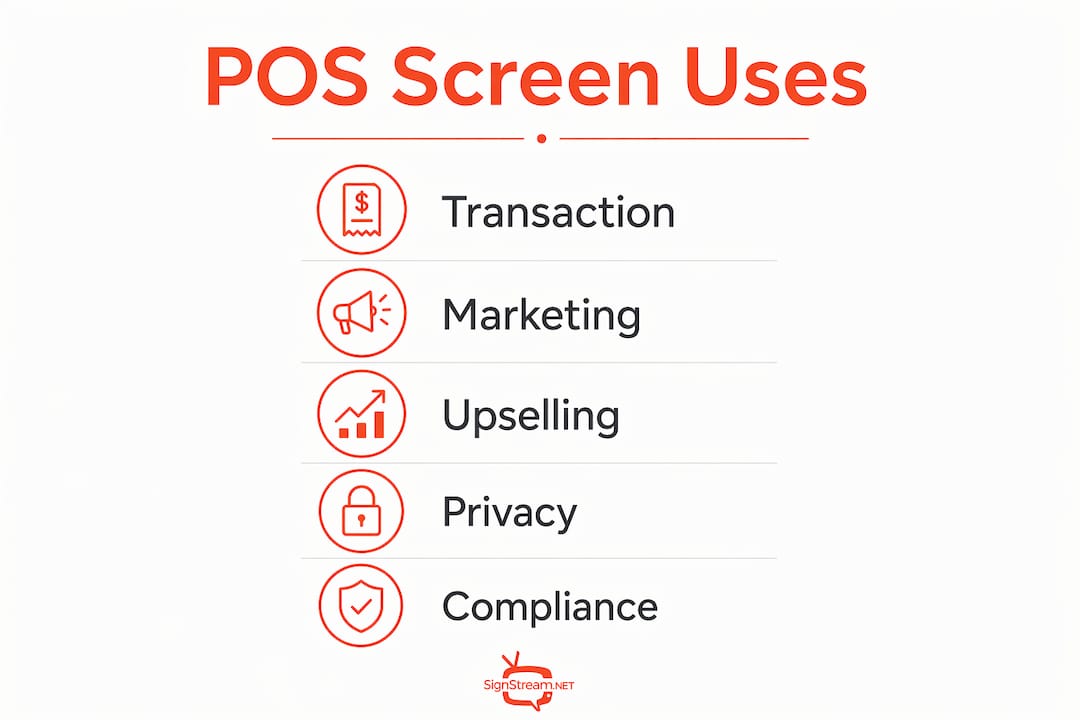
Real-time item visibility is the foundation. As each product is scanned, it appears on the customer screen with its price and any applied discount. The subtotal updates instantly. By the time the cashier hits total, the customer already knows the number.
Operational benefits include:
Fewer pricing disputes because customers see charges as they happen
Reduced chargebacks from misunderstandings about what was billed
Faster checkout because payment and receipt prompts move off the cashier’s screen
Easier onboarding for new cashiers who can use the shared display as a reference
How to use POS screen content for marketing and upselling
Your checkout screen is not just a receipt preview. Dynamic POS screen content tied to live sales data lets you run upsell prompts, limited-time offers, and loyalty messaging that update instantly based on what is actually in the customer’s cart.

The key is balance. Marketing messages belong in the idle moments between transaction steps, not layered over payment prompts where they create confusion or slow things down. Customers who feel rushed or misled at checkout do not come back.
Effective marketing content for POS screens includes:
Automated upsell prompts triggered by cart contents (“Add a drink for $2?”)
Limited-time offer banners shown during idle screen time
Loyalty program messaging showing points earned and next-tier progress
Cross-sell suggestions based on what is already in the cart
Promotional product highlights for new arrivals or bestsellers
Pro Tip: Keep marketing messages to idle screen states only. The moment a payment step begins, the screen should revert to transaction content. Customers who feel the checkout is clear and fast are far more likely to act on a promotion they saw a moment earlier.
Examples of effective POS screen marketing content
The most effective POS screen marketing content works because it feels relevant, not intrusive. Combo deals, loyalty point updates, tip prompts, and bestseller highlights are the formats that consistently perform well at checkout.
A grocery store might show “You saved $4.20 today” after discounts are applied. A coffee shop might display a rotating image of a seasonal drink during the idle screen between customers. A boutique retailer might prompt loyalty members with their current points balance and how close they are to a reward. These are not aggressive sales tactics. They are relevant, timely, and tied to what the customer is already doing.
Content types that drive results:
Combo deal suggestions matched to cart contents
“Customers also bought” cross-sell prompts
Loyalty tier progress bars showing how close a customer is to a reward
Tip prompt screens with preset percentages for service environments
Idle-state promotional slides for new products or seasonal offers
Retail cross-selling through screens works best when the content is specific to the transaction, not generic advertising.
Best practices for implementing POS screen content
Getting POS screen content right starts with hardware decisions, not software. Standardizing your display hardware across locations means faster swaps, consistent performance, and fewer maintenance headaches. Prefer HDMI or DisplayPort connections over USB video outputs. USB video connections introduce driver dependencies that can break after system updates, while HDMI and DisplayPort deliver stable, low-maintenance output.
Content design matters just as much. Use high-contrast text, large fonts, and brand colors consistently. A screen that looks polished reinforces trust at the exact moment a customer is deciding whether to hand over their payment.
Implementation checklist:
Standardize mounts and video connections across all terminals
Pin display drivers to a tested version before rolling out updates
Design content templates that match your brand’s color palette and typography
Integrate your POS software with real-time inventory data for accurate promotions by using warehouse and inventory apps that update your POS content based on current stock and sales
Validate screen behavior after every system reboot or software update
Maintain a 10-minute hardware swap path so a failed display never stalls a lane
Pro Tip: Use a retail promotion checklist to audit your POS screen content quarterly. Outdated promotions on checkout screens erode customer trust faster than no promotion at all.
Legal and privacy considerations for POS screen content
PCI compliance is the most critical legal constraint on POS screen content. PCI PTS certification requires strict control over the screen interface during PIN entry. Third-party UI customization is locked out at that moment, and for good reason: any overlay or custom element during PIN input creates a security risk.
Beyond PCI, privacy considerations apply when POS screens collect customer data through loyalty opt-ins or email capture. You need clear consent language on screen and a privacy policy that covers how that data is stored and used. The FTC’s guidelines on data collection at retail apply here, and state-level laws like the California Consumer Privacy Act (CCPA) add additional requirements for businesses operating in or selling to California residents.
Practical compliance steps:
Never display custom UI elements during PIN entry or sensitive payment steps
Include clear opt-in language for loyalty and email capture on screen
Audit your POS software vendor’s PCI compliance documentation annually
Confirm your content management system does not log or transmit cardholder data
Key Takeaways
Point-of-sale screen content combines transactional transparency and targeted marketing at the checkout counter, and getting both right is what separates a forgettable transaction from a branded customer experience.
Point | Details |
POS screens serve two roles | They display real-time transaction data and deliver marketing messages at checkout. |
Transparency reduces disputes | Showing itemized charges and totals in real time cuts chargebacks and pricing arguments. |
Marketing belongs in idle moments | Upsell and promotional content should appear between transaction steps, never during payment. |
Hardware standardization matters | HDMI or DisplayPort connections and common mounts reduce maintenance and downtime. |
PCI compliance limits customization | Screen UI must revert to secure defaults during PIN entry, with no third-party overlays. |
Why POS screen content deserves more strategic attention than it gets
Most retail managers think about POS screens as a compliance checkbox: show the items, show the total, take the payment. That framing leaves real money on the table. The checkout counter is the one moment in the entire customer journey where you have guaranteed attention. The customer is standing still, looking at your screen, waiting. That is not a transactional moment to get through. It is a branding moment to own.
The businesses that treat POS screen content as a dynamic marketing channel, not a receipt preview, are the ones seeing measurable lifts in average order value and loyalty enrollment. The technology to do this well has never been more accessible. Platforms like Signstream let you update screen content across multiple locations instantly, tie promotions to live sales data, and track what actually drives results. The Signstream platform was built specifically for this kind of real-time, multi-screen content management, without requiring a technical team to run it.
The gap between retailers who use POS screens well and those who do not is not a technology gap. It is an attention gap. The screen is already there. The customer is already looking. The only question is whether your content is worth their attention.
Recommended