

Weather-Triggered Signage: The Real-Time Content Playbook
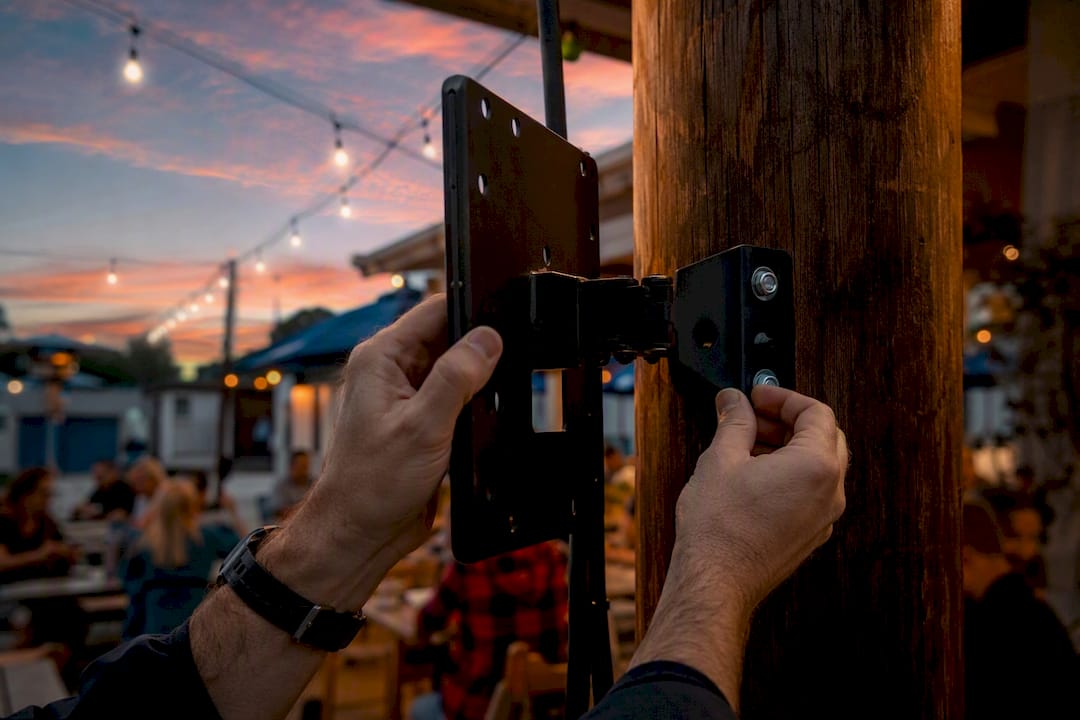
Weather-triggered signage automatically swaps or prioritizes screen content the moment live or forecasted conditions match a rule you set, so a rainy afternoon can push an umbrella promo while a heat wave pulls up iced drinks. The payoff is relevance: content that matches what’s happening outside earns more attention than a static loop ever will. Platforms like Signstream connect a weather feed (embedded widget or API) to your content management system so the right message shows up without anyone touching a screen.
TL;DR:
Weather-triggered signage performs best with specific rules such as below 35°F for hot promos or above 90°F for cooling items, matching local climate patterns.
Update frequency should be tailored to conditions; severe-weather alerts benefit from push updates, while standard use typically relies on 15-minute polling intervals.
Hardware must be outdoor rated with automatic brightness and contrast adjustment, supporting HTML5 and local caching to ensure reliable, visible content during network outages.
Simple rule sets, focusing on critical conditions, outperform complex triggers, and should be tested thoroughly, especially fallback content, before full deployment.
Using APIs provides granularity but requires careful management of thresholds, feed stability, and compliance with data and licensing restrictions.
Table of Contents
How Does Weather-Triggered Signage Actually Work?
Three pieces make this run: a data source, a set of trigger rules, and a content management system that acts on them.
The data source is either an embeddable widget, a full API connection, or a third-party feed built specifically for signage. Widgets from providers like Foreca Display hand you current conditions plus a multi-day forecast in a ready-made layout, often built once your team supplies screen dimensions and location. An API connection gives you raw fields, temperature, precipitation type, wind speed, UV index, and severe weather alerts, that your CMS can evaluate against rules you write yourself.
Trigger logic is where the strategy lives. Many signage platforms handle this through a dedicated weather-triggers module that maps named commands, like “Below Freezing” or “Heat Advisory”, to specific playlists, and those triggered playlists stay live until a new condition fires, as NowSignage’s setup documentation outlines.
Execution happens two ways: your player either polls the feed on a set interval or receives a push/webhook update when conditions change. Polling is simpler but introduces lag; push updates react faster but need more setup.
Fields commonly available: temperature, precipitation type/probability, cloud cover, UV index, wind, and weather alerts
Update frequency matters: 15-minute polling intervals are common for standard retail use; severe-weather triggers benefit from push-based updates
Fallback content should be cached locally so a feed outage never leaves a blank screen
What Trigger Rules Work Best for Retail, Restaurants, and Gyms?
Generic weather content underperforms. Specific, tested trigger rules tied to your business and inventory are what move behavior.
Cold snap below 35°F → push hot beverage or comfort-food promos on restaurant and café screens.
Rain probability above 50% in the next 3 hours → retail screens switch to umbrellas, rain gear, or “shop indoors” messaging.
Heat index above 90°F → gyms and fitness studios promote hydration stations, cooling towels, or shifted class times; retailers push cold drinks and sunscreen.
Air quality or severe weather alert active → transit and transportation displays swap to delay notices and rerouting information.
Clear skies and mild temperature → outdoor patios, golf courses, and tourism boards promote same-day activities and last-minute bookings.
Brightness itself can act as a trigger. Sunny conditions call for higher contrast and brightness to stay legible against glare, while overcast or evening hours call for dimmer, calmer palettes, a pattern documented in platform guidance on weather-tagged content that pairs brightness rules with condition-based swaps.
Different verticals lean on different triggers. Restaurants respond well to temperature-driven menu pushes, as covered in Signstream’s restaurant signage guide. Gyms benefit from heat and air-quality triggers tied to class scheduling. Transit and transportation networks lean almost entirely on alerts and precipitation.

Pro Tip: Time your triggers to forecast windows, not just current conditions. A 2 to 6 hour forecast window gives customers enough lead time to act on a promo before the weather actually arrives, a timing strategy Visual Crossing’s guide to weather-triggered advertising recommends for maximizing response.
How Do You Set Up Weather Triggers Step by Step?
Getting from concept to a live screen takes fewer steps than most teams expect, but skipping the testing phase is where deployments break.
Choosing your feed:
Embeddable widgets are the faster path. No developer required, branding options vary by provider, and turnaround can be a matter of days rather than weeks, as vendors like DS-Weather demonstrate with templates ready for standard HD and 4K zones.
API integration costs more setup time upfront but gives you granular control over thresholds, combined conditions, and custom fallback logic, better suited to enterprise rollouts across many locations.
CMS configuration flow:
Create named trigger commands (e.g., “Freeze Warning,” “Heavy Rain”) tied to specific condition thresholds.
Build trigger groups that bundle related commands and assign them to playlists.
Assign screens or screen groups to each trigger group, by location if you operate multiple sites.
Map fallback playlists so screens revert to standard content the moment a triggered condition clears.
Testing before launch:
Simulate each threshold manually to confirm the correct playlist fires.
Force a feed outage to confirm fallback content displays instead of a blank or frozen screen.
Check rollback timing: how fast does the screen return to normal content once conditions clear?
If you’re using an API key, store it server-side, rotate it periodically, and never expose it in client-facing embed code. Location data used to localize forecasts should be limited to what the trigger actually needs, nothing more.
What Hardware and Display Settings Do Weather Triggers Need?
Weather-triggered content is only as good as the screen displaying it, and outdoor deployments carry constraints indoor screens never face.
Outdoor-rated displays need weatherproof housing, anti-glare coating, and an operating temperature range wide enough for your climate; a screen that can’t survive the weather it’s advertising defeats the purpose. Brightness and contrast should scale automatically with ambient light, direct sun calls for significantly higher nit output than an overcast afternoon, and pairing that adjustment with your weather trigger prevents washed-out or unreadable content.
Your player also needs specific capabilities:
HTML5 support for widget-based feeds and animated weather graphics
Local caching so recent content survives a dropped connection
Defined offline behavior, ideally cached content, not a black screen, when the network fails
Enough processing headroom to handle frequent playlist swaps without lag
At scale, per-location overrides matter. A single national trigger rule ignores the fact that “cold” means something different in Minneapolis than in Miami. Geo-targeting lets each location apply its own thresholds against the same rule set. The Digital Signage Federation publishes broader installation and accessibility guidance worth reviewing before finalizing hardware specs, and partners like A3M’s display solutions are a useful reference point for outdoor hardware selection.
Does Weather-Triggered Signage Actually Improve Engagement?
Proving impact means isolating the weather variable from everything else running on your screens.
Track dwell time, promo redemption rates, and, where your POS integration allows it, sales lift on triggered items versus the same items during scheduled (non-triggered) periods. Run an A/B structure: half your locations get weather triggers, half keep standard scheduling, over a comparable multi-week window to smooth out day-to-day noise.
Signstream clients have reported a notable rise in class attendance after switching to dynamic, real-time content, a result that reflects what relevant, timely screen content can do when it replaces a static loop.
Attribution has limits. Weather triggers rarely act alone, they layer on top of email, social, and in-store promotion, so treat screen-level metrics as one input in a broader read on what moved the needle.
What Does Weather-Triggered Signage Look Like With Signstream?
Signstream’s cloud-based platform pushes trigger-based content to any number of screens instantly, from any device, without a technician on-site. That real-time control is exactly what weather-based rules need, since the value of a trigger disappears if the update takes an hour to reach the screen.
Capabilities that matter most for weather-triggered deployments:
Real-time content updates across unlimited screens, no per-screen licensing penalty for scaling up
Custom channel and playlist management, so trigger groups map cleanly to specific screen sets
Built-in analytics to track which triggered content actually drives engagement
An ad exchange marketplace letting locations cross-promote or monetize screen time between trigger events
One elite sports club client saw a 25% rise in class attendance after adopting Signstream’s dynamic content approach, a proof point that the platform’s meeting room and screen network capabilities are built to support at scale. Teams moving fastest tend to start with a small template library, roll out to one location group first, and expand once analytics confirm which trigger rules are actually earning attention.
Do You Need Consent to Use Weather and Location Data on Signage?
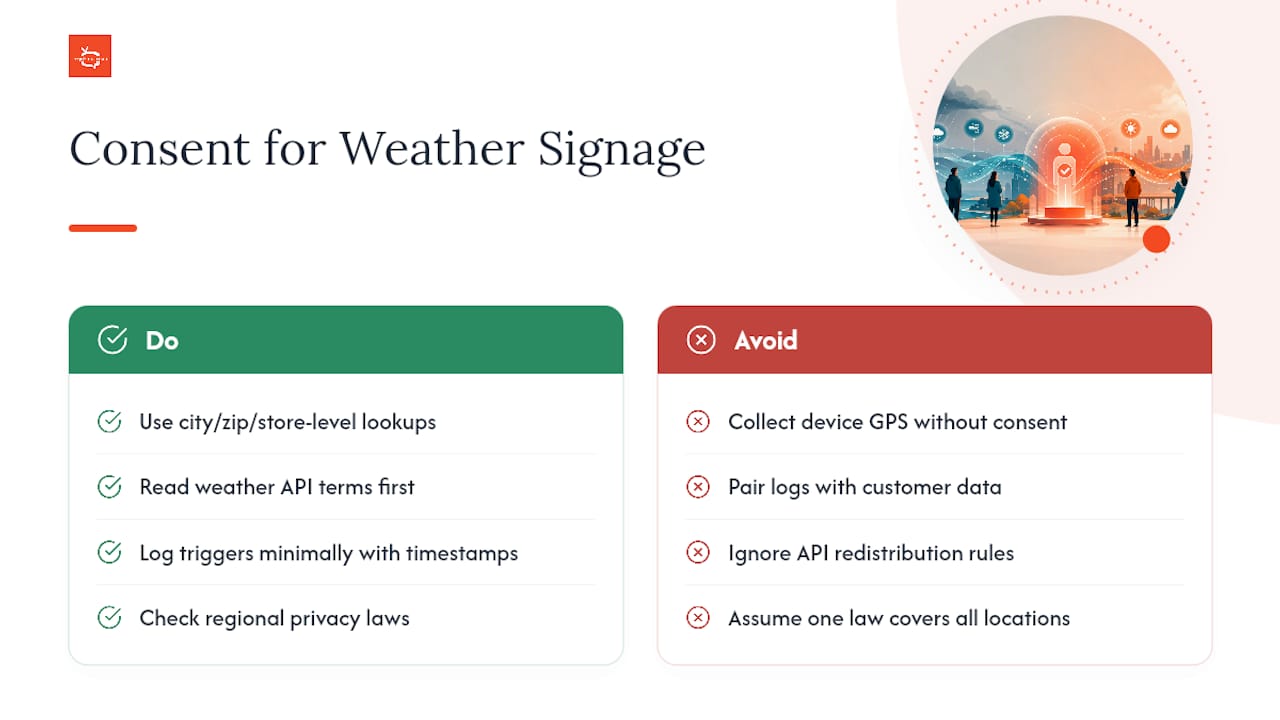
Weather-triggered signage typically relies on general location data, a city, zip code, or store address, rather than tracking individual visitors, which keeps most deployments outside the stricter consumer-privacy rules that apply to personal data collection. Still, a few precautions matter.
If your setup pulls location from a device (a kiosk with GPS, or a mobile companion app tied to the signage), that’s personal data under most state privacy laws, and you’ll need a clear disclosure and, in some cases, explicit consent before using it. Store-level or zip-code-level weather lookups tied to a fixed screen location generally don’t trigger the same obligations, since no individual is being identified or tracked.
API terms of service deserve a read before you build around them. Some weather data providers restrict commercial redistribution, cap request volume, or require attribution on-screen. Violating those terms risks losing access mid-deployment, which is worse than never integrating the feed at all.
Data retention is worth a policy decision even when it’s not legally required. Logging every trigger event with a timestamp and location is useful for measurement, but keep that log lean and avoid pairing it with any customer-level data unless you have a specific, disclosed reason to.
If your signage network spans multiple states or countries, check whether any location falls under stricter regional rules (some EU member states and a handful of US states have broader definitions of what counts as personal data). When in doubt, treat weather-signage data the same way you’d treat any operational log: store what you need, discard what you don’t, and disclose what you collect if there’s any chance it touches an identifiable person.
Why Do Weather Triggers Stop Firing, and How Do You Fix It?
Most weather-trigger failures trace back to one of four causes, and none of them require a developer to diagnose.
Feed authentication expired. API keys and embed tokens sometimes expire or get rotated without notice. If every screen on a trigger group suddenly reverts to fallback content simultaneously, check your feed credentials first.
Trigger thresholds never actually fire. A rule set to “below 20°F” in a region that rarely drops that low will sit dormant for months, look broken, but simply not be doing what it’s supposed to. Review your thresholds against your local climate patterns at least once a season.
Caching masks a live outage. Fallback content is supposed to be a safety net, not a permanent state. If a screen has displayed the same fallback for days, the live feed connection likely broke and nobody caught it because the fallback looked intentional.
Playlist conflicts. When two trigger groups target the same screen with overlapping conditions (say, a rain trigger and a temperature trigger firing at once), whichever rule your CMS prioritizes wins, and the other simply won’t display. Audit overlapping conditions before adding a new trigger to an existing screen group.
A basic maintenance routine, checking feed status weekly, reviewing trigger logs monthly, and testing fallback content each season, catches most of this before customers ever notice a stale screen. Common signage procurement mistakes, including feed and CMS mismatches, are covered in more depth in this breakdown of platform selection errors.
Our Take: Stop Overbuilding and Start With Three Rules
Most weather-signage advice pushes toward complexity: dozens of trigger combinations, granular per-location overrides, elaborate testing matrices before anything goes live. That instinct is backwards. The research on weather-triggered advertising consistently favors simple, forecast-aligned rules over exhaustive condition trees, and the operators who see real engagement lifts are usually running three or four well-chosen triggers, not thirty.
Start with the conditions that hit your business hardest, cold snaps for a café, rain for a retailer, heat for a gym, and get those live before building anything more elaborate. Test fallback content harder than you test the triggers themselves; a broken trigger is a minor annoyance, but a blank screen during a feed outage undermines the entire premise of dynamic content.
The conventional wisdom oversells the data source and undersells the workflow. An API with fifteen fields is worthless if your CMS can’t push updates fast enough to matter, and a $19 monthly widget beats a poorly configured enterprise API every time. Get the trigger logic and fallback behavior right first. Everything else is a feed swap away from working.
— DKS
Ready to Put Weather Triggers on Your Screens?
Signstream turns the setup described above into something you configure yourself in minutes, not something you wait weeks for a developer to build. Real-time updates across unlimited screens mean your weather-triggered playlists go live the moment conditions change, no per-screen fees, no technician visit required.

A free consult is the fastest way to figure out which trigger rules fit your locations, what feed option makes sense for your budget, and how fast you could have a proof-of-concept running. If your rollout spans multiple sites or needs hardware validation for outdoor screens, an on-site consultation covers the field survey work directly. Either way, you’ll walk away with a clear scope and timeline, instead of a stack of vendor comparisons to sort through on your own.
Sources
Recommended
Comments