

Signageinfo.com Alternatives for Businesses: 2026 Guide

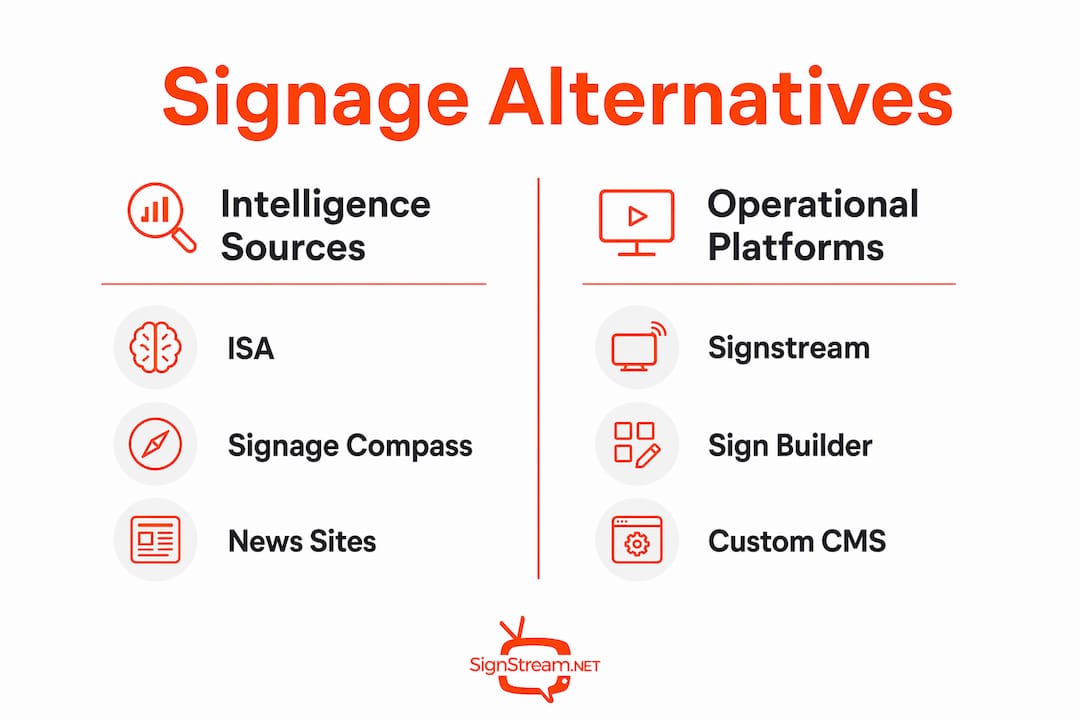
The best signageinfo.com alternatives fall into five clear categories: industry associations like the International Sign Association (ISA), intelligence platforms like Signage Compass, trade publications like Sign Builder Illustrated, design and template resources like VistaPrint, and operational platforms like Signstream. Your choice depends on one question: do you need to stay informed, or do you need to run screens?
For market intelligence: ISA, Signage Compass, and Sign Builder Illustrated
For design and fabrication assets: VistaPrint and Signage Details
For deploying and managing live screens: Signstream
Table of Contents
What signageinfo.com alternatives actually exist?
Signageinfo.com is a news and market-intelligence site covering digital signage, DOOH, and AdTech. When businesses search for signageinfo.com competitors or alternatives, they usually want one of two things: a better source of industry news, or a platform that lets them actually do something with signage. Those are different needs, and the best resource types reflect that split.
“Decision-makers benefit more from platforms that provide continuous vendor monitoring than from static news reports, because the digital-signage market can change weekly.”
Resource Type | Best For | Update Frequency | Templates / Files | Hardware Integration | Analytics & Monetization | Time to Deploy |
Association (ISA) | Standards, networking, education | Monthly/event-driven | Guidance docs | None | None | Days (membership) |
Intelligence Platform (Signage Compass) | Vendor comparison, market tracking | Weekly | None | None | None | Hours |
Trade Publication (Sign Builder Illustrated) | How-to, post-install workflows | Weekly/monthly | Limited | None | None | Hours |
Design/Fabricator Resources (VistaPrint) | Branded templates, print-ready files | On-demand | Yes | None | None | Hours |
Operational CMS (Signstream) | Live screen management, monetization | Real-time | Yes | Full | Full | 30–60 days |
The ISA is the go-to for U.S. businesses that need industry standards and networking. Signage Compass fills the gap for teams that need to track vendor pricing and product updates week to week. Sign Builder Illustrated covers the practical side: installation, maintenance, and the post-install workflows that most news sites skip entirely. VistaPrint’s signage design guides and customizable templates are the fastest path to fabrication-ready assets. Signstream sits in its own category as the only option here that lets you deploy, manage, and monetize screens across multiple locations.
How do you evaluate a signage alternative that actually fits?
Start with the outcome you need. Teams focused on market awareness should prioritize update cadence and vendor-tracking depth. Teams ready to deploy screens should prioritize hardware compatibility and post-install workflow support, because operational success depends on “After The Install” workflows far more than feature lists.
Evaluation checklist:
Update frequency: does the resource publish new content weekly, or is it mostly static?
Vendor monitoring: can you track pricing changes and product updates across multiple suppliers?
Template availability: are fabrication-ready or screen-ready files included?
Hardware compatibility: does the platform support your existing players and operating systems?
Analytics and monetization: can you measure engagement and generate ad revenue from your screens?
Security and data privacy: does the platform meet U.S. data-handling expectations?
Support SLA: what response time is guaranteed if something breaks?
Questions to ask during evaluation:
How often do you publish market or vendor updates?
Do you provide fabrication-ready or screen-ready template files?
Which media players and operating systems do you support?
What does post-install support look like across 5–50 locations?
How do you handle permit-ready documentation for multi-location rollouts?
Pro Tip: Run your evaluation in two weeks, not two months. Week one: audit your current sources and screen inventory. Week two: pilot one platform against your top two criteria. A 14-day audit-to-pilot cycle is enough to make a confident decision.
Avoid the common trap of over-prioritizing feature lists. Hardware-software compatibility is the main determinant of long-term success, especially when you want to avoid proprietary locked media players that limit your options later.
How to move from a news site to running your own signage
The transition follows four steps: Audit → Pilot → Integrate → Scale. Most businesses can complete the first two in under 60 days.
Audit checklist:
Inventory every screen you currently operate or plan to deploy
List your current content sources and vendor subscriptions
Identify permit and documentation requirements for each U.S. location
Note any hardware already in place and confirm OS compatibility
Pilot design:
Select 1–3 locations with high foot traffic for the proof of concept
Define your KPIs upfront: engagement lift, ad revenue generated, and staff time saved on content updates
Test at least two content types (promotional and informational) to compare performance
Confirm hardware compatibility before committing to a full rollout
Scaling considerations:
Prepare permit-ready documentation for each location before you scale; this is one of the most frequently overlooked steps in U.S. multi-location rollouts
Build a maintenance routine into your schedule from day one
Plan for staff training: a platform with mobile and browser control cuts onboarding time significantly
Budget several weeks for a single-location pilot; a longer timeframe for multi-location rollouts.
For teams working with tight budgets, affordable digital signage approaches can reduce pilot costs without sacrificing the data you need to make a scale decision.

Why Signstream stands out as an operational alternative
Signstream is the recommended operational option for businesses ready to move from reading about signage to running it. It is hardware-agnostic, supports unlimited screens at no extra charge, and includes an ad-exchange marketplace that lets you generate revenue from your own displays.
Feature-to-criteria mapping:
Real-time updates: content changes push instantly from any mobile device or browser
Unlimited screens: deploy across as many locations as you need without per-screen fees
Templates: ready-to-use content formats that reduce production time
Smart TV apps: hardware-agnostic deployment on standard consumer and commercial displays
Ad exchange marketplace: cross-promote with local businesses and monetize your screen network
Analytics: track content performance and adjust strategy based on real data
Dynamic QR codes and scheduling: automate time-sensitive promotions without manual intervention
Outcome | Signal | Source |
Class attendance increase | engagement lift post-implementation | Signstream client results |
Screen deployment | Unlimited screens, no extra charge | Signstream platform |
Content control | Real-time updates from any device | Signstream platform |
Revenue potential | Ad exchange marketplace included | Signstream platform |
Signstream directly addresses the pitfalls that Sign Builder Illustrated and Signage Compass consistently flag: post-install workflow gaps, hardware lock-in, and the absence of ongoing market monitoring tools. Its digital signage platform combines the operational depth of an enterprise CMS with the accessibility a gym manager or restaurant owner can use on day one.
Key Takeaways
The most effective approach to signageinfo.com alternatives is to separate your intelligence needs from your operational needs, then match each to the right resource type.
Point | Details |
Separate news from operations | Use ISA and Signage Compass for market intelligence; use an operational CMS to run screens. |
Evaluate hardware compatibility first | Hardware-software fit determines long-term success more than any feature list. |
Pilot before you scale | A short pilot over a few weeks at a small number of locations gives you the data to justify a full rollout. |
Don’t skip post-install planning | Permit-ready documentation and maintenance routines are must-haves for U.S. multi-location deployments. |
Signstream for operational deployment | Signstream offers unlimited screens, real-time updates, and an ad exchange marketplace for businesses ready to deploy. |
The case for combining editorial resources with an operational platform
The businesses that get the most from their signage investments are not the ones that pick the best news site. They are the ones that stay informed and stay operational. ISA membership keeps your team current on U.S. industry standards and connected to a professional network. Signage Compass gives you the vendor-tracking depth to make confident procurement decisions. Sign Builder Illustrated fills in the practical gaps that most editorial sources miss.
But none of those resources puts content on a screen. That is where an operational CMS earns its place. The hybrid approach, using intelligence platforms for ongoing learning and a CMS for execution, reduces risk on both sides. You make better purchasing decisions because you are tracking the market, and you deliver measurable results because your screens are actually running.
One practical note on security: when adopting any cloud-based platform in the U.S., confirm that the vendor’s data-handling practices align with your organization’s privacy requirements before you sign. It is a five-minute check that prevents a significant headache later.
Ready to pilot Signstream for your screens?
If you have been relying on news sites for signage insight and want to see what an operational platform actually delivers, a short Signstream pilot is the lowest-risk next step. Pick 1–3 locations, set a 30–60 day window, and measure three things: engagement lift, time saved on content updates, and any ad revenue generated through the ad display network.

Signstream deploys on unlimited screens with no extra per-screen fees, runs from any mobile device or browser, and includes an ad exchange marketplace so your screens can pay for themselves. Restaurants, gyms, retail locations, and franchise networks have used it to turn idle displays into active revenue drivers. See how it works and start your pilot today.
Useful sources and further reading
International Sign Association (ISA) — U.S. industry standards, events, member resources, and professional networking for sign businesses.
Signage Compass — Independent intelligence platform for vendor comparison and weekly market monitoring.
Sign Builder Illustrated — Practical how-to magazine covering installation, post-install workflows, and maintenance guidance.
VistaPrint Signage Design Guide — Customizable templates and fabrication-ready assets for branded signage production.
Signstream — Cloud-based operational CMS with unlimited screens, real-time updates, ad exchange, and analytics.
Open-source CMS options — GoodFirms list of free and open-source digital signage tools (Screenly OSE, Xibo, Rise Vision, and others) for DIY deployments.
Recommended
Comments