

QR Codes on Screens: A Business Operator's Guide
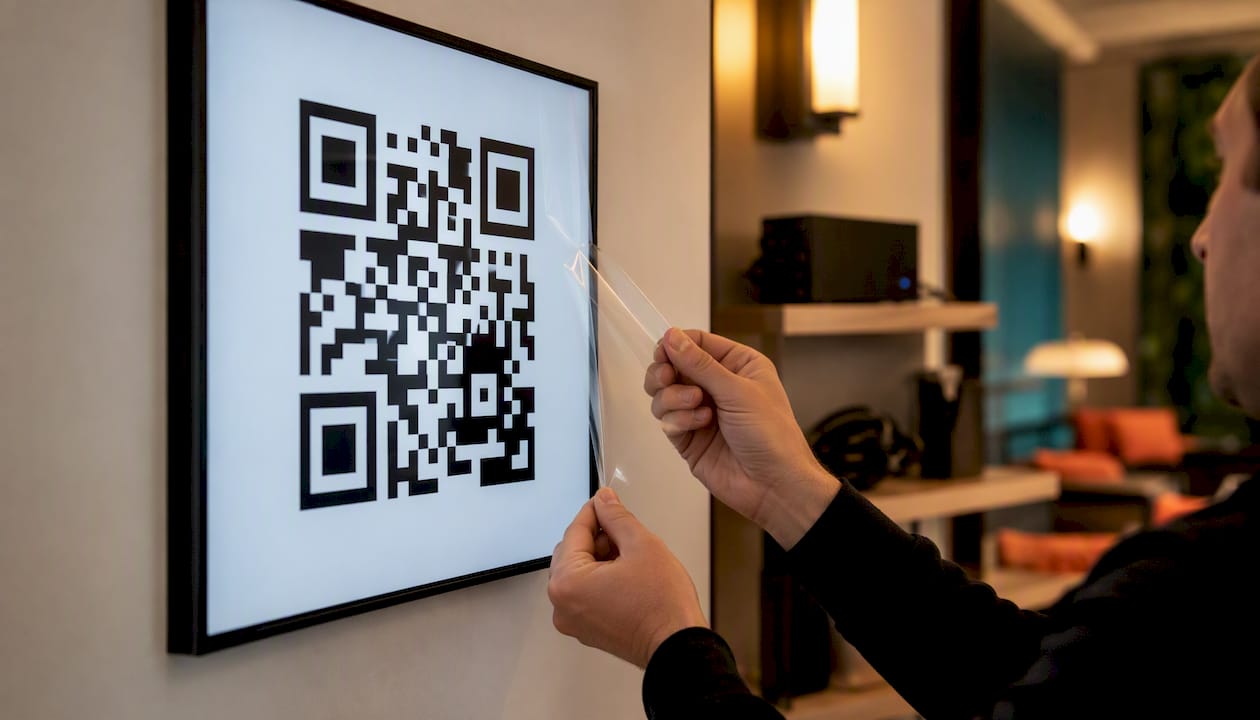
Use dynamic QR codes on your business screens to turn passive viewers into measurable actions — leads, sign-ups, or sales — without ever touching your signage creative again. The formula is straightforward: dynamic codes plus UTM tagging plus a unique coupon or device-level identifier. That combination tells you exactly which screen drove which conversion.
Use dynamic QR codes so you can update destinations from a dashboard without re-uploading graphics to your CMS
Tag every destination URL with utm_source=signage, utm_medium=screen, and a screen_id or location parameter
Assign a unique coupon code per screen or location to tie mobile scans to in-store purchases
Many consumers say they are interested in scanning QR codes on signage — the audience is already primed
Signstream supports dynamic QR workflows, analytics, scheduling, and unlimited-screen deployment across all your locations
Key Takeaways
Dynamic QR codes on business screens, tagged with UTM parameters and unique coupons, are the most reliable way to attribute signage to measurable conversions.
Point | Details |
Choose dynamic over static | Dynamic codes let you update destinations without re-uploading creative to any screen. |
Tag every destination | Use utm_source, utm_medium, and a screen_id parameter on every landing page URL. |
Design for real-world scanning | Display codes for 5–7 seconds minimum; size to 1:10 ratio of viewing distance; export as PNG or SVG. |
Attribute with unique coupons | Generate a unique coupon at scan to tie mobile sessions to in-store purchases without full POS integration. |
Use Signstream for multi-site rollouts | Signstream deploys dynamic QR campaigns to unlimited screens with built-in analytics and scheduling. |
Table of Contents
Why are dynamic QR codes better than static ones for screens?
How do you design mobile landing pages that convert scanners?
How do you track and measure QR engagement from digital signage?
How do you run QR campaigns from your digital signage platform?
Privacy, accessibility, and security for QR code signage in the US
How a sports club increased class attendance with QR code signage
What do you need before displaying QR codes on screens?
Getting this right before launch saves you from chasing broken links and missing attribution data later. Work through this checklist before your first code goes live.
Hardware and display prerequisites:
Screens with at least 1080p resolution (4K preferred for large-format displays)
Ability to render PNG or SVG assets at full native resolution
Stable internet connection for dynamic QR redirect resolution
Software and platform requirements:
A dynamic QR provider or signage platform that supports link editing and scan analytics
A mobile-ready landing page hosted on HTTPS with load times under 3 seconds
A UTM tagging plan with consistent naming conventions across all locations
A coupon system or POS integration to close the attribution loop from scan to purchase
Pro Tip: If you manage multiple sites, use a digital signage platform that lets you bulk-deploy and update QR campaigns from one dashboard — manual screen-by-screen updates do not scale.
Why are dynamic QR codes better than static ones for screens?
A static QR code encodes a fixed URL directly into its pattern. Once it is printed or uploaded, the destination cannot change. A dynamic QR code encodes a short redirect URL. The actual destination lives in a cloud dashboard, so you can update it any time without touching the on-screen image.
For business operators, that distinction is significant. Say you run a gym promotion that links to a January membership offer. With a static code, when February arrives, you re-upload creative to every screen. With a dynamic code, you change the destination URL in 30 seconds and every screen updates automatically. Dynamic QR codes let you fix broken links, rotate seasonal offers, and A/B test destinations — all without touching your signage CMS.
Additional business benefits include:
Campaign flexibility: Swap destinations for flash sales, events, or limited-time offers instantly
Location-specific routing: Send the same on-screen code to different landing pages by location
Built-in analytics: Track scan volume, device type, and time-of-day data per code
A/B testing: Run two dynamic codes in rotation and compare scan-to-conversion rates
Pro Tip: Label every dynamic code with a campaign name and screen ID at creation — “Gym-NYC-Lobby-Jan” — so your analytics reports are readable months later without guesswork.
Best practices for scannable QR code signage design
Poor design is the number-one reason QR codes on screens fail. The code scans fine on your laptop and fails completely under store lighting at six feet. Avoid that outcome with these rules.
Size and viewing distance: Scale QR width to the expected viewing distance. For screens viewed from 6–10 feet, a minimum 4×4-inch rendered QR is recommended — larger for lobby displays or wide retail aisles. Apply the 1:10 rule as a baseline: minimum QR width equals one-tenth of the maximum viewing distance.
Display duration: A QR code on a rotating loop must stay static long enough for a viewer to pull out their phone and scan. Display the code for at least 5–7 seconds per rotation cycle — shorter than that and most people will miss it.
File format and contrast:
Export as high-resolution PNG or SVG; avoid JPEG compression artifacts that break scanner reads
Use dark modules on a white or light background — high contrast is non-negotiable
Avoid placing the code over moving backgrounds, video, or busy patterns
Test under actual store lighting with both iOS and Android devices before launch
CTA copy: Place a short, benefit-driven call to action directly above or below the code. Tie the value to the scan, not to the brand.
A 2026 review reports that many consumers say they are interested in scanning QR codes on signage — but only when the code is readable and the offer is clear.
Pro Tip: Test your QR under glare conditions. Hold a phone at the expected viewing angle under your store’s actual lighting. If it does not scan in under three seconds, increase size or adjust contrast.
How do you design mobile landing pages that convert scanners?
Getting the scan is half the job. A slow or cluttered landing page loses the conversion before the customer even reads your offer.
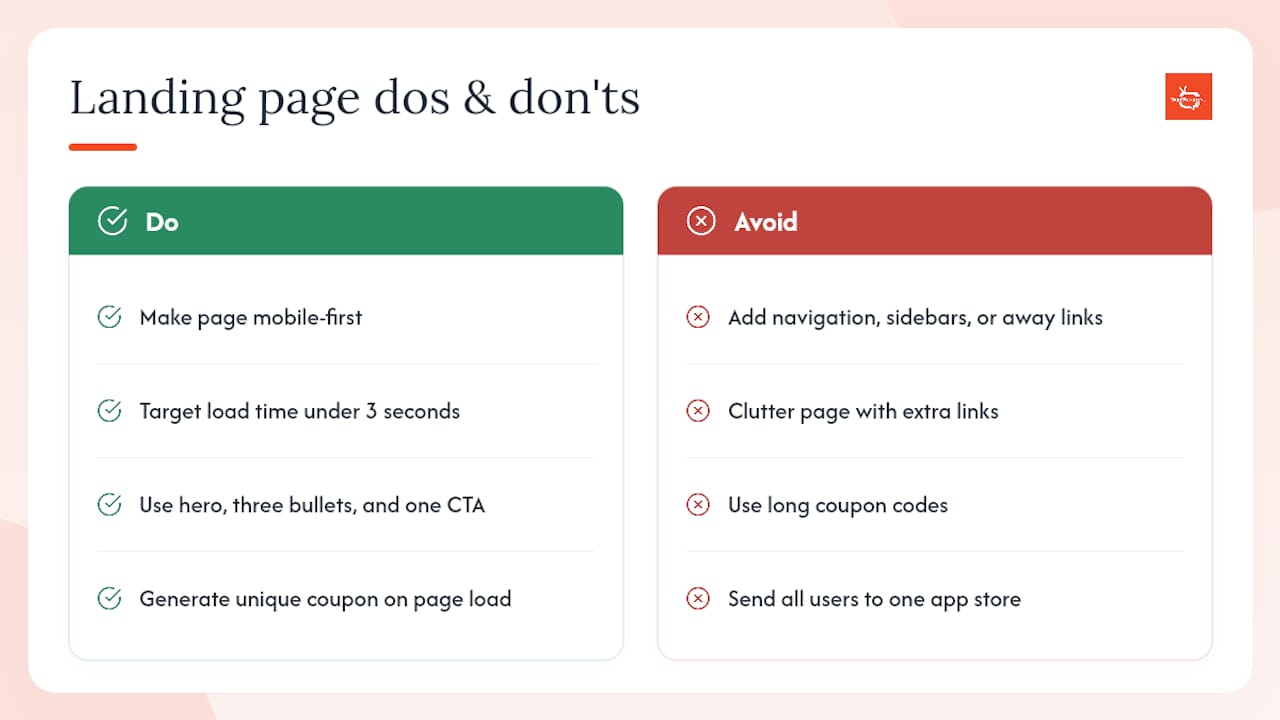
Keep the page mobile-first with a load target under 3 seconds. Remove navigation menus, sidebars, and any link that takes the user away from the primary action. The structure that works: a hero image, three short benefit bullets, and one CTA button. Nothing else. Social proof elements — a star rating, a short testimonial count, or a “joined by 2,400 members” line — can lift conversion without adding clutter.
For attribution, generate a unique coupon code on page load tied to the scan session. When the customer redeems it at checkout or the front desk, you have a clean line from screen to sale — even without POS integration.
If your goal is app installs, use an app-detection dynamic QR type that routes iOS users to the App Store and Android users to Google Play from the same code. Multi-URL QR types work similarly for campaigns that need to share several touchpoints from one on-screen code.
Pro Tip: Keep coupon codes short — 6–8 characters — so staff can enter them manually at the register if the POS scanner is unavailable.
How do you track and measure QR engagement from digital signage?
Measurement is where most operators leave money on the table. Scans alone tell you nothing. You need a framework that connects a scan to a downstream action.
Primary KPIs to track:
Total scans per screen per day
Scan-to-conversion rate (scans ÷ coupon redemptions or form completions)
Coupon redemption rate and time-to-redemption
Scans per screen-hour (useful for comparing high-traffic vs. low-traffic placements)
UTM tagging structure:
Parameter | Recommended Value | Purpose |
utm_source | signage | Identifies the channel |
utm_medium | screen | Identifies the medium |
utm_campaign | campaign name | Groups by promotion |
utm_content | screen_id or location | Identifies the exact screen |
Attribution paths: Unique coupon codes generated at scan are among the most reliable methods to tie a mobile session to an in-store purchase when POS integration is limited. For higher-volume operations, server-side conversion tracking and landing-page session stitching give cleaner data. Establish a four-week baseline before deploying any QR campaign, then run a minimum 90-day window for stable comparisons.
How do you run QR campaigns from your digital signage platform?
Operational discipline separates campaigns that generate clean data from ones that produce noise. Follow this workflow for every deployment:
Create the dynamic QR code in your platform dashboard; assign a campaign name and screen ID at creation
Export as high-resolution PNG and upload to your signage playlist
Schedule display windows — time slots, days, and rotation frequency — within the platform
Map location IDs in your analytics setup so every scan carries its origin
Test on-site with iOS and Android devices under real lighting before the campaign goes live
Refresh content weekly or bi-weekly; conversion rates decay when the same offer runs too long
For A/B testing, rotate two dynamic QR codes in the same playlist slot and compare scan-to-conversion rates over two weeks. Label them clearly (“Store-042-CTA-A” vs. “Store-042-CTA-B”) so your reports stay readable. Refreshing content regularly and using unique QR codes per location are among the most consistent operational lessons from field deployments.
Pro Tip: Use your platform’s bulk-deploy feature to push updated QR campaigns to all locations simultaneously. Updating screens one by one introduces version drift — different locations running different offers at the same time.
Privacy, accessibility, and security for QR code signage in the US
QR codes on screens collect data the moment someone scans. That creates obligations you need to address before launch.
Privacy:
Do not capture personally identifiable information on landing pages without explicit consent and a clear disclosure
Follow US privacy best practices; if you serve California residents, your data collection practices should align with CCPA requirements
State clearly what data you collect and how it is used, directly on the landing page
Security:
Use HTTPS destinations only — HTTP redirects erode trust and trigger browser warnings on mobile
Prefer branded short domains (e.g., go.yourbrand.com) over generic shorteners to reduce phishing risk
Audit dynamic QR destinations regularly and log every destination change for accountability
Accessibility:
Provide a short URL or text alternative near the code for users who cannot scan
Verify that QR code color contrast meets WCAG 2.1 AA guidelines (4.5:1 contrast ratio minimum)
Limit edit access to dynamic QR destinations to authorized staff only
Pro Tip: A branded short domain does double duty: it builds trust with scanners and makes your redirect logs easier to audit when something goes wrong.
QR codes not scanning? A quick troubleshooting checklist
Run through this list on-site before escalating to a technical fix.
Display issues:
Confirm the code is displayed static for at least 5–7 seconds per rotation cycle
Verify the exported file is high-resolution PNG or SVG — not a compressed JPEG
Check for glare by viewing the screen from the customer’s actual position and angle
Design issues:
Test contrast: dark modules on a light background, no busy patterns behind the code
Confirm the code is sized correctly for the viewing distance (1:10 rule minimum)
Landing page issues:
Load the landing page on a real mobile device on cellular data (not your office Wi-Fi)
Confirm the page renders correctly on both iOS Safari and Android Chrome
Check that UTM parameters are passing through and appearing in your analytics dashboard
Verify coupon logic is generating unique codes, not the same code for every session
Dynamic QR issues:
Log into your QR dashboard and confirm the destination URL is live and correct
Check that your custom short domain DNS is resolving without errors
Scan the code yourself and walk through the full conversion flow end-to-end
How a sports club increased class attendance with QR code signage
A Signstream client — an elite sports club — deployed dynamic QR codes on lobby and studio screens, each linking to a class sign-up page. Every code generated a unique 8-character coupon at scan, which staff accepted at the front desk to confirm attendance attribution.
The club reported a 25% increase in class attendance after deployment, with the highest redemption rates occurring during after-work hours.
Operational steps that drove the result:
Location-labeled codes: Each screen had its own QR with a unique ID, so the club could see which studio or lobby placement drove the most sign-ups
Weekly content refresh: Offers and class schedules updated every Monday to keep the content relevant
POS coupon acceptance: Front-desk staff entered coupon codes manually, closing the attribution loop without requiring a full POS integration
The approach mirrors findings from a retail deployment that reported a roughly 45% increase in foot traffic on scanning days, also using unique coupon codes to attribute purchases back to specific QR interactions.
Why Signstream recommends dynamic QR workflows
Dynamic QR codes are not a feature — they are the operational foundation of any screen-based campaign worth measuring. Static codes lock you into a destination at upload time, which means every offer change requires a creative update and a CMS re-upload across every screen. For a business running 10, 50, or 200 screens, that overhead compounds fast.
Signstream provides centralized dynamic QR management, scheduling, analytics, and an ad-exchange marketplace that lets operators monetize their screens while running campaigns. The platform deploys to unlimited screens at no extra charge, requires no technical expertise to operate, and gives multi-site operators a single dashboard to manage every location. The sports club experienced increased class attendance after deployment, attributed to consistent execution: labeled codes, weekly refreshes, and clean attribution — all managed from one place.
Signstream puts dynamic QR campaigns on your screens today
Signstream is the direct alternative to patching together a QR generator, a link shortener, a landing-page builder, and a separate analytics tool. You get dynamic QR hosting, campaign labeling, scheduling, and scan analytics in one platform — deployed to unlimited screens from a single dashboard, with no technical staff required.

The ad display network lets you monetize your screens between campaigns, turning idle display time into revenue. Getting started takes four steps: create a campaign, generate your dynamic code, upload it to your playlist, and map your screen IDs for attribution. Operators running gyms, restaurants, retail locations, and franchise networks use Signstream to manage QR campaigns across every site without touching individual screens. Signstream and have your first dynamic QR campaign live today.
Sources
Recommended
Comments