

8 Hotel Lobby Display Ideas That Prove ROI for Operators
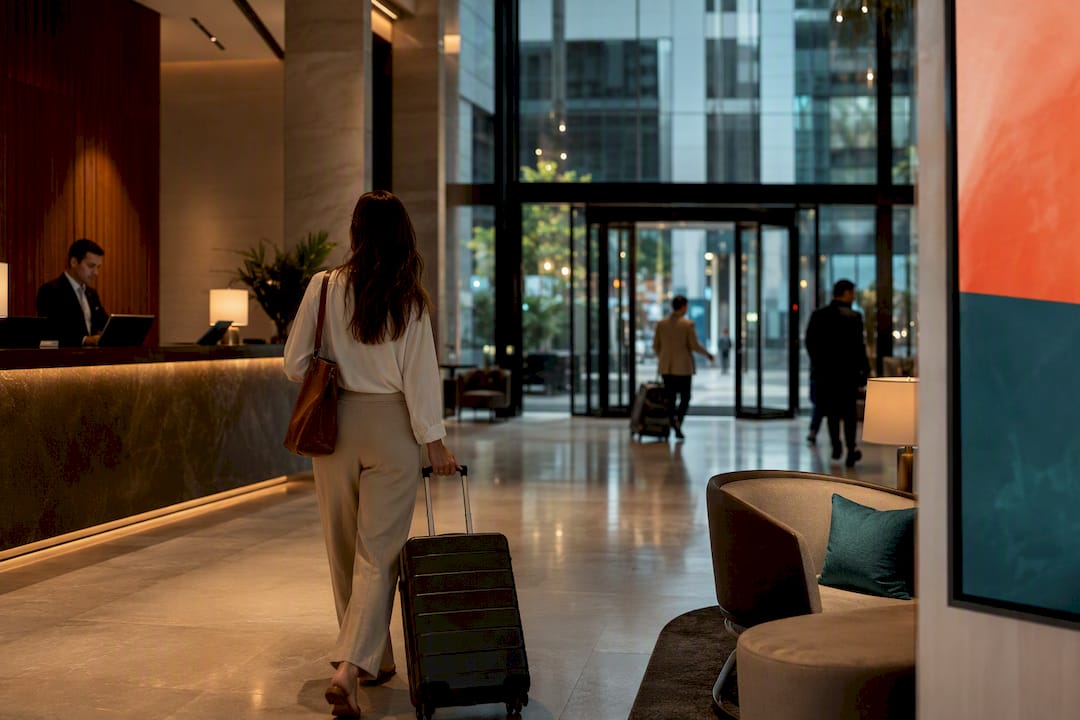
Start with a single lobby screen managed by a cloud CMS, and use it to cut front-desk queries and open up upsell revenue before you expand. The highest-impact concepts to test first are welcome and room-status messaging, wayfinding, F&B or spa promotions, and live event schedules. A digital signage platform lets you pilot that first screen cheaply, then scale to unlimited displays and even monetize extra inventory once the format proves itself.
TL;DR:
Focus initial digital signage efforts on welcome and room-status displays to significantly reduce front-desk questions about room readiness.
Place screens strategically in high-visibility areas like the main lobby, waiting zones, and elevators, with brightness levels tailored for each location’s lighting conditions.
Implement content dayparting and automate updates from systems like PMS and POS to keep information fresh and relevant without manual effort.
Assign clear ownership to departments for different zones to ensure consistent content management and successful pilot programs.
Use outside advertising sparingly on secondary screens, establishing brand guidelines and tracking impressions to monetize without degrading guest experience.
Table of Contents
Hotel Lobby Display Ideas That Actually Move the Needle
Every hotel lobby has the same three problems: guests who don’t know where to go, staff who answer the same questions forty times a day, and revenue sitting unclaimed in the restaurant, spa, or gift shop nobody mentions at check-in. Digital signage solves all three, but only when the content is built around a specific job, not just “something to look at.”
The eight ideas below cover the situations that come up in nearly every property. Each one names the metric you should track, because a lobby screen without a KPI is just decoration with a power cord.
Welcome and room-status displays. Show a rotating greeting, check-in steps, and a room-ready flag so guests stop asking the desk “is my room ready yet?” Learn more about the hotel check-in process workflow to see how these interactive check-in screens fit into the guest arrival flow. Track reduced front-desk queries.
Wayfinding and maps. A static floor map or interactive touch panel near elevators cuts down “where’s the pool” questions fast. Track decreased directional inquiries.
Promotional loops for F&B and spa. Time-of-day offers (“Happy hour starts at 5”) with a QR code CTA convert browsing into bookings. Track incremental upsell revenue.
Event and meeting signage. Pull live calendar data so the right group sees the right room, not a stale printed sign. Track fewer event mis-rooms and stronger sponsor visibility.
Wait-time displays. Show estimated wait for the shuttle, restaurant, or check-in line, plus an alternative (“Grab a coffee at the lobby bar while you wait”). Track perceived wait-time reduction.
Local recommendations. A tight concierge list, three picks, not thirty, drives excursion bookings and local partner revenue. Track partner bookings tied to the screen.
Elevator dwell content. Fifteen-second loops of weather, local news, or a single offer fill the ten seconds guests spend staring at a wall. Track impressions per elevator ride.
Guest engagement walls. Social feeds, loyalty sign-up prompts, or a quick satisfaction survey turn dead lobby time into data collection. Track loyalty signups or completed surveys.
Pro Tip: Don’t launch all eight at once. Pick the two ideas tied to your biggest operational pain (usually front-desk queries and F&B upsells), prove the KPI moves, then add the rest.
Where to Put Screens and How Bright They Need to Be
Placement decides whether a screen gets noticed or ignored, and brightness decides whether it’s readable at all. Get both wrong and even great content fails.
Main lobby: a 55 to 65 inch display or a small video wall positioned behind or beside the front desk, at a distance guests can read while walking in.
Waiting areas: a secondary screen sized to the seating cluster in front of it, not the biggest panel that fits the wall.
Elevator banks: smaller, high-contrast panels built for short glances, not detailed paragraphs.
Entrances and windows: any screen exposed to direct sunlight needs high-nit, outdoor-rated hardware, not a repurposed indoor TV.
Indoor lobby panels generally need 400 to 500 nits for comfortable daytime visibility. Anything facing sunlit windows or the street needs 2,500 to 5,000 nits to stay readable, which is why commercial-grade displays, not consumer TVs, are the standard for lobby installations.
How to Schedule Content Without Babysitting It
A lobby screen that never changes is worse than no screen at all, guests tune it out within a day. The fix is dayparting: different content for breakfast, midday, evening, and special events, set once and left to run.
Build dayparting rules first: breakfast promos in the morning, wayfinding at midday, F&B and event content in the evening.
Create reusable templates for welcome messages, promotions, schedules, maps, and urgent alerts, so updates take minutes instead of a design request.
Automate feeds from your PMS, event calendar, and POS system wherever possible, so room status and menu pricing update without manual entry.
Add dynamic QR codes and short calls to action on every promotional slide, since impressions only pay off when they convert.
Set a content-refresh cadence, weekly at minimum, and keep an override path ready for urgent notices like weather or safety alerts.
This kind of coordinated content strategy reduces the manual work that kills most signage programs within the first few months.
Who Owns the Screen: Zoned Roles and a Low-Risk Pilot
Signage programs fail more often from unclear ownership than from bad hardware. A zoned strategy fixes that: marketing owns promotions, operations owns arrivals and alerts, F&B owns menu content, and events owns meeting signage. Each department updates only its own zone.
Pilot one screen against a visible pain point, run it four to eight weeks, and track the KPI you picked before you started.
Set an approval workflow using templates and role-based access, so nobody has to wait on a designer for a menu price change.
Run daily operational checks and a weekly content review, with an immediate override rule for anything urgent.
Report on front-desk queries, upsell conversion, and QR interactions weekly during the pilot.
Pro Tip: Give each department edit rights only to its own zone. Shared logins are the fastest way to end up with a stale menu next to a live promotion.
Monetizing Lobby Screens Without Cheapening the Experience
Ad space works in a lobby when it stays in the background, not the foreground. Waiting areas and secondary loops are natural spots for outside content; the main welcome screen behind the desk should stay ad-free.
Cap outside ads at one slide per loop and keep frequency low enough that guests never feel like they walked into a shopping mall.
Sell local partner slots with simple pricing: a flat placement fee, a time-block rate, or CPM if you have the volume to support it.
Set brand and content quality rules upfront, no competitors of your own F&B outlets, no low-quality creative that clashes with your property’s image.
An ad exchange marketplace, the kind built into platforms like SignStream, simplifies filling unsold inventory and tracking what each partner owes.
Report impressions, QR-driven conversions, and any bookings credited to the screen back to partners monthly.
Hardware and Integrations Procurement Should Ask For
Handing IT a vague request gets you a pretty screen that breaks in six months. Handing them this list gets you something reliable.
Commercial-grade displays rated for continuous use, paired with dedicated media players or a smart-TV app, not a consumer television left on all day.
Offline playback and local content caching, so a Wi-Fi outage doesn’t leave a blank screen at the front desk.
Integration requests for PMS (greetings, room-ready status), the event calendar, POS (menu and pricing), and an analytics endpoint for reporting.
Encrypted content channels, remote device lockdown, and basic health monitoring so IT knows a screen is down before a guest complains.
Defined analytics fields from day one, impressions, QR scans, dwell time, so ROI analysis has real numbers to work with later.
A Six-Step Pilot You Can Run This Quarter
Spend one to two weeks on discovery: walk the lobby, identify the biggest guest friction point, and pick your pilot location.
Install one screen and configure templates plus whichever integration solves that specific problem first.
Run the pilot for four to eight weeks, tracking the KPIs you set at the start, not new ones you invent halfway through.
Analyze results, adjust content and ownership roles, then expand to the next highest-impact zone (elevators or waiting areas are usually next).
Train the operations team on template use so routine updates don’t require a call to marketing or IT.
Track quick ROI signals: reduced print costs plus incremental upsell revenue, both are easy to measure and easy to defend in a budget meeting.
Reduced front-desk workload is usually the fastest KPI to move, which makes it the easiest early win to report to ownership.
Accessibility and ADA Compliance for Lobby Screens
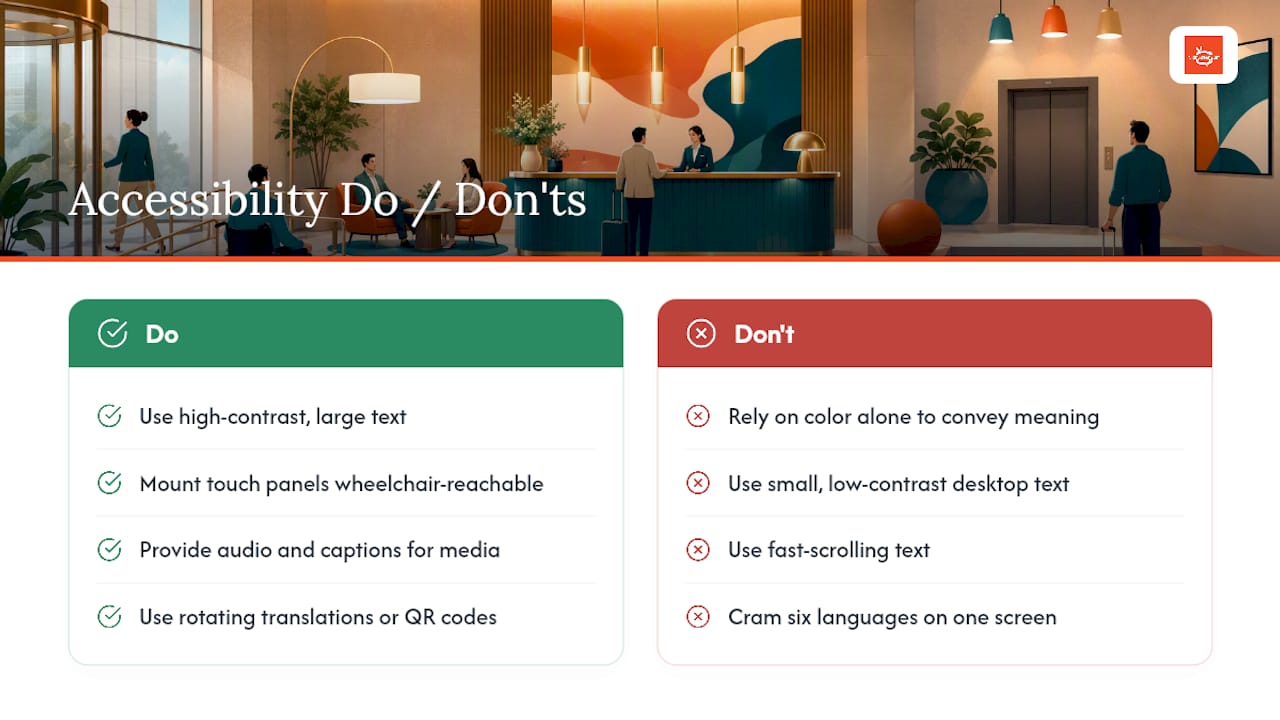
A lobby display that only some guests can use isn’t finished. Text needs enough contrast and size to be readable from a normal walking distance, generally larger and higher-contrast than what looks fine on a desktop mockup. Any interactive touch panel needs a mounting height reachable from a wheelchair, along with audio alternatives or captioning for video content so guests who are deaf or hard of hearing get the same information as everyone else.
Avoid content that relies on color alone to convey meaning (a red “closed” versus green “open” indicator needs a text label too). Keep language simple and avoid fast-scrolling text, which is hard to read for guests with low vision or cognitive differences. If your property serves an international guest base, rotating multilingual content or QR codes linking to translated pages does more for accessibility than a screen crammed with six languages at once.
None of this is optional polish. A lobby is a public-facing space, and screens that create confusion or exclude guests undercut the exact goal, reducing front-desk friction, that justified the investment in the first place. Build accessibility into your templates from the start rather than retrofitting them after a complaint.
Keeping Screens Running: Maintenance and Troubleshooting
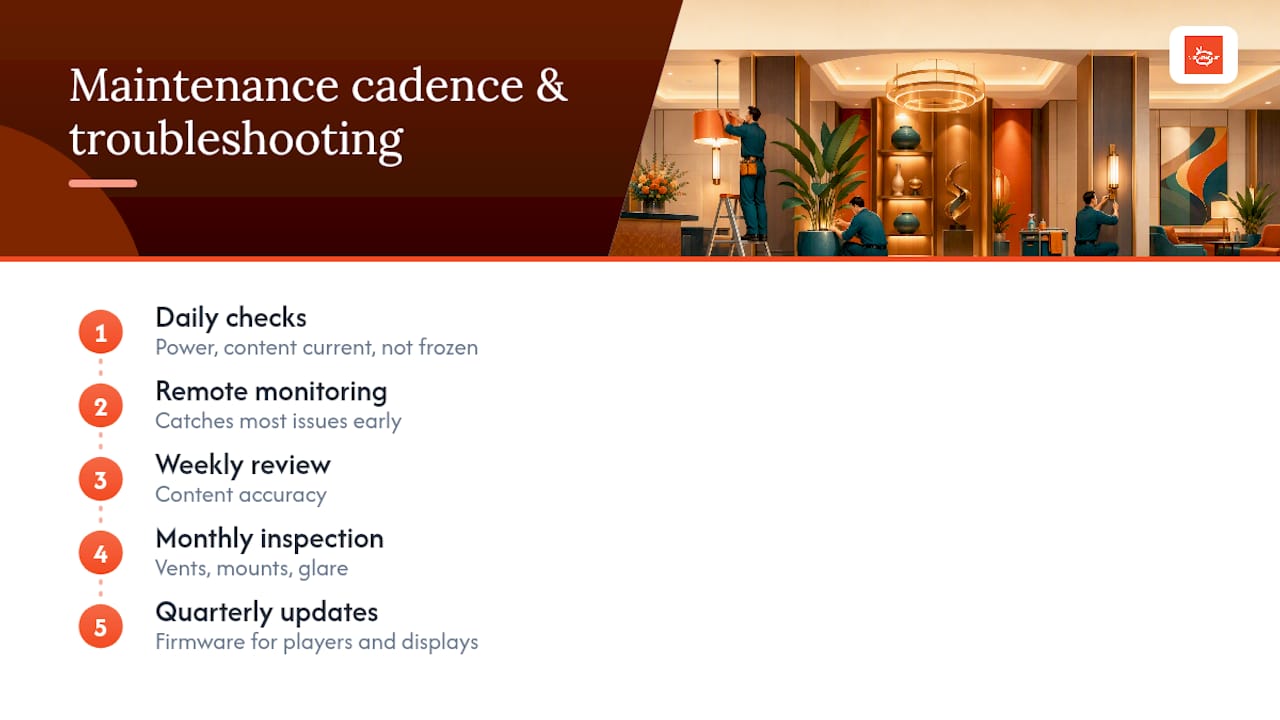
The screen that fails silently is the one that costs you the most, because nobody notices until a guest points at a blank panel. Daily checks should be quick: confirm the screen is on, content is current, and nothing is frozen on yesterday’s promotion.
Most lobby signage problems trace back to three causes: network drops, player hardware overheating behind a warm lobby wall, or a content sync failure after a template update. Remote health monitoring, part of the hardware checklist above, catches most of these before a guest ever sees a problem. Keep a simple escalation path: front-desk staff should know who to call and have a one-line fallback message they can push immediately if a screen goes dark during a busy check-in period.
Build a light maintenance calendar: weekly checks on content accuracy, monthly checks on physical hardware (vents clear, mounts secure, no glare from new furniture placement), and quarterly firmware updates on players and displays. Cloud-managed platforms cut a lot of this burden because content pushes happen instantly from any device, but the physical hardware still needs eyes on it. Assign this to a specific role during your pilot phase; “someone will notice” is not a maintenance plan.
Energy Use and Environmental Considerations
Lobby screens run most of the day, and that adds up on the electric bill and the sustainability report both. Commercial displays vary widely in power draw, so ask vendors for wattage specs before you buy, not after installation. Scheduling screens to dim or power down during closed hours, overnight in a lobby with no 24-hour traffic, for instance, cuts consumption without touching guest experience.
LED and OLED panels typically use less power than older LCD technology for the same brightness, which matters more as screen sizes and video walls grow. If your property already reports on sustainability metrics, lobby signage energy use is worth adding to that tracking, especially once you scale beyond a single pilot screen to elevators, waiting areas, and F&B zones. Automated dayparting, the same scheduling logic you use for content relevance, doubles as an energy control lever when you build power-down windows into off-hours content rules.
Operator Perspective: Lessons Learned and Common Pitfalls
The pilots that work start narrow and measure everything. The ones that fail almost always share two traits: too much content crammed onto one screen, and no clear owner once the initial excitement fades. If you remember one thing, remember this: small and measured beats ambitious and abandoned.
— DKS
How SignStream Fits Everything You’ve Just Planned
The platform behind every pilot idea in this article is a cloud digital signage system that updates unlimited screens from any device, with no per-screen fees, no technical training required, and runs on hardware-agnostic smart-TV apps so you’re not locked into proprietary players.

The SIGNSTREAM NETWORK plan runs $10 per month per channel, with the CUSTOM CHANNEL plan at $105 per month per channel for properties that need more built-out content. If you’d rather have someone else handle installation, design, and ongoing management, SignStream’s team covers hardware and screen setup end to end. Once your pilot proves out, the built-in ad exchange marketplace lets you sell unsold inventory to local partners and turn a cost center into a revenue line without adding staff.
Ready to test one screen before committing to a full rollout? Book a free consult and walk through your lobby layout with the SignStream team.
Sources
FAQ
What’s the Best First Screen to Install in a Hotel Lobby?
Most properties see the fastest results from a welcome and room-status screen near the front desk, since it directly reduces the “is my room ready” questions that eat up staff time.
How Bright Should a Lobby Display Be?
Indoor lobby panels generally need 400 to 500 nits, while any screen facing direct sunlight or placed in a window needs 2,500 to 5,000 nits to stay readable.
How Long Should a Lobby Signage Pilot Run?
A pilot run of several weeks allows gathering meaningful data on front-desk queries, QR interactions, or upsell conversion before deciding whether to expand, rather than specifying an exact time frame.
Can a Hotel Make Money From Lobby Screens?
Yes. Secondary loops and waiting-area screens can carry local partner ads sold through time-blocks, CPM, or flat fees, and a platform like SignStream includes an ad exchange marketplace built for exactly this.
What Does SignStream Cost for a Hotel Lobby Rollout?
The SIGNSTREAM NETWORK plan is $10 per month per channel, and the CUSTOM CHANNEL plan is $105 per month per channel for more built-out content needs.
Recommended
Comments