

How to Engage Members with Screen Content That Works
Updated: Sep 15

The most effective way to engage members with screen content combines three things: content tailored to who your members actually are, a design simple enough to read in seconds, and interactive elements that invite a response rather than passive viewing. Organizations that get all three right see measurable results. Signstream clients, for example, report up to a 25% increase in class attendance after deploying dynamic digital signage. The methods below are built around that same logic.
Before diving into each strategy, here are the foundational elements every screen content program needs:
Member segmentation: Group members by career stage, interest, or activity level so content stays relevant.
Content personalization: Match messaging to each segment rather than broadcasting one generic message to everyone.
Real-time interaction: Build in polls, live Q&A, or feedback prompts that members can respond to immediately.
Accessible formats: Use captions, clear visuals, and audio support so no member is left out.
Simple, fast design: Prioritize clarity over complexity so your message lands in under five seconds.
How well do you actually know your members?
Knowing your audience is the single biggest lever you have when designing screen content. Member segmentation by career stage, interests, and engagement level ensures your content speaks directly to the people seeing it, rather than broadcasting a message that resonates with no one in particular.
A practical starting point is your member portal data. Digital member portals act as centralized hubs that capture behavioral data, showing you which content members click, which events they register for, and where they drop off. That data tells you far more than a survey ever will.
Segment-specific content strategies make a real difference in practice. A gym might show recovery tips and class schedules to members who attend three or more times per week, while displaying beginner-friendly content on screens near the entrance for newer members. The message changes; the screen stays the same.
New members: Onboarding content, orientation schedules, and quick-win resources build early loyalty.
Active members: Advanced programming, community highlights, and leadership opportunities keep them invested.
Lapsed members: Re-engagement prompts, upcoming events, and exclusive offers give them a reason to return.
Pro Tip: Run a quarterly audit of your member portal analytics. The content categories with the highest click-through rates tell you exactly what to put on your screens.
Designing screen content for speed and simplicity
Members decide in seconds whether a screen is worth their attention. Cluttered layouts, slow-loading graphics, and walls of text all lose that battle immediately. The goal is one clear message per screen, delivered fast.
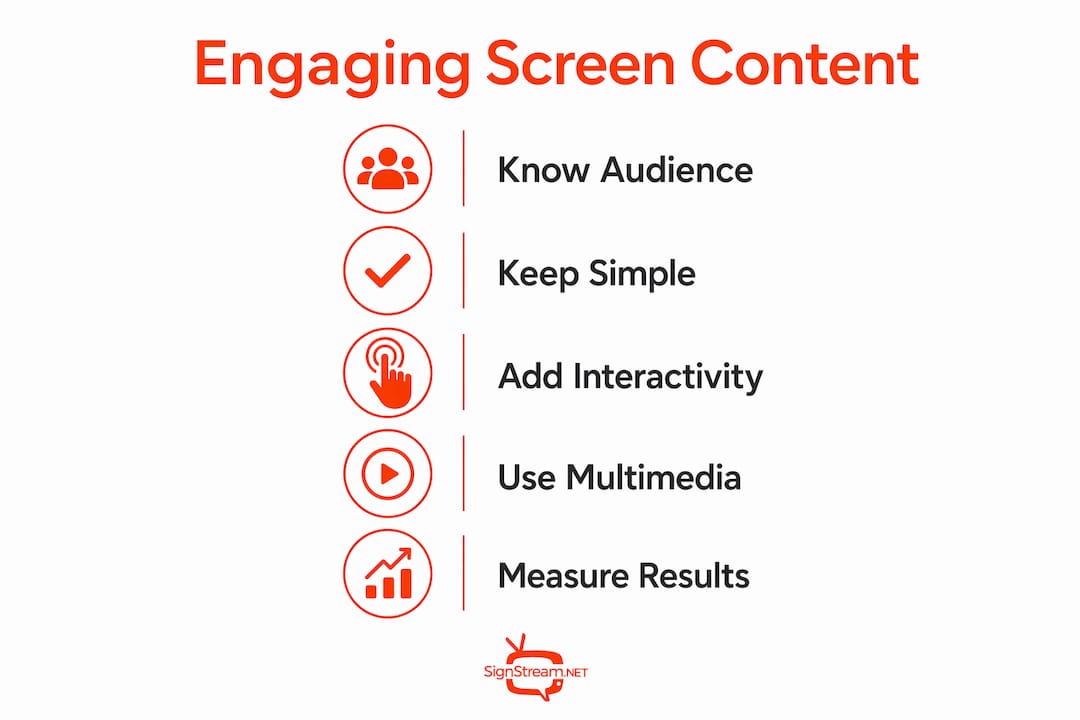
Minimalistic design reduces cognitive load. Use high-contrast text, a single focal image, and no more than two calls to action per display. Every element on the screen should earn its place by supporting the core message.
Content automation is the practical solution to keeping screens fresh without constant manual effort. Linking your digital signage directly to live data sources, such as class schedules, event registrations, or social feeds, means content updates itself in real time. You avoid the common problem of screens showing outdated information that members learn to ignore.
One message per screen: Avoid splitting attention across multiple competing messages.
High-contrast visuals: Text should be readable from across a room in under three seconds.
Automated data feeds: Connect screens to live sources so content stays accurate without manual uploads.
Short copy: Aim for headlines under eight words and supporting text under twenty.
Pro Tip: Test every screen design from ten feet away. If you can’t read the main message in three seconds, simplify it.
Planning for interactivity to boost member involvement
Static screens inform. Interactive screens involve. The difference in member response between a display that shows a schedule and one that asks “Which class should we add next month?” is the difference between passive awareness and active participation.

Polls, quizzes, live Q&A, and gamification elements like leaderboards and progress badges all give members a reason to stop, engage, and return. The key is anchoring each interactive element to something members actually care about, not adding features for their own sake.
The “Engagement Ladder” framework offers a useful structure here. Members progress best through small, incremental steps rather than jumping straight from passive viewer to active participant. A member who votes in a poll is more likely to sign up for an event. A member who signs up for an event is more likely to volunteer. Each small win builds toward deeper loyalty.
Second screen experiences extend this further. Synchronized content across a lobby display and a member’s smartphone, timed to the same event or session, creates a layered experience that feels personal rather than broadcast. Real-time synchronization technology makes this possible without complex infrastructure.
Live polls: Ask members to vote on upcoming programming, events, or topics.
Quizzes and trivia: Short knowledge checks tied to your content keep attention high.
Gamification: Leaderboards and progress tracking tied to attendance or participation milestones.
Second screen sync: Coordinate screen content with mobile notifications or app prompts during events.
Choosing multimedia formats that support all your members
Video is the most relatable format for reaching association members emotionally. It conveys tone, personality, and community in ways that static images and text simply cannot match. The good news is that high production value is not required.
Authentic, member-created videos outperform polished commercials for trust and engagement, particularly for organizations with limited budgets. A one-minute testimonial filmed on a smartphone, a behind-the-scenes clip from a recent event, or a short how-to walkthrough from a staff member all deliver genuine value. Member testimonials also encourage sharing, which extends your reach organically.
Accessibility cannot be an afterthought. Captions on every video, clear audio levels, and visuals that work for different learning styles all expand your content’s reach. The U.S. Department of Health and Human Services recommends interactive and graphic content that supports varied literacy levels, a standard worth applying to screen content in any organizational setting.
Multimedia format checklist:
Does the format work without sound? (Add captions if video.)
Is the visual readable from the expected viewing distance?
Does the content reflect real members, not stock imagery?
Is the file size optimized for fast loading?
Does the format support your specific engagement goal, such as informing, motivating, or prompting action?
Additional format options worth rotating into your content mix:
Infographics: Ideal for data, stats, or step-by-step processes.
Countdown timers: Build anticipation for upcoming events or deadlines.
Live social feeds: Show real member activity and community momentum.
Animated announcements: Motion catches the eye without requiring video production.
For organizations in hospitality or property management, AI-powered video messaging is an emerging format that personalizes screen content at scale, matching the right message to the right audience at the right moment.
How Signstream helps organizations drive real engagement results
Signstream is built specifically for the kind of screen content strategy described throughout this article. The platform lets you update multiple screens instantly from any device, with no technical expertise required. That means your team can respond to a last-minute schedule change, a new promotion, or a live event update in real time, without waiting on IT.
The results are measurable. Signstream clients report significant increases in class attendance after deploying the platform, reflecting the impact of keeping content current, relevant, and visually compelling. The platform also includes an ad exchange marketplace, so organizations can cross-promote with local businesses and generate revenue directly from their screens.
For organizations managing member retention across multiple locations, Signstream’s unlimited-screen deployment model means you scale your content network without scaling your costs. Every screen runs the same platform, managed from one place.
Feature | Impact |
Real-time content updates | Screens stay accurate without manual effort |
No technical skill required | Any staff member can manage content |
Ad exchange marketplace | Screens generate revenue, not just awareness |
Unlimited screen deployment | Scale across locations at no extra cost |
Analytics and performance tracking | Measure what works and adjust quickly |

Ready to see what Signstream can do for your organization? Book a free consultation or explore interactive ad solutions built for member-facing screens.
Key Takeaways
Engaging members with screen content works best when audience data, simple design, interactivity, and accessible multimedia all work together in a single, managed system.
Point | Details |
Segment your audience first | Content tailored to member type drives relevance and avoids generic messaging. |
Design for three-second readability | One message, high contrast, and short copy keep attention on every screen. |
Build in incremental interaction | Small engagement steps, like polls and quizzes, build toward deeper loyalty over time. |
Use authentic video over polished ads | Member-created testimonials deliver more trust and sharing than high-production content. |
Measure and adjust with analytics | Platform data shows what content drives participation so you can act on it quickly. |
Recommended
Comments